- Carefully remove the screws holding the doorbell button in place. Gently pull the button away from the wall to expose the wiring.
- Look for: Loose or corroded wires, a broken button mechanism, or dirt/debris obstructing the contacts. If wires are loose, tighten them with a small screwdriver. If they are corroded, gently clean them with fine-grit sandpaper.
- Briefly touch the two wires together. If the chime rings, the button is faulty and needs replacement. If not, the problem lies elsewhere.
- If this doesn't work: Replace the doorbell button anyway if it shows visible signs of damage or wear. They are inexpensive and a common failure point.
General remodeling · Renovation planning
| Project category | General remodeling |
|---|---|
| Problem type | Renovation planning |
| Trade required | General contracting |
| Urgency | Planned project |
| Safety risk | Low safety risk |
| DIY suitability | Pro recommended |
| Cost category | Major investment |
| Typical timeline | Design and permitting often 2–4 months before work starts |
| Contractor type | General contractor |
Repair option
Phase the work and fix the building envelope first.
Replacement option
Full renovation with permits, design, and a general contractor.
Common causes
- Space no longer fits how the household lives
- Resale preparation
- Deferred maintenance stacking up
Relevant tools:project cost estimatorcompare quoteshome improvement material prices
Published April 30, 2026Last updated August 17, 2026
Tools & materials you'll need
Affiliate links- AmazonElectrical Tape
- AmazonCan of Compressed AirFor cleaning chime unit
- AmazonReplacement Doorbell ButtonIf existing button is faulty
- AmazonReplacement Doorbell TransformerIf existing transformer is faulty, match voltage
- AmazonReplacement Doorbell Chime UnitIf existing chime is faulty, match voltage
As an Amazon Associate FixlyGuide earns from qualifying purchases — at no extra cost to you. Prices and availability are accurate as of publication and subject to change.
Quick Answer
If your doorbell suddenly stops working, the most common culprit is a disrupted power supply. This usually means a tripped breaker, a failing transformer, or a disconnected wire at the button or chime unit. Homeowners can often diagnose and fix these issues with basic tools and a careful approach to electrical safety. Start by checking your electrical panel for a tripped breaker, then move to inspect the doorbell transformer and wiring for any obvious faults before considering component replacement.
The Problem
You push the doorbell button, but instead of the familiar chime, there’s nothing but silence. A non-functioning doorbell is a common nuisance that can leave you wondering if guests are waiting unnoticed. While it might seem like a complex electrical issue, many doorbell problems are surprisingly simple to diagnose and fix with a few basic tools and a bit of patience. The core problem usually lies in one of three areas: the power supply, the doorbell button, or the chime unit itself. Understanding how these components work together is the first step toward restoring your doorbell's melodious greeting.
How It Works
Most wired doorbells operate on a low-voltage electrical circuit, typically 10 to 24 volts AC. This low voltage is crucial for safety and efficiency. The system consists of three primary components: the transformer, the doorbell button, and the chime unit.
The Transformer: This is the heart of your doorbell's power system. Located typically near your main electrical panel, in an attic, or mounted to a junction box in your basement or utility closet, the transformer converts your home's standard 120-volt AC household current down to the much lower 10-24 volts AC required by the doorbell. It's a small, rectangular or cylindrical device with two terminals for the low-voltage wires. If the transformer fails or loses power, the entire doorbell system goes dead.
The Doorbell Button: When you press the doorbell button, you complete a circuit. Inside the button, there are two terminals connected to the low-voltage wires coming from the transformer and going to the chime. Pushing the button momentarily bridges these terminals, allowing electricity to flow to the chime.
The Chime Unit: The chime unit contains an electromagnet and plungers. When electricity flows from the button, the electromagnet is energized, pulling a plunger to strike a metal bar, producing the distinctive 'ding-dong' sound. Most chimes have two solenoids for the two distinct notes – one for the front door and often a single note for a secondary door.
When a doorbell isn't working, it usually means that somewhere along this low-voltage path, the circuit is interrupted or a component has failed. This could be due to a tripped breaker cutting power to the transformer, a faulty transformer, a broken wire, a sticky doorbell button, or a damaged chime unit.
Step-by-Step Fix
1. Safety First — Before doing any electrical work, always turn off the power at the main electrical panel.
- This is critical, even for low-voltage systems. While the doorbell circuit itself is low voltage, the transformer is connected to your home's 120V system. Locate the breaker that controls the doorbell circuit (it might be labeled 'Lights,' 'General Purpose,' or 'Furnace' if not specifically 'Doorbell'). Flip it to the 'OFF' position.
2. Check the Breaker or Fuse — Diagnose the simplest power issue.
- Go to your home's electrical panel. Look for a tripped circuit breaker. It will be in an 'OFF' or middle position. Flip it firmly to the 'OFF' position, then back to 'ON'.
- If you have an older fuse box, check for a blown fuse. A blown fuse will have a broken filament. Replace it with a fuse of the same amperage.
- If this doesn't work: The breaker might trip again, indicating a short circuit somewhere in the system. Disconnect the transformer from the 120V circuit (after turning off the breaker again) and then reset the breaker. If it holds, the issue is within the low-voltage doorbell circuit.
3. Inspect the Doorbell Button — Often the first point of failure.
- Carefully remove the screws holding the doorbell button in place. Gently pull the button away from the wall to expose the wiring.
- Look for: Loose or corroded wires, a broken button mechanism, or dirt/debris obstructing the contacts. If wires are loose, tighten them with a small screwdriver. If they are corroded, gently clean them with fine-grit sandpaper.
- Briefly touch the two wires together. If the chime rings, the button is faulty and needs replacement. If not, the problem lies elsewhere.
- If this doesn't work: Replace the doorbell button anyway if it shows visible signs of damage or wear. They are inexpensive and a common failure point.
4. Examine the Chime Unit — The sound-maker might be silent due to internal issues.
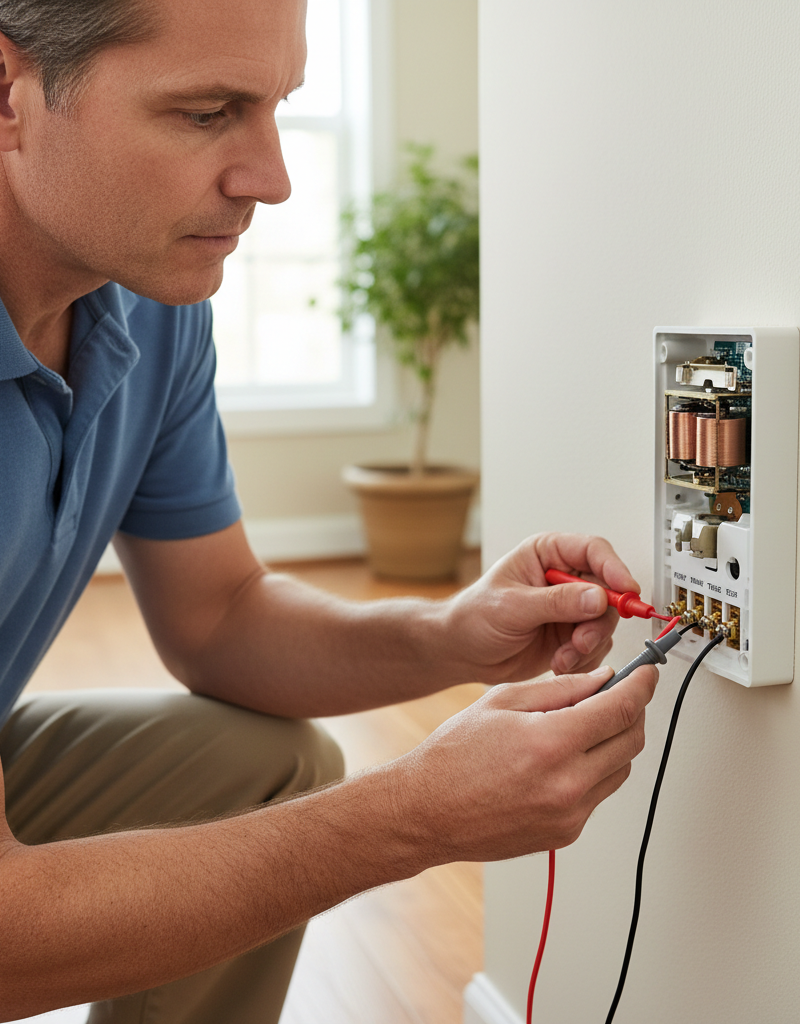
- Locate your chime unit (typically in a hallway, living room, or near the front door). Remove its cover.
- Look for: Loose wires, dust and debris, or visible damage to the electromagnets or plungers. Use a can of compressed air to clear out any dust.
- Ensure all wires are securely attached to their terminals. If a plunger is stuck, try gently wiggling it free. Sometimes, the chime mechanism gets gummed up with dirt or lint.
- Safety Note: Do NOT touch internal components while power is on, even though it's low voltage. Always disconnect power first.
- If this doesn't work: If the chime hums faintly but doesn't strike, it might not be receiving enough voltage, pointing to a transformer issue. If it's completely silent, the chime or transformer is likely faulty.
5. Test the Transformer's Output — Verify the power source is supplying voltage.
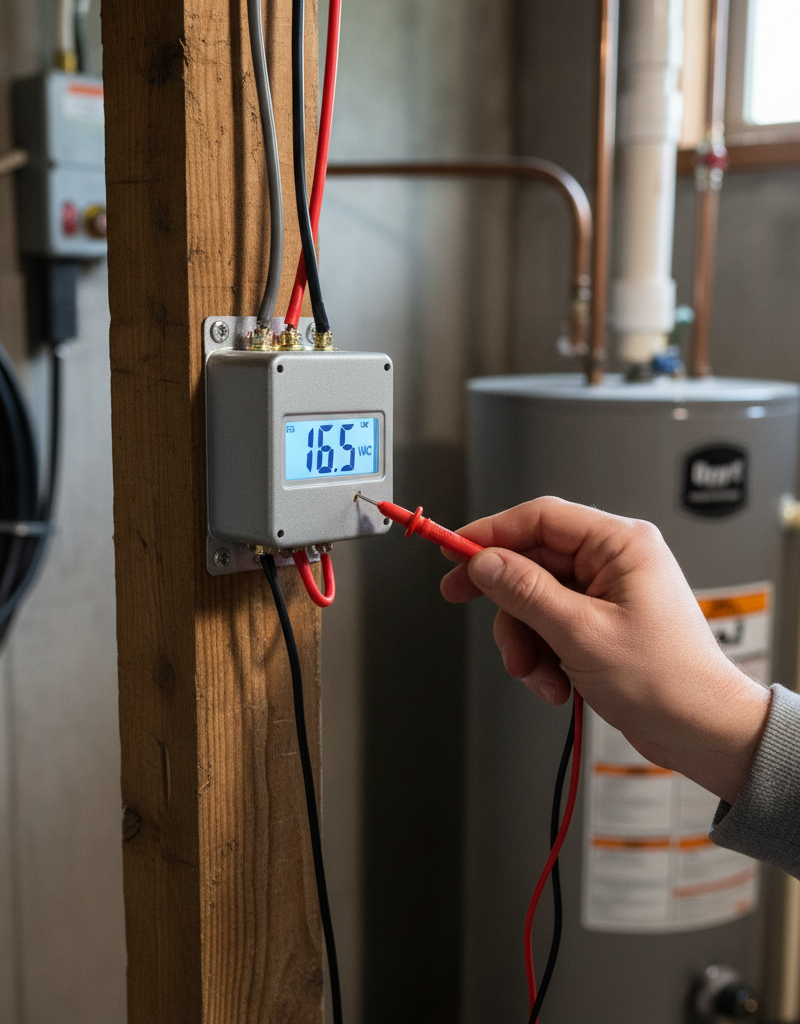
- Locate the doorbell transformer. It's usually a small, metal box mounted to a junction box near your electrical panel, furnace, or in the attic/basement.
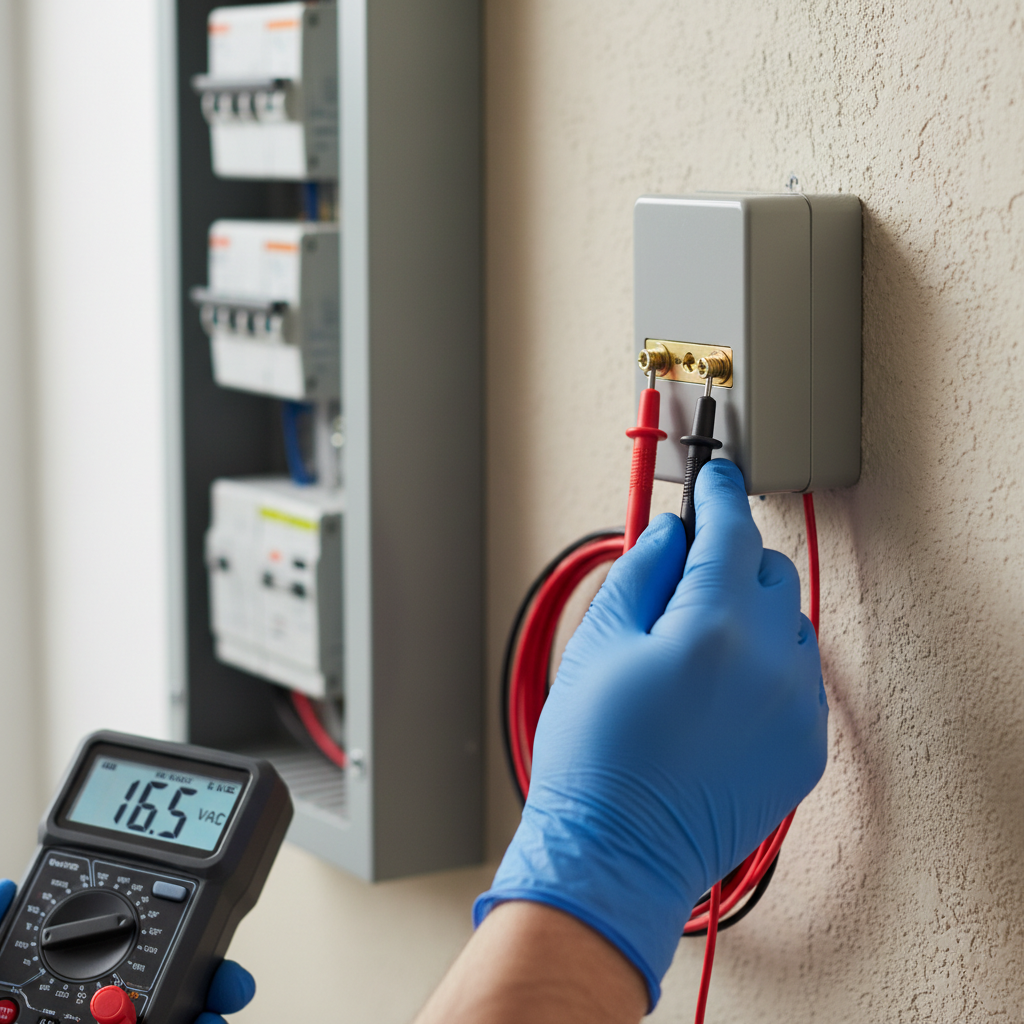
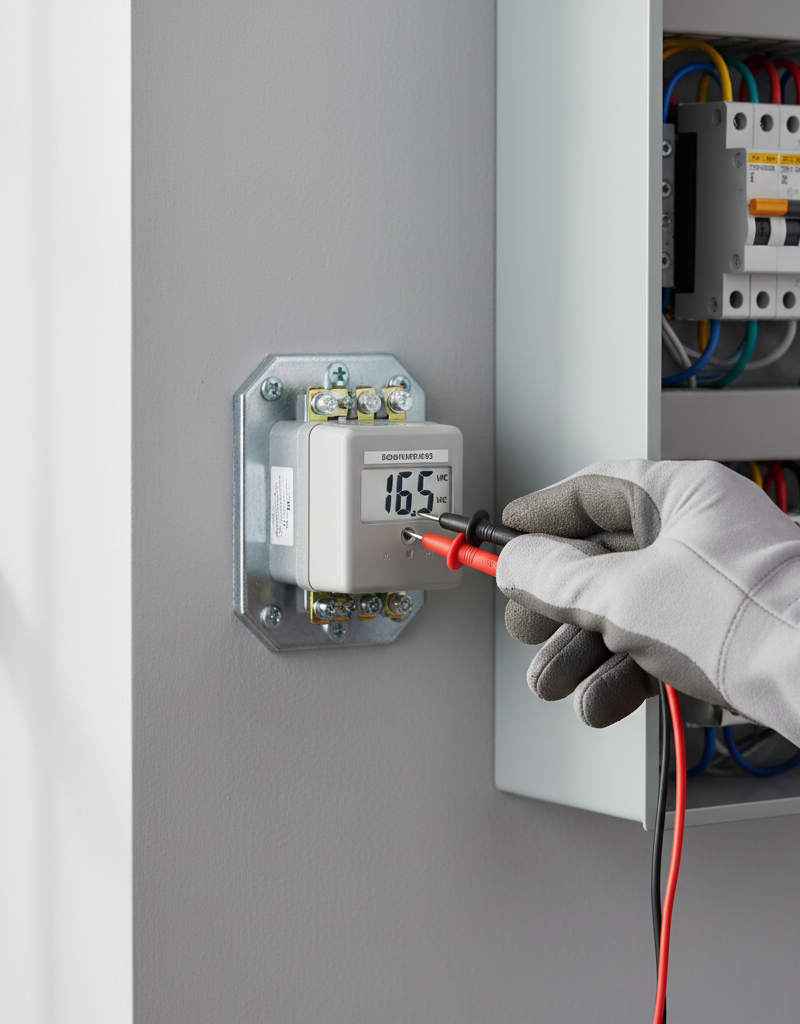
- With the power ON (exercise extreme caution, as the primary side of the transformer has 120V), set your multimeter to AC voltage mode (V~).
- Place one probe on each of the low-voltage terminals of the transformer. A functioning transformer should read between 10 and 24 volts AC.
- Safety Note: Be very careful not to let your probes touch the 120V input wires or any other metal surfaces that could cause a short. Use insulated gloves.
- If the reading is 0V or significantly low: The transformer is likely faulty and needs replacing, or it's not receiving 120V input. Turn off the power and check the 120V wiring to the transformer. If the 120V input is present, but the output is low/zero, replace the transformer.
- If this doesn't work: If the transformer shows good voltage, the problem is a break in the low-voltage wiring between the transformer and the button, or between the button and the chime.
6. Check Wiring Continuity (Advanced) — Trace the current path to find breaks.
- Turn off power at the breaker.
- Disconnect both wires from the doorbell button. Using a multimeter set to continuity mode (or resistance/ohms), touch one probe to each wire. You should get an open circuit reading (infinite resistance). If you get continuity, there's a short in the wires.
- Go to the chime unit. Disconnect the wires there too. Label them to remember which goes where (e.g., 'Trans' for transformer, 'Front' for front door button).
- Take the wire from the transformer and one of the button wires (e.g., 'Front'). At the chime, connect these two wires temporarily. At the button location, test for continuity between the corresponding two wires. If you have continuity, that section of wire is good. Repeat for the other wire from the button to the chime.
- This process helps isolate breaks in the low-voltage wiring. If there's no continuity, you'll need to trace the wire path, often through walls, which can be challenging and may require professional help.
7. Consider a New Chime Unit — If all else fails, the chime might be internally broken.
- If the transformer is providing adequate voltage and the wiring seems intact, the chime unit itself could be the issue. Internal components can wear out or become damaged.
- Purchase a new chime unit with the same voltage requirements as your existing transformer. Disconnect the old chime (with power off!), wire in the new one, and test.
- If this doesn't work: At this point, if you've methodically ruled out the button, transformer, and wiring, it's time to call in a licensed electrician. There might be a hidden issue you're missing.
Common Causes
- Tripped Circuit Breaker: This is the most frequent and easiest fix. An overload or short elsewhere on the circuit can trip the breaker powering the doorbell transformer.
- Faulty Transformer: Over time, transformers can wear out, overheat, or experience internal failures, leading to reduced voltage output or complete failure.
- Damaged Doorbell Button: The button is exposed to the elements and frequent use. Wires can come loose, contacts can corrode, or the internal mechanism can break.
- Loose or Corroded Wiring: Low-voltage wires can become brittle, break, or corrode at connection points, especially in damp environments or due to pest damage.
- Dust and Debris in Chime: The internal mechanism of the chime can get clogged with dust, lint, or insect nests, preventing the plungers from striking the tone bars.
- Damaged Chime Unit: The electromagnets or plungers within the chime can fail due to age, impact, or electrical surges.
Common Mistakes
- Forgetting to Turn Off Power: Even low-voltage wiring can be part of a 120V circuit at the transformer. Always de-energize before working on electrical components to prevent shock or equipment damage.
- Guessing the Problem: Randomly replacing parts without proper diagnosis can waste time and money. Follow a systematic troubleshooting approach.
- Ignoring the Transformer: Many DIYers focus only on the button and chime, overlooking the transformer as a common failure point that is often out of sight.
- Incorrect Voltage Matching: When replacing parts, ensure the new doorbell button, chime, or transformer matches the voltage requirements of the rest of the system. Mismatched components can cause premature failure.
- Loose Connections: When reattaching wires, ensure they are securely fastened to their terminals. A loose connection is a common cause of intermittent or complete failure.
- Using Too Much Force: Doorbell buttons and chime covers are often plastic and can break easily if forced. Use gentle prying and unscrewing techniques.
Cost & Time Breakdown
| Task | DIY Cost | Pro Cost | Time |
|---|---|---|---|
| Check Breaker/Fuse | $0 | $75–$150 | 5 minutes |
| Inspect/Clean Button | $0–$5 | $75–$150 | 10–15 minutes |
| Inspect/Clean Chime | $0 | $75–$150 | 15–20 minutes |
| Replace Doorbell Button | $10–$30 | $100–$200 | 15–30 minutes |
| Replace Doorbell Transformer | $15–$50 | $150–$300 | 30–60 minutes |
| Replace Doorbell Chime Unit | $20–$80 | $150–$300 | 30–60 minutes |
Tips & Prevention
- Annual Inspection: Once a year, give your doorbell system a quick check. Press the button to ensure it rings crisply. Briefly remove the chime cover to vacuum out dust.
- Keep Button Clean: Gently wipe down your doorbell button periodically to prevent grime buildup that can affect its operation.
- Check Wiring: If you notice any exposed or frayed wires around the button or chime, turn off the power and secure or replace them promptly. Exposed wires are a hazard and can lead to short circuits.
- Correct Transformer Sizing: If you ever upgrade your doorbell to a smart doorbell, ensure your transformer can provide adequate voltage andVA (Volt-Ampere) rating. Many smart doorbells require 16-24V and higher VA than older mechanical systems.
- Pest Control: If your transformer is in an attic or basement, ensure those areas are sealed to prevent pests from chewing on wires or nesting in the chime unit.
When to Call a Professional
While most doorbell issues are manageable for the average homeowner, there are specific situations where calling a licensed electrician is the safest and most efficient course of action. If, after systematically troubleshooting, you still cannot identify or resolve the problem, it's time to call a pro. This is especially true if you are uncomfortable working with electricity, even low voltage, or if you suspect the issue involves the main electrical panel wiring to the transformer. If you detect burning smells, see sparks, or if a circuit breaker repeatedly trips even after you've disconnected components, it indicates a more serious electrical fault that requires immediate professional attention. Additionally, if the wiring is concealed within walls or ceilings and you suspect a break that would require extensive drywall removal, an electrician may have specialized tools to locate the break with less invasive methods. Don't risk electrical shock or further damage to your home's electrical system for a doorbell repair.
Related Articles
Keep troubleshooting with these hand-picked guides from FixlyGuide:
- The 5-Minute Trick That Often Fixes a Dead Doorbell (No Electrician Needed) — Before you call an electrician for a dead doorbell, learn the surprising common culprit homeowners overlook and how to fix it in minutes.
- The 4 Hidden Reasons Your Doorbell Dies (And the 20-Minute Fix) — A non-working doorbell is often caused by simple, hidden issues like a tripped transformer or a corroded button, which homeowners can fix i…
- That ONE Reason Your Closet Door Keeps Derailing — Stop just putting your sliding closet door back on the track. We reveal the hidden—and surprisingly simple—hardware issue that causes 90% o…
- The 5-Minute Trick to Fix a Window That Won't Stay Open (No Tools Needed!) — Discover the surprisingly simple reasons why your window keeps sliding shut and how to fix it in minutes, often without any tools.
- The 5-Minute Trick to Fix a Sagging Window (No New Parts Needed) — Discover the simple, often overlooked cause of a window that won't stay open and how to fix it in minutes using common household items.
- That One Warm Breaker Is Trying to Tell You Something — A single warm circuit breaker is not normal; it's a critical warning sign of an electrical issue, often an overload or a dangerous loose co…
Should you do this yourself?
Answer five quick questions before you start. Safety outranks savings every time.
Your experience with work like this
How high do you have to work?
Does the job involve any of these?
Will it need a permit?
Specialty tools
Free and instant. Educational guidance only — not a quote, inspection, or professional diagnosis.
What should this project cost?
Enter your project details for a realistic cost range before you call anyone.
Outlet and switch work usually $150–$400; panel upgrades commonly $1,800–$4,200.
- Regional adjustment
- National average
- Labor share (typical)
- ~$709
- Quotes to collect
- 3 written estimates
Educational estimate based on national averages — not a binding quote. Always confirm with written local estimates.
Fixly Project Decision Box
- DIY difficulty
- Professional Recommended
- Estimated time
- Diagnosis 1–2 hours
- Cost level
- Moderate
Main tools / materials
- Non-contact voltage tester
- Outlet tester
- Flashlight
When to stop and call a pro
- Burning smell, scorch marks, or a warm outlet or switch plate
- A breaker that trips again right after being reset
- Any work inside the service panel
- Aluminum wiring or cloth-insulated wiring
Need professional help?
Talk to a Licensed ElectricianRecommended for DIYers & woodworkers
Sponsored
The Top 20 Tools for Workshops of Any Budget
No stationary machines or power tools required — plus 3 fundamental tools that can't be bought at any price.
Get the free guide
Ted's Woodworking — The #1 Woodworking Resource
Detailed instructions, dimensioned drawings, materials & cutting lists, and 3D schematics for every skill level.
See the plansSponsored: links above are affiliate links. FixlyGuide may earn a commission on qualifying purchases — at no extra cost to you.
Frequently asked questions
Why did my doorbell suddenly stop working?+
The most common reason a doorbell suddenly stops working is a tripped circuit breaker, a faulty transformer that converts household current to low voltage, or a disconnected wire at the doorbell button or chime unit. Less commonly, the button itself or the chime mechanism may have failed.
How do I test my doorbell transformer?+
To test a doorbell transformer, first locate it (often near the electrical panel or furnace). With power ON (exercise caution!), set a multimeter to AC voltage and touch its probes to the two low-voltage terminals on the transformer. A functioning transformer should read between 10 and 24 volts AC. If it reads 0V or significantly low, the transformer is likely faulty.
Can I replace a doorbell myself?+
Yes, replacing a doorbell button or chime unit is generally considered an 'easy' to 'moderate' DIY task. Replacing the transformer is slightly more involved as it connects to your home's 120V wiring, requiring extra caution. Always turn off the power at the circuit breaker before attempting any doorbell repair or replacement.
What if my doorbell only hums?+
If your doorbell hums but doesn't chime, it often indicates that the chime unit is receiving power but the plunger mechanism is stuck or not moving freely. This can be caused by dust, debris, or a mechanical fault within the chime itself. Cleaning the chime's internal components or replacing the chime unit usually resolves this issue.
Discussion
Loading comments…