- Non-contact voltage tester
- Screwdrivers (Phillips and flat-head)
- Replacement switch (ensure it matches or exceeds the amperage rating of the circuit breaker, typically 15A)
- This project involves working with 120V electricity, which can cause serious injury or death. If you are not completely confident, stop and call a licensed electrician.
- Always verify power is off with a tester before touching any wires or screws.
Electrical · Panel or service upgrade
| Project category | Electrical |
|---|---|
| Problem type | Panel or service upgrade |
| Trade required | Electrical |
| Urgency | Planned project |
| Safety risk | High safety risk |
| DIY suitability | Licensed pro only |
| Cost category | High cost |
| Typical timeline | Permit plus utility scheduling, commonly 2–6 weeks |
| Contractor type | Licensed electrician |
Repair option
Add a subpanel when the main service is adequate.
Replacement option
Full service upgrade with utility coordination and permits.
Common causes
- Obsolete or recalled panel brands
- Service capacity too small for added loads
- No room for required AFCI/GFCI breakers
Relevant tools:project cost estimatorcompare quotes
Published April 27, 2026Last updated August 17, 2026
Tools & materials you'll need
Affiliate linksAs an Amazon Associate FixlyGuide earns from qualifying purchases — at no extra cost to you. Prices and availability are accurate as of publication and subject to change.
How it works
A light switch functions as a simple gate within an electrical circuit. When the switch is on, it closes two internal metal contacts, completing the circuit and allowing electrical current to flow from your home's breaker panel to the light fixture. When off, it separates these contacts, creating an air gap that breaks the circuit and stops the current. The flow of electricity is measured in Amperes (Amps), and the electrical potential driving it is measured in Volts. The work performed by this electricity, like producing light, is measured in Watts.
All electrical components, including wiring and switch contacts, have a small amount of electrical resistance. As current flows through this resistance, a small amount of energy is converted into heat. This is governed by the formula P = I²R, where P is power (dissipated as heat), I is current, and R is resistance. Under normal conditions, a standard light switch has very low resistance, and the heat generated is negligible.
A switch becomes warm or hot for three primary reasons: high resistance, excessive current, or, in the case of dimmers, normal operation. High resistance can be caused by loose wire connections at the switch's terminals, internal corrosion, or worn-out contacts. A loose connection creates a poor electrical path, dramatically increasing resistance and generating significant heat at that single point. Excessive current, or overloading, occurs when the total wattage of the connected lights exceeds the switch's rating. A standard switch is typically rated for a 15-Amp load, but continuous use should not exceed 80% of this (12 Amps). More current forces more energy through the switch's inherent resistance, generating more heat across the entire component. Dimmers naturally get warm because they use electronic components like TRIACs to rapidly chop up the AC waveform, which dissipates some energy as heat. However, a dimmer that is hot to the touch is likely overloaded or incompatible with the bulbs it is controlling.
Step-by-Step Fix
This guide addresses diagnosing and replacing a standard single-pole light switch, the most common type in residential homes. If your switch is a three-way (controls one light from two locations) or a dimmer, the principles are similar but the wiring may be more complex.
- Tools & Materials:
- Non-contact voltage tester
- Screwdrivers (Phillips and flat-head)
- Wire strippers/cutters
- Needle-nose pliers
- Replacement switch (ensure it matches or exceeds the amperage rating of the circuit breaker, typically 15A)
- Safety Warning:
- This project involves working with 120V electricity, which can cause serious injury or death. If you are not completely confident, stop and call a licensed electrician.
- Always verify power is off with a tester before touching any wires or screws.
-
De-energize the Circuit — Shut off power at the source. Locate your home's main electrical panel (breaker box). Identify the breaker that controls the circuit for the hot light switch. It may be labeled "Living Room Lights," "Bedrooms," etc. Firmly flip the breaker to the "OFF" position.
-
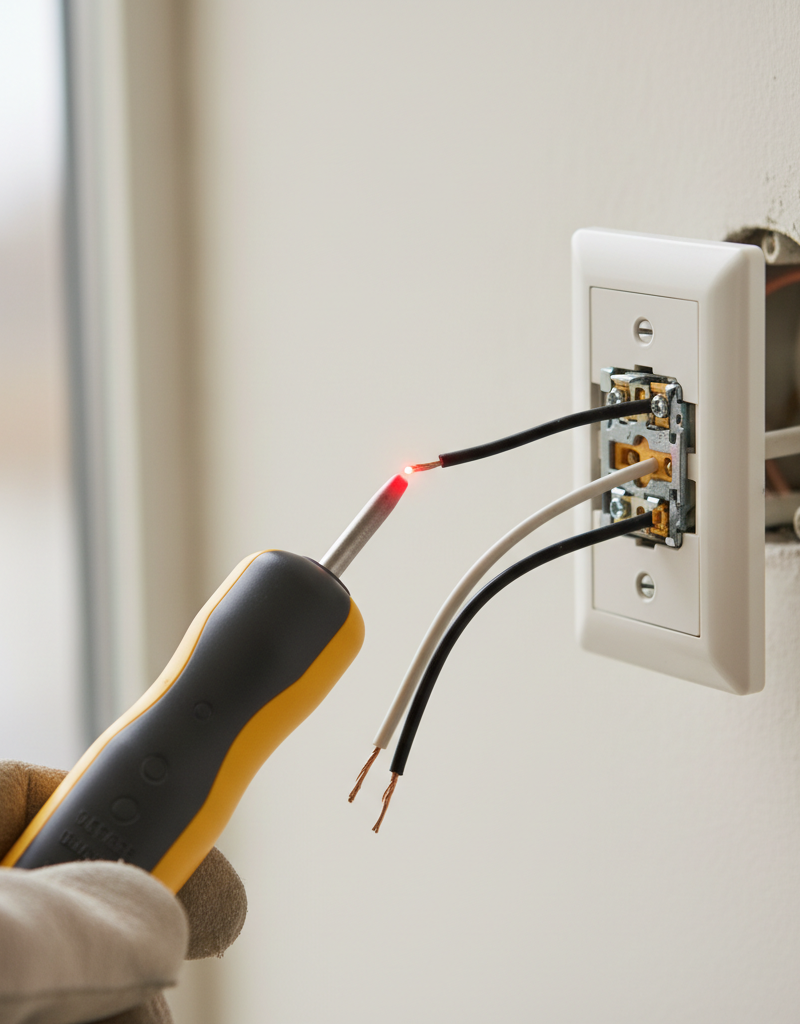
Verify Power is Off — Return to the light switch. Use a non-contact voltage tester to confirm that the power is off. Touch the probe of the tester to the screws on the switch and to the wires entering the electrical box. The tester should not light up or beep. Test the tester on a known live outlet first to ensure it's working correctly.
-
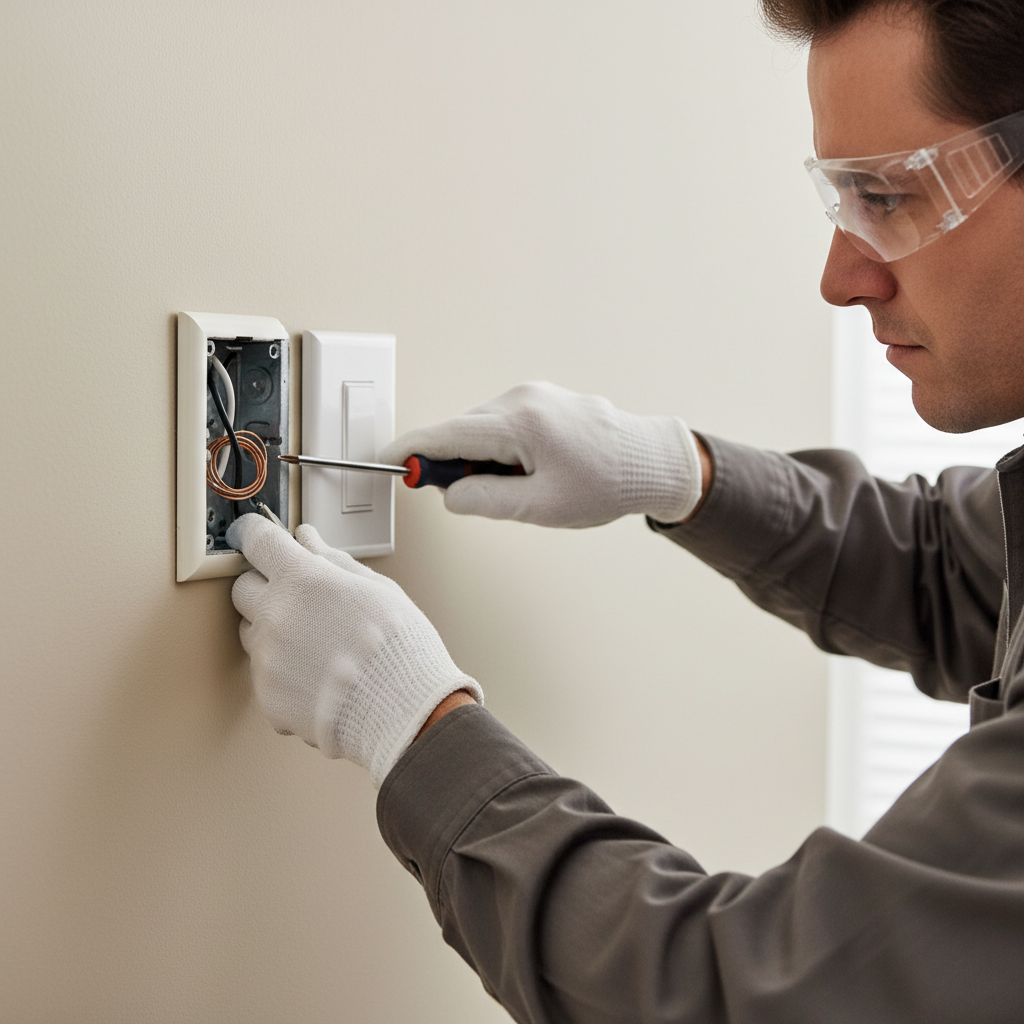
Remove the Faceplate and Expose the Switch — Using a flat-head screwdriver, remove the two small screws holding the plastic or decorative faceplate in place. Set the plate and its screws aside. This will expose the switch's metal mounting straps and the larger screws holding it inside the electrical box.
-
Unscrew and Carefully Extract the Switch — Use a Phillips or flat-head screwdriver to unscrew the top and bottom screws that secure the switch to the electrical box. Do not remove them completely from the switch. Once loose, gently pull the switch straight out from the box. Pull it out far enough to inspect the wires connected to it, but be careful not to yank on them.
-
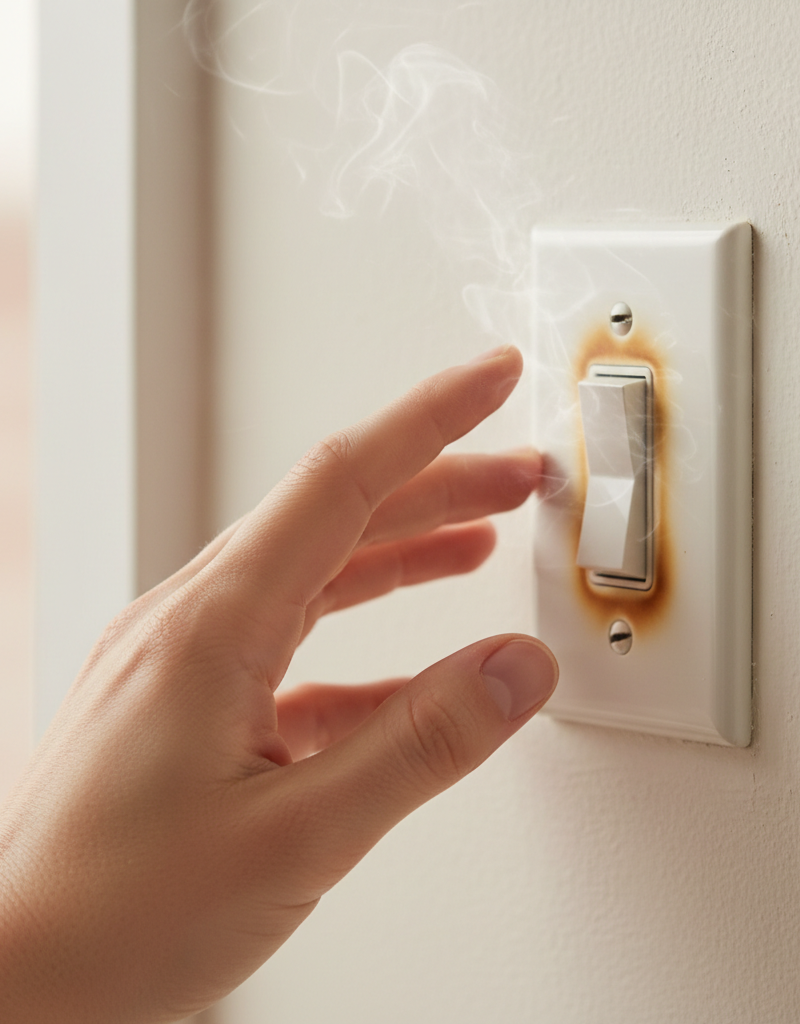
Perform a Visual Inspection — With the switch pulled out, look for obvious signs of trouble. Check for melted plastic on the switch body, black scorch marks around the wire terminals, or discoloration on the wires' insulation. A strong smell of burnt plastic or ozone is a definitive sign of overheating. If you see significant melting or charring, the switch must be replaced.
-
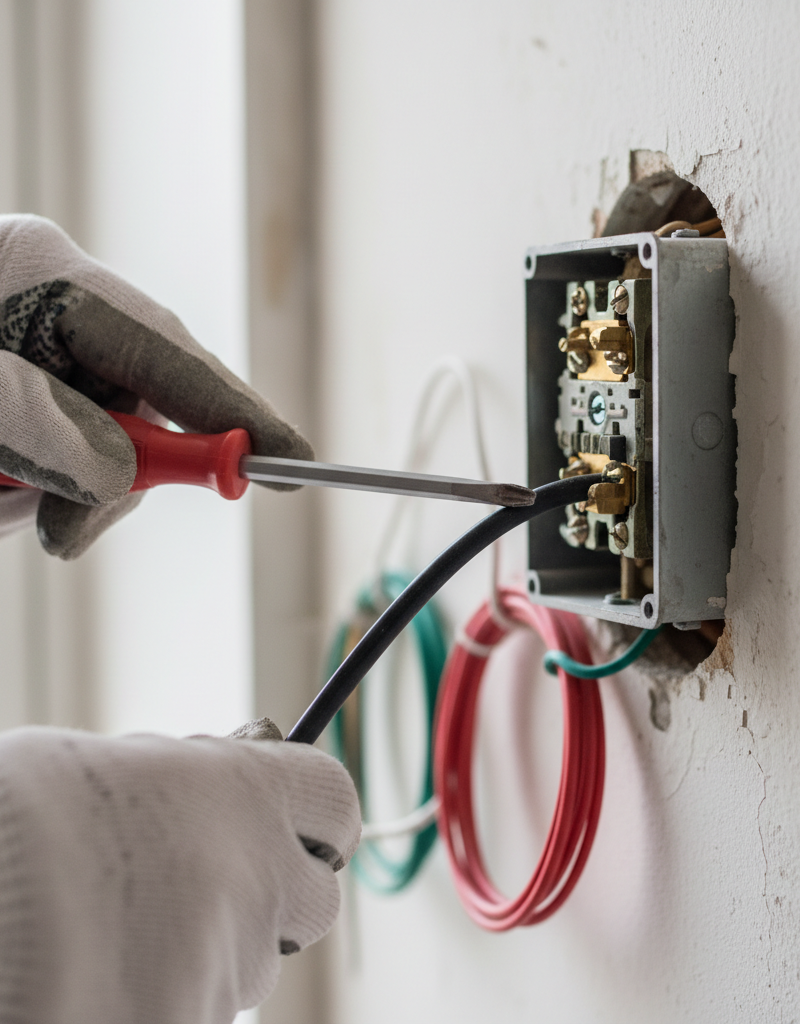
Inspect and Tighten Wire Connections — Most switch heat is caused by loose wires. A standard switch will have one ground wire (bare copper or green), and two "hot" wires (usually black). Check how they are connected.
- Side Screws: The wires should be hooked clockwise around the brass or silver-colored screws. Using a screwdriver, ensure each screw is tight. A loose wire here is the most common cause of heat.
- Back-Stab Holes: Some switches have small holes on the back where wires are pushed in. These connections are known to loosen over time and are a frequent failure point. If your switch uses back-stab connections, it is strongly recommended to replace the switch or move the wires to the side screw terminals for a more secure connection.
-
Calculate the Load (If Tightening Fails) — If all connections were tight, the switch may be overloaded. Look at the light bulbs in the fixture(s) controlled by the switch. Add up their total wattage. Divide this number by 120 (for 120V US standard). The result is the current in Amps. For example, six 60-watt incandescent bulbs total 360 watts. 360W / 120V = 3 Amps. This is well within a 15A switch's rating. However, a chandelier with twelve 100-watt bulbs would be 1200W / 120V = 10 Amps, a significant and constant load. If your calculation exceeds 12 Amps (80% of a 15A rating), you are overloading the switch. Consider replacing bulbs with low-wattage LEDs to reduce the load.
-
Replace the Switch — If the switch is physically damaged, uses back-stab connections, or is underrated for the load, it must be replaced. Buy a new switch with the same or higher amperage rating (e.g., a "15A 120V" switch for a 15A circuit).
- Loosen the terminal screws on the old switch and detach the wires.
- On the new switch, connect the ground wire (bare copper) to the green screw first.
- Connect the two hot (usually black) wires to the two brass-colored screws. On a simple switch, it doesn't matter which hot wire goes to which brass screw.
- Bend a J-hook in the end of each wire with needle-nose pliers and wrap it clockwise around the screw so that tightening the screw also tightens the wire loop. Tighten securely.
-
Reinstall the Switch in the Box — Carefully fold the wires back into the electrical box in an accordion or S-shape. Do not simply jam the switch back in, as this can pinch a wire or loosen a connection. The switch should sit flush against the box without force. Secure it with its top and bottom mounting screws.
-
Install Faceplate and Restore Power — Screw the faceplate back on. Ensure it is snug but do not overtighten, as this can crack the plastic. Go back to the electrical panel and flip the breaker back to the "ON" position.
-
Test the New Installation — Flip the switch on and off to ensure it controls the light correctly. Leave the light on for 15-20 minutes. Carefully touch the switch; it should feel at or very close to room temperature. A dimmer may feel slightly warm, but it should never be uncomfortably hot. If heat persists, the problem lies elsewhere in the circuit, and you should call an electrician.
Common mistakes
- Forgetting to Test for Power: Flipping a breaker is not enough. Circuits can be mislabeled. Always use a non-contact voltage tester on the wires you intend to touch, every time, just before you touch them.
- Relying on Back-Stab Connections: Using the push-in holes on the back of a switch or receptacle is fast but less reliable than screw terminals. The spring clips inside can weaken, creating a poor connection and a fire hazard. Always take the extra minute to loop wires around the side screws.
- Installing a 15A Switch on a 20A Circuit: A 20-Amp circuit, protected by a 20A breaker and using thicker 12-gauge wire, legally requires a 20A-rated switch. Installing a standard 15A switch creates a weak link that can overheat and fail before the breaker trips. Check the breaker and wire gauge to ensure you are using a properly rated device.
- Wrapping Wires Incorrectly: Wires should be wrapped clockwise around terminal screws. If wrapped counter-clockwise, the act of tightening the screw can force the wire loop to open and push it out, creating a loose, high-resistance connection.
- Ignoring Aluminum Wiring: If you open the box and see silver-colored wires instead of copper, stop immediately. This is likely older aluminum wiring, which expands and contracts differently than copper and requires special connectors (e.g., AlumiConn or COPALUM) and techniques to connect safely. A standard switch is not rated for it and creates a severe fire hazard. This is a job for a qualified electrician.
- Overcrowding the Electrical Box: Forcing a new, bulky dimmer or smart switch into a shallow box packed with wires can damage wire insulation, loosen connections, and prevent heat from dissipating. If the box is too full, an electrician may need to install a deeper box.
Cost & time breakdown
Costs are estimates and can vary by region and the specifics of the job. Pro costs include a typical minimum service call fee.
| Task | DIY Cost | Pro Cost | Time |
|---|---|---|---|
| Inspect & Tighten Wires | $10-$20 (for a voltage tester) | $100 - $200 | 20-30 minutes |
| Replace a Standard Switch | $2 - $7 (switch + tester) | $125 - $250 | 30 minutes |
| Replace a Standard Dimmer | $20 - $50 (dimmer + tester) | $150 - $300 | 30-45 minutes |
| Replace with a Smart Switch | $40 - $80 (switch + tester) | $175 - $350 | 45-60 minutes |
| Full Circuit Diagnostic | N/A | $150 - $400+ | 1-3 hours |
| Replace Aluminum Wiring Splice | N/A (Pro Only) | $30 - $50 per device | 1-2 hours per location |
When to call a pro
While replacing a switch is a common DIY task, certain signs indicate the problem requires professional expertise. Call a licensed electrician immediately if you encounter any of the following:
- You are uncomfortable with any step of the process or do not have the proper tools, especially a voltage tester. Your safety is paramount.
- After tightening connections and/or replacing the switch, it still gets hot. This suggests a more complex issue, such as a problem further along the circuit, a high-resistance fault in the wall, or an overloaded neutral wire.
- You discover aluminum wiring (dull gray conductors). Do not attempt to work on it yourself. It requires specialized knowledge and materials to create a safe connection and prevent fire risk.
- You find significant evidence of heat damage, such as extensively melted switch housing, charred insulation on wires, or soot inside the electrical box. This points to a long-term, dangerous condition that needs professional assessment.
- The breaker controlling the switch trips frequently, even after you’ve checked the load. This indicates a short circuit or a serious fault that a simple switch replacement will not fix.
- The wiring in the box is confusing, brittle, or appears to be of a very old type (e.g., knob-and-tube or cloth-sheathed wiring). These older systems have unique risks and should only be handled by an experienced professional.
Prevention & maintenance
Proactive care can prevent most switch-related electrical issues and ensure the safety of your home's wiring.
- Perform Tactile Checks: Every few months, as part of a regular cleaning routine, place the back of your hand against your most-used switches, especially dimmers and those controlling multi-bulb fixtures. They should be at room temperature. Slight warmth on a dimmer under heavy load can be normal, but anything you'd describe as "hot" warrants immediate investigation.
- Upgrade to LED Bulbs: The single best way to reduce heat and stress on switches and wiring is to lower the electrical load. Replacing old incandescent or halogen bulbs with modern, energy-efficient LEDs can cut the amperage draw by up to 90%, all but eliminating overloading as a cause of hot switches.
- Listen for Warning Sounds: Healthy switches are silent. If you hear any buzzing, humming, crackling, or snapping sounds when you operate a switch or while it's on, it indicates arcing (electricity jumping a gap) inside the switch or at a loose connection. The switch should be turned off at the breaker and replaced immediately.
- Heed Your Nose: A faint smell of ozone (like after a lightning strike) or hot plastic around a switch is a critical warning sign. This scent is produced by electrical arcing and overheating components. Do not ignore it; investigate the source immediately.
- Use Switches as Intended: Avoid rapidly flicking switches on and off. This can accelerate wear on the internal contacts. For dimmers, ensure they are rated for the type of bulbs you are using (e.g., rated for LED, or "C-L" dimmers) to prevent flickering, buzzing, and overheating.
Related Articles
Keep troubleshooting with these hand-picked guides from FixlyGuide:
- Why Your Wall Switch Feels Hot: The Hidden Danger Most Homeowners Miss — A hot light switch isn't just uncomfortable; it's a critical warning sign of potential electrical hazards that demand immediate attention.
- The 5 Silent Signals Your Light Switch Is a Fire Risk — A hot light switch can indicate a common electrical issue, but it needs prompt attention to prevent potential hazards. This guide explains…
- Why is Your Light Switch Hot? (The Hidden Danger Most Homeowners Miss) — A hot light switch isn't just uncomfortable; it's a critical warning sign of electrical issues that should never be ignored due to fire ris…
- 1 Flickering Light? It's Probably Not What You Think. — If the lights in a single room are flickering, the problem is usually a simple electrical issue you can often diagnose and fix yourself.
- That "Copper" Outlet Wire Might Be A Fire Hazard in Disguise — Discover the hidden fire risk lurking behind your walls—aluminum wiring was a cheap copper alternative in the 60s & 70s, but its unique pro…
- The Hidden Reason Your Light Switch Is Warm to the Touch — Ever noticed your light switch is warm to the touch? While it's often a normal function of a dimmer, it can also signal a dangerous electri…
What should this project cost?
Enter your project details for a realistic cost range before you call anyone.
Outlet and switch work usually $150–$400; panel upgrades commonly $1,800–$4,200.
- Regional adjustment
- National average
- Labor share (typical)
- ~$709
- Quotes to collect
- 3 written estimates
Educational estimate based on national averages — not a binding quote. Always confirm with written local estimates.
Fixly Project Decision Box
- DIY difficulty
- Professional Recommended
- Estimated time
- Diagnosis 1–2 hours
- Cost level
- Moderate
Main tools / materials
- Non-contact voltage tester
- Outlet tester
- Flashlight
When to stop and call a pro
- Burning smell, scorch marks, or a warm outlet or switch plate
- A breaker that trips again right after being reset
- Any work inside the service panel
- Aluminum wiring or cloth-insulated wiring
Need professional help?
Talk to a Licensed ElectricianGet the print-ready PDF of this guide
A clean, ad-free, printable version you can keep on your phone or pin to the workshop wall. Free with a FixlyGuide account.
- Print-optimized layout
- Tools, materials & every step included
- Saved to your account
Frequently asked questions
Is a warm light switch normal?+
A slightly warm dimmer switch is normal due to its electronic components. However, a standard toggle light switch should not be noticeably warm or hot to the touch. If it is, it indicates a problem that needs investigation.
What wattage can a standard light switch handle?+
A typical residential light switch is rated for 15 amps, which generally equates to about 1800 watts on a 120-volt circuit. Exceeding this wattage with multiple high-load fixtures can cause the switch to overheat.
Can a hot light switch cause a fire?+
Yes, a consistently hot light switch is a fire hazard. Excessive heat can melt wire insulation, lead to short circuits, and ignite combustible materials in the wall. It requires immediate attention and repair.
How do I test if my light switch is faulty?+
After safely turning off power and removing the switch, visually inspect for burn marks or melted plastic. You can use a multimeter to check for continuity across the switch terminals in the 'on' position and for significant resistance, but often, visual inspection and confirming secure connections are sufficient for diagnosis.
Should I replace all my old light switches?+
While not always necessary, if your switches are very old, frequently used, or show signs of wear (like being hot to the touch, flickering lights, or difficulty operating), replacing them can improve safety and performance. Modern switches often offer better durability and connection methods.
Discussion
Loading comments…