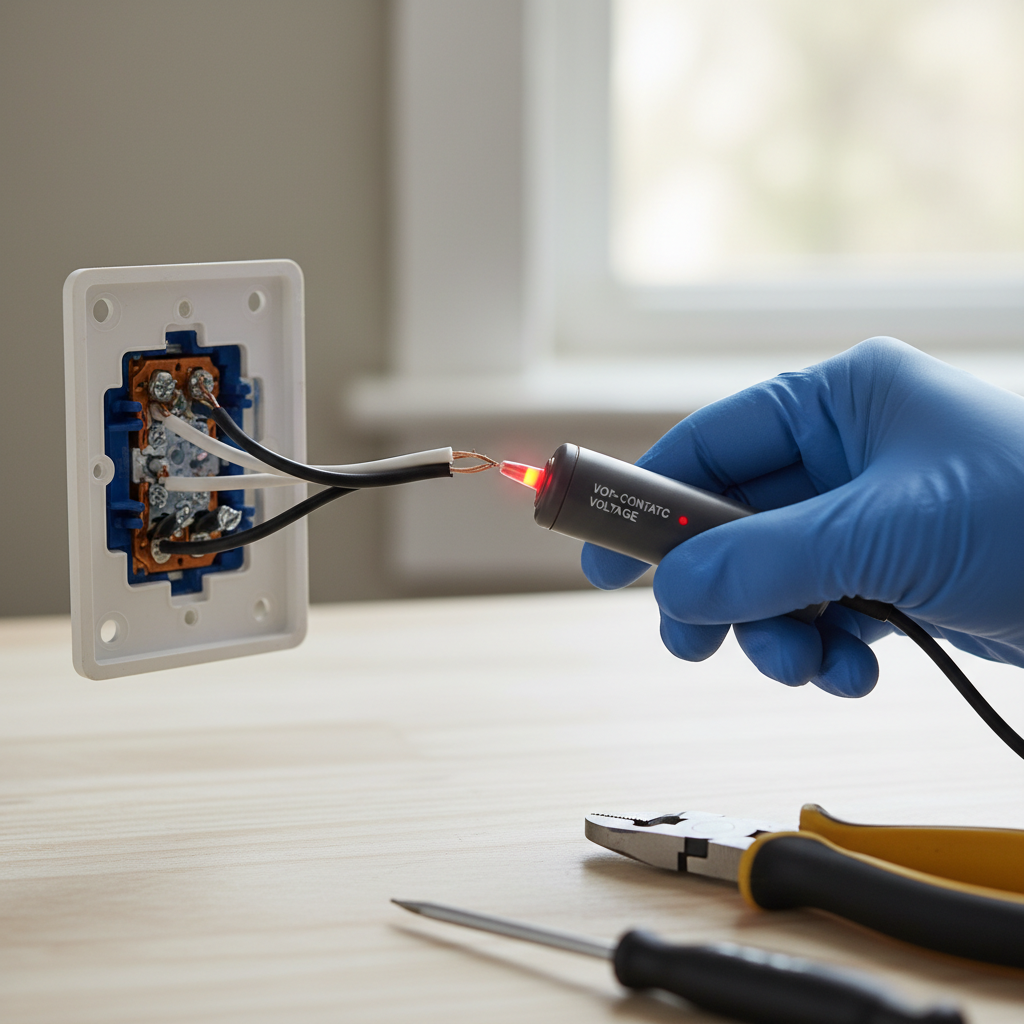
- Non-contact voltage tester (NCVT)
- Multimeter (optional, but recommended)
- Phillips and flat-head screwdrivers
- Replacement switch (ensure it matches the amperage of the circuit, typically 15A)
Electrical · Panel or service upgrade
| Project category | Electrical |
|---|---|
| Problem type | Panel or service upgrade |
| Trade required | Electrical |
| Urgency | Planned project |
| Safety risk | High safety risk |
| DIY suitability | Licensed pro only |
| Cost category | High cost |
| Typical timeline | Permit plus utility scheduling, commonly 2–6 weeks |
| Contractor type | Licensed electrician |
Repair option
Add a subpanel when the main service is adequate.
Replacement option
Full service upgrade with utility coordination and permits.
Common causes
- Obsolete or recalled panel brands
- Service capacity too small for added loads
- No room for required AFCI/GFCI breakers
Relevant tools:project cost estimatorcompare quotes
Published April 22, 2026Last updated August 17, 2026
Tools & materials you'll need
Affiliate linksAs an Amazon Associate FixlyGuide earns from qualifying purchases — at no extra cost to you. Prices and availability are accurate as of publication and subject to change.
How it works
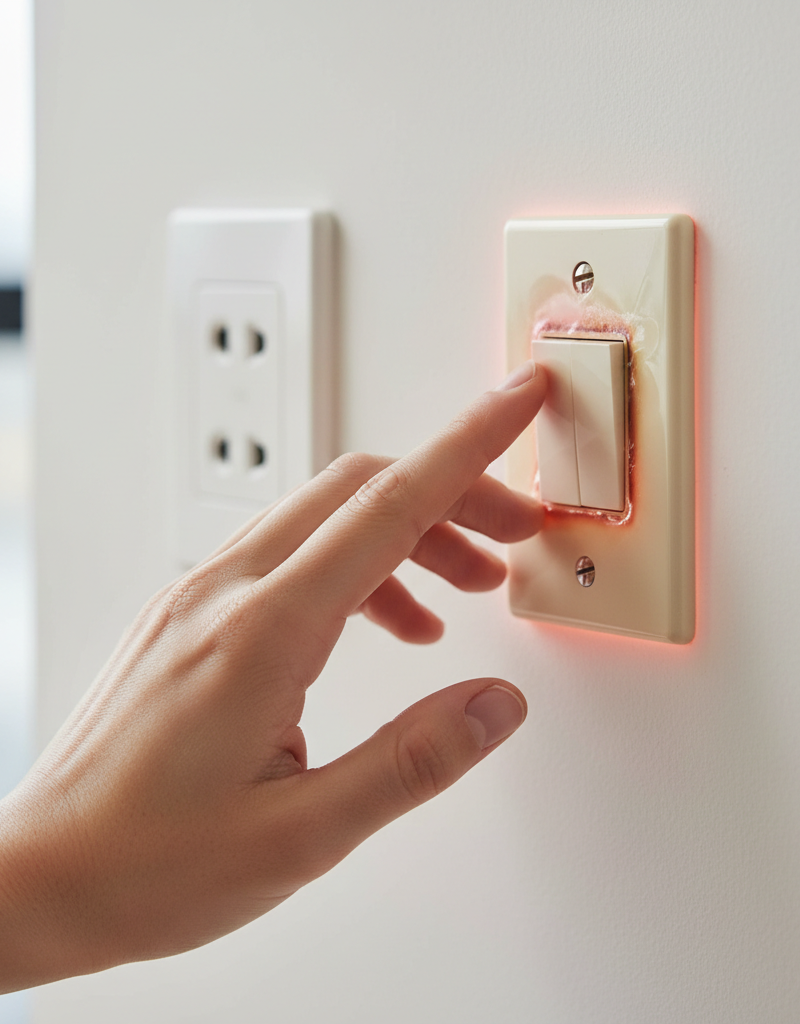
A standard light switch is a simple gate in an electrical circuit. When you flip the switch to the "ON" position, you close a mechanical contact, completing the circuit and allowing electrical current to flow from the power source, through the switch, to the light fixture, and back. In an ideal system, the switch itself has nearly zero electrical resistance. However, a switch that feels hot to the touch indicates that this is no longer the case.
Heat is a direct byproduct of electrical resistance. The formula for power dissipated as heat is P = I²R, where P is power (heat), I is current, and R is resistance. Even a small increase in resistance (R) can generate significant heat because the current (I) is squared. A hot switch is a sign that unwanted resistance has developed within your electrical system at that point. This resistance can originate from three primary sources: a loose wire connection at the switch's terminal screws, failing internal components within the switch itself due to wear or defect, or a circuit that is drawing more current than the switch is rated to handle (overloading). Dimmer switches are an exception; they function by rapidly chopping up the AC waveform, a process that inherently generates some heat. A dimmer will normally feel warm, but it should never be too hot to comfortably touch. Persistent, excessive heat degrades wire insulation and switch components, posing a serious fire risk.
Step-by-Step Fix
This guide outlines the process for inspecting and replacing a standard or dimmer light switch. If at any point you encounter brittle wires, extensive charring, or are unsure of the wiring configuration, stop and call a licensed electrician.
- Tools & Materials:
- Non-contact voltage tester (NCVT)
- Multimeter (optional, but recommended)
- Phillips and flat-head screwdrivers
- Wire strippers/cutters
- Needle-nose pliers
- Replacement switch (ensure it matches the amperage of the circuit, typically 15A)
1. Kill the Power
Shut Down the Circuit — Go to your home's main electrical panel (breaker box). Locate the circuit breaker that controls the power to the light switch. If your breakers are not labeled, you may need to turn on the light and flip breakers one by one until the light goes out. Firmly move the correct breaker handle to the "OFF" position.
- Safety: Place a piece of tape over the breaker switch to prevent someone from accidentally turning it back on while you are working.
2. Verify Power is Off
Test for Voltage — Use a non-contact voltage tester (NCVT) to confirm that the power is off. First, hold the tip of the tester near the outside of the switch toggle. The tester should not light up or beep. A positive reading indicates you have either flipped the wrong breaker or there is a wiring issue that requires a professional.
3. Remove the Cover and Loosen the Switch
Expose the Wiring — Use a screwdriver to remove the two small screws holding the switch's cover plate. Set the plate and screws aside. Next, unscrew the top and bottom mounting screws that hold the switch itself to the electrical box.
4. Pull Out and Test Again
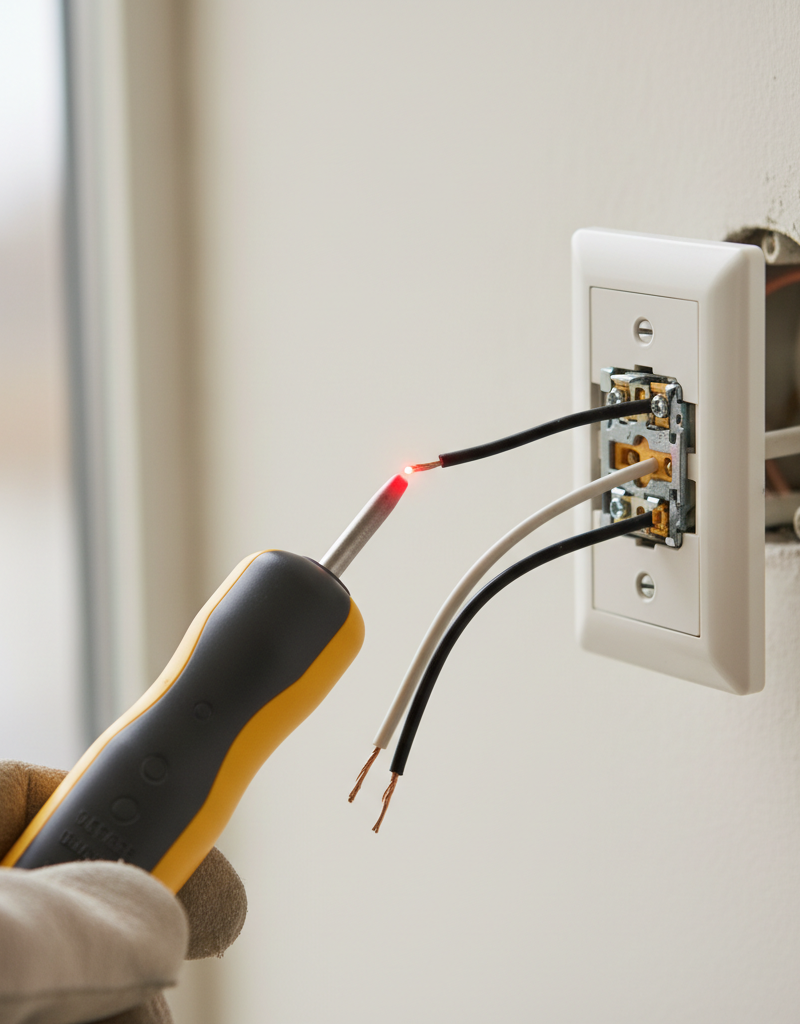
Carefully Extract the Switch — Gently grip the switch by its metal mounting straps and pull it straight out of the electrical box. The wires will still be attached. Now, perform a more direct voltage test by placing the tip of your NCVT near each screw terminal where a wire is connected. If the NCVT remains silent, it is safe to proceed.
5. Inspect for Visible Damage
Look for Red Flags — Perform a thorough visual inspection of the switch and the wires inside the box. Look for any signs of overheating, such as melted plastic on the switch body, black or brown discoloration (scorching) around the screw terminals, or wire insulation that is charred, cracked, or brittle. A strong smell of burnt plastic is another critical warning sign.
6. Document the Wiring
Take a Picture — Before disconnecting anything, take a clear photo of the switch with your phone. Pay close attention to which color wire connects to which color screw terminal (e.g., black wire to the brass screw, bare copper/green wire to the green screw). This photograph will be your guide for wiring the new switch correctly. Note if you are working with a three-way switch, which will have an additional "traveler" wire (often red) and a "common" terminal (usually a black screw).
7. Evaluate the Connection Type
Identify Back-Stabs vs. Screw Terminals — Examine how the wires are connected. Are they securely wrapped around the screw terminals on the side of the switch, or are they pushed into small holes on the back? These "back-stab" or push-in connections are a known failure point, as the internal spring clips can lose tension over time, creating a poor connection and high resistance. If your hot switch uses back-stab connections, this is the most likely cause of the problem.
8. Remove the Old Switch
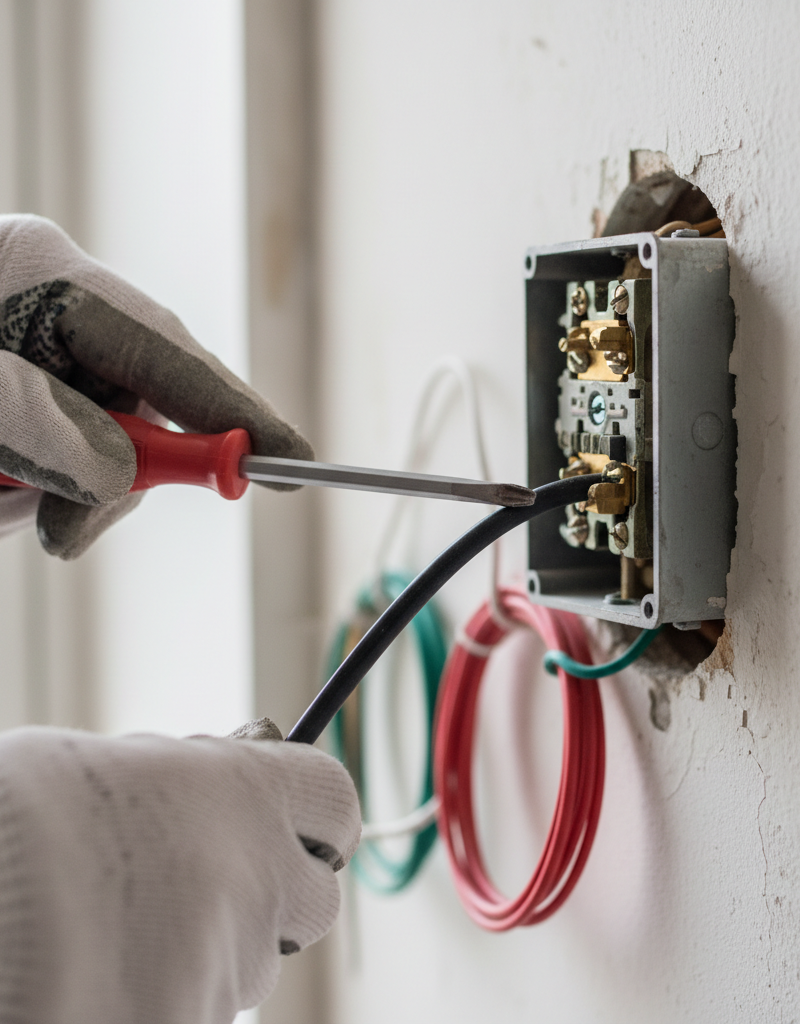
Disconnect the Wires — If wires are on screw terminals, simply loosen the screws and unhook the wires. If they are back-stabbed, you may need to insert a small screwdriver into the release slot next to the wire hole to free the wire. If there is no release slot, you will have to clip the wires as close to the switch body as possible with your wire cutters.
9. Prepare the Wires for the New Switch
Ensure a Clean Connection — If you've disconnected old wires, inspect the exposed copper ends. If they are nicked, discolored, or were previously back-stabbed, trim them off. Use your wire strippers to strip approximately 3/4-inch of insulation from the end of each wire, revealing fresh, shiny copper. Use needle-nose pliers to bend a small J-hook at the end of each insulated wire (except the ground wire, which is often bare).
10. Install the New Switch
Connect Securely — Following the photo you took earlier, connect the wires to the new switch. Loop the J-hook of the hot wire (black) around the brass-colored screw terminal and the neutral wire (if present, usually white) around the silver screw. The hook should wrap in a clockwise direction, so that tightening the screw also tightens the wire loop. Connect the bare copper or green insulated wire to the green ground screw. Tighten all screws firmly, but do not overtighten to the point of stripping them.
- Best Practice: Always use the screw terminals on the new switch, even if it offers back-stab options.
11. Reinstall the Switch in the Box
Fold Wires Neatly — Carefully fold the wires back into the electrical box in an accordion or S-shape. Avoid kinking or putting sharp bends in the wires. Push the switch back into place, aligning the mounting holes. Secure it with its mounting screws, ensuring the switch is plumb and flush with the wall.
12. Power Up and Test
Confirm the Fix — Reinstall the switch cover plate. Go back to the electrical panel and flip the breaker back to the "ON" position. Turn the light switch on and confirm the light operates correctly. Leave the light on for 15-20 minutes, then cautiously touch the switch plate. It should remain at or near room temperature. A dimmer switch may feel slightly warm, but should not feel hot.
Common mistakes
Avoiding these frequent errors is critical for a safe and effective repair.
- Assuming the Power is Off: Never trust that flipping a breaker has de-energized the circuit. Always verify with a non-contact voltage tester directly at the switch, both before and after removing it from the box. A mislabeled breaker or complex wiring can leave a circuit dangerously live.
- Reusing Damaged Wires: If you find wire insulation that is melted, brittle, or cracked, or if the copper wire itself is severely scorched or blackened, do not simply reconnect it. This section of wire has been compromised by heat and must be trimmed back to a clean, undamaged portion before a new connection is made.
- Using Back-Stab Connections: Many residential-grade switches offer push-in "back-stab" terminals for quick installation. Avoid these. The small internal spring clip provides minimal contact area and can weaken over time, leading to the very loose-connection and overheating problem you are trying to fix. Always use the side screw terminals for a secure, reliable, and safe connection.
- Mismatching Switch and Circuit Ratings: A standard residential lighting circuit is 15 amps and uses 14-gauge wire. It requires a 15-amp switch. Installing a 15-amp switch on a 20-amp circuit (which uses thicker 12-gauge wire) is a code violation and a fire hazard, as the switch can overheat and fail before the breaker trips. Always match the switch's amperage rating to the circuit's breaker.
- Wrapping Terminal Screws Incorrectly: When attaching a wire to a screw terminal, the J-hook must be wrapped in a clockwise direction. This ensures that as you tighten the screw, it pulls the wire loop tighter. Wrapping it counter-clockwise will cause the wire to push away from the screw, creating a loose connection that will inevitably lead to overheating.
- Ignoring Dimmer Wattage Limits: Every dimmer switch has a maximum wattage rating printed on it (e.g., 600W, 1000W). Overloading a dimmer by controlling more light bulbs than it can handle is a primary cause of overheating and premature failure. Always add up the total wattage of all bulbs controlled by the dimmer and ensure it is below this limit.
Cost & time breakdown
Costs are estimates and can vary by region. Professional costs typically include a minimum service call fee.
| Task | DIY Cost | Pro Cost | Time |
|---|---|---|---|
| Inspect & Tighten Connections | $15 (for voltage tester) | $125 – $225 | 30 minutes |
| Replace Single-Pole Switch | $5 – $20 (switch & tester) | $150 – $250 | 30-45 minutes |
| Replace 3-Way or Dimmer Switch | $25 – $50 (switch & tester) | $175 – $300 | 45-60 minutes |
| Upgrade All Switches in a Room | $30 – $100 (multiple switches) | $300 – $500+ | 2-4 hours |
| Diagnose Systemic Overheating | N/A | $200 – $600+ | 1-4 hours |
When to call a pro
While replacing a light switch is a manageable DIY task, certain signs indicate the problem requires the expertise of a licensed electrician. Do not proceed if you find any of the following:
- Significant Heat Damage: If you open the electrical box and see extensive scorching, widespread melted plastic on components, or a heavy deposit of black soot, it signals a serious arcing event has already occurred. This requires professional assessment.
- Brittle or Cracked Insulation: In older homes, wire insulation can become dry and brittle. If it cracks or flakes off when you move the wires, stop immediately. Exposing the bare conductor creates a severe shock and fire hazard.
- Aluminum Wiring: If you see silver-colored wires instead of copper, your home has aluminum wiring. This material requires specialized connectors (e.g., AlumiConn) and installation techniques to prevent oxidation and fire hazards. This is not a DIY job.
- Insufficient Wire Length: If you need to trim back a damaged wire and find there isn't enough slack (at least 3 inches of usable wire) to make a new, safe connection, a pro will need to replace the section or add a junction box.
- Problem Persists: If you correctly replace the switch and it still becomes hot, the issue lies elsewhere in the circuit—perhaps a loose connection at the light fixture, in another outlet, or at the breaker panel. This requires systematic, professional troubleshooting.
Prevention & maintenance
Proactive checks and best practices can prevent switch-related electrical hazards before they start.
- Perform Routine Touch Tests: When cleaning, make a habit of briefly touching your most-used switch plates, especially dimmers. They should feel cool or, in the case of a dimmer, only slightly warm. Any switch that is noticeably hot to the touch warrants an immediate inspection.
- Calculate and Respect Load Limits: Understand that a 15-amp lighting circuit can safely support a maximum of 1,800 watts, but for continuous use, it should be loaded to no more than 80% (1,440 watts). When installing new fixtures or bulbs, add up the total wattage to prevent overloading the circuit and its switches.
- Upgrade from Back-Stabbed Devices: If you are performing any other repairs, renovations, or even painting that requires removing a switch plate, take the opportunity to inspect the switch. If it uses back-stab connections, invest a few dollars and minutes to replace it with a new specification-grade switch using secure screw terminals.
- Listen for Warning Sounds: A properly functioning switch is silent. If you ever hear a faint buzzing, sizzling, or crackling sound when you operate a switch, it is an audible sign of electrical arcing from a loose connection. The switch should be shut off at the breaker and replaced immediately.
- Use the Correct Dimmer: Modern lighting requires modern controls. Ensure your dimmer switch is compatible with the type of bulbs it controls (incandescent, Halogen, MLV, ELV, LED). Using a non-LED-rated dimmer with LED bulbs can cause flickering, buzzing, and overheating in the dimmer.
- Schedule a Professional Inspection: For homes over 25 years old, or if you've recently purchased a property, consider having a licensed electrician perform a comprehensive electrical safety inspection every 5-10 years. They can identify and remedy hidden issues like loose connections in switches, outlets, and the main panel.
Related Articles
Keep troubleshooting with these hand-picked guides from FixlyGuide:
- Why Your Wall Switch Feels Hot: The Hidden Danger Most Homeowners Miss — A hot light switch isn't just uncomfortable; it's a critical warning sign of potential electrical hazards that demand immediate attention.
- 1 Flickering Light? It's Probably Not What You Think. — If the lights in a single room are flickering, the problem is usually a simple electrical issue you can often diagnose and fix yourself.
- Light Flickering in One Room? 3 Hidden Causes Revealed — If lights in a single room are flickering, it's usually a minor electrical issue you can often fix yourself with basic tools and caution.
- Why Does Only One Outlet Have No Power (When the Breaker Is On)? — Discover the surprisingly common reasons a single electrical outlet stops working while its circuit breaker remains on, and learn how to sa…
- Why Your Circuit Breaker Keeps Tripping: A DIY Guide — A t
Should you do this yourself?
Answer five quick questions before you start. Safety outranks savings every time.
Your experience with work like this
How high do you have to work?
Does the job involve any of these?
Will it need a permit?
Specialty tools
Free and instant. Educational guidance only — not a quote, inspection, or professional diagnosis.
What should this project cost?
Enter your project details for a realistic cost range before you call anyone.
Outlet and switch work usually $150–$400; panel upgrades commonly $1,800–$4,200.
- Regional adjustment
- National average
- Labor share (typical)
- ~$709
- Quotes to collect
- 3 written estimates
Educational estimate based on national averages — not a binding quote. Always confirm with written local estimates.
Fixly Project Decision Box
- DIY difficulty
- Professional Recommended
- Estimated time
- Diagnosis 1–2 hours
- Cost level
- Moderate
Main tools / materials
- Non-contact voltage tester
- Outlet tester
- Flashlight
When to stop and call a pro
- Burning smell, scorch marks, or a warm outlet or switch plate
- A breaker that trips again right after being reset
- Any work inside the service panel
- Aluminum wiring or cloth-insulated wiring
Need professional help?
Talk to a Licensed ElectricianBefore you start
Check the difficulty, permits, and safety risk — then decide whether to call a pro.
- Estimate this projectGet a cost range for your scope and ZIP before you call anyone.Open
- Get local estimatesSend one request and compare written estimates from vetted pros.Open
Free, no signup required. Estimates are educational guidance, not a quote or an inspection.
Frequently asked questions
Is it normal for a light switch to be warm?+
While dimmer switches can sometimes feel slightly warm due to their operation, a standard on/off light switch should not be noticeably warm or hot. If it is, it indicates a problem that needs to be addressed.
What causes a light switch to get hot?+
The most common causes are loose wire connections, which create resistance; an overloaded circuit, where too much power is drawn through the switch; or a failing or defective switch mechanism itself.
Can a hot light switch cause a fire?+
Yes, a persistently hot light switch is a significant fire hazard. The heat can melt wire insulation, ignite surrounding materials, and lead to an electrical fire. It's crucial to address a hot switch promptly.
How do I know if my light switch is overloaded?+
An overloaded switch often gets hot, and it may trip the circuit breaker repeatedly. You can determine if it's overloaded by calculating the total wattage of all lights and devices connected to that switch and comparing it to the switch's amperage rating.
When should I call an electrician for a hot light switch?+
You should call an electrician if you are uncomfortable working with electricity, if the problem persists after attempting to tighten connections, if you notice burning smells or smoke, or if multiple switches or outlets are hot, indicating a larger wiring issue.
Discussion
Loading comments…