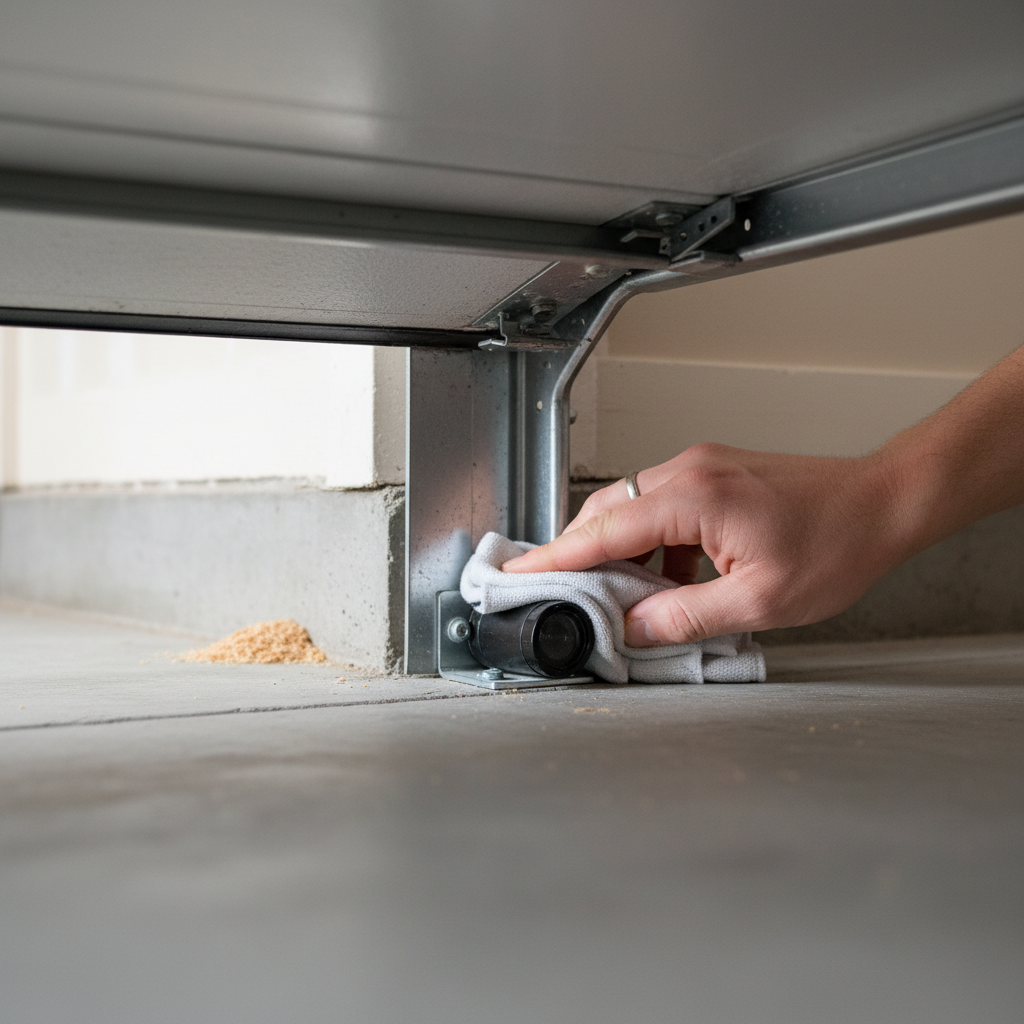
- Misaligned Safety Sensors: The most frequent cause. The brackets get bumped by cars, equipment, or people.
- Obstructed Safety Sensors: An object physically blocking the infrared beam between the two sensors.
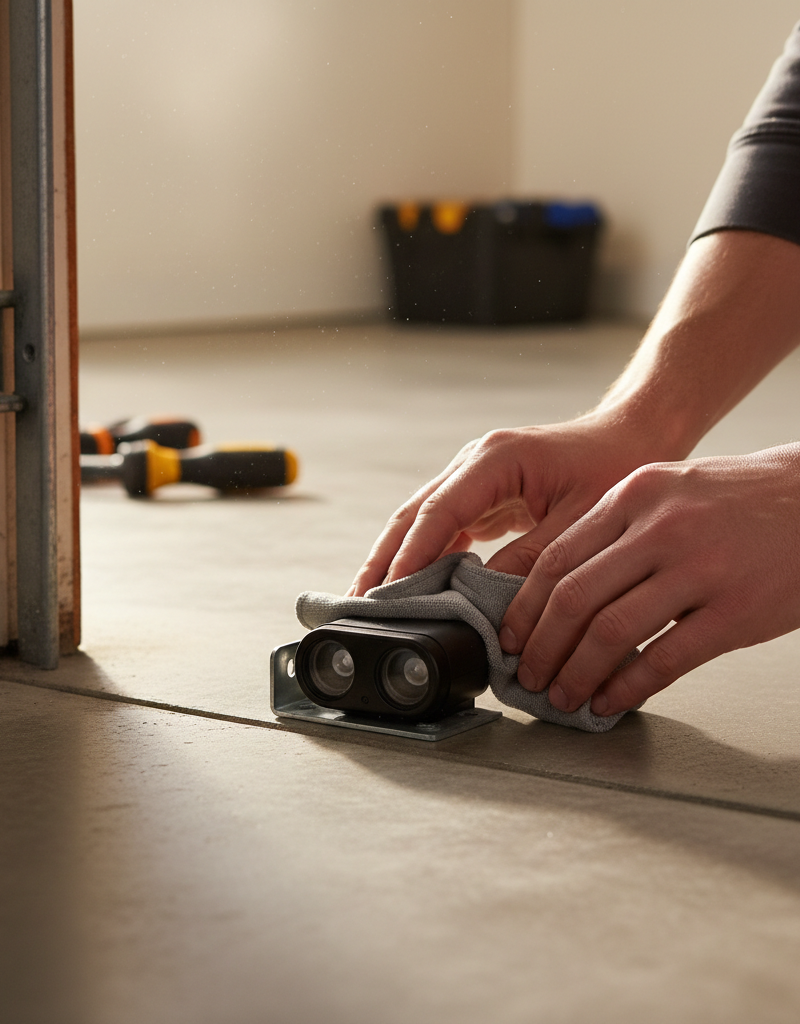
- Dirty or Foggy Sensor Lenses: A thin film of dust, dirt, or condensation is enough to block the beam.
- Damaged or Loose Wiring: Wires can be stapled too tightly, chewed by pests, or pulled loose at the terminals.
- Direct Sunlight Interference: In rare cases, direct, bright sunlight shining into the receiving sensor's lens can trick it into thinking the beam is broken.
Roofing · Flashing failure
| Project category | Roofing |
|---|---|
| Problem type | Flashing failure |
| Trade required | Roofing |
| Urgency | Soon — within weeks |
| Safety risk | Moderate safety risk |
| DIY suitability | Pro recommended |
| Cost category | Low cost |
| Typical timeline | Usually a half-day repair |
| Contractor type | Licensed roofing contractor |
Repair option
Replace the boot or step flashing and re-weave shingles around it.
Replacement option
Address during a full replacement when several details have failed at once.
Common causes
- Cracked pipe boots — the single most common roof leak source
- Rusted step flashing at walls and chimneys
- Sealant used as a substitute for proper metal
Relevant tools:project cost estimatordiy or hire a pro
Published April 24, 2026Last updated August 17, 2026
Tools & materials you'll need
Affiliate links- AmazonReplacement Safety Sensors1 · Only if sensors are confirmed to be faulty. Match to your opener brand.
As an Amazon Associate FixlyGuide earns from qualifying purchases — at no extra cost to you. Prices and availability are accurate as of publication and subject to change.
Quick Answer
The blinking light on your garage door opener is a diagnostic code, not a random malfunction. The number of flashes indicates a specific problem. In over 90% of cases, it signals an issue with the safety sensors at the base of the door tracks, which are likely dirty, obstructed, or misaligned.
The Problem
You press the button on your remote or wall control, expecting your garage door to open or close. Instead, you hear a click, the door might move an inch and reverse, and then the main light on the motor unit begins to flash. It’s a frustrating scenario, especially when you’re in a hurry. That blinking light, however, is your friend. It’s the garage door opener’s logic board communicating with you, using a specific error code to tell you exactly what’s wrong. The key is learning how to read the code and diagnose the underlying issue, which is often a simple fix you can perform yourself.
Safety First!
Working on your garage door requires caution. The door is heavy, and the springs are under extreme tension. Before beginning any diagnostic work, get familiar with your door's manual release. This is typically a red cord hanging from the opener trolley. Pulling it will disconnect the door from the opener, allowing you to operate it by hand. Be aware: if the door's springs are broken or out of balance, the door could slam shut unexpectedly when released. Always test the manual release with the door in the closed position first. If you suspect a problem with the springs themselves, stop immediately and call a professional.
How It Works
Understanding the components of your garage door system makes troubleshooting much easier. It’s not just a motor; it’s a coordinated system of mechanical and electronic parts.
-
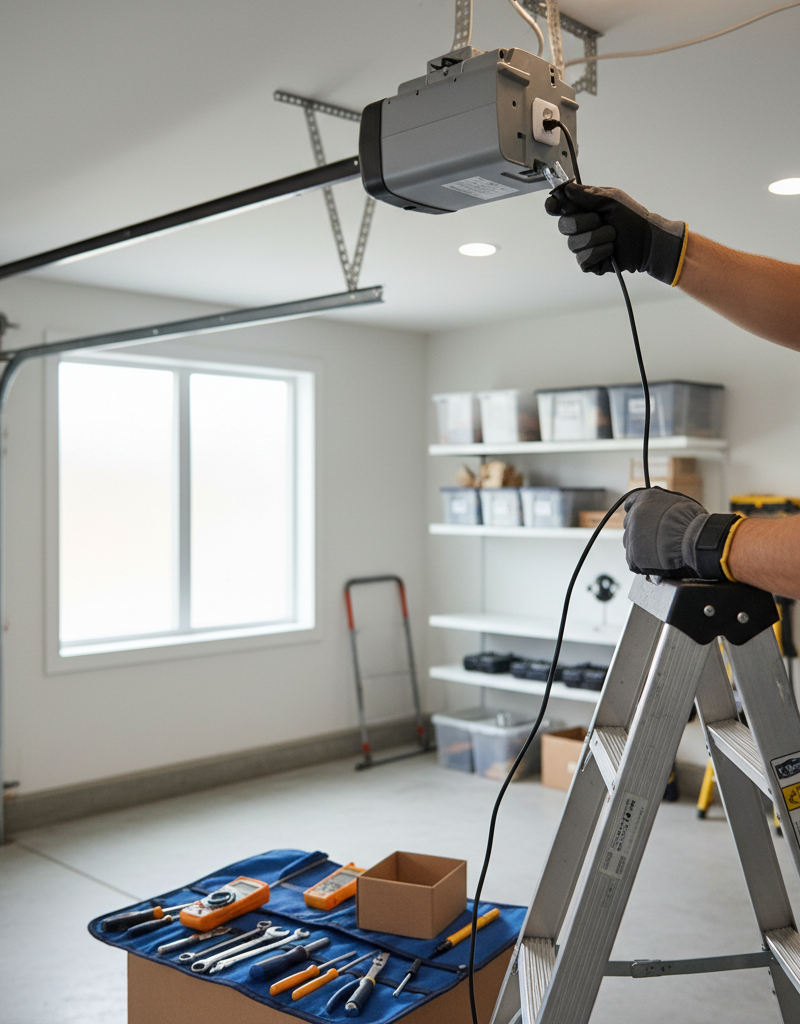
The Motor Unit: This is the "brain" and the "brawn" of the operation, housed in a plastic case on your garage ceiling. Inside, a powerful electric motor (typically 1/2 or 3/4 horsepower) drives a gear that moves the trolley along the rail. More importantly, it contains the logic board. This circuit board receives signals from your remotes and wall panel, controls the motor's operation, and runs constant safety checks. When it detects a problem, it stops the door and flashes the light to report the error code.
-
The Drive System: The motor connects to the door via a drive system. The most common types are chain-drive (strong, reliable, but noisy), belt-drive (very quiet, smooth, ideal for attached garages), and screw-drive (fewer moving parts, fast, but can be noisy and requires regular lubrication). The drive system is what physically pulls the trolley that is attached to the top of the door.
-
The Spring System: This is the most dangerous and misunderstood part of the system. Garage door springs (either torsion springs on a bar above the door or extension springs along the sides of the upper tracks) do the actual heavy lifting. They are wound under immense tension and act as a counterbalance, making the 200-400 pound door feel light enough for the small motor to move. A properly balanced door should stay in place if you lift it halfway and let go. If it slams down or flies up, the springs need professional adjustment.
-
The Safety Sensors (Photo-Eyes): This is the component most likely causing your flashing light. Since 1993, all garage door openers sold in the U.S. are required to have a safety reversing mechanism. This usually takes the form of two small sensors located near the floor on either side of the garage door opening. One sensor (the "sender") shoots a harmless infrared beam to the other (the "receiver"). As long as the receiver "sees" the beam, the logic board considers the path clear and allows the door to close. If anything breaks the beam (a child, a pet, a box, or even a spiderweb), the logic board instantly reverses the door’s direction to prevent a crushing accident. When the logic board can't get a consistent signal from the sensors—because they are dirty, blocked, or misaligned—it will refuse to close the door and flash the error code.
Step-by-Step Fix
Follow these steps in order to diagnose and solve the most common causes of a flashing opener light.
-
Count the Blinks — Observe the LED light on the motor unit. It will flash a certain number of times, pause, and then repeat the sequence. For example, a LiftMaster or Chamberlain opener might flash 10 times, which is the code for a safety sensor issue. A Genie opener might have a red LED that flashes a corresponding number of times. Consult your owner's manual (or search for it online using your model number) to confirm what the code means. For this guide, we will focus on the most frequent cause: the safety sensors.
-
Perform a Visual Inspection — Look at the two safety sensors at the base of the door tracks. Is there a garbage can, a rake, a child's toy, or a pile of leaves blocking the path between them? Sometimes the solution is as simple as moving an object out of the way. Also, check for cobwebs or debris directly on the sensor lenses.
-
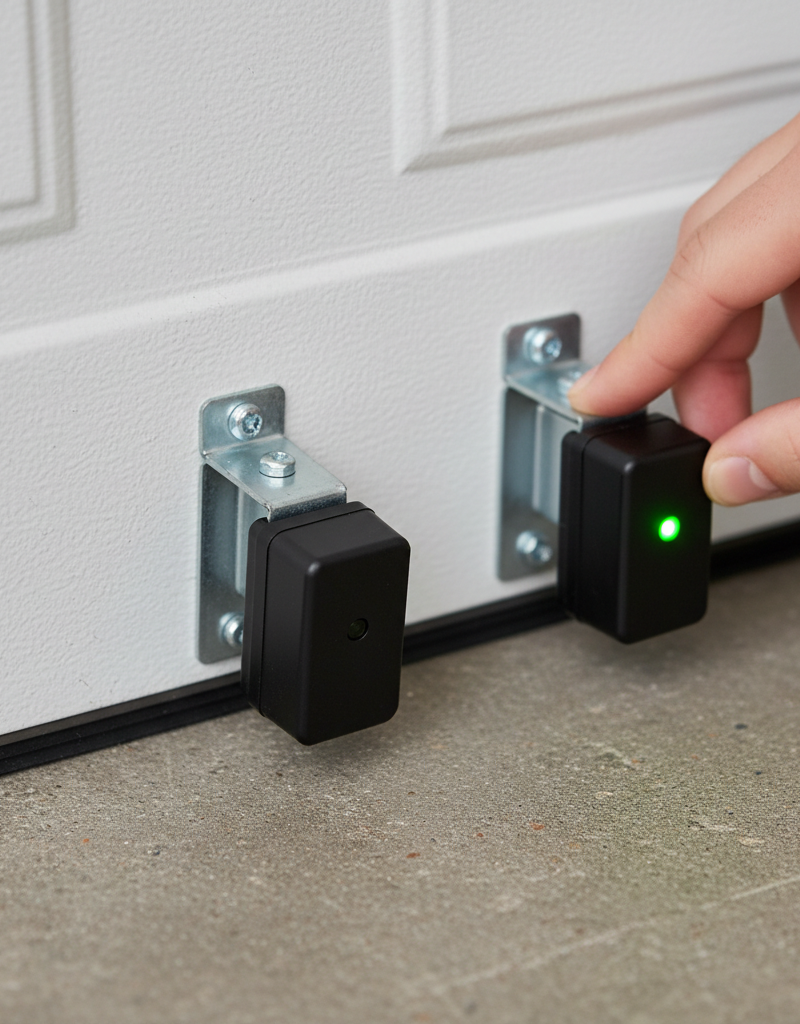
Check the Sensor Indicator Lights — The sensors themselves have small LED lights. The sending unit typically has a solid yellow or amber light, indicating it has power. The receiving unit should have a solid green light, indicating it has power and is receiving the infrared beam. If the green light is off or flickering, the a lignment is off or there is a blockage.
-
Clean the Sensor Lenses — Unplug the garage door opener motor unit for safety. Take a clean, soft microfiber cloth and gently wipe the lenses of both sensors. Dust, dirt, and even condensation can be enough to interfere with the infrared beam. Plug the opener back in and check the sensor lights again.
-
Realign the Sensors — If the green light on the receiving sensor is still off or flickering, they are misaligned. The brackets holding them can easily get bumped. Kneel down and look at them from a low angle. Gently bend the bracket of the receiving sensor (the one with the green light) with your fingers. Make tiny adjustments—up, down, left, or right—until the green light comes on and stays solid. You’ll know you have it when it lights up brightly.
-
Secure the Brackets — Once the green light is solid, ensure the wing nut or bolt holding the sensor bracket to the garage door track is tight. This will prevent it from being easily knocked out of alignment again. Give it a gentle wiggle to make sure it’s secure.
-
Inspect the Wiring — Visually trace the thin wires from each sensor back to the motor unit. Look for any obvious signs of damage, such as cuts, frays, or corrosion. Lawn equipment, shovels, or even pets can damage these delicate wires. Also, check the connections at the back of the motor unit. Gently tug on each wire to ensure it's securely seated in its terminal.
-
Test the Reversal System — Now that the opener is working, you must test the safety features. With the door open, press the button to close it. As it’s closing, wave a broom handle (not your hand!) through the path of the sensors. The door should immediately stop and reverse to the fully open position. If it does not, the sensors are not working correctly, and the opener is unsafe to use. Repeat the alignment and wiring checks.
-
Check Force and Travel Limits — If the sensors are aligned but the door reverses immediately after hitting the floor, your "close travel limit" or "close force" may be set incorrectly. The opener thinks it's hitting an obstruction when it's just hitting the floor. Look for adjustment dials or buttons on your motor unit (consult your manual). A slight adjustment to increase the down travel or force can often resolve this.
Common Causes
- Misaligned Safety Sensors: The most frequent cause. The brackets get bumped by cars, equipment, or people.
- Obstructed Safety Sensors: An object physically blocking the infrared beam between the two sensors.
- Dirty or Foggy Sensor Lenses: A thin film of dust, dirt, or condensation is enough to block the beam.
- Damaged or Loose Wiring: Wires can be stapled too tightly, chewed by pests, or pulled loose at the terminals.
- Direct Sunlight Interference: In rare cases, direct, bright sunlight shining into the receiving sensor's lens can trick it into thinking the beam is broken.
- Faulty Logic Board: If you’ve exhausted all other possibilities, the main circuit board in the motor unit may have failed.
Common Mistakes
- Ignoring the Blink Code: Homeowners often assume the opener is broken without realizing the flashing light is a specific clue pointing them to the solution.
- Replacing the Wrong Parts: Don't buy a new remote or a whole new opener until you've diagnosed the simple sensor issue.
- Forgetting to Check the Sensor LEDs: The small lights on the sensors themselves are the most important diagnostic tool for alignment issues. Many people overlook them.
- Splicing Wires with Unsuitable Materials: If you find a broken wire, use proper wire connectors (wire nuts or butt splices) and wrap with electrical tape for a secure, moisture-proof repair. Twisting wires and leaving them exposed is a fire hazard.
- Using Harsh Chemicals on Lenses: Never use abrasive cleaners or strong solvents on the sensor lenses; you can permanently fog or damage the plastic.
- Attempting Spring Adjustments: Misunderstanding the cause and thinking a stronger spring is needed is a recipe for disaster. Never touch the springs or cables.
Cost & Time Breakdown
| Task | DIY Cost | Pro Cost | Time |
|---|---|---|---|
| Sensor Cleaning & Realignment | $0 | $100 - $180 | 15-30 Minutes |
| Safety Sensor Replacement | $30 - $60 (for parts) | $150 - $250 | 1 Hour |
| Rewiring/Splicing Damaged Wires | $5 (for connectors) | $120 - $200 | 30-45 Minutes |
| Logic Board Replacement | $80 - $150 (for part) | $250 - $450 | 1-2 Hours |
| Full Opener Replacement | $200 - $400 (for unit) | $450 - $800 | 4-6 Hours |
Tips & Prevention
- Protect Your Sensors: Consider installing simple wooden blocks or protective brackets around your sensors to prevent them from being knocked out of alignment.
- Quarterly Cleaning: Make it a habit to wipe down the sensor lenses with a soft cloth every three months, just like cleaning a camera lens.
- Monthly Safety Test: Once a month, perform the safety reversal test described in Step 8. Also, test the pressure-sensitive reverse by placing a 2x4 board flat on the ground in the door's path. The door should reverse upon contact.
- Observe and Listen: Pay attention to the sounds your garage door makes. Any new scraping, grinding, or squeaking is a sign that something needs lubrication or adjustment.
- Keep the Manual Handy: Tape the owner's manual to the wall near your opener or store it in a labeled folder. It contains the specific error code chart for your model.
When to Call a Professional
While many flashing-light issues are simple DIY fixes, some situations absolutely require a trained technician. Your safety is not worth a service fee.
Call a professional immediately if:
- You suspect any problem with the springs or cables. These components are under lethal tension and can cause catastrophic failure.
- The door itself is off its tracks or a panel is damaged. Attempting to move it can cause a total collapse.
- You’ve thoroughly cleaned, aligned, and checked the sensor wiring, but the problem persists. This could point to a failed logic board, which is a more complex replacement.
- You see frayed or damaged high-voltage wiring or smell burning plastic from the motor unit. Unplug it immediately.
- You are not comfortable performing any of the steps above. A professional can diagnose and fix the issue quickly and safely, giving you peace of mind.
Related Articles
Keep troubleshooting with these hand-picked guides from FixlyGuide:
- That Flashing Light on Your Garage Opener? Here's What It Means — A flashing garage door opener light isn't a random glitch; it's a specific error code pointing to problems like safety sensor misalignment…
- That Blinking Light on Your Opener? It's Trying to Tell You Something — When your garage door opener's light flashes, it's a diagnostic code pointing to problems like misaligned safety sensors, faulty wiring, or…
- Your Windows Are Crying. Here's What They're Telling You. — Window condensation is more than an annoying fog; it's a clear sign that your home's indoor humidity is too high, a problem that can lead t…
- Washing Machine Not Draining? Fix It in 5 Simple Steps — A washing machine that won’t drain leaves you with a tub full of soggy clothes. Often, this common problem has a simple DIY fix.
- One Shower, No Hot Water? The Hidden Mixing Valve Trick Plumbers Use — Discover why only one shower in your home might lack hot water and the simple internal fix for a common mixing valve issue, saving you a pl…
- The 3 Hidden Reasons Your Garage Door Won't Fully Close (and the 10-Minute Fix) — Before you call for an expensive repair, here are the three most common, easy-to-fix reasons your garage door might not be closing complete…
What should this project cost?
Enter your project details for a realistic cost range before you call anyone.
Cost depends heavily on which system turns out to be the source.
- Regional adjustment
- National average
- Labor share (typical)
- ~$1,620
- Quotes to collect
- 3 written estimates
Educational estimate based on national averages — not a binding quote. Always confirm with written local estimates.
Fixly Project Decision Box
- DIY difficulty
- Professional Recommended
- Estimated time
- Inspection 1–2 hours · repairs 1–3 days
- Cost level
- High
Main tools / materials
- Binoculars for a ground-level look
- Flashlight for attic checks
- Moisture meter
- Roofing cement (temporary patch only)
When to stop and call a pro
- Active leak near lights, fans, or any wiring
- Sagging, bulging, or water-filled ceiling
- Steep, wet, or two-story roof — do not climb it
- Storm or hail damage you plan to claim on insurance
Need professional help?
Free roof assessment first — no phone calls until you ask for them.
Get Local Roofing HelpDecide what your roof needs
Two minutes of questions turns "something is wrong up there" into a clear next step.
- Repair or replace your roof?Answer 10 questions about age, leaks, and damage to get a clear next step.Open
- Compare contractor quotesScore up to four bids on price, warranty, licensing, and timeline.Open
- Get local estimatesSend one request and compare written estimates from vetted pros.Open
Free, no signup required. Estimates are educational guidance, not a quote or an inspection.
Get the print-ready PDF of this guide
A clean, ad-free, printable version you can keep on your phone or pin to the workshop wall. Free with a FixlyGuide account.
- Print-optimized layout
- Tools, materials & every step included
- Saved to your account
Recommended for DIYers & woodworkers
Sponsored
The Top 20 Tools for Workshops of Any Budget
No stationary machines or power tools required — plus 3 fundamental tools that can't be bought at any price.
Get the free guide
Ted's Woodworking — The #1 Woodworking Resource
Detailed instructions, dimensioned drawings, materials & cutting lists, and 3D schematics for every skill level.
See the plansSponsored: links above are affiliate links. FixlyGuide may earn a commission on qualifying purchases — at no extra cost to you.
Frequently asked questions
Can I just bypass my garage door safety sensors?+
No, absolutely not. Bypassing the safety sensors is extremely dangerous, illegal in many places, and violates federal law for professional installers. The sensors are a critical safety feature to prevent the door from crushing a person, pet, or object.
Why is the little light on my garage door sensor itself blinking?+
A blinking light on the receiving sensor (usually the green one) indicates that it is not receiving a clear signal from the sending sensor. This is caused by a physical obstruction, dirt on the lens, or misalignment.
How much does it cost to fix a flashing garage door opener?+
In most cases, the fix is free and just requires a few minutes of your time to clean and realign the safety sensors. If the sensors themselves are faulty and need replacement, a professional service call will typically cost between $150 and $250.
What does it mean when the garage door opener light blinks 10 times?+
For most Chamberlain, LiftMaster, and Craftsman models, 10 blinks specifically indicates a problem with the safety sensors (photo-eyes). It means the signal between the two sensors is blocked, they are misaligned, or the wiring is faulty.
Discussion
Loading comments…