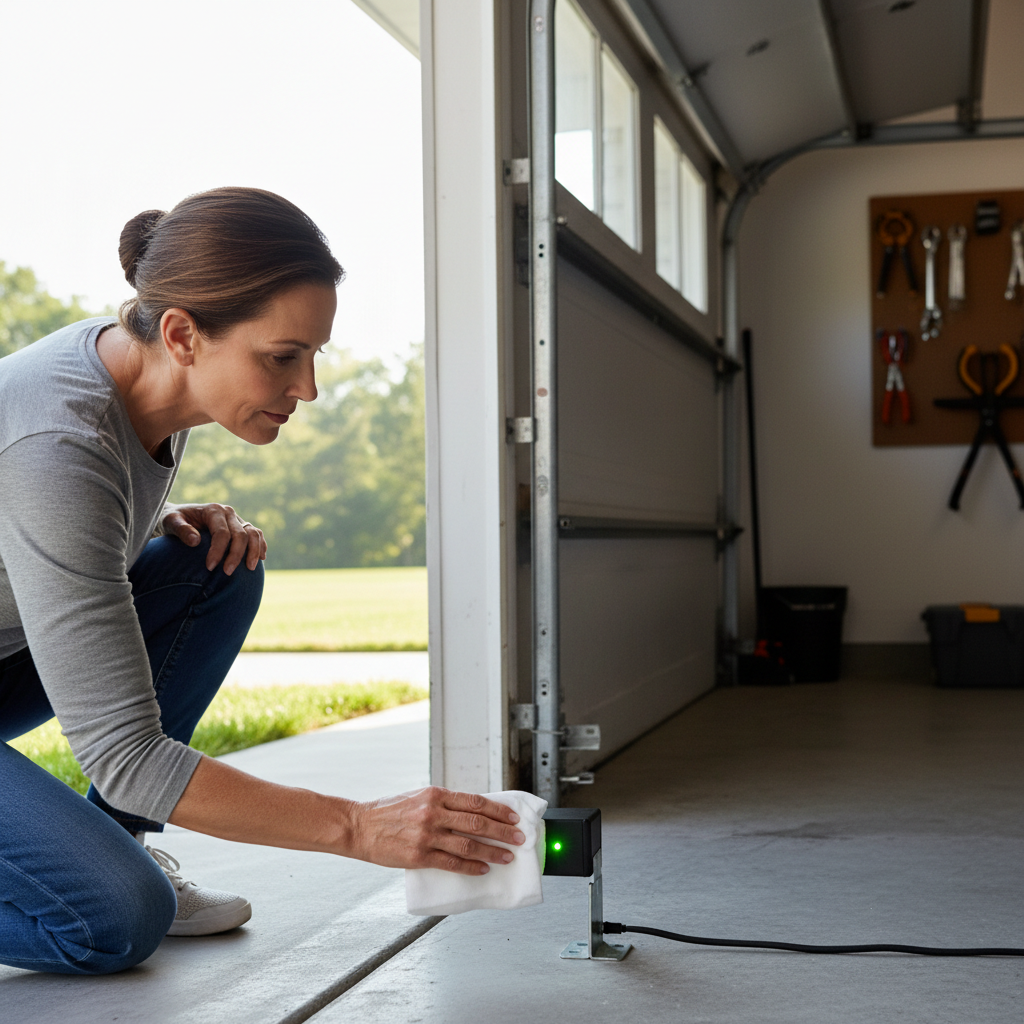
- Inspect the Door Tracks — Clear the path.
- Visually inspect both vertical and horizontal tracks inside the garage. Look for any dents, bends, or obstructions that might impede the rollers' movement.
- Tools: Pliers, clean cloth.
- If this doesn't work: If the tracks are severely damaged, bent, or warped, it's best to call a professional. Attempting to straighten heavily damaged tracks can compromise the door's stability and safety.
General remodeling · Renovation planning
| Project category | General remodeling |
|---|---|
| Problem type | Renovation planning |
| Trade required | General contracting |
| Urgency | Planned project |
| Safety risk | Low safety risk |
| DIY suitability | Pro recommended |
| Cost category | Major investment |
| Typical timeline | Design and permitting often 2–4 months before work starts |
| Contractor type | General contractor |
Repair option
Phase the work and fix the building envelope first.
Replacement option
Full renovation with permits, design, and a general contractor.
Common causes
- Space no longer fits how the household lives
- Resale preparation
- Deferred maintenance stacking up
Relevant tools:project cost estimatorcompare quoteshome improvement material prices
Published April 24, 2026Last updated August 17, 2026
Tools & materials you'll need
Affiliate linksAs an Amazon Associate FixlyGuide earns from qualifying purchases — at no extra cost to you. Prices and availability are accurate as of publication and subject to change.
Quick Answer
If your garage door is stopping short of the ground, the likely causes are misaligned safety sensors, debris in the track, or improperly set travel limits. These issues are often simple to diagnose and can usually be resolved with basic tools and a few minutes of your time, potentially saving you a costly service call.
The Problem
Imagine heading out, hitting your garage door remote, and watching the door descend most of the way before reversing or stopping a few inches short of the floor. Frustrating, right? This common problem leaves your garage exposed, compromises security, and can be a perplexing mystery for homeowners. While it might seem like a major malfunction, more often than not, the issue stems from one of a few easily correctable sources related to the garage door opener's safety mechanisms or travel adjustments. Ignoring the problem can lead to increased energy bills, pest intrusion, and security vulnerabilities.
How It Works
Modern garage door openers are complex systems designed with safety and convenience in mind. At the heart of the closing mechanism is the opener motor, which uses a chain, belt, or screw drive to pull the door up and push it down along its tracks. The motor is controlled by a logic board that interprets signals from your remote and wall button. Two crucial safety features are integrated into this system:
-
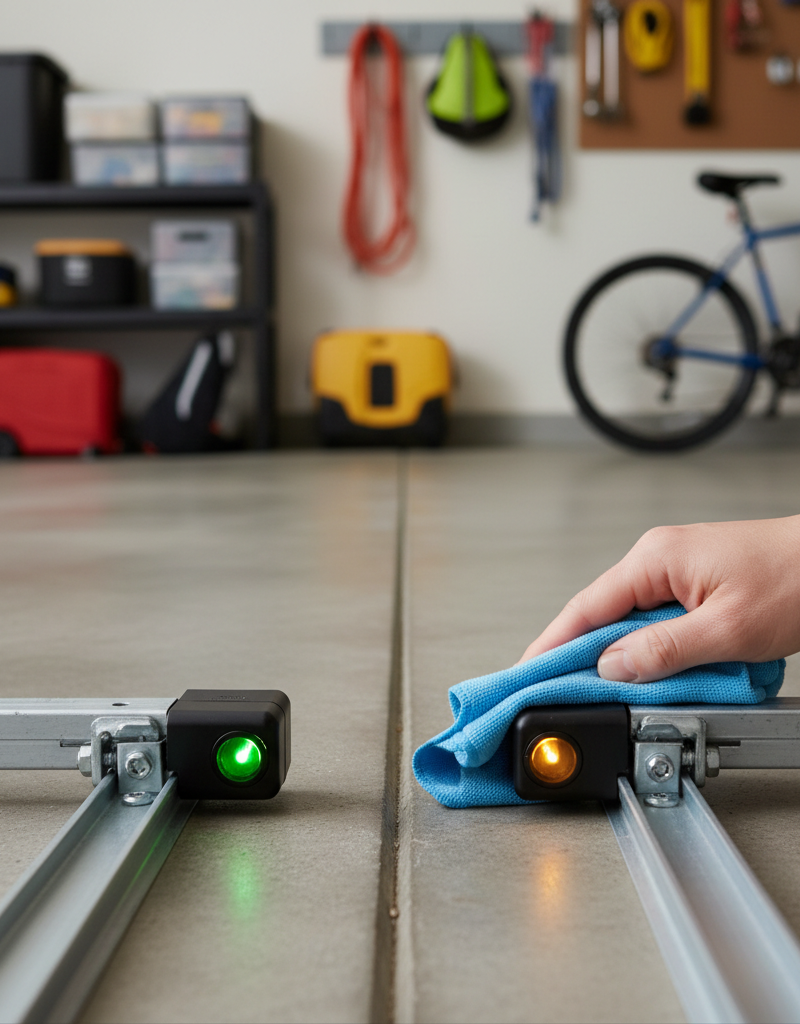
Photoelectric Safety Sensors: These are typically located 4-6 inches above the garage floor, one on each side of the door opening. One sensor emits an invisible infrared beam, and the other receives it. If anything breaks this beam while the door is closing, the opener's logic board immediately reverses the door to prevent injury or damage. They act as a critical safeguard against objects or people being crushed. If these sensors are misaligned or obstructed, the door will interpret the broken beam as an obstacle, stopping or reversing its closing cycle.
-
Force and Travel Limit Settings: The opener's logic board also has adjustable settings for how far the door should travel (travel limits) and how much resistance it should encounter before reversing (force limits). The 'down' travel limit tells the opener precisely where to stop the door when it makes contact with the garage floor. If this limit is set too high, the door will stop short. If the 'down' force limit is set too sensitively, the door might reverse if it encounters even minor resistance (like a slightly uneven floor or a small piece of debris) before reaching the fully closed position.
Understanding these components helps in diagnosing why your door isn't closing all the way. The door relies on a clear path for the safety sensors and accurate travel limit instructions from the opener to complete its closing sequence properly.
Step-by-Step Fix
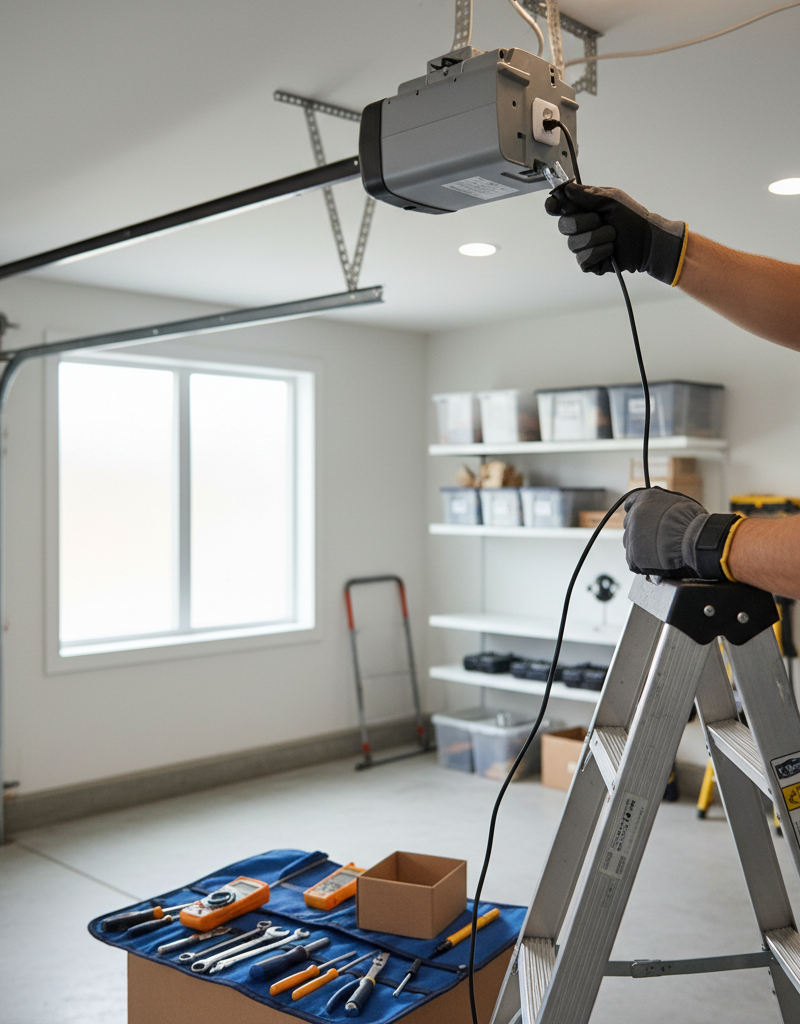
Safety Note: Always unplug your garage door opener before working on any electrical components or making adjustments, unless the step specifically requires power to test. Keep hands and clothing clear of moving parts.
-
Check the Safety Sensors — The most common culprit.
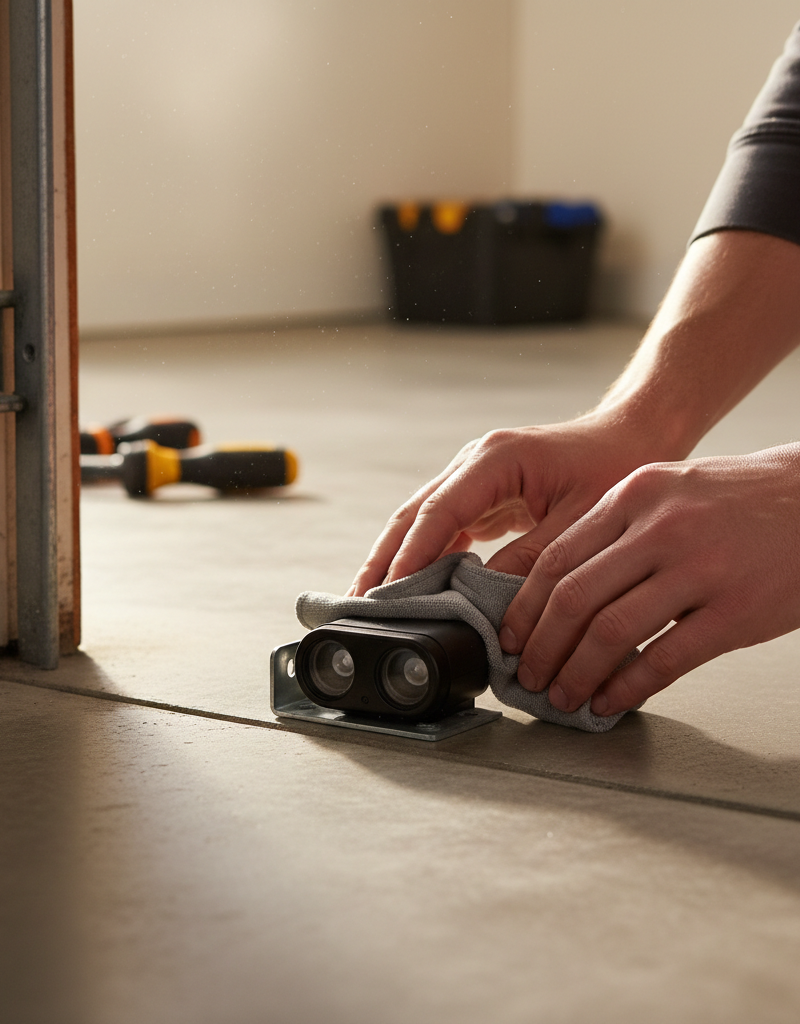
- Inspect both safety sensors, usually small boxes mounted 4-6 inches from the floor on either side of the door opening. Look for small indicator lights; typically, one will be solid green (sending) and the other solid yellow/amber (receiving). If one or both lights are off, flashing, or dim, they are misaligned or obstructed.
- Tools: Clean cloth.
- Action: Gently clean the lenses of both sensors with a soft, clean cloth to remove dust, cobwebs, or debris. Ensure nothing is physically blocking the beam (e.g., a broom, garden tools, or even a leaf). If the lights are still problematic, carefully adjust the angle of each sensor. They often have wing nuts or screws that can be loosened slightly to pivot the sensor. Aim them directly at each other until the indicator lights glow steady. You might need a helper to ensure both lights are solid at the same time. Once aligned, tighten the wing nuts/screws.
- If this doesn't work: One of the sensor wires might be damaged or loose. Trace the wires from the sensors back to the opener unit, checking for crimps, cuts, or loose connections. Damaged wires may need to be spliced or replaced (call a pro for extensive wiring fixes).
-
Inspect the Door Tracks — Clear the path.
- Visually inspect both vertical and horizontal tracks inside the garage. Look for any dents, bends, or obstructions that might impede the rollers' movement.
- Tools: Pliers, clean cloth.
- Action: Remove any visible debris from the tracks, such as small rocks, leaves, or hardened grease. Use a flashlight if needed to check the entire length. If you find minor bends or dents, you can often gently tap them out with a rubber mallet or use pliers to straighten them. Be very careful not to over-bend or crimp the track, which can cause more significant issues. Ensure all rollers are securely in the track.
- If this doesn't work: If the tracks are severely damaged, bent, or warped, it's best to call a professional. Attempting to straighten heavily damaged tracks can compromise the door's stability and safety.
-
Check the Limit Settings — Tell the door where to stop.
- The 'down' travel limit defines how far the door travels before stopping. If it's set too high, the door will stop short. These adjustments are typically on the back or side of the opener unit.
- Tools: Flathead screwdriver, owner's manual (if available).
- Action: Locate the 'travel limit' adjustment screws on your opener's motor unit. These are usually labeled 'up' and 'down' or have arrows indicating direction. Refer to your owner's manual for exact locations and adjustment procedures, as they vary by brand (LiftMaster, Chamberlain, Genie, etc.). To increase the downward travel, turn the 'down' limit screw clockwise in small increments (quarter turns). After each adjustment, plug the opener back in and test the door by closing it. Continue adjusting and testing until the door gently closes and rests fully on the garage floor without reversing or straining.
- Safety: Do not overtighten the limit settings, as this can put undue stress on the motor or cause the door to reverse abruptly. The door should just barely touch the floor.
-
Adjust the Downward Force Setting — Prevent false obstacles.
- The 'down' force setting determines how much resistance the opener tolerates before reversing. If it's too sensitive, the door might reverse even if it just touches an uneven spot on the floor.
- Tools: Flathead screwdriver, owner's manual.
- Action: Locate the 'force' adjustment screws on your opener, often near the travel limit screws and labeled 'force' or having '+' and '-' signs. To increase the force (make it less sensitive), turn the 'down' force screw clockwise in small increments. Test the door after each adjustment. The door should close completely and gently. To test the safety reversal, place a two-by-four board flat on the garage floor where the door closes; the door must reverse upon contact with the board. If it doesn't, reduce the force setting immediately.
- Safety: Never set the force too high, as this defeats the critical safety reversal mechanism. A garage door with excessive closing force can cause serious injury or damage.
-
Examine the Door Balance — A common underlying issue.
- With the door disconnected from the opener (use the emergency release cord – typically a red handle), manually lift the door about halfway. It should stay in place without assistance.
- Action: If the door quickly drops or flies open, the springs are likely out of balance, worn, or broken. This isn't a DIY fix.
- Pro Callout: Garage door springs (torsion or extension) are under extreme tension and can cause severe injury or even death if handled improperly. If your door is unbalanced, immediately call a licensed garage door technician. Do not attempt to repair or adjust the springs yourself.
-
Check for Remote/Wall Button Issues — Rule out simple signal problems.
- Sometimes the opener receives a
Related Articles
Keep troubleshooting with these hand-picked guides from FixlyGuide:
- The 3 Hidden Reasons Your Door Won't Latch (And the Easy Fixes) — Discover the surprising reasons your interior door isn't latching and how to quickly diagnose and fix the issue with simple tools.
- The 3 Hidden Reasons Your Door Won't Latch (And the Easy DIY Fixes) — Don't live with a door that refuses to latch; discover simple, DIY solutions for common door latch problems and restore security and privac…
- Is Your House Breathing? Why Doors Stick Shut in Summer — Don't just muscle that sticking door shut. It's a sign of a house-wide issue. Learn the surprising reason your doors swell in summer and th…
- That Peeling Paint? Your Bathroom Has a Moisture Secret — Discover the hidden causes behind your peeling bathroom ceiling paint. We reveal why moisture is the main culprit and provide a permanent f…
- That Drywall Hole Isn't Just Ugly, It's a Bat Signal — Learn the pro-approved method for patching drywall holes of any size. We cover the surprising science behind a lasting repair and common mi…
- The 3 Hidden Reasons Your Sprinkler Head Won't Pop Up (And How to Fix Them) — Frustrated by a sprinkler head that won't rise? Discover the top three culprits behind this common irrigation issue and how to resolve them…
Should you do this yourself?
Answer five quick questions before you start. Safety outranks savings every time.
Your experience with work like this
How high do you have to work?
Does the job involve any of these?
Will it need a permit?
Specialty tools
Free and instant. Educational guidance only — not a quote, inspection, or professional diagnosis.
What should this project cost?
Enter your project details for a realistic cost range before you call anyone.
Cost depends heavily on which system turns out to be the source.
- Regional adjustment
- National average
- Labor share (typical)
- ~$1,620
- Quotes to collect
- 3 written estimates
Educational estimate based on national averages — not a binding quote. Always confirm with written local estimates.
Before you start
Check the difficulty, permits, and safety risk — then decide whether to call a pro.
- Estimate this projectGet a cost range for your scope and ZIP before you call anyone.Open
- Get local estimatesSend one request and compare written estimates from vetted pros.Open
Free, no signup required. Estimates are educational guidance, not a quote or an inspection.
Get the print-ready PDF of this guide
A clean, ad-free, printable version you can keep on your phone or pin to the workshop wall. Free with a FixlyGuide account.
- Print-optimized layout
- Tools, materials & every step included
- Saved to your account
Recommended for DIYers & woodworkers
Sponsored
The Top 20 Tools for Workshops of Any Budget
No stationary machines or power tools required — plus 3 fundamental tools that can't be bought at any price.
Get the free guide
Ted's Woodworking — The #1 Woodworking Resource
Detailed instructions, dimensioned drawings, materials & cutting lists, and 3D schematics for every skill level.
See the plansSponsored: links above are affiliate links. FixlyGuide may earn a commission on qualifying purchases — at no extra cost to you.
Frequently asked questions
Why does my garage door stop and go back up when closing?+
This usually indicates that the safety sensors are either misaligned, obstructed, or have dirty lenses. The opener interprets the broken beam as an obstacle and reverses the door to prevent entrapment. Clean and realign the sensors first.
How do I reset my garage door opener when it won't close?+
Most garage door openers don't have a 'reset' button in the traditional sense for this issue. Instead, you'll typically need to adjust the travel limits and/or force settings. Refer to your owner's manual for specific instructions on your model, as procedures vary by brand.
Can weather affect my garage door closing?+
Yes, extreme temperature changes can cause metal components like tracks and springs to expand or contract, potentially affecting the door's balance or creating minor obstacles. Ice or snow buildup under the door can also prevent it from making full contact with the ground, triggering the safety reversal.
Discussion
Loading comments…