- The flickering occurs in multiple rooms or the entire house. This points to a problem with your home's main electrical service, the meter base, or the main breaker panel—issues that are dangerous and legally require a professional.
- You discover aluminum wiring. If you open a box and see silver-colored wires instead of copper, stop. Aluminum wiring (common from the mid-1960s to early 1970s) requires special connectors and techniques to be safe.
- The flickering is accompanied by buzzing or sizzling sounds from walls, outlets, or the breaker panel. Sound indicates arcing, which generates extreme heat and is a severe fire risk.
- You have completed the basic steps (bulb, switch, fixture) and are not comfortable or equipped to safely check outlets or the breaker panel.
Electrical · Panel or service upgrade
| Project category | Electrical |
|---|---|
| Problem type | Panel or service upgrade |
| Trade required | Electrical |
| Urgency | Planned project |
| Safety risk | High safety risk |
| DIY suitability | Licensed pro only |
| Cost category | High cost |
| Typical timeline | Permit plus utility scheduling, commonly 2–6 weeks |
| Contractor type | Licensed electrician |
Repair option
Add a subpanel when the main service is adequate.
Replacement option
Full service upgrade with utility coordination and permits.
Common causes
- Obsolete or recalled panel brands
- Service capacity too small for added loads
- No room for required AFCI/GFCI breakers
Relevant tools:project cost estimatorcompare quotes
Published April 23, 2026Last updated August 17, 2026
Tools & materials you'll need
Affiliate linksAs an Amazon Associate FixlyGuide earns from qualifying purchases — at no extra cost to you. Prices and availability are accurate as of publication and subject to change.
How it works
A modern home's electrical system is a network of circuits, each beginning at a circuit breaker in your main electrical panel. A single 120-volt branch circuit, typically protected by a 15-amp or 20-amp breaker, consists of at least three wires running through your walls. The "hot" wire (usually insulated in black) carries the electrical potential from the panel. The "neutral" wire (insulated in white) completes the circuit, allowing current to flow back to the panel. The "ground" wire (bare copper or green insulation) is a safety line that provides a path for electricity to take in case of a short circuit.
Fixtures, switches, and outlets are connected to these wires. Often, a single circuit will power multiple devices in a room, wired in a daisy-chain fashion where power flows from one electrical box to the next. Electricity requires a stable, uninterrupted path to function correctly. A flickering light is a sign that this path is being momentarily broken hundreds of times per second. This interruption is most often caused by a loose physical connection somewhere along the circuit. This loose point acts like an microscopic, uncontrolled switch, creating tiny electrical arcs as the connection makes and breaks contact. These arcs create heat, which can damage components and pose a significant fire risk. The flicker you see is the direct visual result of this unstable power delivery.
Step-by-Step Fix
The following steps move from the simplest, most common causes to more complex diagnostic procedures. Always prioritize safety.
-
Safety First: De-energize the Circuit — Before you touch any wiring, locate your main electrical panel. Identify the breaker that controls the circuit for the flickering light. If your panel is not well-labeled, turn on the flickering light and have a partner watch it while you flip breakers one by one until the light goes out. Firmly switch the correct breaker to the "OFF" position.
- Tool: Non-contact voltage tester.
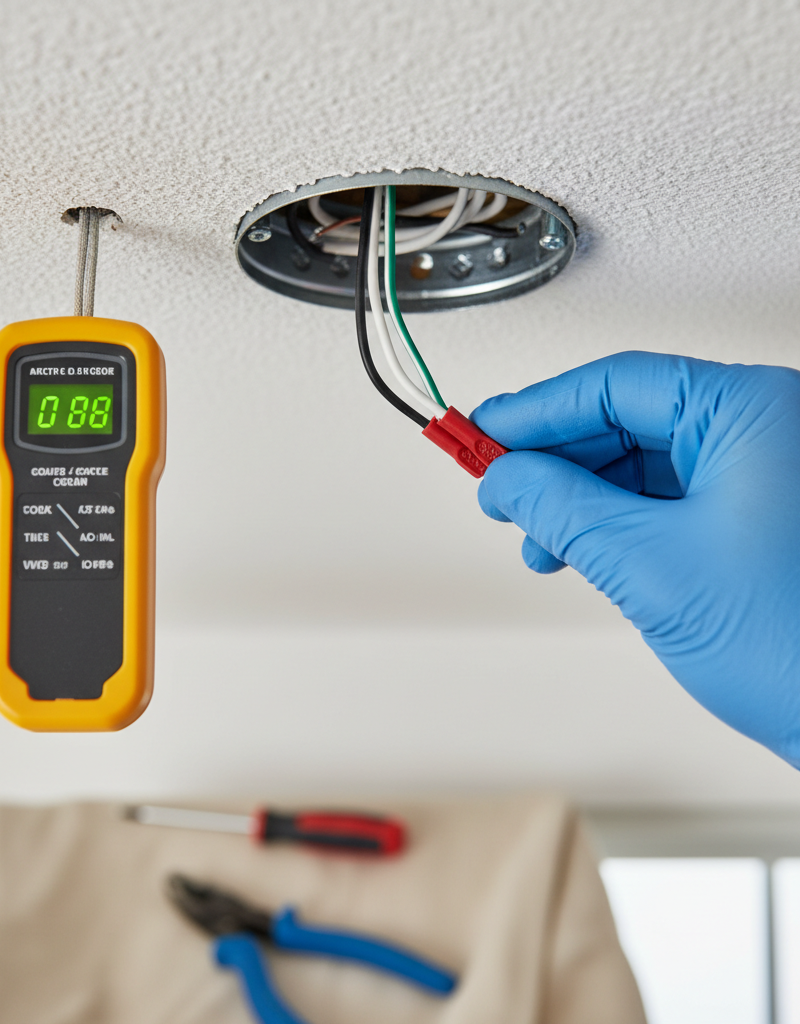
- Safety: After flipping the breaker, always verify that the power is off at the switch and fixture you intend to work on. Hold the tip of a non-contact voltage tester near the switch and fixture wires. It should not light up or beep. Test the tester on a known live outlet first to ensure it's working.
-
Isolate the Light Bulb — A loose or failing bulb is the most common culprit. With the power off (or the fixture switched off if you are only touching the bulb), ensure the bulb is screwed in snugly. If it’s already tight, remove the bulb and inspect the socket and the base of the bulb for corrosion or discoloration.
- If this works: The problem is solved.
- If this fails: Try a brand-new bulb or a known-good bulb from another working lamp. This helps rule out a faulty filament or internal electronics in the original bulb.
-
Check for Dimmer and LED Incompatibility — Many flickering issues today stem from putting modern LED bulbs on older dimmer switches. Older dimmers were designed for the high electrical resistance of incandescent bulbs and can cause flickering or buzzing with low-wattage LEDs.
- Test: If you have a dimmer, temporarily replace it with a standard single-pole switch (a ~$2 part). If the flickering stops, the dimmer is incompatible with your bulb. You will need to install a new dimmer specifically rated for LEDs (often labeled "CFL/LED" or "ELV/MLV").
-
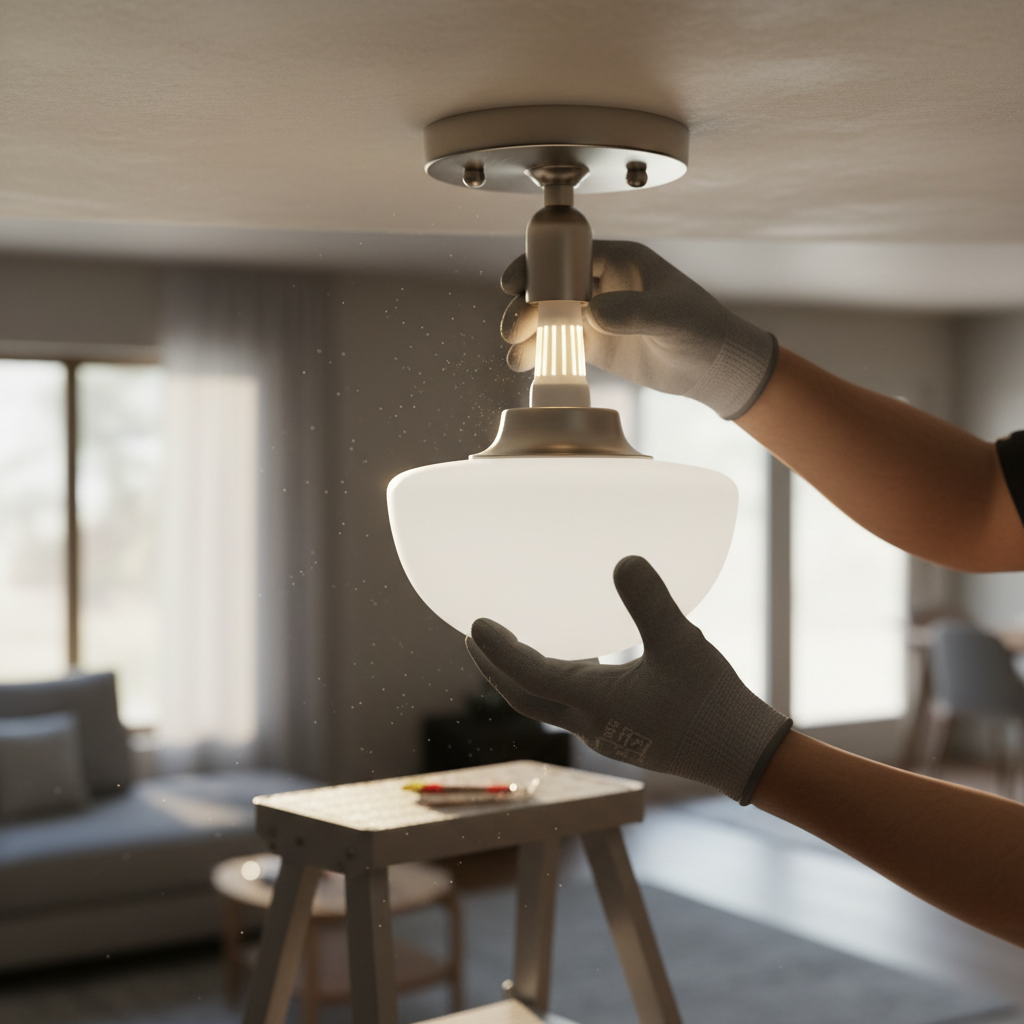
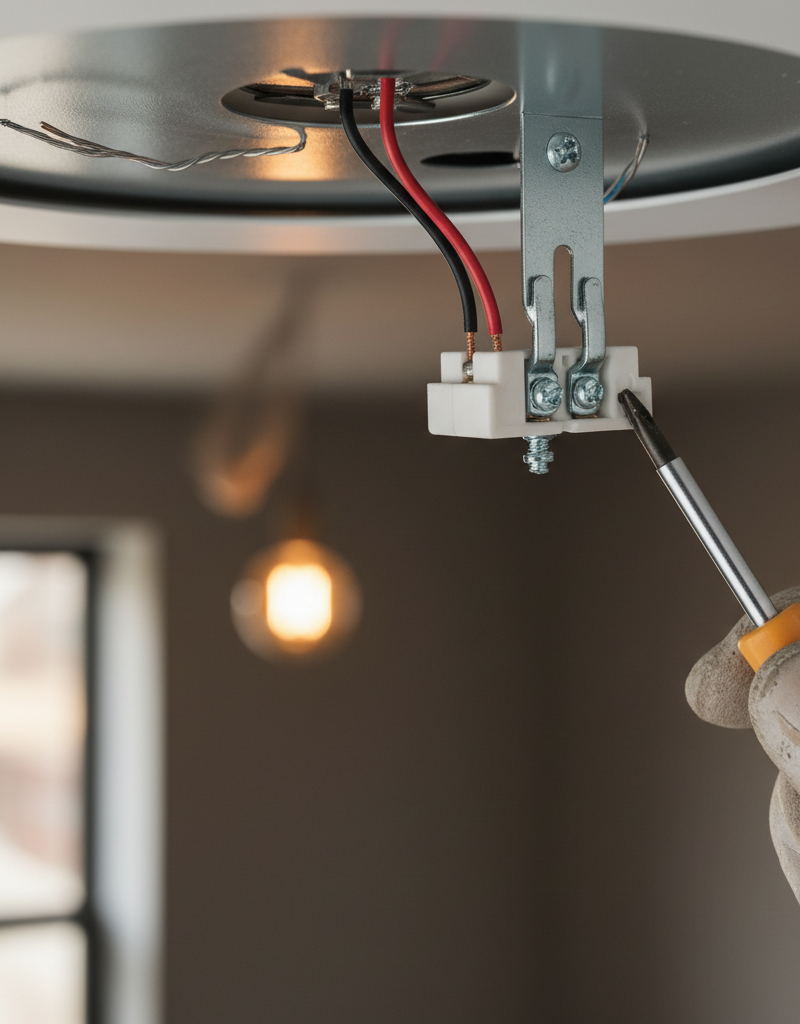
Inspect the Light Fixture Connections — With the circuit breaker off and power verified as off, inspect the fixture itself. If it is a hanging fixture, remove the canopy cover at the ceiling to expose the electrical box. You will see several wire connections, typically held together by wire nuts.
- Action: Gently tug on each individual wire entering a wire nut. A properly secured wire will not move. If a wire pulls out, the connection was faulty. Remake the connection by stripping about 5/8 inch of insulation from the wire, holding the wires parallel, and twisting a new wire nut on clockwise until it is tight. Look for any scorch marks or melted plastic on the wires or nuts—a sure sign of a past or present problem.
-
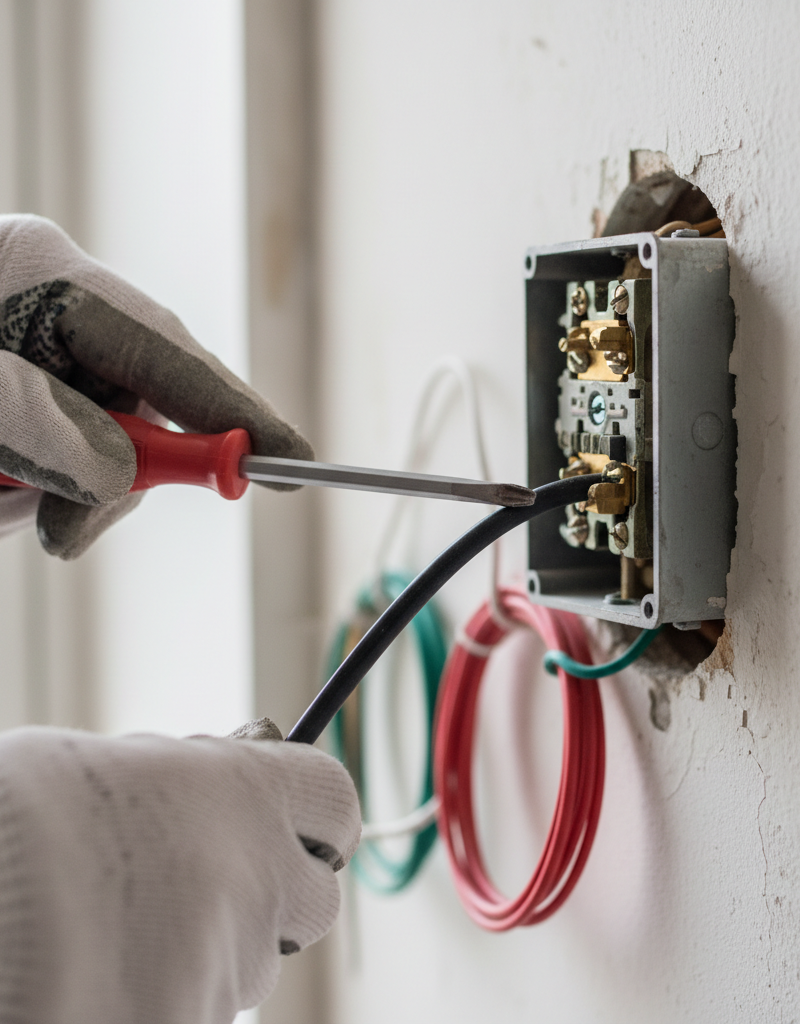
Examine the Wall Switch Connections — The switch gets used constantly, and its connections can loosen over time. With the power off, remove the switch's faceplate. Unscrew the switch from the electrical box and gently pull it out. Look at how the wires are connected.
- Best: Wires are hooked around screw terminals. Check that these screws are tight.
- Worst: Wires are pushed into small holes on the back ("back-stabbing"). These connections are notoriously unreliable. If you find them, move the wires to the screw terminals. To do this, release the wire (there is usually a small slot to insert a tiny screwdriver), use needle-nose pliers to form a J-hook in the copper, and wrap it clockwise around the corresponding screw before tightening.
-
Map the Entire Circuit — To diagnose further, you must know what else is on the same circuit. Turn the breaker back on. With the problem light on, go through the house and plug a small lamp or a circuit tester into every outlet, and flip every switch. Note every single device that loses power when you turn off the suspect breaker. This map is critical.
-
Hunt for Voltage Drop from Large Loads — Now that you know what's on the circuit, check if a large appliance is the cause. Turn on the flickering light. One by one, go to the outlets on your circuit map and plug in a high-draw appliance like a vacuum cleaner, a portable space heater, or a hair dryer. If the light flickers or dims significantly at the exact moment the appliance is turned on, the issue is likely a temporary voltage drop caused by the motor's high inrush current.
- Solution: The circuit is likely overloaded or at its limit. The long-term solution is to move the large appliance to a different circuit or have an electrician run a new, dedicated circuit.
-
Inspect Upstream Outlet Connections — A loose wire in an outlet can cause lights that are "downstream" on the same circuit to flicker. The current flows through the terminals of the outlet to get to the next device. A loose connection there affects everything after it.
- Action: Turn the power off at the breaker. Using your circuit map, start with the outlet physically closest to the electrical panel and work your way toward the light fixture. Open each outlet, checking for loose screw terminals or unreliable back-stab connections, just as you did with the switch. Secure any loose wires.
-
Replace the Wall Switch — If you found no obvious loose connection but the switch is old, looks discolored, or makes a crackling sound, it's best to replace it. A standard single-pole switch is inexpensive and easy to replace.
- Process: With the power off, disconnect the two hot wires (and ground) from the old switch and connect them to the same terminals on the new switch. Black wires go on the brass-colored screws, and the bare copper ground wire goes on the green screw.
-
Check the Breaker Connection in the Panel — Warning: This step involves working inside the main panel and is for advanced DIYers only. If you are not completely comfortable, stop here and call a pro.
- Action: Turn off the MAIN breaker that powers the entire panel. Even with the main off, the large service wires coming into the panel are still LIVE. Do not touch them. With the main breaker off, locate the single-pole breaker for your circuit. Check the screw terminal where the black circuit wire is connected. Ensure the screw is tight. A loose breaker connection can cause an entire circuit to flicker.
Common mistakes
- Assuming Power Is Off. Never trust a switch or a breaker's label alone. Always use a non-contact voltage tester to confirm there is no power at the exact location you are about to work on. Test your tester on a known live circuit before and after to be certain it is functioning.
- Ignoring Downstream Effects. Many people check the bulb and the fixture, then give up. They fail to understand that a loose wire in an outlet across the room can be the root cause of their flickering light, as current passes through that outlet to get to the light.
- Creating Unsafe Connections. When replacing a switch or outlet, do not use the push-in "back-stab" connections. They are legal but fail at a much higher rate than screw terminals. Take the extra minute to form a proper J-hook on the wire and secure it firmly around the screw terminal in a clockwise direction.
- Using Mismatched Dimmer Technology. Putting a non-dimmable LED or CFL bulb on a dimmer circuit will cause flickering. Furthermore, using an old incandescent-only dimmer with a dimmable LED can also cause issues. Always install a modern, LED-compatible dimmer when using dimmable LED bulbs.
- Overtightening Wire Nuts or Screws. Connections should be snug and firm, not torqued down with excessive force. Overtightening a screw terminal can break the plastic housing of the device or damage the copper wire. Overtightening a wire nut can strip the threads inside the nut or even snap the copper wires.
- Not Addressing the Root Cause of Overload. If you find that running a vacuum cleaner causes the lights to flicker, simply avoiding that action isn't a fix. It's a sign that the circuit is loaded to its capacity. The real solution is to rebalance your loads across different circuits or install a new, dedicated circuit for the high-draw appliance.
Cost & time breakdown
Pro costs assume a 1-hour minimum service call fee. DIY costs include basic tools like a voltage tester, which you may already own.
| Task | DIY cost | Pro cost | Time |
|---|---|---|---|
| Replace light bulb | $5 - $15 | N/A | 5 minutes |
| Replace standard light switch | $5 - $20 | $125 - $200 | 15-30 minutes |
| Replace dimmer switch | $25 - $50 | $150 - $250 | 20-30 minutes |
| Replace standard light fixture | $50 - $300+ | $175 - $450 | 30-90 minutes |
| Troubleshoot & replace outlet | $5 - $25 | $125 - $200 | 20-40 minutes |
| Electrician diagnostic visit | N/A | $100 - $250 | 1 hour |
When to call a pro
While a single-room flicker is often a DIY fix, certain symptoms demand immediate professional attention. Do not attempt to fix these yourself, as they can indicate a serious hazard. Call a licensed electrician if:
- The flickering occurs in multiple rooms or the entire house. This points to a problem with your home's main electrical service, the meter base, or the main breaker panel—issues that are dangerous and legally require a professional.
- You smell burning plastic, ozone, or see smoke. A burning smell near an outlet, switch, or especially your electrical panel is a sign of an active electrical fire hazard. Turn off the main breaker immediately (if safe to do so) and call an electrician.
- A circuit breaker trips repeatedly. If the breaker trips again right after you reset it, even with nothing plugged in, there is a short circuit. If it trips under a normal load that it previously handled, there is a developing fault that needs investigation.
- You discover aluminum wiring. If you open a box and see silver-colored wires instead of copper, stop. Aluminum wiring (common from the mid-1960s to early 1970s) requires special connectors and techniques to be safe.
- The flickering is accompanied by buzzing or sizzling sounds from walls, outlets, or the breaker panel. Sound indicates arcing, which generates extreme heat and is a severe fire risk.
- You have completed the basic steps (bulb, switch, fixture) and are not comfortable or equipped to safely check outlets or the breaker panel.
Prevention & maintenance
- Label Your Breaker Panel Accurately. Take an hour with a partner and a lamp to map every outlet and switch in your home. A clearly labeled panel is the single most valuable tool for any future electrical troubleshooting or emergency.
- Avoid Relying on Back-Stab Connections. When you install a new switch or outlet, always use the screw terminals. If you are doing other work and find devices using back-stab connections, take the extra five minutes to move the wires to the more secure screw terminals.
- Perform a Load Audit. Understand what is on each circuit. Avoid running more than one high-draw appliance (space heater, air conditioner, toaster oven, hair dryer) on a single 15-amp circuit at the same time. This prevents both nuisance trips and premature wear on your system.
- Upgrade Dimmers with Bulbs. When you upgrade a room to LED lighting, replace the old dimmer switch with a modern, LED-compatible model. This small investment prevents a wide range of flickering, buzzing, and performance issues.
- Use Quality Components. When replacing electrical devices, opt for "commercial" or "specification" grade outlets and switches. They cost a few dollars more but are built with heavier-duty components, better plastics, and superior connection points that ensure a longer, safer service life.
- Conduct an Annual "Wiggle Test". Once a year, walk through your home and gently check faceplates for outlets and switches. If a plate is loose, it could indicate the device behind it is also loose in its box. A quick tightening can prevent future problems.
Related Articles
Keep troubleshooting with these hand-picked guides from FixlyGuide:
- Light Flickering in One Room? 3 Hidden Causes Revealed — If lights in a single room are flickering, it's usually a minor electrical issue you can often fix yourself with basic tools and caution.
- Why Does Only One Room Have Flickering Lights? The Real Culprit — Flickering lights in a single room often point to a localized electrical issue, not a whole-home problem, making diagnosis and repair simpl…
- Why Does Only One Room Have Flickering Lights? The Real Culprit — Flickering lights in a single room often point to a localized electrical issue, frequently a loose connection, easily diagnosed and repaire…
- Why Does Only One Room Have Flickering Lights? The Real Culprit — Flickering lights in a single room often point to loose connections, an overloaded circuit, or a failing light fixture, rather than a whole…
- Why Does Only One Room Have Flickering Lights? The Real Culprit — Flickering lights in a single room often point to a localized electrical issue, most commonly a loose connection within the circuit.
- The #1 Reason Your Doorbell Suddenly Dies (and the 10-Minute Fix) — A non-functioning doorbell is often caused by a tripped transformer, a simple issue homeowners can usually resolve in minutes.
What should this project cost?
Enter your project details for a realistic cost range before you call anyone.
Outlet and switch work usually $150–$400; panel upgrades commonly $1,800–$4,200.
- Regional adjustment
- National average
- Labor share (typical)
- ~$709
- Quotes to collect
- 3 written estimates
Educational estimate based on national averages — not a binding quote. Always confirm with written local estimates.
Fixly Project Decision Box
- DIY difficulty
- Professional Recommended
- Estimated time
- Diagnosis 1–2 hours
- Cost level
- Moderate
Main tools / materials
- Non-contact voltage tester
- Outlet tester
- Flashlight
When to stop and call a pro
- Burning smell, scorch marks, or a warm outlet or switch plate
- A breaker that trips again right after being reset
- Any work inside the service panel
- Aluminum wiring or cloth-insulated wiring
Need professional help?
Talk to a Licensed ElectricianGet the print-ready PDF of this guide
A clean, ad-free, printable version you can keep on your phone or pin to the workshop wall. Free with a FixlyGuide account.
- Print-optimized layout
- Tools, materials & every step included
- Saved to your account
Frequently asked questions
Why do my lights flicker only in one room?+
Flickering in one room usually points to a localized issue like a loose light bulb, a faulty light fixture, a bad switch, or an overloaded circuit specific to that room or circuit. It's less likely a whole-house electrical problem.
Discussion
Loading comments…