- Inspect the Doorbell Button – Check for sticking or debris.
- Carefully remove the doorbell button cover. Many are just snap-on, others might have small screws.
- Inspect inside for dirt, insects, or moisture. Even a tiny spiderweb or piece of debris can bridge the contacts.
- Gently press the button multiple times to feel if it's sticking or if the internal mechanism feels sluggish.
- Use a can of compressed air or a soft brush to clear any obstructions. If the button is clearly damaged or sticking, replacement is recommended. A new button is inexpensive.
General remodeling · Renovation planning
| Project category | General remodeling |
|---|---|
| Problem type | Renovation planning |
| Trade required | General contracting |
| Urgency | Planned project |
| Safety risk | Low safety risk |
| DIY suitability | Pro recommended |
| Cost category | Major investment |
| Typical timeline | Design and permitting often 2–4 months before work starts |
| Contractor type | General contractor |
Repair option
Phase the work and fix the building envelope first.
Replacement option
Full renovation with permits, design, and a general contractor.
Common causes
- Space no longer fits how the household lives
- Resale preparation
- Deferred maintenance stacking up
Relevant tools:project cost estimatorcompare quoteshome improvement material prices
Published May 13, 2026Last updated August 17, 2026
Tools & materials you'll need
Affiliate linksAs an Amazon Associate FixlyGuide earns from qualifying purchases — at no extra cost to you. Prices and availability are accurate as of publication and subject to change.
Quick Answer
Phantom doorbell rings, where your doorbell activates without anyone present, are typically caused by a short in the wiring, a failing transformer, a faulty button, or occasionally, interference. Troubleshooting involves systematically checking each component, starting with simple visual inspections and moving to electrical tests.
The Problem
Imagine this: you're relaxing at home, and suddenly your doorbell chimes, but when you check, there's no one there. This isn't a playful ghost; it's a phantom doorbell ring, and it's a common, albeit annoying, problem for homeowners. These unprompted chimes can be sporadic or frequent, occurring day or night, and can be a source of constant frustration. Beyond the annoyance, a phantom ring often signals an underlying issue within your doorbell system that, if left unaddressed, could lead to a complete system failure or, in rare cases, a minor electrical hazard. Pinpointing the exact cause requires a methodical approach, as several components in the low-voltage circuit could be the culprit. Understanding how your doorbell functions is the first step toward diagnosing and silencing these bothersome phantom rings.
How It Works
Before diving into fixes, it's crucial to understand the basic mechanics of a typical wired doorbell system. Most traditional doorbells operate on a low-voltage electrical circuit, typically 10 to 16 volts AC, supplied by a transformer. This transformer is usually a small, rectangular box often found mounted to an electrical junction box in your attic, basement, near your main electrical panel, or sometimes even inside a closet. It steps down your home's standard 120-volt AC power to the much lower voltage required by the doorbell system.
The circuit itself is straightforward: power flows from the transformer, through the doorbell chime unit, to the outdoor push button, and then back to the transformer, completing the loop. When you press the doorbell button, it acts as a momentary switch. It closes the circuit, allowing the low-voltage current to flow through a solenoid inside the chime unit. This energized solenoid then rapidly moves a plunger, striking metal tone bars to produce the familiar 'ding-dong' sound. When the button is released, the circuit opens, and the plunger returns to its resting position.
Several factors can disrupt this delicate balance. If there's an intermittent short circuit anywhere along the wires, or if the button itself is sticking or faulty, it can mimic someone pressing the button, causing a phantom ring. A failing transformer might also send fluctuating or insufficient power, leading to erratic behavior. Even environmental factors like extreme temperature changes causing expansion and contraction of wires can contribute to these phantom rings. Knowing this basic operational principle empowers you to trace the electrical path and identify where the interruption or unintended connection might be occurring.
Step-by-Step Fix
Safety Note: Always turn off the power to your doorbell transformer at the circuit breaker before working on any part of the doorbell system. This is a low-voltage system, but it's always best to be safe when dealing with household electricity.
-
Inspect the Doorbell Button – Check for sticking or debris.
- Carefully remove the doorbell button cover. Many are just snap-on, others might have small screws.
- Inspect inside for dirt, insects, or moisture. Even a tiny spiderweb or piece of debris can bridge the contacts.
- Gently press the button multiple times to feel if it's sticking or if the internal mechanism feels sluggish.
- Use a can of compressed air or a soft brush to clear any obstructions. If the button is clearly damaged or sticking, replacement is recommended. A new button is inexpensive.
-
Examine Visible Wiring at the Button – Look for shorts or damaged insulation.
- With the button cover removed and power off, visually inspect the two wires connected to the back of the button.
- Are the wires frayed, exposed, or touching each other? Is the insulation cracked or worn?
- Ensure the terminal screws are tight. Loose connections can cause intermittent contact.
- Separate any touching wires and, if insulation is compromised, carefully wrap with electrical tape. For badly damaged wires, consider replacing the short run from the wall to the button.
-
Inspect the Chime Unit Wiring – Check for loose connections or damage.
- Locate your doorbell chime unit, typically mounted on a wall in a central hallway.
- Gently pull the chime unit away from the wall (it usually just slides off mounting posts or has small screws).
- With power OFF, inspect the low-voltage wires connected to the terminals inside the chime unit. There are usually three terminals: 'Trans' (for transformer), 'Front' (for the front doorbell button), and 'Rear' (for a rear doorbell button, if present).
- Ensure all wires are securely fastened to their respective terminals and that no stray wire strands are touching other terminals or the metal casing. Trim any excess exposed wire.
- Tighten all terminal screws. If you see any signs of corrosion, gently clean the terminals with fine-grit sandpaper or a wire brush.
-
Confirm Transformer Voltage – Test for proper power output.
- Safety Critical: This step involves working near live electrical circuits. If you are uncomfortable, call a professional.
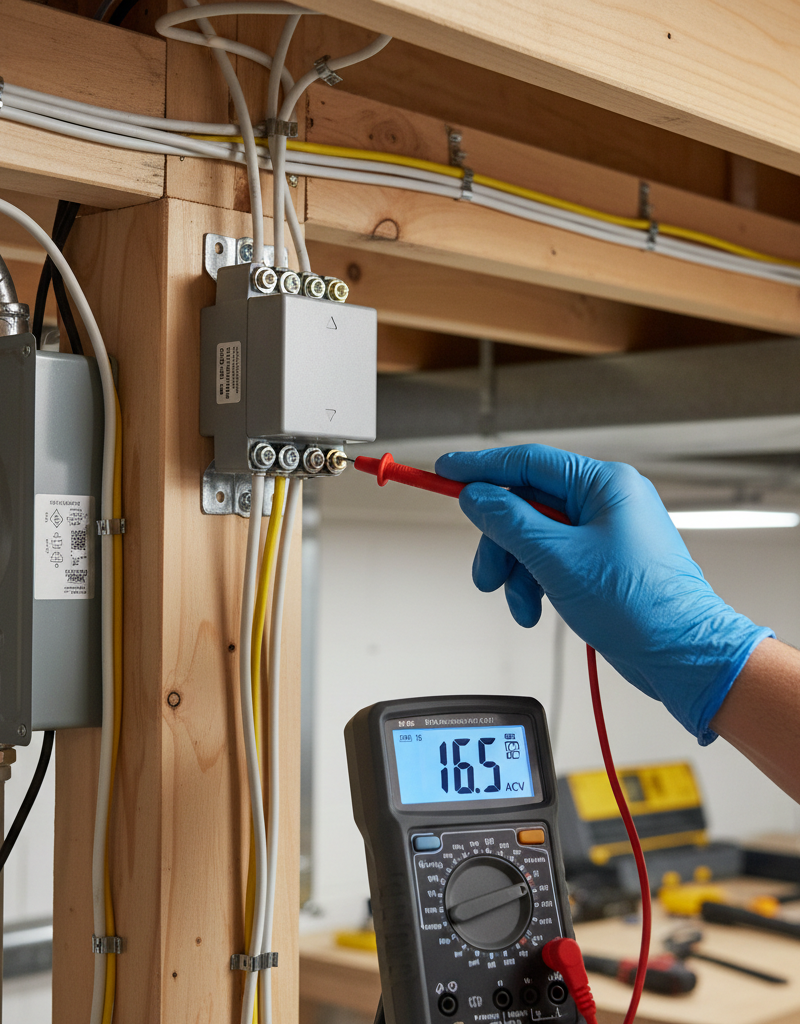
- Locate your doorbell transformer. As mentioned, it's often in the basement, attic, or near the electrical panel.
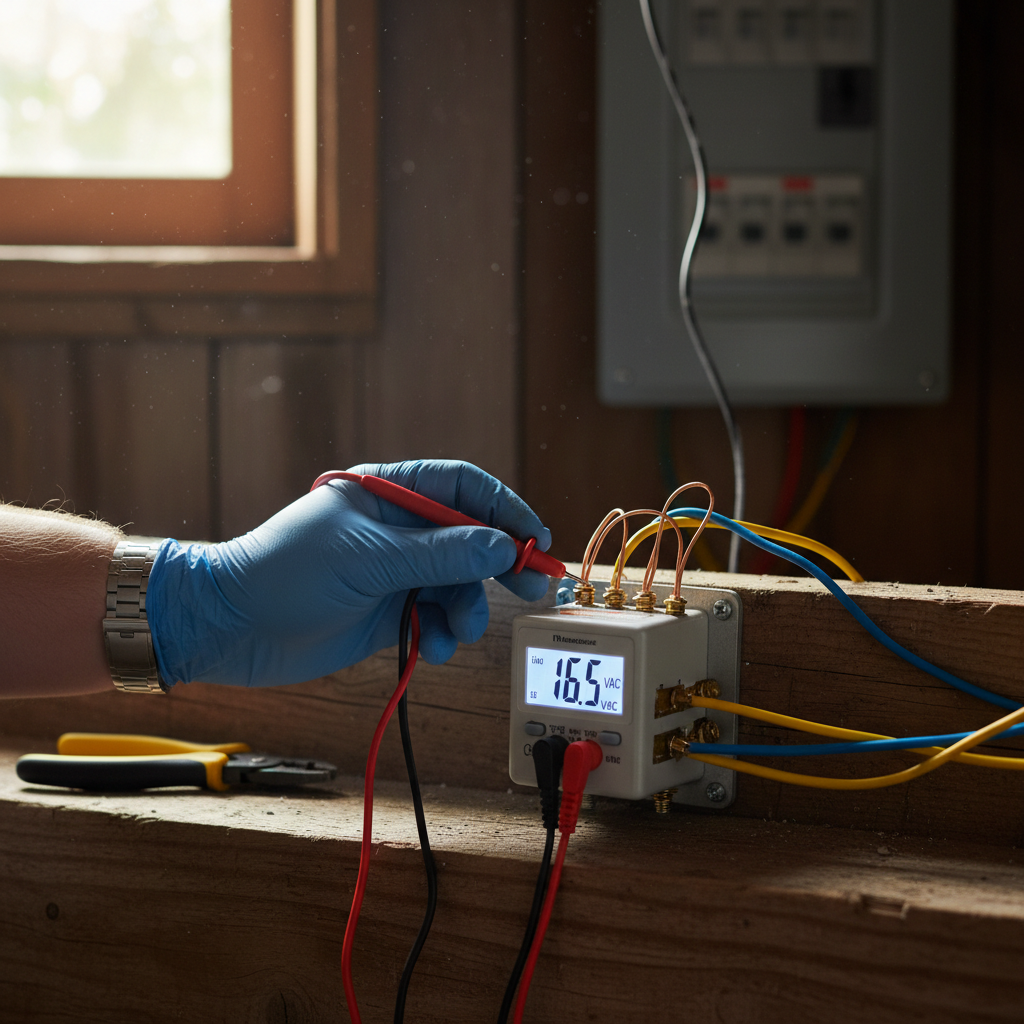
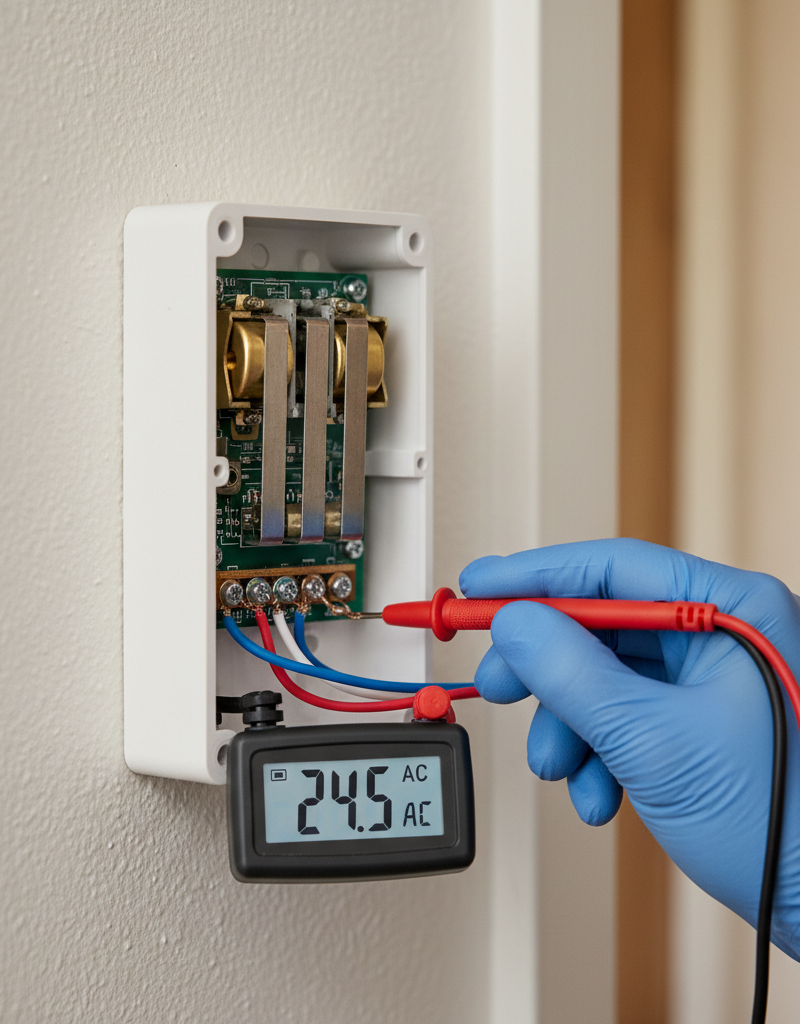
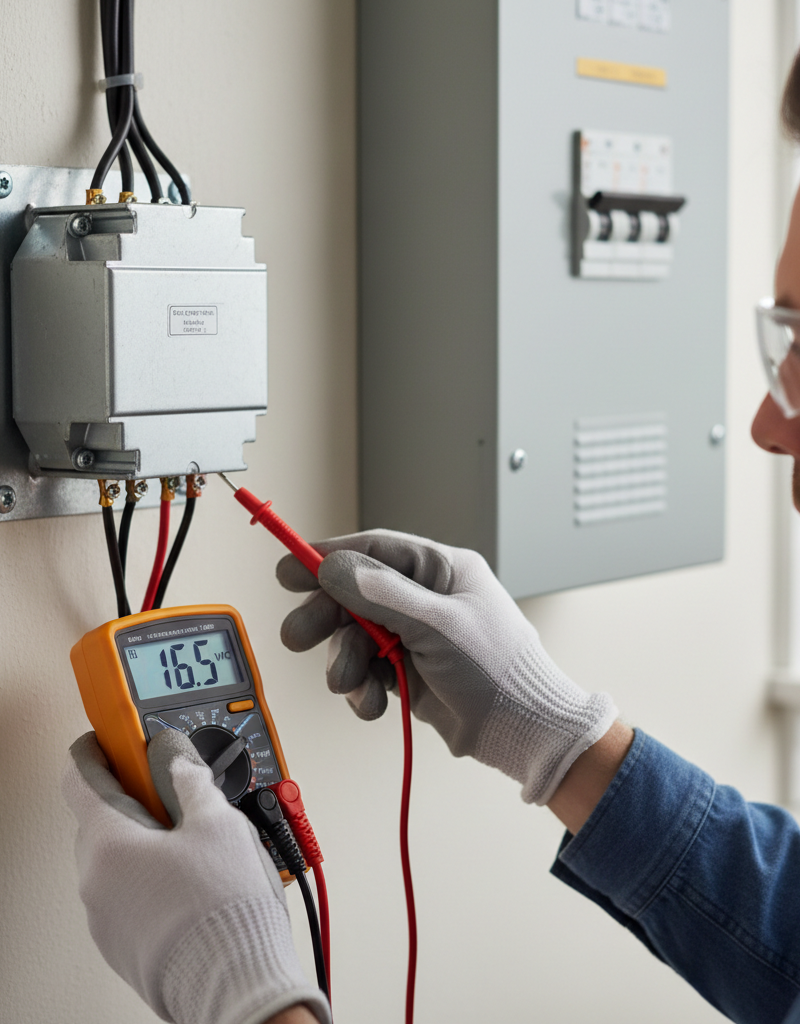
- With power restored to the circuit, carefully use a multimeter set to AC voltage to test the low-voltage output terminals of the transformer.
- Place one probe on each of the low-voltage output terminals. You should read a voltage between 10V and 16V AC (e.g., 10V, 12V, 16V). Consult the transformer's label for its exact rated output.
- If the reading is significantly lower, fluctuating erratically, or absent, the transformer is likely failing and needs replacement. Turn off power before replacing.
-
Examine Exterior Wiring and Staples – Look for hidden damage outdoors.
- Trace the wires leading from your doorbell button back into the wall, and if possible, follow their path where they emerge near the chime or transformer.
- Look for areas where the wire might be pinched, stapled too tightly, or exposed to the elements.
- Over-tightened staples can cut through the insulation, causing an intermittent short.
- Rodent damage or severe weather can also compromise the wiring. If you find damaged sections, you may need to splice in new wire using appropriate low-voltage wire connectors or run an entirely new section if the damage is extensive.
-
Test for Button Stickiness with Circuit Breaker On – Isolate button or internal chime issues.
- With the chime cover off, and the house power restored, observe the chime mechanism.
- Gently push the doorbell button. Does the plunger move freely and return to its resting position without sticking?
- If you see the plunger 'chattering' or partially activating a sound without the button being pressed, it could point to a very sensitive or faulty button, or a wiring issue causing a very small, intermittent current.
-
Consider Internal Chime Unit Issues – Rare, but possible mechanical failure.
- If all wiring and voltage tests pass, and the button seems fine, there's a small chance the chime unit itself has a mechanical issue.
- Sometimes the solenoid plunger can stick, or the spring mechanism can weaken.
- With the chime cover off, use a small, non-conductive tool to gently move the plunger (if accessible) to ensure it moves freely without resistance.
- If the chime unit is old and all other troubleshooting fails, replacing the entire chime unit might be the next logical step.
Common Causes
- Faulty Doorbell Button: The most frequent culprit. The internal contacts can wear out, get dirty, or stick, intermittently closing the circuit even when not pressed. Environmental factors like moisture or extreme heat/cold can exacerbate this.
- Short Circuit in Wiring: Damaged or exposed low-voltage wiring can create an unintended path for the current. This could be due to insulation damage from squirrels, insects, over-tightened staples, or even construction work that nicked a wire.
- Failing Transformer: The transformer provides the stable low voltage. If it's old or failing, it might send erratic voltage spikes or drops, intermittently activating the chime.
- Environmental Factors: High humidity, condensation, or temperature fluctuations can cause components to expand, contract, or corrode, leading to intermittent electrical connections.
- Chime Unit Malfunction: Less common, but sometimes the mechanical components or internal wiring of the chime box itself can fail, leading to phantom rings.
- Interference (Wireless Doorbells): For wireless systems, electromagnetic interference from other devices, or even a low battery in the push button, can cause false rings. (This guide focuses on wired systems, but it's worth noting.)
Common Mistakes
- Not Turning Off Power: Failing to switch off the circuit breaker before inspecting wiring or replacing components. While low-voltage, it's still electricity and can cause a shock or damage tools.
- Assuming the Button is Fine: Many homeowners immediately suspect the chime or transformer, overlooking the simpler, more common fault of a dirty or sticking button. Always start there.
- Ignoring Visible Wire Damage: Overlooking frayed wires, cracked insulation, or tightly stapled sections, especially considering they are low-voltage and often overlooked in general home maintenance.
- Incorrectly Diagnosing the Transformer: Replacing the transformer without first verifying its output voltage with a multimeter. This can lead to unnecessary expense if the transformer isn't the actual issue.
- Over-tightening Wire Connections: While loose connections are bad, over-tightening terminal screws can strip the screw or damage the delicate low-voltage wires, creating new problems.
- Using the Wrong Type of Wire: If replacing sections of wire, using standard electrical wire (like 14-gauge house wiring) instead of low-voltage doorbell wire. While it might technically work, it's overkill and harder to work with in this application.
Cost & Time Breakdown
| Task | DIY Cost | Pro Cost | Time |
|---|---|---|---|
| Inspect Button & Wires | $0 | $75–$150 | 15–30 min |
| Clean/Adjust Button | $0–$5 | (incl. above) | 10–20 min |
| Replace Doorbell Button | $10–$30 | $100–$175 | 30 min–1 hr |
| Inspect Chime Wiring | $0 | (incl. above) | 15–30 min |
| Replace Doorbell Transformer | $20–$40 | $150–$300 | 1–2 hours |
| Replace Doorbell Chime Unit | $30–$80 | $150–$350 | 1–2 hours |
| Extensive Wire Repair/Replace | $15–$50 (materials) | $200–$500+ (complex) | 2–4+ hours |
Tips & Prevention
- Regular Visual Inspections: Periodically check your outdoor doorbell button for signs of wear, dirt, or insect nests. A quick swipe with a cloth can prevent buildup.
- Protect Outdoor Wiring: If any doorbell wiring is exposed to the elements, ensure it's properly secured and protected in conduit where possible, to prevent damage from weather and pests.
- Consider a Cover: If your doorbell button is highly exposed to rain and sun, a clear protective cover can extend its lifespan.
- Gentle Button Pressing: Encourage household members to press the doorbell button firmly but gently, avoiding forceful jabs that can damage the internal mechanism over time.
- Professional Check-up: If you have an older home with original doorbell components, a professional electrician can assess the entire system during other electrical work and advise on proactive replacements.
- Note Erratic Behavior: Keep a log of when phantom rings occur. Are they during specific weather? At certain times of day? This can offer clues to intermittent issues.
When to Call a Professional
While many doorbell issues are straightforward for the average DIYer, there are clear instances when calling a licensed electrician is the safest and most efficient choice. Firstly, if you are uncomfortable working with electricity, even low-voltage systems, it's always best to defer to an expert. More specifically, if your troubleshooting leads you to suspect an issue with the doorbell transformer itself, especially if it's located in or near your main electrical panel, a professional should handle the replacement to ensure proper wiring and safety. Furthermore, if you've inspected all accessible components and still cannot identify the source of the phantom rings, or if the issue seems to stem from extensive or concealed wiring damage within walls or ceilings, an electrician has the tools and expertise to trace lines and diagnose hidden faults without causing further damage. Lastly, if you notice any burning smells, scorch marks, or persistent flickering lights elsewhere in your home coincident with the doorbell's erratic behavior, this suggests a more serious underlying electrical problem that demands immediate professional attention. Never hesitate to call in a pro for peace of mind or when facing situations beyond your comfort and skill level.
Related Articles
Keep troubleshooting with these hand-picked guides from FixlyGuide:
- The 3 Hidden Reasons Your Doorbell Dies (And How to Resurrect It for $0) — A non-functioning doorbell is often due to simple, overlooked issues like a tripped breaker, a stuck button, or a loose wire, and can often…
- The 5-Minute Trick That Often Fixes a Dead Doorbell (No Electrician Needed) — Before you call an electrician for a dead doorbell, learn the surprising common culprit homeowners overlook and how to fix it in minutes.
- The 3 Hidden Reasons Your Interior Door Sticks (and The 15-Minute Fix) — Discover the surprisingly common reasons your interior door sticks and learn how to fix it in under 15 minutes with simple tools.
- The 4 Hidden Reasons Your Doorbell Dies (And the 20-Minute Fix) — A non-working doorbell is often caused by simple, hidden issues like a tripped transformer or a corroded button, which homeowners can fix i…
- That Ceiling Stain Isn't a Leak: 5 Hidden Causes — A mysterious ceiling stain can be alarming, especially when there's no active leak. The real culprits are often hidden issues like attic co…
- The 3 Hidden Reasons Your Gas Burner Won't Light (Beyond a Clogged Pilot) — Before you call a technician, learn the common culprits behind a gas stove burner that refuses to light, from simple clogs to ignition comp…
What should this project cost?
Enter your project details for a realistic cost range before you call anyone.
Cost depends heavily on which system turns out to be the source.
- Regional adjustment
- National average
- Labor share (typical)
- ~$1,620
- Quotes to collect
- 3 written estimates
Educational estimate based on national averages — not a binding quote. Always confirm with written local estimates.
Get the print-ready PDF of this guide
A clean, ad-free, printable version you can keep on your phone or pin to the workshop wall. Free with a FixlyGuide account.
- Print-optimized layout
- Tools, materials & every step included
- Saved to your account
Recommended for DIYers & woodworkers
Sponsored
The Top 20 Tools for Workshops of Any Budget
No stationary machines or power tools required — plus 3 fundamental tools that can't be bought at any price.
Get the free guide
Ted's Woodworking — The #1 Woodworking Resource
Detailed instructions, dimensioned drawings, materials & cutting lists, and 3D schematics for every skill level.
See the plansSponsored: links above are affiliate links. FixlyGuide may earn a commission on qualifying purchases — at no extra cost to you.
Frequently asked questions
Why does my doorbell ring randomly?+
Random doorbell rings, often called phantom rings, are most commonly caused by a faulty doorbell button where the contacts are sticking, a short circuit in the low-voltage wiring, or a failing doorbell transformer that sends intermittent power spikes. Environmental factors like moisture can also contribute.
How do I stop my doorbell from ringing by itself?+
To stop your doorbell from ringing by itself, start by inspecting the doorbell button for dirt or sticking. Next, check all visible wiring at the button and chime unit for shorts or damage. If those are clear, test the doorbell transformer's voltage output. If all checks fail, the chime unit itself might be faulty.
Can a doorbell transformer go bad?+
Yes, a doorbell transformer can go bad. Over time, due to age, power surges, or constant use, the internal components can fail, leading to inconsistent voltage output, or no output at all. A failing transformer can cause symptoms like weak chimes, no chime, or even phantom rings.
Where is my doorbell transformer located?+
Your doorbell transformer is typically a small, rectangular box mounted to an electrical junction box. Common locations include the basement near the ceiling, the attic, in a utility closet, near your main electrical service panel, or sometimes even inside a closet or under a stairwell.
Is a phantom doorbell ring dangerous?+
No, a phantom doorbell ring from a traditional wired low-voltage system is generally not dangerous. It's more of an annoyance and a symptom of an underlying fault like a short or failing component. However, any electrical issue should be addressed to prevent potential damage to the system or, in rare cases, a fire hazard if the short is severe and causes excessive heat.
Discussion
Loading comments…