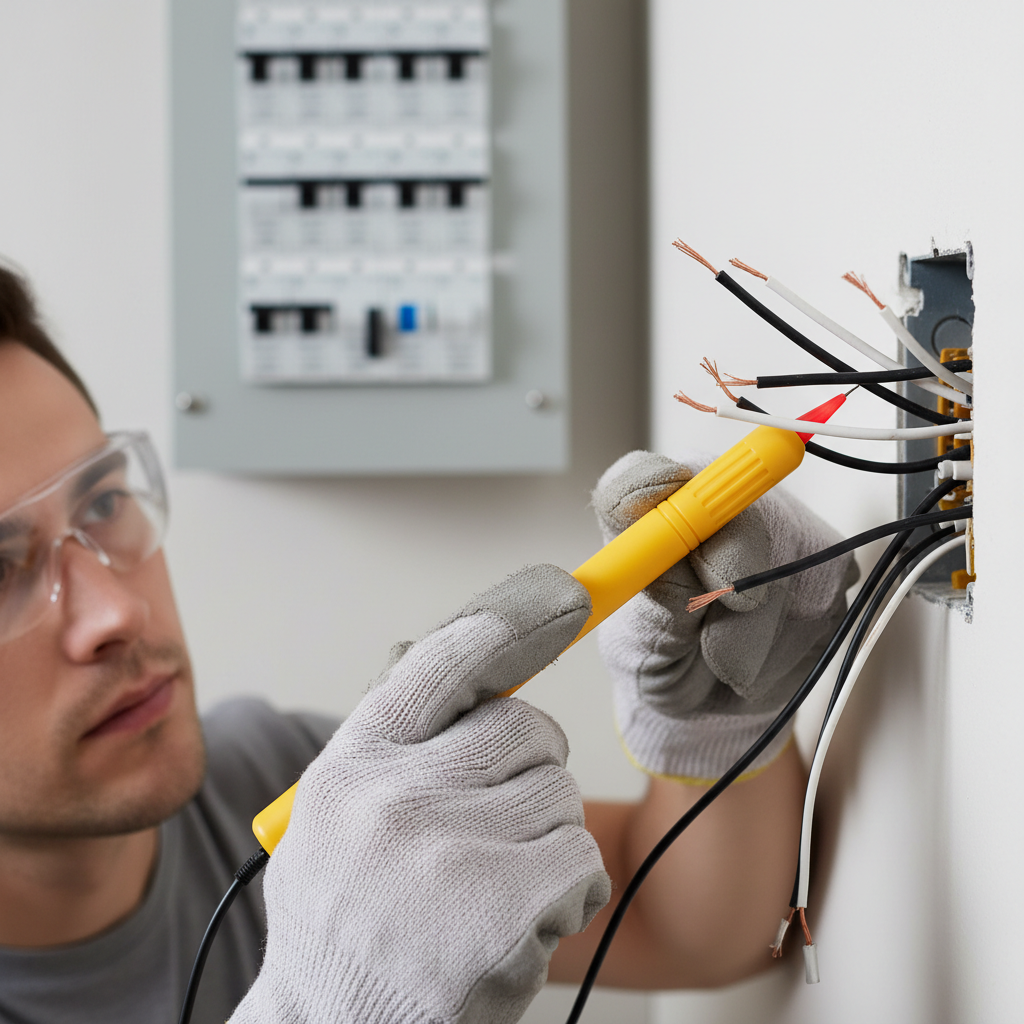
- Remove the faceplate: Use a screwdriver (usually a flathead, but some modern ones use Phillips) to remove the two screws holding the faceplate to the wall. Set the faceplate aside.
- Unscrew the switch from the box: Remove the two screws holding the switch yoke to the electrical box. These are typically Phillips head screws, located at the top and bottom of the switch.
- Gently pull the switch out: Carefully pull the switch straight out from the electrical box. The wires will still be connected. Do not yank them. Observe how the wires are connected to the old switch.
Electrical · Panel or service upgrade
| Project category | Electrical |
|---|---|
| Problem type | Panel or service upgrade |
| Trade required | Electrical |
| Urgency | Planned project |
| Safety risk | High safety risk |
| DIY suitability | Licensed pro only |
| Cost category | High cost |
| Typical timeline | Permit plus utility scheduling, commonly 2–6 weeks |
| Contractor type | Licensed electrician |
Repair option
Add a subpanel when the main service is adequate.
Replacement option
Full service upgrade with utility coordination and permits.
Common causes
- Obsolete or recalled panel brands
- Service capacity too small for added loads
- No room for required AFCI/GFCI breakers
Relevant tools:project cost estimatorcompare quotes
Published May 16, 2026Last updated August 17, 2026
Tools & materials you'll need
Affiliate linksAs an Amazon Associate FixlyGuide earns from qualifying purchases — at no extra cost to you. Prices and availability are accurate as of publication and subject to change.
Quick Answer
Before you even touch a light switch for replacement, always verify the power is completely off at the circuit breaker using a non-contact voltage tester to confirm no current is present. Relying solely on the switch's position is a critical and dangerous error, as some circuits can have constant power or be miswired. This foundational safety step ensures you avoid potential electrocution and is the single most important part of the entire process.
The Problem
You've got a flickering light, a switch that feels loose, or maybe you just want to update the look of a room. Replacing a light switch seems like a straightforward task for a diligent homeowner. And indeed, for many, it is. However, a significant number of DIY electrical mishaps, from mild shocks to serious injuries, occur because of a single, preventable mistake: assuming a flipped light switch means the power to that switch is truly off. In older homes, or with complex wiring like three-way switches, simply turning off the light doesn't guarantee the circuit is dead. Live wires can still be present, leading to a nasty surprise if not properly checked. This guide will walk you through the correct, safe method to replace a standard light switch, ensuring you avoid common pitfalls and complete the job confidently.
How It Works
To understand how to safely replace a light switch, it helps to grasp the basic principles of how a standard single-pole switch functions within your home's electrical system. Household electricity in North America is typically supplied as alternating current (AC) at 120 volts. Power enters your home through the service panel, which contains circuit breakers that protect individual circuits against overloads and short circuits. Each circuit typically consists of three wires: a hot wire (usually black or red, carrying current from the breaker), a neutral wire (usually white, completing the circuit back to the panel), and a ground wire (bare copper or green, providing a safe path for fault current).
A standard single-pole light switch is installed on the hot wire path to an electrical load (like a light fixture). When the switch is in the "on" position, it acts as a closed gate, allowing electricity to flow from the hot wire, through the switch, to the light fixture, and then back to the service panel via the neutral wire, illuminating the light. When the switch is in the "off" position, it opens the gate, interrupting the flow of electricity to the fixture, causing the light to turn off. The switch itself doesn't consume power; it merely controls the flow. It's crucial to remember that even when the switch is off, the hot wire leading into the switch from the circuit breaker may still be live. This is why testing for voltage is paramount. Grounding is also critical: the ground wire provides a safety mechanism, directing stray electricity safely to the earth in the event of a fault, preventing shocks and protecting equipment. Modern switches and electrical boxes are designed to be grounded for your safety.
Step-by-Step Fix
1. Prioritize Safety — Always kill the power at the source and verify.
- Go to your electrical panel: Locate the circuit breaker that controls the room or fixture you're working on. If uncertain, flip the main breaker for the entire house (though this is less convenient). Labeling your panel is a smart long-term project.
- Flip the breaker: Move the appropriate breaker to the "off" position. Don't assume the switch directly controls the light; older wiring can be tricky.
- Test the switch: Go back to the light switch you intend to replace. Flip the switch on and off repeatedly to confirm the light (or whatever it controls) is truly off. If it's still on, you've selected the wrong breaker. Return to the panel and find the correct one.
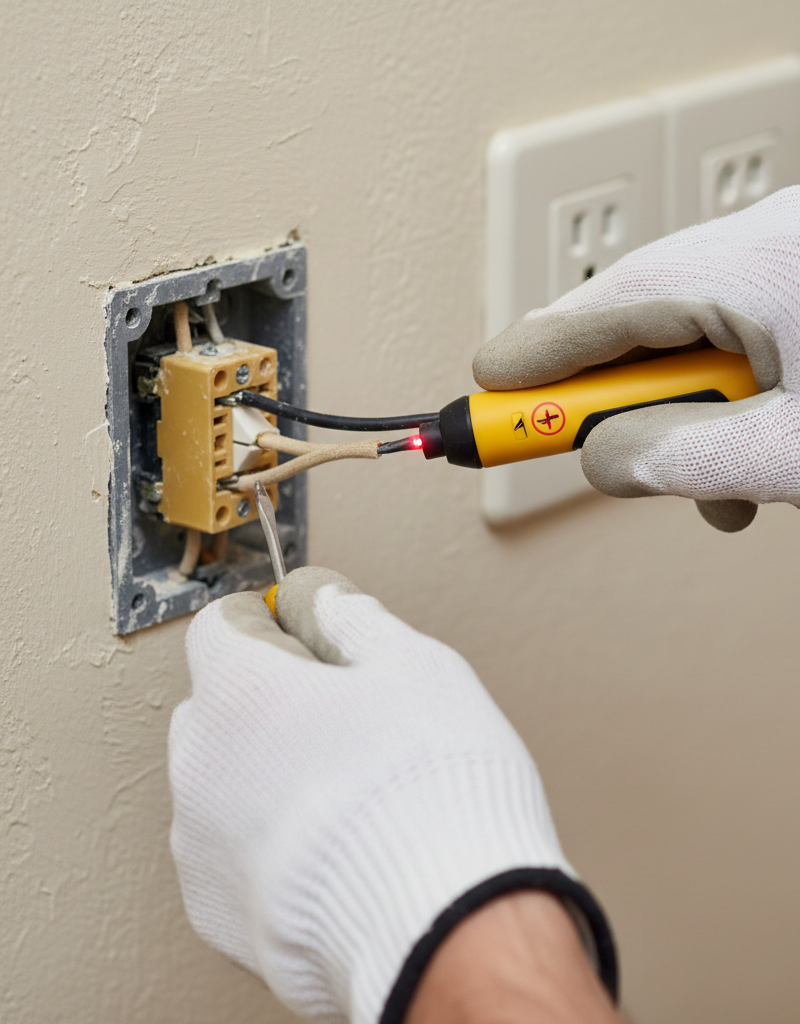
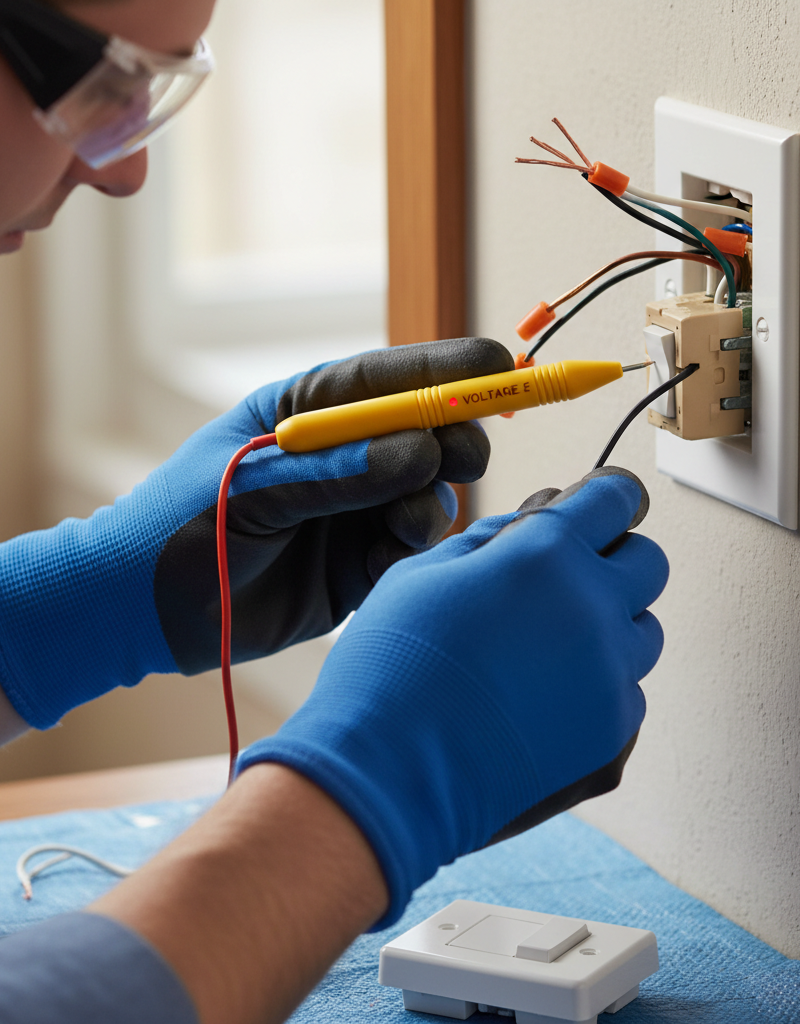
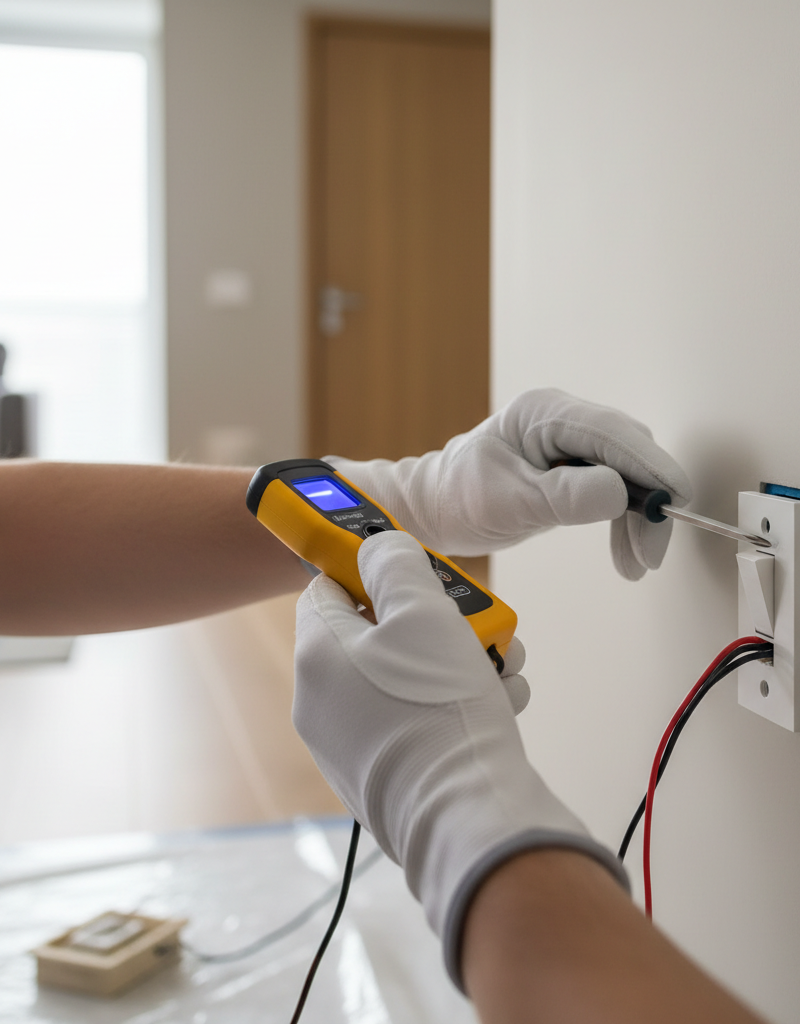
- Verify with a voltage tester: This is the most critical step. Take your non-contact voltage tester and wave it near the switch plate. It should remain silent and dark. Then, carefully remove the faceplate and use the tester in close proximity to all wires entering the box. If the tester beeps or lights up, STOP IMMEDIATELY. The power is still on, and you must find the correct breaker or call a professional.
2. Remove the Old Switch — Disconnect carefully while observing wiring.
- Remove the faceplate: Use a screwdriver (usually a flathead, but some modern ones use Phillips) to remove the two screws holding the faceplate to the wall. Set the faceplate aside.
- Unscrew the switch from the box: Remove the two screws holding the switch yoke to the electrical box. These are typically Phillips head screws, located at the top and bottom of the switch.
- Gently pull the switch out: Carefully pull the switch straight out from the electrical box. The wires will still be connected. Do not yank them. Observe how the wires are connected to the old switch.
- Important: Note the wiring: Before disconnecting any wires, make a mental note or take a photo of which wire goes to which terminal screw. Typically, for a standard single-pole switch, you'll see two hot wires (usually black) connected to the brass screws, and a bare copper or green ground wire connected to the green screw. If you see more than two hot wires, or wires of different colors (red, white used as hot), you might have a three-way switch or another complex setup; this guide assumes a standard single-pole configuration. If in doubt, DO NOT PROCEED.
3. Disconnect Wires from the Old Switch — Use appropriate tools.
- Loosen terminal screws: Use your Phillips or flathead screwdriver to loosen the terminal screws on the side of the old switch. You don't need to remove them entirely, just loosen them enough for the wires to pull free.
- Remove wires: Gently unhook each wire from its terminal. If the wires are stuck in back-stab connections (small holes in the back of the switch), you'll need a small flathead screwdriver to gently push into the slot next to the hole while pulling the wire out. Avoid pulling too hard on the wires.
- Inspect wire ends: Check the ends of the wires for damage or corrosion. If they are bent, frayed, or discolored, you may need to strip a small amount of insulation to expose fresh copper. A wire stripper is essential here.
4. Prepare the New Switch — Understand terminal connections.
- Identify terminals: On your new single-pole switch, you'll typically find two brass-colored terminal screws (for the incoming and outgoing hot wires) and one green-colored terminal screw (for the ground wire). Some switches also have a silver screw for a neutral wire, but a standard switch doesn't use it. Do not connect a white neutral wire to a brass screw on a standard switch.
- Create wire hooks (if needed): If your wires have straight ends, use needle-nose pliers to create a small U-shaped hook at the end of each hot wire. This hook should go clockwise around the terminal screw for a secure connection.
5. Connect Wires to the New Switch — Secure and ground properly.
- Connect the ground wire first: Take the bare copper or green ground wire from the electrical box and securely connect it to the green ground screw on the new switch. Tighten the screw firmly. Always ensure grounding.
- Connect the hot wires: Take one of the black (or red) hot wires and loop its hooked end clockwise around one of the brass terminal screws. Tighten the screw until the wire is secure and can't be pulled out easily. Repeat this for the second hot wire and the other brass terminal screw. It doesn't matter which hot wire goes to which brass screw on a single-pole switch.
- Avoid back-stab connections: While some switches offer push-in or "back-stab" connections, these are generally less reliable and can loosen over time, leading to arcing or overheating. Always use the screw terminals for a more secure and safe connection.
6. Mount the New Switch — Ensure wires are neatly placed.
- Gently push wires into the box: Carefully fold the wires back into the electrical box, making sure they are not pinched or crimped by the switch. Leave enough room for the switch to sit flush against the wall.
- Secure the switch: Align the mounting holes on the switch yoke with the screw holes in the electrical box. Insert and tighten the two mounting screws (Phillips head) to secure the switch firmly in place. Do not overtighten, as this can crack the box or the switch.
7. Install the Faceplate & Restore Power — Final checks and testing.
- Attach the faceplate: Place the new faceplate over the switch, aligning it with the mounting holes. Insert and tighten the two faceplate screws. Do not overtighten.
- Restore power: Return to your electrical panel and flip the circuit breaker back to the "on" position.
- Test the switch: Go back to the newly installed switch and operate it several times. Ensure the light or device it controls turns on and off reliably. Listen for any buzzing, observe for flickering, or detect any unusual smells. If anything seems amiss, immediately turn off the power at the breaker and re-examine your connections.
Common Causes
Light switches can fail or become unreliable for several reasons, prompting a need for replacement:
- Wear and Tear: Mechanical components inside the switch simply wear out over time. Frequent use causes internal contacts to degrade, leading to poor connections.
- Loose Connections: Over years, the wire connections to the switch terminals can loosen due to vibrations, temperature changes, or improper initial installation. Loose connections create resistance, which can lead to heat buildup, flickering lights, and eventual failure.
- Arcing: When connections are loose, or the internal mechanism is failing, small electrical arcs can occur each time the switch is flipped. These tiny sparks degrade the metal contacts, leading to carbon buildup and intermittent operation.
- Overload: While circuit breakers protect against major overloads, persistent minor overloads can still stress a switch, making its internal components degrade faster.
- Physical Damage: A switch can be damaged by impact (e.g., being hit by furniture), or the plastic toggle itself can break, rendering it inoperable.
- Corrosion: In damp environments, or over very long periods, corrosion can build up on wire ends and terminal screws, increasing resistance and hindering electrical flow.
Common Mistakes
- Not verifying power is off: The number one mistake. Always use a non-contact voltage tester directly on the wires after flipping the breaker. Don't trust the light being off as proof.
- Ignoring the ground wire: Skipping the ground wire connection is dangerous. It's a critical safety feature that protects against electrocution in case of a fault.
- Using back-stab connections: While quick, these push-in connections often loosen over time, leading to arcing, overheating, and potential fire hazards. Always use the screw terminals.
- Leaving loose wire connections: Wires must be securely tightened to the terminal screws. Loose connections generate heat, which is a fire risk, and cause intermittent operation.
- Not noting original wiring: Especially on multi-way switches, failing to photograph or diagram the original connections before disconnecting can lead to confusion and incorrect wiring.
- Over-tightening screws: While connections need to be snug, overtightening screws can strip threads, damage the switch, or break the wire, creating a faulty connection.
- Assuming all switches are single-pole: Attempting to replace a three-way, four-way, or dimmer switch using single-pole instructions will lead to frustration and incorrect wiring. Recognize the differences (more than two hot wires usually mean it's not a single-pole).
Cost & Time Breakdown
| Task | DIY cost | Pro cost | Time |
|---|---|---|---|
| Standard Switch | $2–$10 | N/A | 15–20 min |
| Dimmer Switch | $15–$50 | N/A | 30–45 min |
| Tools & Supplies (if not owned) | $15–$50 | N/A | N/A |
| Electrician Consultation (if needed) | N/A | $100–$300 | 1–2 hours |
| Electrician for Replacement | N/A | $150–$350 | 30–60 min |
Tips & Prevention
- Label your electrical panel: Take the time to accurately label which breaker controls which circuit. This will save significant time and increase safety for future projects.
- Check for heat: If a light switch feels warm to the touch, it could indicate a loose connection or an overloaded circuit. Investigate immediately by turning off the power and checking the wiring.
- Upgrade old switches: If you have very old, brittle switches, consider proactively replacing them with modern, grounded devices, especially if you're already opening an electrical box.
- Use proper wire gauge: Ensure the wiring in your home is the correct gauge for the circuit's amperage. Overloaded wires can cause stress on switches and other components.
- Regular inspections: Periodically check faceplates for cracks or damage, and listen for buzzing sounds coming from switches. These could be early warning signs of an issue.
- Tighten connections periodically (if safe to access): For accessible outlets or switches, a quick check and tightening of terminal screws (with power off!) can prevent future issues, especially in older homes.
When to Call a Professional
While replacing a standard light switch is a common DIY task, there are specific situations where you should absolutely stop and call a licensed electrician. Any uncertainty regarding your home's wiring should be a red flag. If, after removing the faceplate, you encounter wiring that doesn't match the simple single-pole diagram (e.g., more than two black wires, multiple red wires, or wires connected in unfamiliar ways), you likely have a more complex setup like a three-way or four-way switch, or potentially dangerous bootleg grounding. If your non-contact voltage tester indicates power is still present despite flipping what you believe is the correct breaker, it signifies a miswired circuit that requires expert diagnosis. Additionally, if the electrical box itself is damaged, shows signs of arcing or burning, or if you smell burning plastic or a pungent electrical odor, immediately turn off the main breaker and contact a professional. Dealing with faulty or complex electrical issues can lead to severe injury, fire, or costly damage, making the expertise of a licensed electrician invaluable for safety and compliance.
Related Articles
Keep troubleshooting with these hand-picked guides from FixlyGuide:
- Why is Your Light Switch Hot? (The Hidden Danger Most Homeowners Miss) — A hot light switch isn't just uncomfortable; it's a critical warning sign of electrical issues that should never be ignored due to fire ris…
- The Secret Reason Half Your Wall Outlet Dies (And It's Not What You Think) — Discover why only half of your electrical outlet might be working and how to diagnose and fix the common culprit, saving you from a costly…
- Why Does Only One Room Have Flickering Lights? The Real Culprit — Flickering lights in a single room often point to a localized electrical issue, most commonly a loose connection within the circuit.
- The 7 Head-Scratching Reasons Your Outlet Died (Even With The Breaker On) — Discover the surprising reasons why an electrical outlet might stop working even when its circuit breaker is fully engaged, and how to safe…
- Why Your Outlet Died (Even If the Breaker's On) — Discover the hidden reasons an electrical outlet stops working, even when the circuit breaker appears to be on, and learn simple diagnostic…
- The #1 Mistake Homeowners Make After Finding Missing Shingles (And How to Fix It Right) — Discover the crucial steps to take after a storm rips shingles from your roof, ensuring a proper, lasting repair and preventing costly futu…
Repair or replace this system?
Plug in four numbers and see which choice holds up financially.
Free and instant. Educational guidance only — not a quote, inspection, or professional diagnosis.
Questions to ask before you sign
Ask every contractor the same questions and the cheapest bid stops looking cheapest. Check them off as you go — your progress is saved on this device.
Free, no signup. Bring this to every walkthrough so you compare bids on the same terms.
What should this project cost?
Enter your project details for a realistic cost range before you call anyone.
Outlet and switch work usually $150–$400; panel upgrades commonly $1,800–$4,200.
- Regional adjustment
- National average
- Labor share (typical)
- ~$709
- Quotes to collect
- 3 written estimates
Educational estimate based on national averages — not a binding quote. Always confirm with written local estimates.
Fixly Project Decision Box
- DIY difficulty
- Professional Recommended
- Estimated time
- Diagnosis 1–2 hours
- Cost level
- Moderate
Main tools / materials
- Non-contact voltage tester
- Outlet tester
- Flashlight
When to stop and call a pro
- Burning smell, scorch marks, or a warm outlet or switch plate
- A breaker that trips again right after being reset
- Any work inside the service panel
- Aluminum wiring or cloth-insulated wiring
Need professional help?
Talk to a Licensed ElectricianRepair or replace?
Run the age, cost ratio, and repair history through the calculator before you commit.
- Estimate this projectGet a cost range for your scope and ZIP before you call anyone.Open
- Get local estimatesSend one request and compare written estimates from vetted pros.Open
Free, no signup required. Estimates are educational guidance, not a quote or an inspection.
Frequently asked questions
How do I know if my light switch is bad?+
Common signs of a bad light switch include inconsistent operation (sometimes it works, sometimes it doesn't), flickering lights, a buzzing sound from the switch, the switch feeling warm to the touch, or the toggle mechanism feeling loose or broken.
Can I replace a light switch myself?+
Yes, replacing a standard single-pole light switch is a common and relatively easy DIY task for homeowners, provided you prioritize safety by always shutting off power at the breaker and verifying with a voltage tester before touching any wires.
What is the most important safety step when replacing a light switch?+
The most important safety step is to always turn off the power to the circuit at the electrical panel's circuit breaker and *then* use a non-contact voltage tester to confirm that no power is present at the switch wires before disconnecting anything. Never rely solely on the light being off.
What type of light switch do I need?+
For a simple light that turns on and off from one location, you'll need a single-pole switch. If the light is controlled from two locations (e.g., top and bottom of stairs), you need a three-way switch. For three or more locations, you need a four-way switch or a combination of three-ways. Dimmers are also available for adjustable lighting.
Discussion
Loading comments…