- Check for Tripped GFCI/AFCI Outlets – Look for local trip buttons.
- Press the 'Reset' button firmly on any GFCI outlets you find. If it clicks and stays in, check your dead outlet again. If an AFCI breaker tripped, it often moves to a mid-position. Push it fully 'Off' then back 'On'.
- If this doesn't work: The GFCI or AFCI may have tripped for a legitimate reason (a fault). Try unplugging all devices from the affected outlets before resetting. If it trips immediately, there might be a wiring issue or a faulty appliance.
Electrical · Outlet or lights not working
| Project category | Electrical |
|---|---|
| Problem type | Outlet or lights not working |
| Trade required | Electrical |
| Urgency | Soon — within weeks |
| Safety risk | Moderate safety risk |
| DIY suitability | DIY for experienced homeowners |
| Cost category | Low cost |
| Typical timeline | Often under an hour once the cause is found |
| Contractor type | Licensed electrician |
Repair option
Reset the upstream GFCI first, then replace the failed device.
Replacement option
Rewire the circuit when connections are failing in multiple boxes.
Common causes
- Tripped GFCI upstream on the same circuit
- Loose neutral in a daisy-chained run
- Failed switch or receptacle
Relevant tools:diy difficultydiy or hire a pro
Published June 9, 2026Last updated August 17, 2026
Tools & materials you'll need
Affiliate linksAs an Amazon Associate FixlyGuide earns from qualifying purchases — at no extra cost to you. Prices and availability are accurate as of publication and subject to change.
Quick Answer
When an outlet isn't working but the breaker for that circuit remains in the 'On' position, it's rarely a problem with the breaker itself. More often, the issue stems from a tripped GFCI (Ground Fault Circuit Interrupter) or AFCI (Arc Fault Circuit Interrupter) outlet or breaker protecting the circuit, a loose wire connection at the outlet or an upstream component, or simply an unplugged appliance that's creating confusion. Less commonly, but still possible, is a faulty outlet or a hidden break in the wiring. This guide will walk you through systematic troubleshooting to pinpoint and resolve the problem.
The Problem
Imagine plugging in your phone charger or a lamp, and nothing happens. You check the circuit breaker panel, and to your surprise, the breaker for that room or area is clearly in the 'On' position – not tripped. This scenario is frustrating because it seems to defy the most common electrical troubleshooting advice: 'check the breaker.' However, a breaker being 'on' doesn't automatically mean power is flowing to every outlet on that circuit. Several localized issues can interrupt power to a single outlet or a section of a circuit, even when the main breaker is engaged.
Such issues can manifest as a single dead outlet, multiple dead outlets in a specific room, or even flickering lights tied to the same circuit. The danger lies in the unknown; while some causes are simple, others could indicate loose connections that pose fire hazards. It's crucial not to ignore a dead outlet, especially if it was working previously and the breaker hasn't tripped.
How It Works
To understand why an outlet might be dead despite an 'On' breaker, it helps to grasp basic household electrical principles. Power enters your home through the main service panel, where it's distributed to individual circuits, each protected by a circuit breaker. Each breaker acts as a safety switch, designed to 'trip' (turn off) when it detects an overload (too much current) or a short circuit (an unintended path for current).
However, residential circuits are more complex than just a breaker and a wire to an outlet. Outlets are often 'daisy-chained' together, meaning the power flows from the breaker to the first outlet, then from that first outlet to the second, and so on. If a connection is lost at any point in this chain, every subsequent outlet will lose power. This is why a problem at one outlet can affect others further down the line, even if outlets before the problem point are still working.
Furthermore, many modern electrical codes require GFCI and AFCI protection. GFCI outlets (identifiable by their 'Test' and 'Reset' buttons) monitor for ground faults – electricity escaping its intended path, often through water or a person. AFCI outlets and breakers protect against arc faults, which are dangerous electrical discharges that can cause fires. If a GFCI or AFCI detects a fault, it will trip locally (at the outlet itself or the AFCI breaker in the panel), cutting power to that outlet and any others downstream, without necessarily tripping the main branch circuit breaker. This local tripping is a key reason an outlet might be dead even if its breaker is on.
Finally, the outlet itself relies on secure internal connections. Over time, or due to improper installation, the wires screwed or pushed into the outlet's terminals can loosen. A loose hot wire will kill power to the outlet, while a loose neutral wire can cause intermittent power or only partial functionality (e.g., a lamp lights dim). A loose ground wire might not immediately stop power flow, but it compromises safety.
Step-by-Step Fix
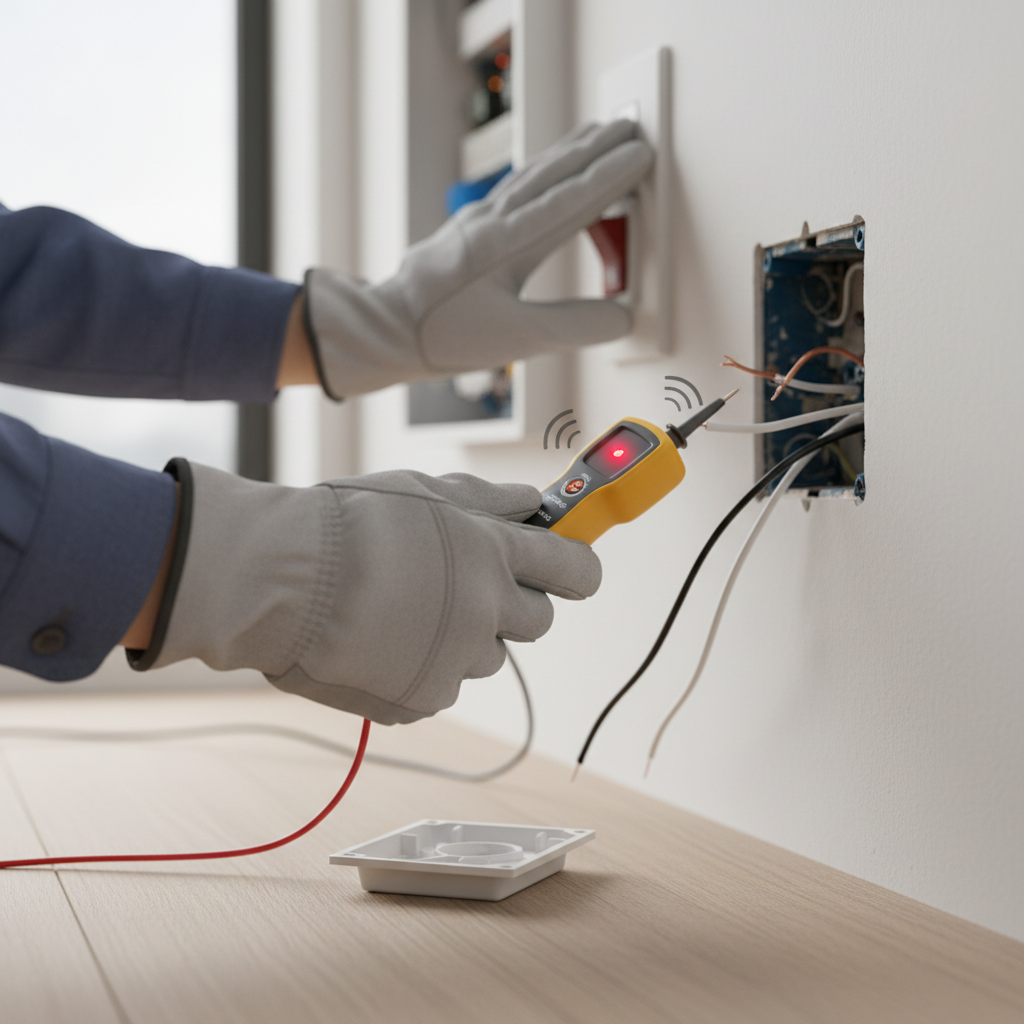
Safety First: Before beginning any electrical work, always turn off the power to the affected circuit at the main breaker panel. Use a non-contact voltage tester to confirm the power is off at the outlet you'll be working on.
-
Check for Tripped GFCI/AFCI Outlets – Look for local trip buttons.
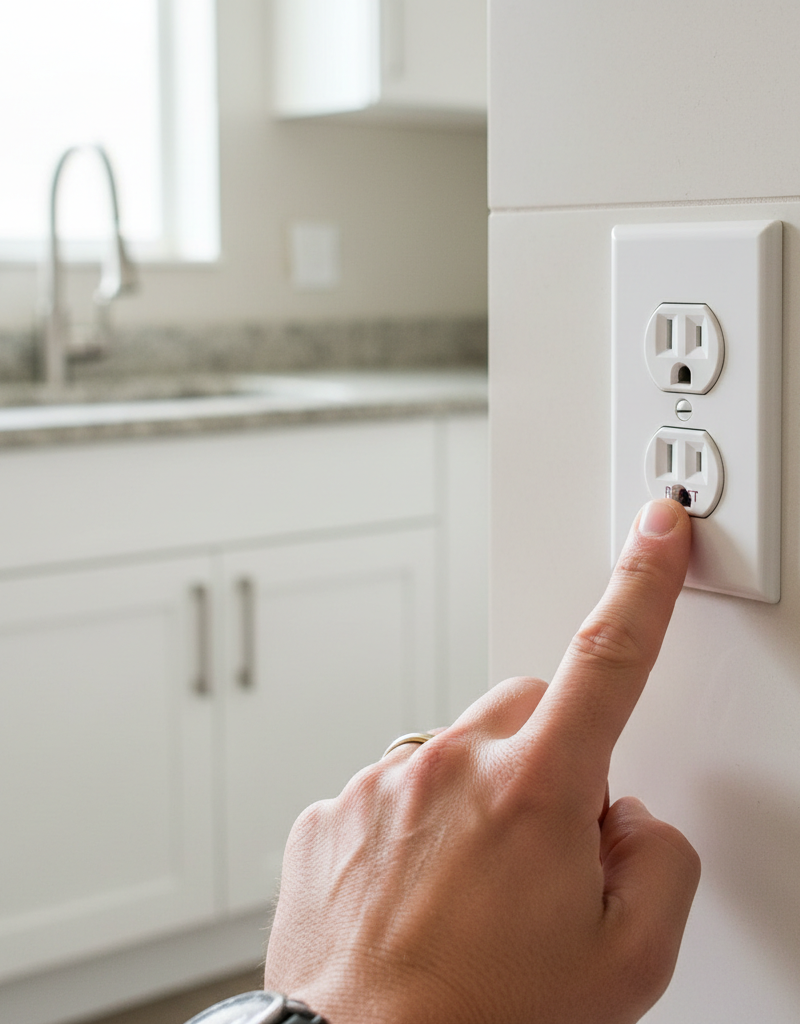
- Scour the room and any adjacent rooms (bathrooms, kitchens, garages, basements, outside) for outlets with 'Test' and 'Reset' buttons. These are GFCI outlets. If your home has newer wiring, also check for AFCI breakers in your main panel, which may have a 'Test' button on the breaker itself.
- Press the 'Reset' button firmly on any GFCI outlets you find. If it clicks and stays in, check your dead outlet again. If an AFCI breaker tripped, it often moves to a mid-position. Push it fully 'Off' then back 'On'.
- If this doesn't work: The GFCI or AFCI may have tripped for a legitimate reason (a fault). Try unplugging all devices from the affected outlets before resetting. If it trips immediately, there might be a wiring issue or a faulty appliance.
-
Test the Outlet's Functionality – Use a known working appliance or a voltage tester.
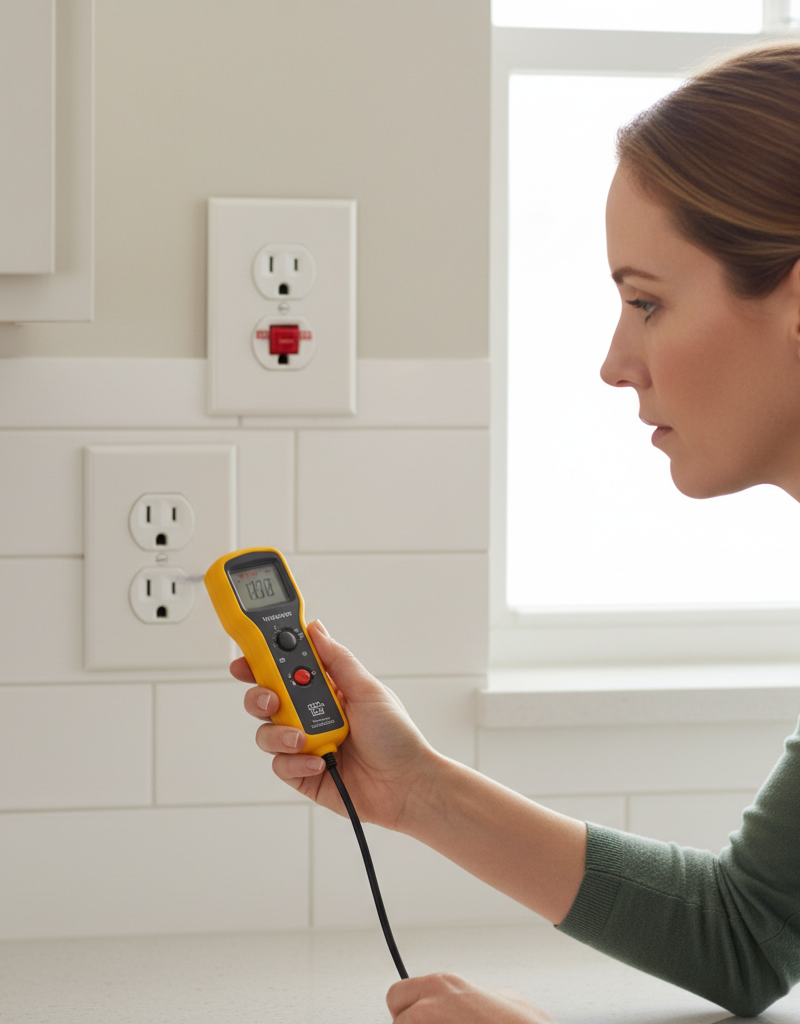
- Plug a small appliance that you know works (like a lamp or a phone charger with a charged phone) into the dead outlet. If it still doesn't work, the outlet truly has no power.
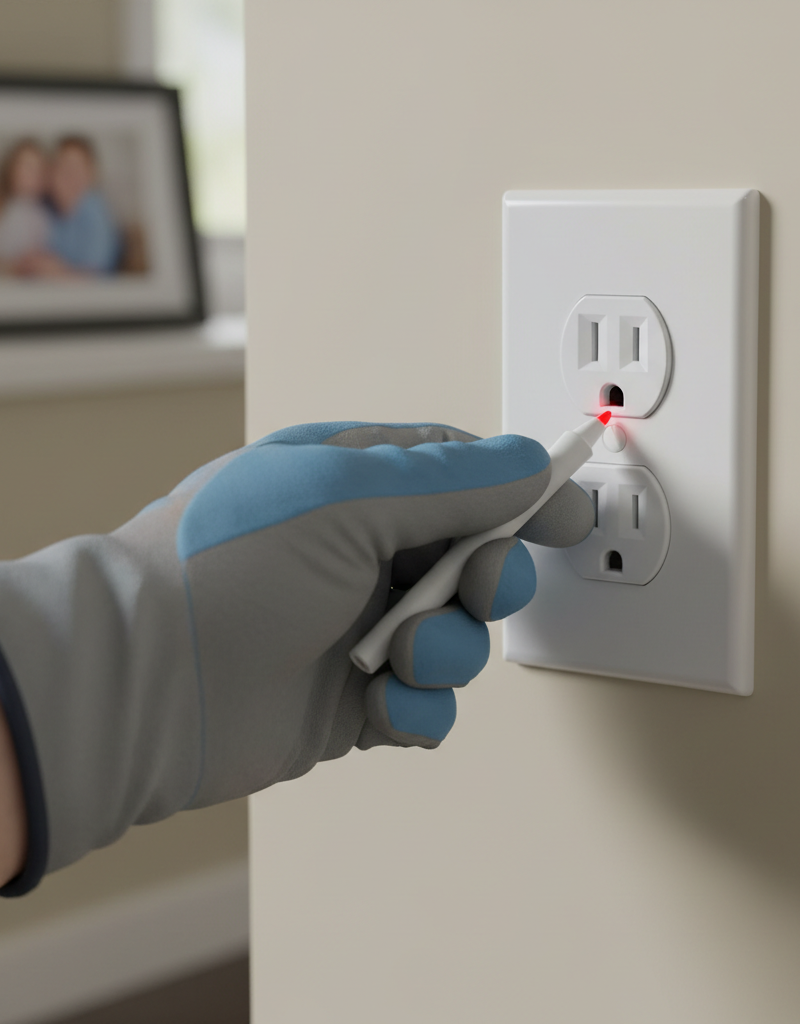
- If you have a non-contact voltage tester: Stick the tip into the slots of the dead outlet. A lack of beep or light confirms no power. If it lights up or beeps, there might be a problem with the appliance itself, not the outlet.
-
Inspect Other Outlets on the Circuit – Identify if it's a single outlet or a chain.
- If you have a circuit map, identify other outlets on the same circuit. If not, systematically test all other outlets in the room and adjacent areas (hallways, other bedrooms if it's a bedroom circuit) with your known working appliance or voltage tester.
- If other outlets are also dead: This points to a problem further upstream, possibly at the breaker (even if it looks 'On,' it could be faulty) or a splice point in the wall.
- If only one outlet is dead: The problem is likely localized to that specific outlet or the connection immediately preceding it.
-
Confirm Breaker Status – Cycle the breaker to ensure it's fully engaged.
- Go to your electrical panel. Even if the breaker looks 'On,' sometimes it can be partially tripped or not fully engaged. Firmly push the corresponding breaker completely to the 'Off' position, then firmly push it back to the 'On' position.
- Safety Note: Always stand to the side of the panel when moving breakers, just in case of an arc flash. Wear appropriate PPE if you have it.
- If this restores power: The breaker was likely in a false 'On' position or had a minor internal issue that resetting resolved.
-
Examine the Wall Outlet for Loose Wires – Requires opening the outlet box. (POWER OFF!)
- Turn off the power to the circuit at the main breaker panel. Verify with a non-contact voltage tester at the dead outlet.
- Carefully remove the faceplate of the dead outlet.
- Unscrew the outlet from the electrical box and gently pull it out. Look for any wires that are obviously loose, disconnected, or have frayed insulation. Pay close attention to the black (hot) wires, white (neutral) wires, and bare copper/green (ground) wires connected to the outlet terminals.
- Important: If wires are connected using the 'backstab' method (wires pushed into small holes on the back of the outlet), these connections are prone to loosening. It's always best to switch to the more secure screw terminals. If using screw terminals, ensure the wire is wrapped clockwise around the screw and tightened securely.
- Trim any damaged insulation, strip about 3/4 inch of insulation if needed, and reattach wires securely to the correct terminals (black to brass screws, white to silver screws, bare/green to green screw).
- Gently push the outlet back into the box, ensuring wires are not pinched. Reattach the faceplate.
- If this doesn't work: The issue might be a faulty outlet or loose wires at an upstream outlet in the daisy chain.
-
Check Upstream Outlets (if applicable) – Investigate previous points in the wiring.
- If you've determined other outlets on the same circuit are also dead, or if resetting the dead outlet didn't work, the problem might be at an outlet before the dead one in the circuit chain.
- Working backward from the dead outlet, identify the previous outlet on the circuit (if you know the wiring path). Repeat Step 5 for that upstream outlet. A loose connection there could be cutting power to everything downstream.
-
Consider a Faulty Outlet – Sometimes the outlet itself is the problem.
- If all connections appear solid and you've exhausted other options, the outlet itself might be internally faulty. This is more common with older outlets or those that have endured heavy use or power surges.
- With the power off, disconnect the wires from the old outlet, noting which wire goes to which terminal. Connect the wires to a new, identical outlet, ensuring secure connections.
- Restore power and test. If the new outlet works, the old one was the culprit.
Common Causes
- Tripped GFCI/AFCI Device: This is by far the most frequent reason an outlet is dead while the breaker appears on. A local fault caused the GFCI outlet or AFCI breaker to trip, not the main branch circuit breaker.
- Loose Wire Connections: Over time, especially with aluminum wiring or improperly installed copper wires, connections at the outlet terminals (or within junction boxes) can loosen, interrupting the flow of electricity. 'Backstab' connections are particularly susceptible.
- Daisy-Chained Circuit Issues: If an outlet is part of a series (daisy chain) of outlets, a loose or faulty connection in an upstream outlet will cut power to all subsequent outlets on that chain.
- Faulty Outlet: Internal components of the outlet can wear out or become damaged, leading to a complete loss of power even if the wiring to the outlet is fine.
- Switched Outlet: Some outlets, particularly in living rooms and bedrooms, are controlled by a wall switch. If the switch is off, the outlet will be dead. This is often only one receptacle of a duplex outlet.
- Nuisance Surge Protector Trip: If an appliance is plugged into a surge protector, the protector itself might have tripped its internal breaker, or been damaged, cutting power to the device without affecting the wall outlet.
Common Mistakes
- Forgetting to Check All GFCI Outlets: Many homeowners only check the obvious GFCI in a bathroom, forgetting those in garages, basements, or even outside, which can protect indoor outlets.
- Not Fully Resetting Breakers: A breaker that looks 'On' might actually be in a 'tripped' middle position. You must firmly push it off, then on, to ensure a full reset.
- Ignoring Safety Precautions: Working with electricity without turning off the breaker and verifying with a voltage tester is extremely dangerous and can lead to severe injury or electrocution.
- Assuming the Outlet is the Problem Immediately: Jumping to replace an outlet without first checking GFCI/AFCI devices, other outlets on the circuit, or loose wiring can waste time and money.
- Over-tightening or Under-tightening Terminal Screws: Wires must be securely fastened to outlet terminals. Too loose, and power is intermittent or non-existent; too tight, and you can damage the wire or the outlet.
- Using Backstab Connections: While quick, backstab connections are notoriously unreliable and prone to loosening compared to wrapping wires around screw terminals.
Cost & Time Breakdown
| Task | DIY Cost | Pro Cost | Time |
|---|---|---|---|
| Reset GFCI/AFCI | $0 | $0 | 5–10 minutes |
| Test for power/diagnostics | $0–$20 | Included in visit | 15–30 minutes |
| Tighten Loose Wires (1 outlet) | $0–$5 (tape) | $100–$250 | 30–60 minutes |
| Replace Faulty Outlet | $5–$20 | $150–$300 | 45–90 minutes |
| Troubleshooting full circuit | $0–$20 | $200–$400 | 1–3 hours |
Tips & Prevention
- Label Your Breaker Panel: Clearly label each circuit breaker with the rooms and outlets it controls. This makes troubleshooting infinitely easier.
- Regular GFCI Testing: Test your GFCI outlets monthly by pressing the 'Test' button, then the 'Reset' button. This ensures they are functioning correctly.
- Avoid Overloading Circuits: Be mindful of how many high-draw appliances (heaters, hair dryers, toasters) are plugged into a single circuit to prevent overloads.
- Use Screw Terminals: When installing or replacing outlets, always use the screw terminals rather than 'backstab' connections for more secure wiring.
- Inspect Outlets During Renovations: If you're opening up walls or doing other home improvements, take the opportunity to inspect and tighten any loose wiring in existing outlets.
- Consider Whole-Home Surge Protection: To protect sensitive electronics and potentially extend the life of your outlets, consider a whole-home surge protector installed at your electrical panel by a professional.
When to Call a Professional
While identifying and fixing a dead outlet when the breaker is on is often a DIY task, there are clear instances when a licensed electrician's expertise is essential. If, after systematically checking all GFCI/AFCI devices, cycling the breaker, and inspecting the outlet for loose connections, the problem persists, it indicates a deeper, potentially more hazardous issue. This includes situations where multiple outlets or lights on different circuits are affected, suggesting a problem with your main electrical panel or service entrance. If you discover burnt wires, smell smoke, hear buzzing from within walls, or if the breaker trips immediately after being reset, these are critical warning signs demanding immediate professional attention. Never attempt to diagnose or fix issues within the main electrical panel or in cases involving damaged circuit wiring behind walls, as these situations carry a high risk of electrocution or fire if handled improperly.
Related Articles
Keep troubleshooting with these hand-picked guides from FixlyGuide:
- Why Does Only One Room Have Flickering Lights? The Real Culprit — Flickering lights in a single room often point to a localized electrical issue, frequently a loose connection, easily diagnosed and repaire…
- Why Does Only One Room Have Flickering Lights? The Real Culprit — Flickering lights in a single room often point to a localized electrical issue, frequently a loose connection, rather than a whole-house pr…
- Why Does Only One Room Have Flickering Lights? The Real Culprit — Flickering lights in a single room often point to a localized electrical issue, frequently a loose connection in a light fixture or switch.
- Why Does Only One Room Have Flickering Lights? The Real Culprit Isn't Always the Bulb — Flickering lights in a single room often point to a localized issue, ranging from a loose bulb to a faulty switch or wiring problem.
- Why Does Only One Room Have Flickering Lights? The Real Culprit — Flickering lights in a single room often point to a localized electrical issue, not a whole-home problem, making diagnosis and repair simpl…
- My Toaster Only Toasts One Side: The Hidden Thermostat Flaw — If your toaster only toasts one side, the cause is often an imbalanced internal thermostat or misaligned heating element, a specific flaw y…
Should you do this yourself?
Answer five quick questions before you start. Safety outranks savings every time.
Your experience with work like this
How high do you have to work?
Does the job involve any of these?
Will it need a permit?
Specialty tools
Free and instant. Educational guidance only — not a quote, inspection, or professional diagnosis.
What should this project cost?
Enter your project details for a realistic cost range before you call anyone.
Outlet and switch work usually $150–$400; panel upgrades commonly $1,800–$4,200.
- Regional adjustment
- National average
- Labor share (typical)
- ~$709
- Quotes to collect
- 3 written estimates
Educational estimate based on national averages — not a binding quote. Always confirm with written local estimates.
Fixly Project Decision Box
- DIY difficulty
- Professional Recommended
- Estimated time
- Diagnosis 1–2 hours
- Cost level
- Moderate
Main tools / materials
- Non-contact voltage tester
- Outlet tester
- Flashlight
When to stop and call a pro
- Burning smell, scorch marks, or a warm outlet or switch plate
- A breaker that trips again right after being reset
- Any work inside the service panel
- Aluminum wiring or cloth-insulated wiring
Need professional help?
Talk to a Licensed ElectricianBefore you start
Check the difficulty, permits, and safety risk — then decide whether to call a pro.
- Estimate this projectGet a cost range for your scope and ZIP before you call anyone.Open
- Get local estimatesSend one request and compare written estimates from vetted pros.Open
Free, no signup required. Estimates are educational guidance, not a quote or an inspection.
Get the print-ready PDF of this guide
A clean, ad-free, printable version you can keep on your phone or pin to the workshop wall. Free with a FixlyGuide account.
- Print-optimized layout
- Tools, materials & every step included
- Saved to your account
Frequently asked questions
What does it mean if my outlet isn't working but the breaker is on?+
If an outlet isn't working but its breaker is in the 'On' position, it typically indicates a localized issue, such as a tripped GFCI or AFCI outlet upstream, a loose wire connection within the outlet or an electrical box, or a faulty outlet itself, rather than a problem with the main circuit breaker.
Discussion
Loading comments…