- The 3-Ingredient Carpet Cleaner Recipe That Revitalizes Old Stains — Learn the surprisingly simple, three-ingredient recipe that tackles embedded dirt and deep-seated stains, bringing your carpet back to life…
- The Secret to Saving 40% on Outdoor Power Tools (Even When There's No Sale) — Unlock deep discounts on outdoor power tools year-round, even without a major holiday sale, by leveraging strategic timing and smart shoppi…
- The Single Cedar Board Secret to Attracting Bluebirds to Your Yard — Discover how a single cedar board can transform your backyard into a haven for bluebirds, offering them a safe and welcoming nesting site.
- The Single Cedar Board Secret to Attracting Bluebirds to Your Yard — Discover how to build an ideal bluebird house using just one cedar board, providing a perfect nesting site and attracting these vibrant bir…
- The Hidden Reason Your AC Isn't Cooling (And 7 Fixes Homeowners Miss) — If your central AC isn't cooling your home, the culprit often lies in an overlooked issue that's simple to fix, preventing costly professio…
Published May 26, 2026Last updated August 17, 2026
Tools & materials you'll need
Affiliate linksAs an Amazon Associate FixlyGuide earns from qualifying purchases — at no extra cost to you. Prices and availability are accurate as of publication and subject to change.
Quick Answer
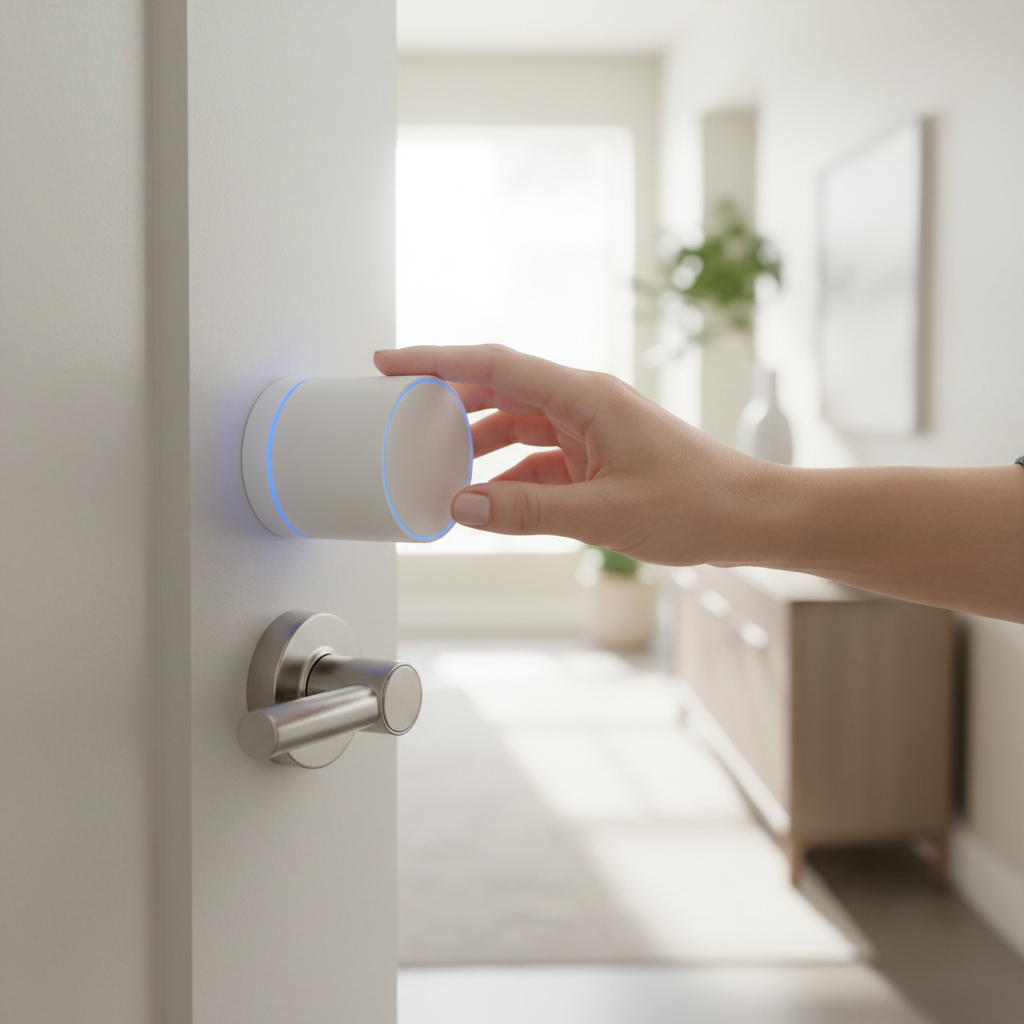
Retrofit smart locks offer a remarkably easy way to modernize your door with smart home functionality without the hassle and expense of a full lock replacement. These devices mount directly over your existing deadbolt's interior thumb turn, allowing you to retain your original keys while gaining app control, auto-unlock features, and guest access management. Installation is often tool-free and takes mere minutes.
The Problem
Many homeowners and renters want the convenience and security of a smart lock but are hesitant to undertake a complex installation. Traditional smart locks often require replacing the entire deadbolt, which can involve dealing with different backsets, drilling new holes, or even rekeying your home. For renters, this is often not an option due to landlord restrictions. The desire for smart home integration clashes with the practical realities of DIY complexity or the commitment to alter existing hardware. This leaves many feeling stuck with analog locks, missing out on features like remote access, keyless entry for guests, or automatic locking when they leave.
How It Works
Retrofit smart locks operate on a clever principle: they don't replace your deadbolt; they power your deadbolt. Imagine a robotic hand that precisely turns your existing thumb turn. That's essentially what these devices do. Internally, a small motor is connected to a mechanism that grips and rotates your deadbolt's thumb turn on command. When you issue a command via your smartphone app, a voice assistant, or proximity detection, the smart lock's internal motor engages. It precisely rotates the thumb turn clockwise to lock or counter-clockwise to unlock, just as you would manually.
Most retrofit smart locks connect to your home Wi-Fi (either directly or via a small bridge device) or Bluetooth, allowing for remote control and integration with other smart home platforms. Motion sensors or proximity detection (using your phone's GPS and Bluetooth) can trigger the auto-unlock feature as you approach your door. Power typically comes from standard AA batteries, which usually last several months to a year, depending on usage. The beauty lies in its non-invasive nature: your exterior keyway remains fully functional, meaning you can always use your traditional key as a backup, providing peace of mind and maintaining continuity for other household members.
Step-by-Step Fix
This guide focuses on the general installation of a retrofit smart lock, suitable for most standard deadbolts with an interior thumb turn. Always refer to your specific product's instructions for precise details.
-
Prepare Your Deadbolt — Begin by ensuring your existing deadbolt operates smoothly.
- Manually lock and unlock it several times with ease. If it's stiff or requires force, address that issue first (e.g., lubricate the mechanism with graphite powder) before installing a smart lock, as a struggling deadbolt will drain batteries faster and potentially damage the smart lock.
- Safety Note: Never force a smart lock onto a stiff deadbolt. The motor is designed for smooth operation, not overcoming resistance.
-
Clean the Door Surface — A clean surface ensures proper adhesion for mounting plates.
- Wipe down the area around your deadbolt's interior thumb turn with a clean, damp cloth, then dry thoroughly. Any dust or grime can compromise the adhesive or secure fit of the mounting hardware.
-
Choose the Correct Mounting Plate — Most retrofit locks come with different plate options for various door types or deadbolt designs.
- Identify whether your deadbolt has a standard plate behind the thumb turn or if the thumb turn is directly attached to the door. Select the appropriate mounting plate that fits snugly over or around your existing deadbolt hardware without obstructing its operation.
-
Install the Mounting Plate — Secure the plate firmly to your door or deadbolt.
- Depending on the model, this might involve strong adhesive strips, small screws, or a simple clip-on mechanism. Ensure it's level and centered over the thumb turn spindle for optimal performance. Press firmly for adhesive types to ensure a strong bond.
-
Attach the Smart Lock Body — Carefully align the smart lock with the mounting plate.
- The smart lock's internal mechanism needs to engage with your deadbolt's thumb turn. Gently push the smart lock onto the mounting plate until it clicks into place. There should be no significant gaps, and the thumb turn should fit securely into the smart lock's coupler.
-
Insert Batteries — Power up your new smart lock.
- Open the battery compartment (usually a slide-off cover) and insert the specified batteries, typically AA, observing the correct polarity. Close the compartment securely. The device may emit a beep or flash lights to indicate it's powered on.
-
Calibrate the Lock — This critical step teaches the smart lock your deadbolt's full range of motion.
- Follow the app prompts to calibrate. The lock will likely turn the deadbolt fully locked and then fully unlocked several times. This process measures the exact turning angles required for your specific deadbolt. Do not interfere with the lock during calibration.
-
Download the App & Pair — Connect your smart lock to your smartphone.
- Download the manufacturer's official app from your device's app store. Follow the in-app instructions to create an account and pair your new smart lock via Bluetooth or Wi-Fi. This usually involves holding your phone close to the lock and confirming a code.
-
Configure Settings & Test — Personalize your smart lock experience.
- Once paired, explore the app's settings. Enable features like auto-lock, auto-unlock, guest access, and notification preferences. Test the lock's functionality repeatedly from the app and confirm it locks and unlocks smoothly. Verify that your physical key still works perfectly as a backup.
Common Causes
The primary
Related Articles
Keep troubleshooting with these hand-picked guides from FixlyGuide:
- The 3-Ingredient Carpet Cleaner Recipe That Revitalizes Old Stains — Learn the surprisingly simple, three-ingredient recipe that tackles embedded dirt and deep-seated stains, bringing your carpet back to life…
- The Secret to Saving 40% on Outdoor Power Tools (Even When There's No Sale) — Unlock deep discounts on outdoor power tools year-round, even without a major holiday sale, by leveraging strategic timing and smart shoppi…
- The Single Cedar Board Secret to Attracting Bluebirds to Your Yard — Discover how a single cedar board can transform your backyard into a haven for bluebirds, offering them a safe and welcoming nesting site.
- The Single Cedar Board Secret to Attracting Bluebirds to Your Yard — Discover how to build an ideal bluebird house using just one cedar board, providing a perfect nesting site and attracting these vibrant bir…
- The Hidden Reason Your AC Isn't Cooling (And 7 Fixes Homeowners Miss) — If your central AC isn't cooling your home, the culprit often lies in an overlooked issue that's simple to fix, preventing costly professio…
- The 5-Minute Trick to Fix a Door That Won't Latch (No New Hardware Needed) — Discover the simple, often-overlooked reason your door won't latch and how to fix it in minutes without replacing any parts.
Should you do this yourself?
Answer five quick questions before you start. Safety outranks savings every time.
Your experience with work like this
How high do you have to work?
Does the job involve any of these?
Will it need a permit?
Specialty tools
Free and instant. Educational guidance only — not a quote, inspection, or professional diagnosis.
What should this project cost?
Enter your project details for a realistic cost range before you call anyone.
Cost depends heavily on which system turns out to be the source.
- Regional adjustment
- National average
- Labor share (typical)
- ~$1,620
- Quotes to collect
- 3 written estimates
Educational estimate based on national averages — not a binding quote. Always confirm with written local estimates.
Before you start
Check the difficulty, permits, and safety risk — then decide whether to call a pro.
- Estimate this projectGet a cost range for your scope and ZIP before you call anyone.Open
- Get local estimatesSend one request and compare written estimates from vetted pros.Open
Free, no signup required. Estimates are educational guidance, not a quote or an inspection.
Get the print-ready PDF of this guide
A clean, ad-free, printable version you can keep on your phone or pin to the workshop wall. Free with a FixlyGuide account.
- Print-optimized layout
- Tools, materials & every step included
- Saved to your account
This article was independently written by FixlyGuide based on the source topic.
Frequently asked questions
Can I use my existing keys with a retrofit smart lock?+
Yes, absolutely! Retrofit smart locks are designed to specifically work with your existing deadbolt and keys. They don't replace the key cylinder, only the interior thumb turn, so your original keys remain fully functional as a backup.
How long do the batteries last in a retrofit smart lock?+
Battery life varies by model and usage, but most retrofit smart locks use standard AA batteries that last between 6 to 12 months. The app usually provides low battery warnings well in advance.
Is a retrofit smart lock secure?+
Retrofit smart locks leverage your existing deadbolt, so their security is tied to the strength of your current lock. They add convenience and smart features without compromising the physical security provided by your deadbolt. Many also include features like activity logs and auto-locking for added peace of mind.


Discussion
Loading comments…