- Inspect Wall Switch Connections — Similar to outlets, a standard light switch can have loose connections that cause flickering. Loose wires arc and heat up, worsening the connection over time.
- Procedure: With the power off, remove the switch plate and unscrew the switch. Examine the screw terminals. Ensure the screws are tight and the wires are securely wrapped. Gently tug on each wire to confirm it is held fast.
- Back-stabbed Wires: Just like outlets, switches can have back-stabbed connections. If you find them, move the wires to the more secure screw terminals as described in the previous step.
Electrical · Outlet or lights not working
| Project category | Electrical |
|---|---|
| Problem type | Outlet or lights not working |
| Trade required | Electrical |
| Urgency | Soon — within weeks |
| Safety risk | Moderate safety risk |
| DIY suitability | DIY for experienced homeowners |
| Cost category | Low cost |
| Typical timeline | Often under an hour once the cause is found |
| Contractor type | Licensed electrician |
Repair option
Reset the upstream GFCI first, then replace the failed device.
Replacement option
Rewire the circuit when connections are failing in multiple boxes.
Common causes
- Tripped GFCI upstream on the same circuit
- Loose neutral in a daisy-chained run
- Failed switch or receptacle
Relevant tools:diy difficultydiy or hire a pro
Published April 17, 2026Last updated August 17, 2026
How it works
Your home's electrical system operates on a continuous loop. Power, in the form of 120-volt alternating current (AC), flows from your main service panel through a circuit breaker. It travels along a "hot" wire (typically black insulation) to power a device, such as a light fixture. After passing through the bulb's filament or the driver circuitry of an LED, the current returns to the panel along a "neutral" wire (typically white insulation), completing the circuit. A third "ground" wire (bare copper or green insulation) provides a safe path for electricity to travel in case of a fault, preventing shock.
Flickering lights are a visual symptom of an unstable electrical connection. Instead of a smooth, uninterrupted flow of current, there is a momentary break or a significant fluctuation in voltage. This causes the light output to dip or cut out for a fraction of a second. This instability creates a small electrical arc—a tiny jump of electricity across a gap—which generates heat and can degrade the connection over time.
Widespread flickering that affects multiple rooms or your entire house points to a loose connection at a point common to all the affected lights. This could be at the circuit breaker, the neutral bar in your main panel, or even an outlet that is wired "upstream" of other fixtures on the same circuit. Because modern electrical code often allows outlets and lights to share a circuit, a loose neutral wire on a single receptacle can cause flickering in all the lights that are electrically downstream from it. Understanding this hierarchy is key to diagnosing the problem effectively.
Step-by-Step Fix
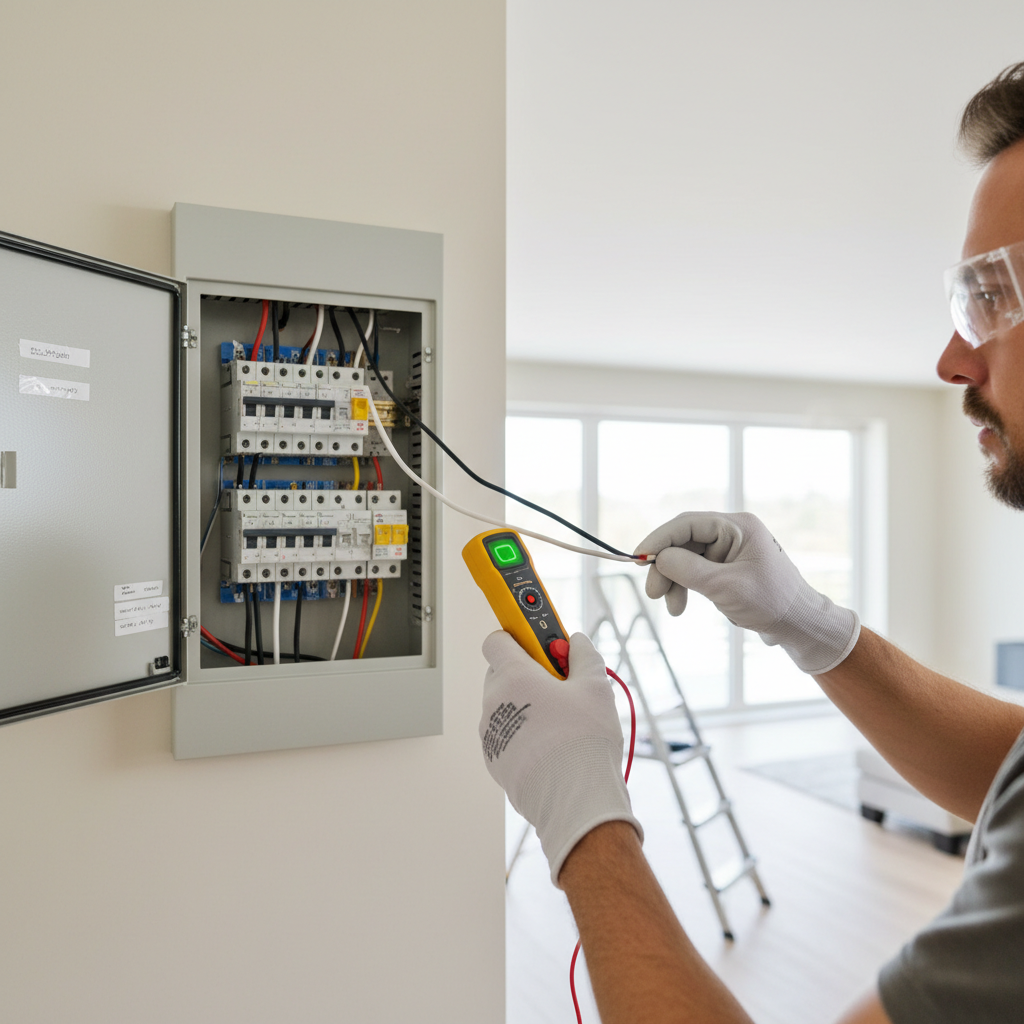
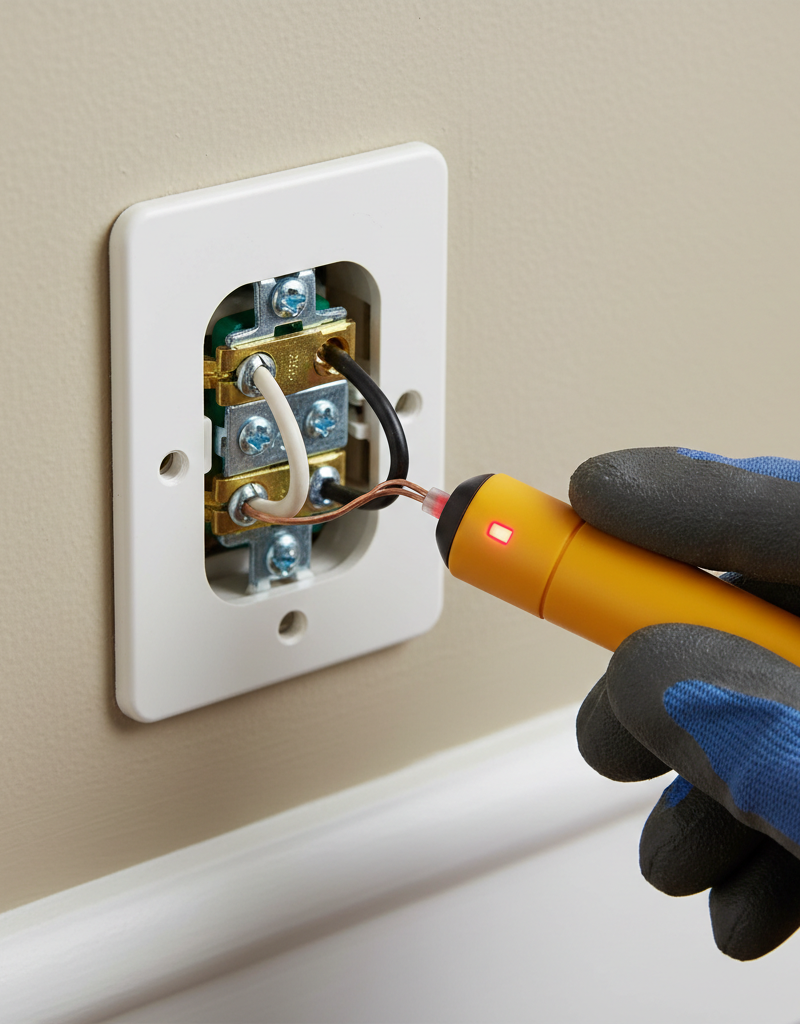
Safety Note: Always de-energize the circuit you are working on by switching off the corresponding breaker in your main electrical panel. Verify the power is off using a non-contact voltage tester before touching any wires or terminals.
-
Conduct an Observational Analysis — Before touching any tools, carefully observe the pattern of the flicker. Does it happen in one room, along one wall, or throughout the entire house? Does it coincide with a large appliance (like an air conditioner, furnace, or refrigerator) turning on or off? Is the flicker a subtle waver or a more pronounced on-and-off pulse? Answering these questions helps narrow the search from a house-wide issue to a specific circuit or device.
- Pro Tip: If lights dim when a motor kicks on and then return to normal, this is a momentary voltage drop and is often normal. If they flicker continuously or dim and stay dim, it indicates a more significant problem.
-
Isolate the Troubled Circuit — Go to your electrical panel and identify the breaker that controls the flickering lights. If your panel isn't clearly labeled, turn on all the affected lights and switch off breakers one by one until they go out. Leave all other breakers on. This ensures you are working only on the de-energized problem circuit and prevents you from mistakenly attributing the flicker to an unrelated circuit.
-
Inspect and Tighten All Light Bulbs — Start with the simplest physical connection. With the power off, visit every flickering light fixture. Unscrew each bulb and look at the metal base. Check for corrosion or carbon buildup (black marks), which indicate poor contact. Inside the socket, ensure the small brass tab at the bottom is not flattened.
- To fix a flattened tab: With the power confirmed off, use a small flathead screwdriver or needle-nose pliers to gently pry the tab upwards by about 1/8 inch to ensure it makes firm contact with the bottom of the bulb.
- When reinstalling: Screw bulbs in until they are "snug." Overtightening can deform the socket tab or damage the bulb base.
-
Test for Bulb and Dimmer Incompatibility — Many flickering issues stem from using modern LED bulbs with older dimmer switches designed for incandescent bulbs. These legacy dimmers are not equipped to handle the low power draw and complex circuitry of LEDs, causing them to flicker.
- The Test: Replace the bulbs in one flickering fixture with a different type (e.g., replace an LED with an old-style incandescent bulb if you have one). If the flickering stops, the issue is likely an incompatibility between your dimmer and your LED bulbs.
- The Fix: Replace the old dimmer with a new model specifically rated for LED and CFL bulbs. Look for the "C-L" rating on the packaging.
-
Replace a Suspect Dimmer Switch — If you've identified an incompatible or faulty dimmer, it must be replaced. After turning off the power, remove the wall plate. Unscrew the dimmer from the wall box and gently pull it out.
- Tools: Phillips and flathead screwdrivers, needle-nose pliers, wire strippers, and a new compatible dimmer or standard switch.
- Procedure: Note the wire configuration before disconnecting. Typically, there will be two black (or one black and one red) "traveler" wires connected to brass screws and a green or bare copper ground wire connected to a green screw. Disconnect the old switch. Connect the new switch following the manufacturer's exact wiring diagram. Wrap the wire clockwise around the screw terminals and tighten securely.
-
Inspect "Upstream" Wall Outlets — A very common but overlooked cause of flickering lights is a loose connection at a wall outlet. On many circuits, power flows through an outlet on its way to a light fixture. A loose wire at that outlet will affect all devices downstream.
- Procedure: With the power off, unscrew and pull out each outlet on the affected circuit. Look for wires connected via small holes in the back of the device ("back-stabbing"). This method is notorious for creating loose connections.
- The Fix: If you find back-stabbed wires, release them (usually by inserting a small screwdriver into the release slot next to the hole). Use wire strippers to expose about 3/4 inch of fresh copper. Form the wire into a C-shaped hook and secure it clockwise around the corresponding screw terminal on the side of the outlet. Tighten the screw firmly. Do this for both hot (black) and neutral (white) wires.
-
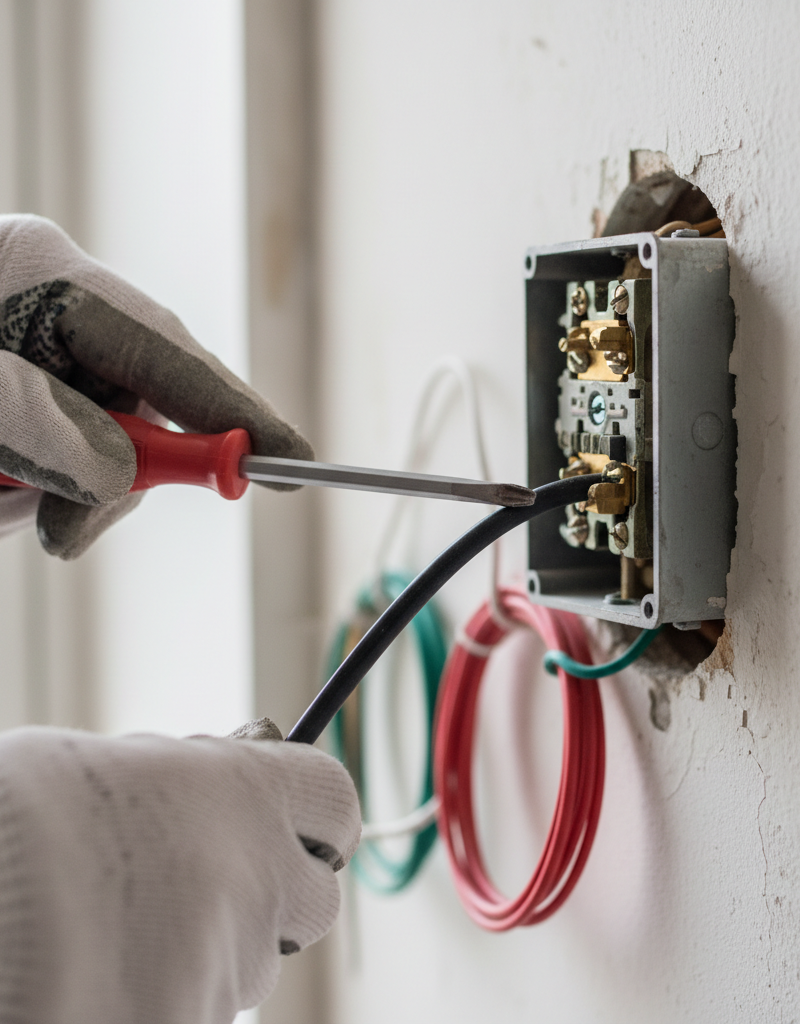
Inspect Wall Switch Connections — Similar to outlets, a standard light switch can have loose connections that cause flickering. Loose wires arc and heat up, worsening the connection over time.
- Procedure: With the power off, remove the switch plate and unscrew the switch. Examine the screw terminals. Ensure the screws are tight and the wires are securely wrapped. Gently tug on each wire to confirm it is held fast.
- Back-stabbed Wires: Just like outlets, switches can have back-stabbed connections. If you find them, move the wires to the more secure screw terminals as described in the previous step.
-
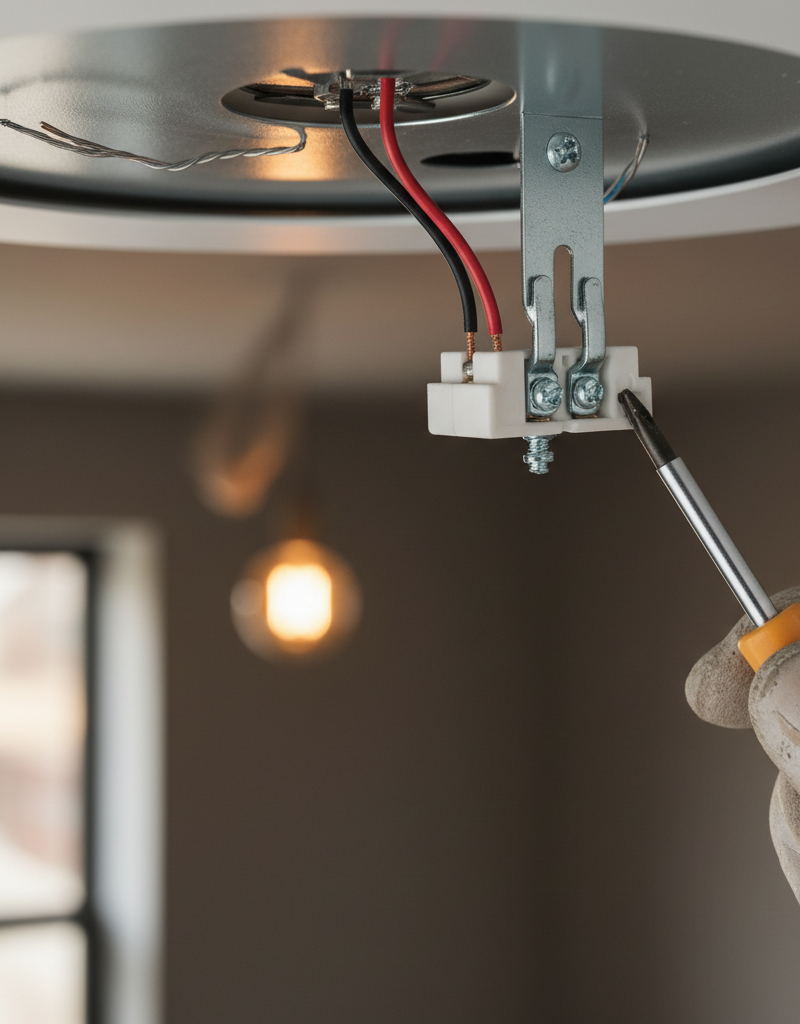
Examine the Light Fixture's Internal Wiring — The final connection point before the bulb is inside the fixture's electrical box in the ceiling or wall. Heat, vibration, and age can cause these connections to loosen.
- Procedure: With the power off, remove the fixture's globe or shades, then unscrew the canopy from the ceiling to expose the junction box. You will typically see several wire nuts connecting the fixture's wires to the house wiring.
- Check Connections: Gently tug on each wire entering a wire nut. If any wire pulls free, the connection is bad. Unscrew the wire nut. Check that the wires underneath are clean and untwisted. Twist the bare copper ends together tightly with pliers in a clockwise direction, then screw on a new wire nut until it is hand-tight. Check for any signs of melted plastic on the wire nuts or scorched insulation on the wires, which indicate a past or present overheating problem.
-
Check the Circuit Breaker Connection — (Advanced DIY Only) If you have experience working in electrical panels and are comfortable with the heightened safety requirements, you can check the connection at the breaker itself.
- SAFETY: This step requires turning off the main breaker that cuts power to the entire panel. Even with the main breaker off, the main lugs where utility power enters the panel will still be live and dangerous. Do not touch them.
- Procedure: After shutting off the main breaker, open the panel cover. Locate the breaker for the flickering circuit. Confirm the wire going into the breaker's terminal lug is secure by gently tugging it. If it moves, use an appropriate screwdriver to tighten the lug screw firmly. Also, check that the breaker itself is fully seated onto the panel's bus bar by pressing it firmly into place.
Common mistakes
- Working on a Live Circuit: The most dangerous mistake is assuming a switch being off is enough. Always shut off power at the circuit breaker and verify with a non-contact voltage tester before proceeding. A miswired switch can leave the fixture energized even when "off."
- Re-using Old Wire Nuts: Wire nuts contain a small, spring-like metal coil that bites into the wires. Once used and removed, this coil can be slightly deformed and may not provide the same secure connection a second time. Best practice is to use a new wire nut for any connection you remake. They are inexpensive.
- Ignoring Back-Stabbed Connections: When inspecting an outlet or switch, it's tempting to see a back-stabbed wire, note it isn't loose right now, and leave it. These connections are mechanically weak and are a primary source of future flickering and arcing. Always take the extra five minutes to move them to the more reliable screw terminals.
- Overtightening Screw Terminals: While loose connections are bad, overtightening can be just as problematic. Cranking down on a screw terminal can stretch the screw, damage the device's threads, or gouge and weaken the copper wire, creating a new failure point. Tighten until the wire is secure and doesn't move, but do not apply excessive force.
- Focusing Only on the Fixture: Many DIYers assume a flickering light means the problem is in the ceiling box. They spend hours inspecting the fixture when the true cause is a loose neutral wire on an outlet 15 feet away on the same circuit. Always investigate the entire circuit, from the outlets to the switches to the fixture.
Cost & time breakdown
| Task | DIY Cost | Pro Cost | Time |
|---|---|---|---|
| Bulb & Dimmer Switch Diagnosis/Replacement | $15 - $60 (for a C-L dimmer and bulbs) | $150 - $300 | 1 - 2 hours |
| Securing Connections on Outlets & Switches | $5 (for new wire nuts/outlets if needed) | $200 - $400 | 2 - 4 hours (for an entire circuit) |
| Inspecting & Securing Fixture Wiring | $2 (for wire nuts) | $125 - $250 | 30 - 60 minutes per fixture |
| Main Panel Breaker & Neutral Lug Tightening | $0 (if no parts needed) | $250 - $500 (for a panel "tune-up") | 1 hour |
| Full Professional Circuit Diagnostic | Not applicable | $300 - $800+ | 2 - 6 hours |
When to call a pro
While many flickering issues are fixable, certain symptoms warrant an immediate call to a licensed electrician. If the flickering affects your entire house simultaneously and isn't tied to a large appliance, it may indicate a serious problem with your main neutral connection from the utility. This is a hazardous situation that can damage appliances and poses a fire risk. Also, call a professional if you hear buzzing or crackling sounds from your main electrical panel, or if any circuit breakers feel hot to the touch. The smell of burning plastic or ozone anywhere near outlets, switches, or the panel is another critical warning sign. Finally, if you have systematically worked through the DIY steps on a circuit and the flickering persists, it's time for a professional diagnostic. An electrician has advanced tools to trace faults and can safely address issues within the main panel or with the service wiring that are beyond the scope of a DIY repair.
Prevention & maintenance
- Upgrade to Screw Terminals: When you replace any switch or outlet, always use the side screw terminals for wiring. Avoid using the "back-stab" push-in connections, as they are a common point of failure.
- Match Bulbs to Dimmers: When installing LED bulbs on a circuit with a dimmer, ensure the dimmer is a modern C-L (CFL/LED) rated model. Mismatched components are a primary cause of flickering and can shorten the lifespan of both the bulb and the switch.
- Perform a "Snug Test": Once a year, make sure screw-in light bulbs haven't worked themselves loose from minor vibrations. With the light switched off, give each bulb a gentle turn to ensure it's still snug in its socket.
- Schedule a Panel Tune-Up: For homes over 20 years old, consider having an electrician perform a panel tune-up every 5-10 years. This service involves checking torque settings and tightening all the connections on the circuit breakers and bus bars, preventing problems from developing.
- Don't Ignore Warning Signs: Treat flickering lights, buzzing sounds, or frequent breaker trips as early warnings. Investigate them promptly rather than waiting for the problem to escalate into a more dangerous or expensive repair.
Related Articles
Keep troubleshooting with these hand-picked guides from FixlyGuide:
- Light Flickering in One Room? 3 Hidden Causes Revealed — If lights in a single room are flickering, it's usually a minor electrical issue you can often fix yourself with basic tools and caution.
- Why Your Circuit Breaker Keeps Tripping: A DIY Guide — A tripping circuit breaker is a common household problem, often indicating an overloaded circuit or a short circuit. This gu
Should you do this yourself?
Answer five quick questions before you start. Safety outranks savings every time.
Your experience with work like this
How high do you have to work?
Does the job involve any of these?
Will it need a permit?
Specialty tools
Free and instant. Educational guidance only — not a quote, inspection, or professional diagnosis.
What should this project cost?
Enter your project details for a realistic cost range before you call anyone.
Outlet and switch work usually $150–$400; panel upgrades commonly $1,800–$4,200.
- Regional adjustment
- National average
- Labor share (typical)
- ~$709
- Quotes to collect
- 3 written estimates
Educational estimate based on national averages — not a binding quote. Always confirm with written local estimates.
Fixly Project Decision Box
- DIY difficulty
- Professional Recommended
- Estimated time
- Diagnosis 1–2 hours
- Cost level
- Moderate
Main tools / materials
- Non-contact voltage tester
- Outlet tester
- Flashlight
When to stop and call a pro
- Burning smell, scorch marks, or a warm outlet or switch plate
- A breaker that trips again right after being reset
- Any work inside the service panel
- Aluminum wiring or cloth-insulated wiring
Need professional help?
Talk to a Licensed ElectricianBefore you start
Check the difficulty, permits, and safety risk — then decide whether to call a pro.
- Estimate this projectGet a cost range for your scope and ZIP before you call anyone.Open
- Get local estimatesSend one request and compare written estimates from vetted pros.Open
Free, no signup required. Estimates are educational guidance, not a quote or an inspection.
Get the print-ready PDF of this guide
A clean, ad-free, printable version you can keep on your phone or pin to the workshop wall. Free with a FixlyGuide account.
- Print-optimized layout
- Tools, materials & every step included
- Saved to your account
Frequently asked questions
Why are my lights flickering throughout the house?+
Most often, flickering lights are caused by loose connections. This could be at the bulb, the light fixture, a dimmer switch, an outlet, or even at the electrical panel.
Can flickering lights be dangerous?+
While often benign, persistent flickering can indicate overloaded circuits, loose wiring, or faulty equipment, which could potentially lead to overheating, arcing, and in rare cases, electrical fires. It's always best to investigate and resolve the issue promptly.
When should I call an electrician for flickering lights?+
You should call an electrician if the flickering is constant, affects multiple circuits, you notice burning smells, hear buzzing noises from outlets or the electrical panel, or if you've tried basic troubleshooting steps without success. Also, if you are uncomfortable working with electricity, always defer to a professional.
Can a loose light bulb cause flickering?+
Yes, a loose light bulb is one of the most common and easiest-to-fix causes of flickering. The slight gap prevents a consistent electrical connection, leading to intermittent power.
Discussion
Loading comments…