- Using a Toothpick Instead of a Paperclip: A wooden toothpick can easily break off inside the narrow needle channel, turning a simple clog into a permanent blockage that's impossible to remove.
- Poking the Needles Too Aggressively: The needles are precisely aligned. Jamming a paperclip in with excessive force could damage or misalign them, potentially preventing them from puncturing future pods correctly.
- Neglecting the Bottom Needle: Many people focus only on the upper needle inside the machine, but the lower exit needle in the removable pod holder is far more likely to be the source of the clog. It must be removed and cleaned thoroughly.
Plumbing · Clog
| Project category | Plumbing |
|---|---|
| Problem type | Clog |
| Trade required | Plumbing |
| Urgency | Soon — within weeks |
| Safety risk | Low safety risk |
| DIY suitability | DIY friendly |
| Cost category | Low cost |
| Typical timeline | Same-day DIY attempt; pro visit within a day or two |
| Contractor type | Licensed plumber |
Repair option
Plunger, hand auger, or trap cleanout before chemicals.
Replacement option
Line replacement when clogs return in the same spot repeatedly.
Common causes
- Hair and soap buildup in the trap
- Grease cooling in the branch line
- Flushed wipes or foreign objects
Relevant tools:diy difficultydiy or hire a pro
Published June 11, 2026Last updated August 17, 2026
Tools & materials you'll need
Affiliate linksAs an Amazon Associate FixlyGuide earns from qualifying purchases — at no extra cost to you. Prices and availability are accurate as of publication and subject to change.
Quick Answer
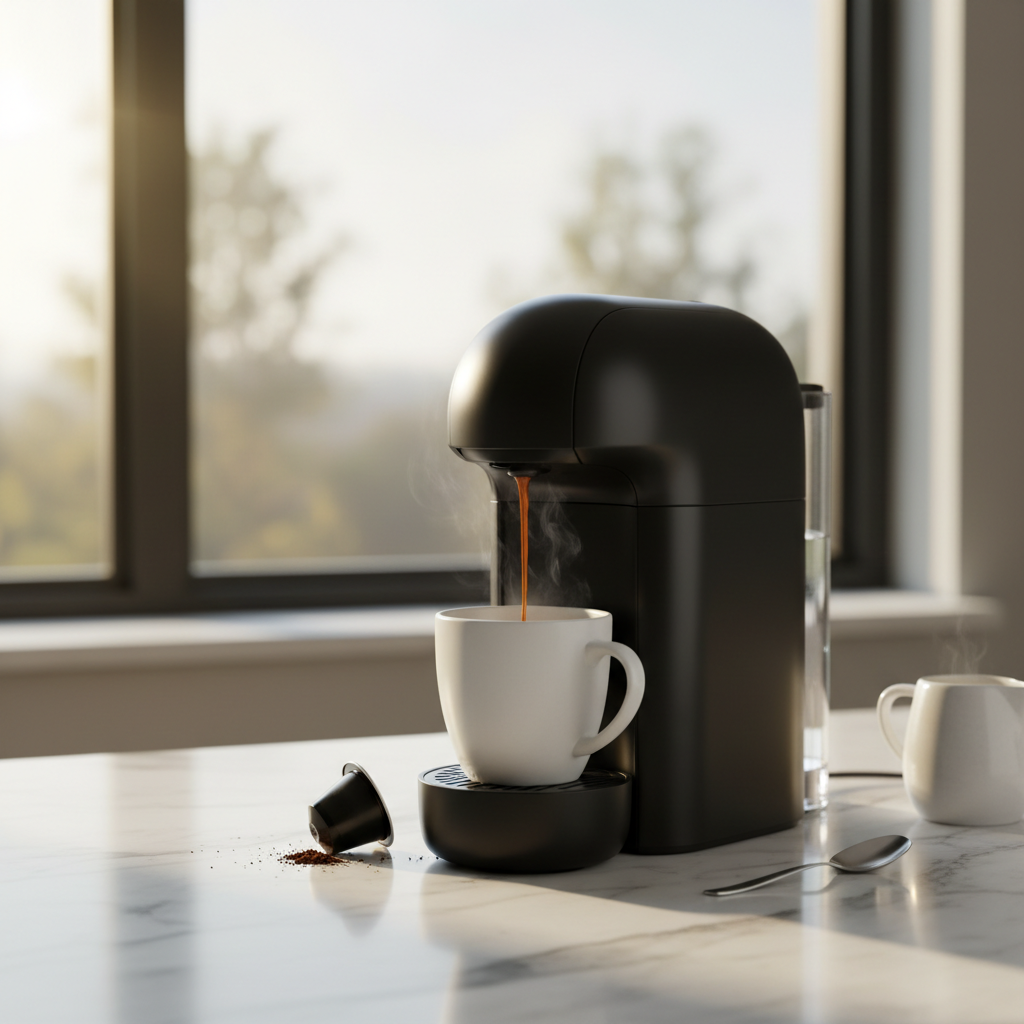
If your single-serve coffee maker, like a Keurig, suddenly starts brewing half a cup, the most common culprit is a clogged exit or entrance needle. Coffee grounds, tea leaves, or mineral scale can obstruct the flow of water. You can typically fix this in about a minute by unplugging the machine, removing the pod holder, and carefully using a straightened paperclip to clear debris from both the lower and upper needles.
The Problem
It’s a frustratingly common scenario for millions of single-serve coffee maker owners. You place your favorite pod in the machine, press the brew button expecting a full 10-ounce mug, and walk away. When you come back, you find a sad, sputtering machine has delivered a mere four or five ounces of dark, over-concentrated coffee. This "short cup" or "partial brew" is more than just an annoyance; it ruins the taste of the coffee and throws your morning ritual into disarray. The machine might make unusual groaning or straining sounds, and the stream of coffee might be weak or intermittent. Your first thought might be that the entire, expensive machine is broken, destined for the landfill. But in the vast majority of cases, the problem is surprisingly simple and completely fixable. The issue isn't a failing pump or a faulty sensor; it's a tiny, almost invisible clog in the needle assembly that punctures the pod.
How It Works
To understand why your coffee maker brews half a cup, you need to understand the elegant but constrained journey water takes inside the machine. It's a high-pressure, high-temperature system that relies on clear pathways.
-
Water Reservoir & Pump: It starts at the reservoir. When you select a cup size, you're telling the machine's small internal water pump precisely what volume of water to draw—say, 8 ounces. The pump is the heart of the operation, pulling water from the reservoir into the internal plumbing.
-
The Heating Chamber: The measured amount of water is then forced into a very narrow channel inside an aluminum heating element, often called a thermoblock. This chamber heats the water to the optimal brewing temperature—typically between 185°F and 195°F—in a matter of seconds. This process creates both heat and significant pressure.
-
To the Brew Head: This super-heated, pressurized water now has only one place to go: up a small-diameter tube toward the brew head, which houses the needle assembly.
-
The Puncture Needles: When you place a K-Cup (or other compatible pod) in the holder and close the handle, two things happen. An upper needle (or sometimes a set of five smaller needles in newer "MultiStream" models) pierces the foil lid of the pod. Simultaneously, a lower, wider needle housed in the removable pod holder pierces the plastic bottom of the pod.
-
Injection and Infusion: The hot, pressurized water is forced exclusively through the top needle(s), directly into the coffee grounds inside the pod. This is the infusion stage, where the water saturates the grounds and extracts the coffee flavor and solids.
-
The Exit Path: The brewed coffee then flows out through the hole created by the bottom needle, travels through the channel in the pod holder, and streams into your mug.
The entire system is a closed loop. If the flow is restricted at any point, the pump cannot force the full volume of water through in the allotted time. The most common chokepoint is the exit needle, which easily gets clogged with fine coffee grounds, tea particles, or sticky hot cocoa mix. When this happens, the pressure builds up, the pump strains, and the machine’s sensor may prematurely end the brew cycle to prevent an overflow or a pressure blowout, resulting in a short cup.
Step-by-Step Fix
This process will take you from a frustrating half-cup to a full, satisfying brew. We'll cover the quick needle-cleaning trick and a more thorough descaling for a complete reset.
SAFETY FIRST: Unplug your coffee maker from the wall outlet before beginning. The needles are extremely sharp, and the machine contains heating elements. Never perform maintenance on a plugged-in unit.
-
Gather Your Simple Tools — You don't need a fancy kit. Find a standard small paperclip and straighten one end. You'll also need access to a sink and some fresh water. For the optional deep clean, have white vinegar on hand.
-
Open the Brew Head and Remove Pod Holder — Lift the machine's handle as if you were inserting a new pod. This exposes the pod holder assembly. Grasp the top of the holder with your fingers and pull it straight up and out of the machine. Some models may require a slight twist to unseat it. You'll be holding the plastic cradle that the pod sits in.
-
Disassemble the Pod Holder — The pod holder itself is usually two pieces: the main body and a funnel-like section. Separate them by pressing up from the bottom while holding the sides. This will give you a clear view of the exit needle at the base.
-
Clean the Exit (Bottom) Needle — This is the most common culprit. Look at the very bottom of the pod holder piece you just disassembled. You'll see the sharp point of the exit needle. It's hollow. Insert the straightened end of your paperclip into the needle’s channel from the underside. Gently wiggle it around to dislodge any trapped coffee grounds or debris. You may see a surprising amount of black gunk come out. Rinse it thoroughly under the tap.
-
Clear the Exit Nozzle — Now look at the top side of that same piece, where the coffee actually flows out. Use the paperclip to poke into that exit hole and ensure it's clear. Rinse it again.
-
Clean the Entrance (Top) Needle(s) — Look up inside the machine where the pod holder was. You will see the extremely sharp upper needle(s). Be very careful. Do not put your fingers up there. Carefully guide your paperclip into the tip of each needle. There might be one central needle or a pattern of five. Gently poke and swish to break up any internal clogs.
-
Reassemble and Reinstall — Snap the pod holder funnel back into the main body. You should hear a distinct click. Place the entire assembly back into the machine, ensuring it’s seated correctly. Close the handle.
-
Run Two Cleansing Brews — Fill the water reservoir with fresh water. Place a mug on the drip tray and run a brew cycle (without a pod) on the largest cup setting (usually 10 or 12 ounces). The stream should now be strong and full. Discard the hot water. Run a second cleansing brew to flush out any remaining loose particles.
-
(Optional but Recommended) Perform a Vinegar Descale — If the problem was severe or you haven't descaled in over 6 months, now is the perfect time. Empty any remaining water from the reservoir. Fill it about halfway with plain white vinegar, and the rest of the way with fresh water. Run brew cycles (no pod) until the machine prompts you to "Add Water."
-
Let the Solution Sit — With the vinegar solution now distributed through the internal components, let the machine sit (powered on, but not brewing) for at least 45-60 minutes. This allows the acetic acid to dissolve mineral scale buildup inside the pump and heating element.
-
Rinse Thoroughly — After the wait, dump any remaining vinegar solution from the reservoir and rinse it well. Fill it to the max line with fresh water only. Run at least 12-15 full-cup brew cycles to completely flush the vinegar taste and smell from the system. Nothing is worse than vinegar-flavored coffee.
-
Enjoy Your Full Cup! — Your machine is now clean, descaled, and flowing freely. Brew your favorite pod and confirm you're getting the full volume you selected.
Common Causes
While a clogged needle is the number one reason your coffee maker brews half a cup, other issues can cause similar symptoms.
- Mineral Scale (Limescale): This is the silent killer of many small appliances. If you use hard water, calcium and magnesium carbonates precipitate out of the water when heated, forming a rock-hard scale on the heating element, in the pump, and along all the tubing. This narrows the pipes, forcing the pump to work harder and restricting water flow, leading to short cups.
- Debris in the Reservoir: Small particles, even dust or a stray coffee ground that fell in, can get sucked into the water intake line. Most Keurigs have a fine mesh screen at the base of the reservoir, but it can get clogged, starving the pump for water.
- Air Lock: If you've ever run the reservoir completely dry, the pump can suck in air, creating an air bubble or "lock" in the lines. The pump is designed to move water, not air, so it will strain and fail to pull the proper amount for a brew cycle. This often results in a short brew or no brew at all.
- Using Non-Approved Pods: Some off-brand pods are made with materials that don't puncture cleanly or contain finer grounds that can more easily slip through the pod's internal filter. Tea pods can shed fine leaf particles, and hot cocoa pods contain sticky powder that are notorious for causing clogs.
- Failing Water Pump: After many years and thousands of brews, the internal water pump can simply begin to wear out. Its seals may weaken, or its motor may lose power, causing it to lose the pressure needed to force the full volume of water through the system, especially if there is even minor scale buildup.
Common Mistakes
Avoid these pitfalls when diagnosing and fixing your short-cup problem.
- Forgetting to Unplug the Machine: It's easy to forget, but reaching into the brew head of a plugged-in machine is a safety risk. The needles are sharp enough to cause a deep puncture wound, and there's always a remote chance of an electrical short.
- Using a Toothpick Instead of a Paperclip: A wooden toothpick can easily break off inside the narrow needle channel, turning a simple clog into a permanent blockage that's impossible to remove.
- Poking the Needles Too Aggressively: The needles are precisely aligned. Jamming a paperclip in with excessive force could damage or misalign them, potentially preventing them from puncturing future pods correctly.
- Neglecting the Bottom Needle: Many people focus only on the upper needle inside the machine, but the lower exit needle in the removable pod holder is far more likely to be the source of the clog. It must be removed and cleaned thoroughly.
- Skipping the Freshwater Rinses After Descaling: Running only one or two rinse cycles after using vinegar or a descaling solution will leave a nasty residue and taste. You must be patient and flush the machine with at least 3-4 full reservoirs of fresh water.
- Ignoring the "Descale" Light: Many modern machines have an indicator light that tells you when it's time to descale. Ignoring this light is a guarantee that you'll eventually face flow problems, short cups, and a shorter lifespan for your machine.
Cost & Time Breakdown
Fixing a short brew is almost always a cheap and fast DIY job. Calling a professional is rarely, if ever, cost-effective for this type of appliance.
| Task | DIY Cost | Pro Cost | Time Investment |
|---|---|---|---|
| Manual Needle Cleaning | < $0.05 (for a paperclip) | $75 - $125 (minimum service call) | 2-5 minutes |
| White Vinegar Descaling | $2.00 - $3.00 | N/A | 1 - 1.5 hours (mostly waiting) |
| Commercial Descaling Solution | $8.00 - $15.00 | N/A | 1 - 1.5 hours (mostly waiting) |
| Replacing a Clogged Pod Holder | $15.00 - $25.00 | N/A | 30 seconds |
| Buying a New Coffee Maker | $90.00 - $250.00+ | N/A | 10 minutes |
Tips & Prevention
An ounce of prevention is worth a pound of cure—and a full cup of coffee.
- Use Filtered Water: This is the single best thing you can do for your machine. Using water from a Brita pitcher, a refrigerator filter, or purchasing distilled water drastically reduces the mineral content, preventing the formation of limescale.
- Descale on a Schedule: Don't wait for the light or for problems to appear. Set a calendar reminder to descale your machine every 3 to 6 months, depending on your usage and water hardness.
- Run a Cleansing Brew: After making a flavored coffee, tea, or hot cocoa, immediately run one large, water-only brew cycle (without a pod). This flushes out sticky residues and fine particles before they can harden and clog the needles.
- Remove Used Pods Promptly: Don't let used pods sit in the brew chamber all day. The wet grounds can compact and slowly drain into the needle area. Remove the pod right after brewing.
- Regularly Clean the Pod Holder: Once a week, pop the pod holder out and give it a good rinse under hot water, or place it on the top rack of your dishwasher (if a manual is available and states it is safe).
When to Call a Professional
For a small appliance like a single-serve coffee maker, "calling a professional" almost always means replacing the unit. Repair services for these machines are not common, and the labor cost would quickly exceed the price of a new, better model. However, you should give up on the DIY fix and consider a replacement if you encounter these symptoms:
- No Power or Intermittent Power: If the machine won't turn on, or the lights flicker and it shuts off randomly, there is likely a fault in the internal power supply or control board. This is not user-serviceable and can be a fire hazard.
- Loud Grinding or Popping Noises from the Pump: A normal brew cycle produces a humming or vibrating sound. If you hear loud, mechanical grinding, clanking, or popping sounds, the water pump has likely failed or has a severe internal blockage. Continuing to run it could cause further damage.
- Water Leaking from the Base: If you find a significant puddle of water under the machine that isn't from the drip tray, it indicates a cracked internal hose or a failed seal. This can expose electrical components to water, creating a serious shock hazard. Unplug the machine immediately and discontinue use.
- After All Cleaning, It Still Brews Short: If you have thoroughly cleaned both needles and performed multiple descaling cycles, but the machine still consistently produces a short cup, the pump is most likely worn out and can no longer generate the required pressure. At this point, the cost and effort of a DIY pump replacement outweigh the benefits of simply buying a new machine.
What should this project cost?
Enter your project details for a realistic cost range before you call anyone.
Cost depends heavily on which system turns out to be the source.
- Regional adjustment
- National average
- Labor share (typical)
- ~$1,620
- Quotes to collect
- 3 written estimates
Educational estimate based on national averages — not a binding quote. Always confirm with written local estimates.
Get the print-ready PDF of this guide
A clean, ad-free, printable version you can keep on your phone or pin to the workshop wall. Free with a FixlyGuide account.
- Print-optimized layout
- Tools, materials & every step included
- Saved to your account
Frequently asked questions
Can I use a toothpick to clean my Keurig needle?+
No, you should never use a wooden toothpick. They are brittle and can easily snap off inside the narrow steel needle, creating a permanent blockage that is impossible to remove. Always use a metal paperclip or the official Keurig needle cleaning tool.
How often should I descale my coffee maker to prevent short brews?+
To prevent mineral buildup that causes flow problems, you should descale your machine every 3-6 months. If you have very hard water, descaling every 2-3 months is even better. Using filtered or distilled water can extend the time between descaling cycles.
Why does my Keurig say "Add Water" when the reservoir is full?+
This can be caused by two things. First, the magnetic sensor in the reservoir might be stuck. Try removing and reseating the reservoir firmly. Second, there might be a clog or scale buildup at the water intake port at the base of the machine, preventing water from entering the pump. Ensure the area where the reservoir connects is clean and free of debris.
Will using vinegar to clean my coffee maker damage it?+
No, using a 50/50 solution of white vinegar and water is a safe and effective way to descale most single-serve coffee makers. However, it is crucial to follow up with several full rinse cycles using fresh water to completely flush out the acidic vinegar, which can affect the taste of your coffee.

Discussion
Loading comments…