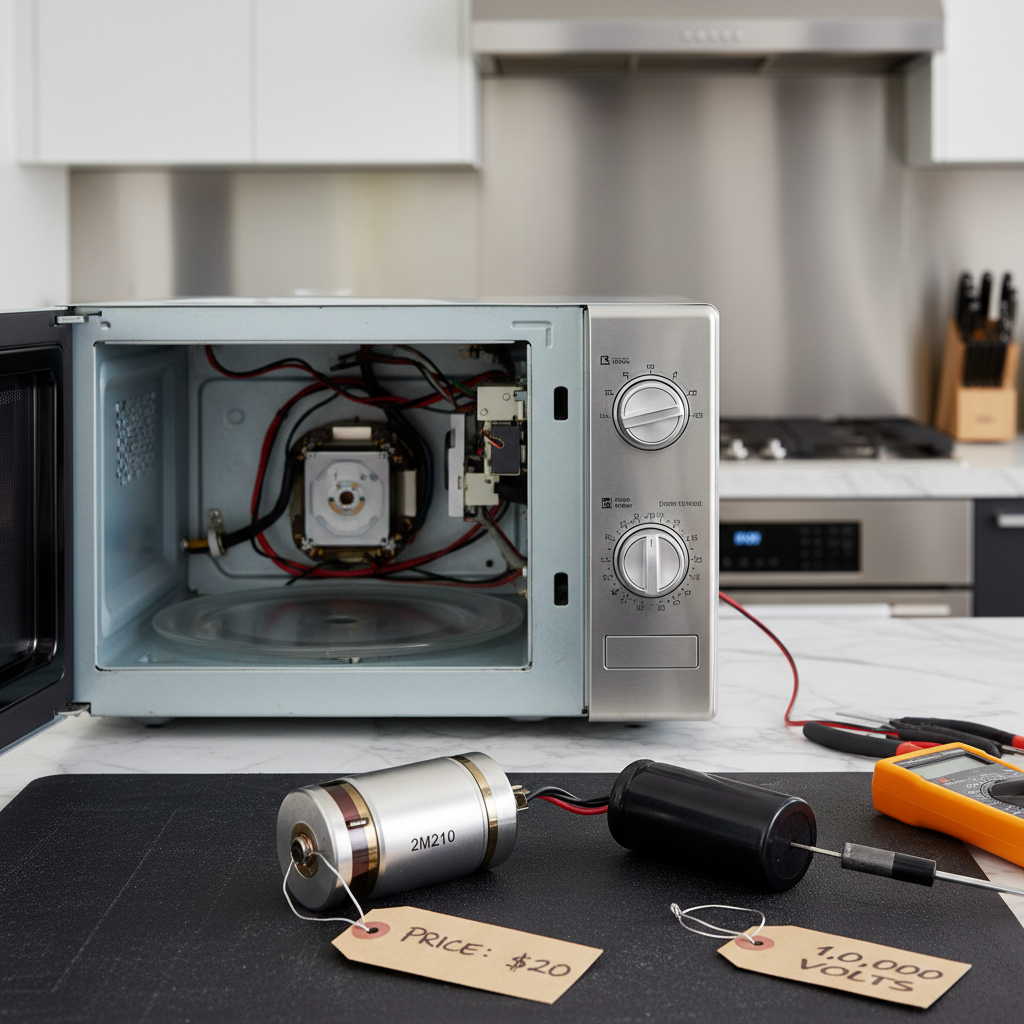
- Power In: Standard 120-volt AC power from your wall outlet enters the microwave.
- Control Board Signal: The main control board, the brains of the operation, verifies that the door is securely closed via the door switches. It then sends a signal to activate the heating components.
- Diode Rectification: A high-voltage diode is paired with the capacitor. Its function is to rectify the AC voltage, essentially doubling it and converting it into DC voltage that the magnetron needs to operate.
- Waveguide Transmission: These newly generated microwaves are channeled through a rectangular metal tube called a waveguide.
HVAC · High energy usage
| Project category | HVAC |
|---|---|
| Problem type | High energy usage |
| Trade required | HVAC |
| Urgency | Planned project |
| Safety risk | Low safety risk |
| DIY suitability | DIY for experienced homeowners |
| Cost category | High cost |
| Typical timeline | Assessment within weeks; replacement planned off-season |
| Contractor type | Licensed HVAC technician |
Repair option
Duct sealing, insulation, and a tune-up before touching the equipment.
Replacement option
High-efficiency replacement sized by a load calculation, not a rule of thumb.
Common causes
- Aging, low-efficiency equipment
- Leaking ducts losing conditioned air
- Insufficient attic insulation
- Oversized system short-cycling
Relevant tools:project cost estimatorrepair or replace
Published May 5, 2026Last updated August 17, 2026
Tools & materials you'll need
Affiliate links- AmazonMultimeterEssential for testing all components.
- AmazonInsulated ScrewdriverRated for 1000V for safely discharging the capacitor.
- AmazonNut Driver SetFor removing the cabinet and internal components.
- AmazonTorx Security Bit SetMay be needed for the outer cabinet screws.
- AmazonNeedle-Nose PliersFor disconnecting and reconnecting wires.
- AmazonWork Gloves
- AmazonSafety Glasses
- AmazonJumper Wire with Alligator ClipsFor discharging the capacitor.
As an Amazon Associate FixlyGuide earns from qualifying purchases — at no extra cost to you. Prices and availability are accurate as of publication and subject to change.
Quick Answer
If your microwave runs but doesn't heat food, the most common culprit is a failed magnetron, the part that generates the actual microwaves. Other frequent causes include a faulty high-voltage diode, a bad door switch, or a blown high-voltage capacitor. Due to the lethal electrical charge stored in the capacitor, diagnosing and fixing this issue is an advanced repair that is often best left to a professional.
The Problem
You place a cup of coffee in the microwave, punch in 60 seconds, and hit start. The light comes on, the turntable dutifully spins, and the fan hums along. Everything seems normal. But when the timer beeps, you pull out a cup that's just as cold as when you put it in. This scenario, where a microwave appears to be working perfectly but fails at its one primary job, is one of the most common failure modes for this essential kitchen appliance. It's a frustrating experience that points to a specific internal failure in the machine's high-voltage heating system, even while all the low-voltage functions (lights, controls, turntable motor) operate as expected.
How It Works
Understanding why your microwave isn't heating requires a journey into its high-voltage heart. This isn't just a simple electrical circuit; it's a system designed to transform standard household electricity into powerful radio waves. When you press "start," a precise sequence unfolds:
- Power In: Standard 120-volt AC power from your wall outlet enters the microwave.
- Control Board Signal: The main control board, the brains of the operation, verifies that the door is securely closed via the door switches. It then sends a signal to activate the heating components.
- High-Voltage Transformation: This signal energizes the high-voltage transformer. This heavy, blocky component is the muscle of the system. Its job is to step up the incoming 120 volts to an immense potential, typically between 2,000 and 5,000 volts.
- Capacitor Charge: This high-voltage electricity flows to the high-voltage capacitor, a component that acts like a battery, storing a massive electrical charge. Crucially, this capacitor can retain a lethal charge long after the microwave is unplugged, which is the primary danger in microwave repair.
- Diode Rectification: A high-voltage diode is paired with the capacitor. Its function is to rectify the AC voltage, essentially doubling it and converting it into DC voltage that the magnetron needs to operate.
- Magnetron Activation: This powerful, high-voltage DC electricity is fed to the magnetron. The magnetron is a vacuum tube containing a filament. When heated by this immense voltage, it begins emitting electrons, which are then influenced by powerful magnets. This process converts the electrical energy into short, high-frequency radio waves called microwaves, typically at a frequency of 2.45 gigahertz (GHz).
- Waveguide Transmission: These newly generated microwaves are channeled through a rectangular metal tube called a waveguide.
- Cooking: The waveguide directs the waves into the cooking cavity. As they bounce around the metal box, they pass through your food, causing the water molecules within it to vibrate rapidly. This vibration creates friction at a molecular level, which generates heat and cooks the food from the inside out.
When your microwave runs but won't heat, there's a breakdown somewhere in this high-voltage chain, from the transformer to the magnetron itself.
Step-by-Step Fix
Diagnosing and repairing a microwave's heating system is an advanced and dangerous task. It involves exposure to potentially lethal voltages. Proceed with extreme caution and only if you are experienced in working with high-voltage electronics.
SAFETY FIRST: The Critical Warning
- Lethal Voltage: A microwave's high-voltage capacitor stores thousands of volts, enough to kill you, even when the unit is unplugged. This is not an exaggeration. Assume the capacitor is charged at all times.
- Personal Protective Equipment (PPE): Wear work gloves and safety glasses.
- Required Tool: You must have and know how to use a multimeter.
1. Unplug and Isolate
- Action: Unplug the microwave from the wall outlet. If it's a built-in model, you may need to turn off the corresponding circuit breaker at your main electrical panel to de-energize the outlet it's plugged into. Let it sit for at least 15 minutes before starting any work. This allows some of the residual charge in the capacitor to bleed off, but do not assume it is fully discharged.
2. Access the Internals
- Action: Locate and remove the screws holding the outer cabinet or wrapper in place. These are typically on the back and sides. You may encounter a Torx security screw with a small pin in the center, requiring a special security bit. Once the screws are removed, the U-shaped cabinet shell usually slides backward and lifts off.
3. Discharge the High-Voltage Capacitor
- Action: This is the most critical safety step. Do not skip it.
- Tools: A well-insulated screwdriver (e.g., rated for 1000V) and a jumper wire with alligator clips.
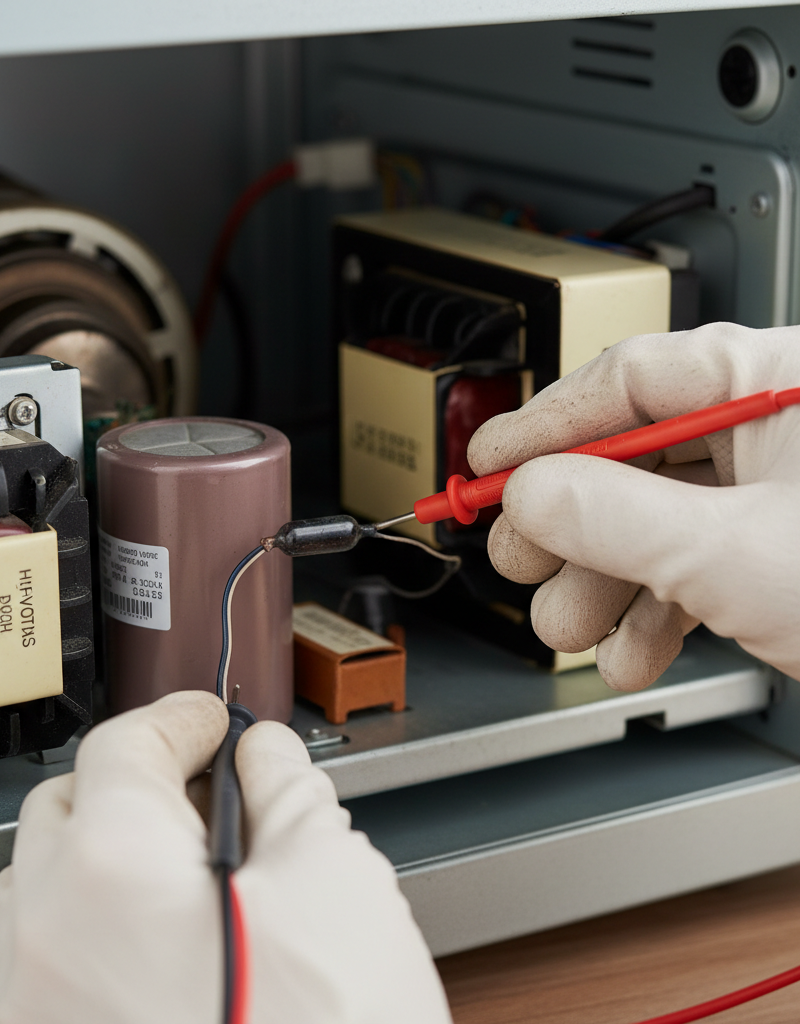
- Procedure: Locate the capacitor—a large, cylindrical component with two terminals. Securely clip one end of your jumper wire to a bare metal spot on the microwave's chassis (an unpainted screw head is perfect). Clip the other end to the metal shank of your insulated screwdriver. Holding the screwdriver only by its insulated handle, firmly touch the blade to one of the capacitor's terminals for a few seconds. Then, touch it to the other terminal. Finally, bridge the blade across both terminals at the same time. If there was a stored charge, you may see a bright spark and hear a loud POP. This is the charge safely shorting to ground. Repeat the process to be certain.
4. Inspect the Door Switches
- Action: The door latch mechanism engages a set of three to four microswitches. These must activate in the correct sequence for the microwave to heat. Locate the switch assembly near the door hooks. Carefully disconnect the wires from one switch (take a photo first). Set your multimeter to the continuity setting (it beeps when probes touch). Test the switch: the meter should show no continuity when the switch's button is not pressed, and it should beep (show continuity) when the button is depressed. Test each switch in the assembly. If any fail this test, it needs to be replaced.
5. Test the High-Voltage Diode
- Action: The diode is usually mounted to the chassis, with one end connected to the capacitor. Disconnect it. Testing a diode with a multimeter can be tricky. Set your meter to a high resistance (Ohm) setting (e.g., 20kΩ). Place one probe on each end of the diode; note the reading. Now, reverse the probes. A good diode will show a high resistance reading in one direction and infinite (or "OL") in the other. If it reads near-zero or infinite in both directions, it has failed.
6. Test the High-Voltage Capacitor
- Action: With the capacitor fully discharged and removed, set your multimeter to the capacitance setting (μF or microfarads). Touch the probes to the terminals. The meter should display a reading very close to the value printed on the side of the capacitor (e.g., 0.95 μF). If the reading is very low, zero, or the meter reads "OL," the capacitor is bad.
7. Test the Magnetron
- Action: The magnetron is the large component with cooling fins and powerful magnets. It usually has two terminals for its filament.
- Filament Test: Disconnect the two wires going to the magnetron. Set your multimeter to the lowest resistance (Ω) setting. Touch the probes to the two terminals on the magnetron. You should get a very low reading, typically between 2 and 3 ohms. If you get an infinite reading ("OL"), the filament is broken, and the magnetron is bad.
- Short Test: Set your meter to the highest resistance setting. Keep one probe on one of the filament terminals. Touch the other probe to the bare metal casing of the magnetron itself. The meter should read infinite ("OL"). If it beeps or shows any resistance reading, the magnetron is shorted to ground and is faulty.
8. Test the High-Voltage Transformer
- Action: This is the heaviest component. Testing it involves checking the resistance of its three windings. Disconnect all wires leading to the transformer.
- Primary Winding: Test the two input terminals where the 120V power connects. Resistance should be low, around 1-5 ohms.
- Filament Winding: Test the two terminals that lead to the magnetron. Resistance should be very low, less than 1 ohm.
- Secondary Winding: Test between the single high-voltage output terminal (where the thick, well-insulated wire connects) and the transformer's metal frame (ground). Resistance here should be higher, typically between 50 and 200 ohms. Any readings of infinite ("OL") suggest a broken winding.
9. Locate and Test Fuses
- Action: Besides the main line fuse (often near the power cord entry), there may be a thermal cutout or thermal fuse mounted on the magnetron or the oven cavity. These are safety devices that cut power if things overheat. Test them for continuity with your multimeter. At room temperature, they should always show continuity (beep).
10. Replace the Faulty Component
- Action: Once you have identified the bad part, purchase an exact replacement. Use the model and part number printed on the component itself. Install the new part, making sure all connections are tight and secure, referencing the photos you took earlier.
11. Reassemble and Test
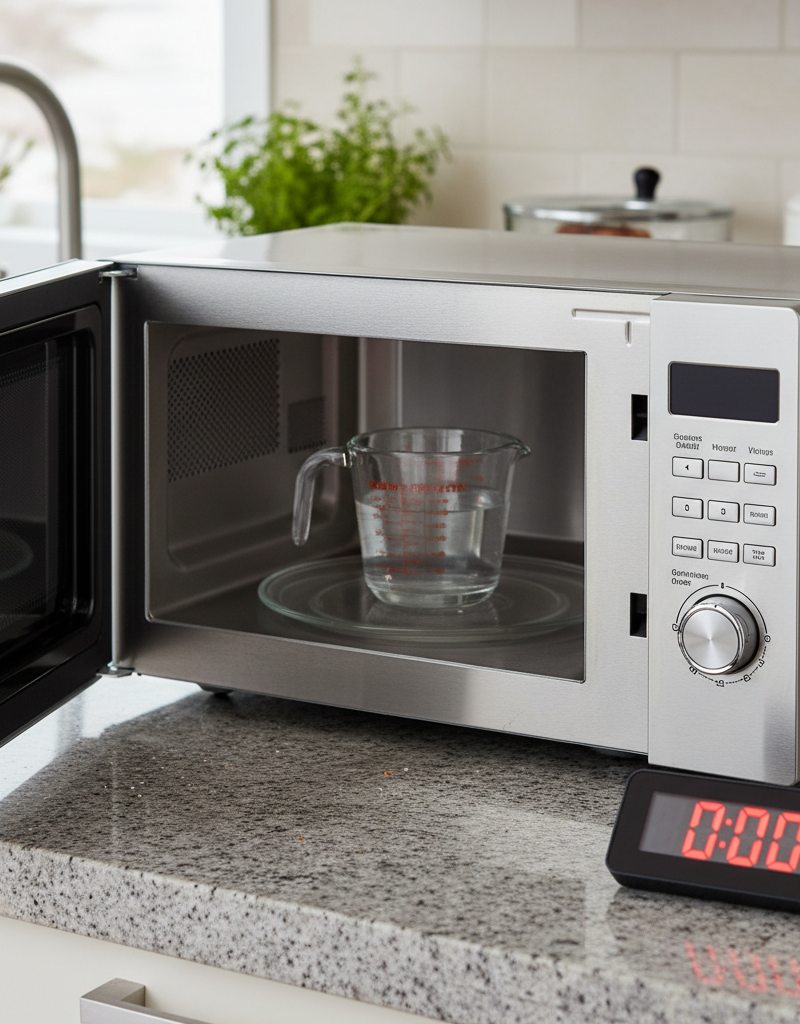
- Action: Carefully slide the outer cabinet back on and secure it with all its screws. Plug the microwave in. Place a cup of water inside and run it for one minute. If the water is hot, your repair was successful.
Common Causes
- Failed Magnetron: The most common point of failure. The filament can burn out or short to the chassis, stopping the production of microwaves entirely.
- Faulty High-Voltage Diode: The second most common cause. A shorted or open diode will interrupt the power flow to the magnetron.
- Blown High-Voltage Capacitor: The capacitor can fail by shorting internally or losing its ability to hold a charge. Sometimes this is accompanied by a bulging case or leaking oil.
- Defective Door Switch: A failed door switch can trick the microwave's controller into thinking the door is open, preventing the high-voltage circuit from ever being activated as a safety measure.
- Failed High-Voltage Transformer: Though less common, the transformer's internal windings can break or short out, stopping the voltage step-up process.
- Blown Thermal Fuse/Cutout: If the microwave has overheated in the past, this safety fuse may have blown, cutting power to the heating components.
Common Mistakes
- Forgetting to Unplug the Unit: The most basic and dangerous mistake.
- Failing to Discharge the Capacitor: This is the mistake that can have fatal consequences. Never touch any internal component until you have grounded the capacitor.
- Misdiagnosing the Problem: Many people immediately assume the magnetron is bad and replace it, only to find the problem was a $10 diode or door switch.
- Buying the Wrong Part: Using a capacitor with the wrong capacitance (μF) or voltage rating, or a magnetron that doesn't match, can lead to poor performance or immediate failure.
- Incorrect Reassembly: Pinching a wire, failing to reconnect the ground strap, or misaligning the door switches can create a new safety hazard.
- Running the Microwave Empty: Never test a repaired microwave without a "load" (like a cup of water) inside. Running it empty can cause the microwaves to reflect back into the magnetron, destroying it.
Cost & Time Breakdown
| Task | DIY Cost (Part Only) | Professional Repair Cost | Average Time |
|---|---|---|---|
| Door Switch Replacement | $5 - $20 | $100 - $175 | 30-60 minutes |
| High-Voltage Diode Replacement | $10 - $25 | $120 - $200 | 45-75 minutes |
| High-Voltage Capacitor Replacement | $15 - $40 | $150 - $225 | 45-90 minutes |
| Magnetron Replacement | $50 - $120 | $200 - $350 | 1-2 hours |
| Transformer Replacement | $60 - $150 | $250 - $400+ | 1-2 hours |
| New Countertop Microwave | $100 - $400 | N/A | 15 minutes (to unbox) |
Tips & Prevention
- Never Run it Empty: Always have food or a cup of water inside when the microwave is on. This gives the microwaves something to be absorbed by.
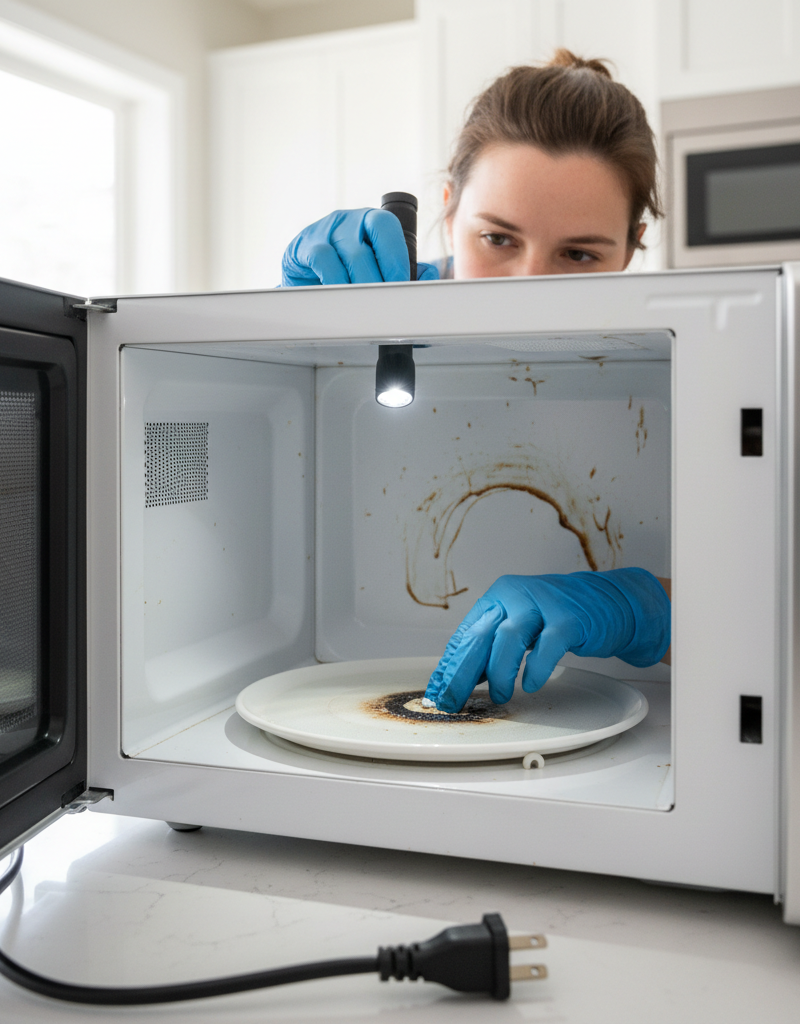
- Keep it Clean: Food splatters can absorb energy, overheat, and even arc, potentially damaging the interior and the waveguide cover.
- Don't Slam the Door: The door latch and switch assembly is a precise mechanism. Slamming the door can wear it out or break it, leading to heating failures.
- Use Microwave-Safe Cookware: Metal (even small amounts like gold trim on a plate) can cause arcing that can damage the magnetron.
- Avoid Overloading: Adhere to the manufacturer's recommendations for maximum cooking times to prevent overheating and stressing components.
- Check Door Seals: Periodically inspect the door seals for cracks or damage that could allow microwave energy to leak.
When to Call a Professional
This is not a beginner-friendly repair. The risk of electric shock from the high-voltage capacitor is real and severe. You should call a professional appliance repair technician if:
- You are not completely comfortable and experienced with discharging high-voltage capacitors.
- You do not own or know how to properly use a multimeter to diagnose the components.
- You inspect the internal components and see signs of burning or arcing around the magnetron or transformer.
- Your microwave is a built-in or over-the-range model, which is much more complex to remove and service.
- The cost of the likely failed part (like a magnetron or transformer) plus your time is approaching half the cost of a brand new microwave.
Given that a professional repair can often cost $200-$350 and a new countertop microwave can be purchased for a similar or even lower price, replacement is often the most logical and safest decision for most homeowners. A pro can give you a definitive diagnosis, but be prepared for the repair cost to outweigh the value of an older appliance.
Related Articles
Keep troubleshooting with these hand-picked guides from FixlyGuide:
- That Mildew Smell in Your Washer? Here's the Real Fix. — Tired of 'clean' laundry smelling musty? The problem isn't your detergent; it's trapped bacteria and mold inside your washing machine. We'l…
- Your 'Clean' Dishes Are Still Dirty? The Culprit Is Hiding — Frustrated by gritty, food-flecked dishes after a full wash cycle? The problem isn't your detergent. Your dishwasher is making dishes dirti…
- Why Your Microwave Sparks and How to Prevent a Fire — A sparking microwave is alarming, but often an easy fix. Discover the common causes of microwave arcing, from forgotten forks to hidden dam…
- My Toaster Only Toasts One Side: The Hidden Thermostat Flaw — If your toaster only toasts one side, the cause is often an imbalanced internal thermostat or misaligned heating element, a specific flaw y…
- The #1 Mistake Homeowners Make When Their Ice Maker Stops (And the Easy Fix) — Before you call for service, learn the most common and easily fixable reason your refrigerator's ice maker isn't producing ice.
- The $5 Part That Stops Your Dryer From Heating (And How to Replace It in 30 Minutes) — A dryer that tumbles but doesn't heat often points to a blown thermal fuse, a simple and inexpensive fix most homeowners can do themselves.
What should this project cost?
Enter your project details for a realistic cost range before you call anyone.
Cost depends heavily on which system turns out to be the source.
- Regional adjustment
- National average
- Labor share (typical)
- ~$1,620
- Quotes to collect
- 3 written estimates
Educational estimate based on national averages — not a binding quote. Always confirm with written local estimates.
Fixly Project Decision Box
- DIY difficulty
- Advanced
- Estimated time
- Homeowner checks 20–30 minutes
- Cost level
- Moderate
Main tools / materials
- Clean air filter
- Garden hose for condenser coils
- Shop vac for the condensate line
When to stop and call a pro
- Burning smell, smoke, or a tripping breaker
- Refrigerant lines iced over or hissing
- Any work inside the sealed refrigerant circuit (EPA-licensed only)
- Gas smell near a furnace — leave and call the utility
Need professional help?
Find an HVAC Pro Near YouFrequently asked questions
Is it worth fixing a microwave that doesn't heat?+
It depends on the cause and the microwave's age. If the problem is a simple door switch or a fuse (a $15 part), a DIY repair can be worthwhile. However, if the magnetron or transformer has failed, the part can cost over $100. A professional repair can easily exceed $200, which is often more than the cost of a new countertop microwave.
Can a bad door switch really stop a microwave from heating?+
Yes, absolutely. The microwave's control board relies on the door switches to confirm the door is securely shut before it will activate the high-voltage circuit to start the heating process. If a switch fails, the controller will prevent the magnetron from turning on as a critical safety measure, even though the lights and turntable may still work.
How do I know for sure if my magnetron is bad?+
You need a multimeter to test it. First, test the resistance between the two filament terminals; it should be very low (2-3 ohms). Second, test the resistance between each filament terminal and the metal case of the magnetron; it should be infinite. If it fails either of these tests, it's bad. Visual signs like a cracked magnet or a burnt antenna are also clear indicators of failure.
Why is my microwave so dangerous to repair?+
The primary danger is the high-voltage capacitor. It acts like a powerful battery and can store a lethal electrical charge of several thousand volts, even after the microwave has been unplugged for days. Without properly and safely discharging this capacitor before beginning work, you risk severe electric shock or electrocution.
Discussion
Loading comments…