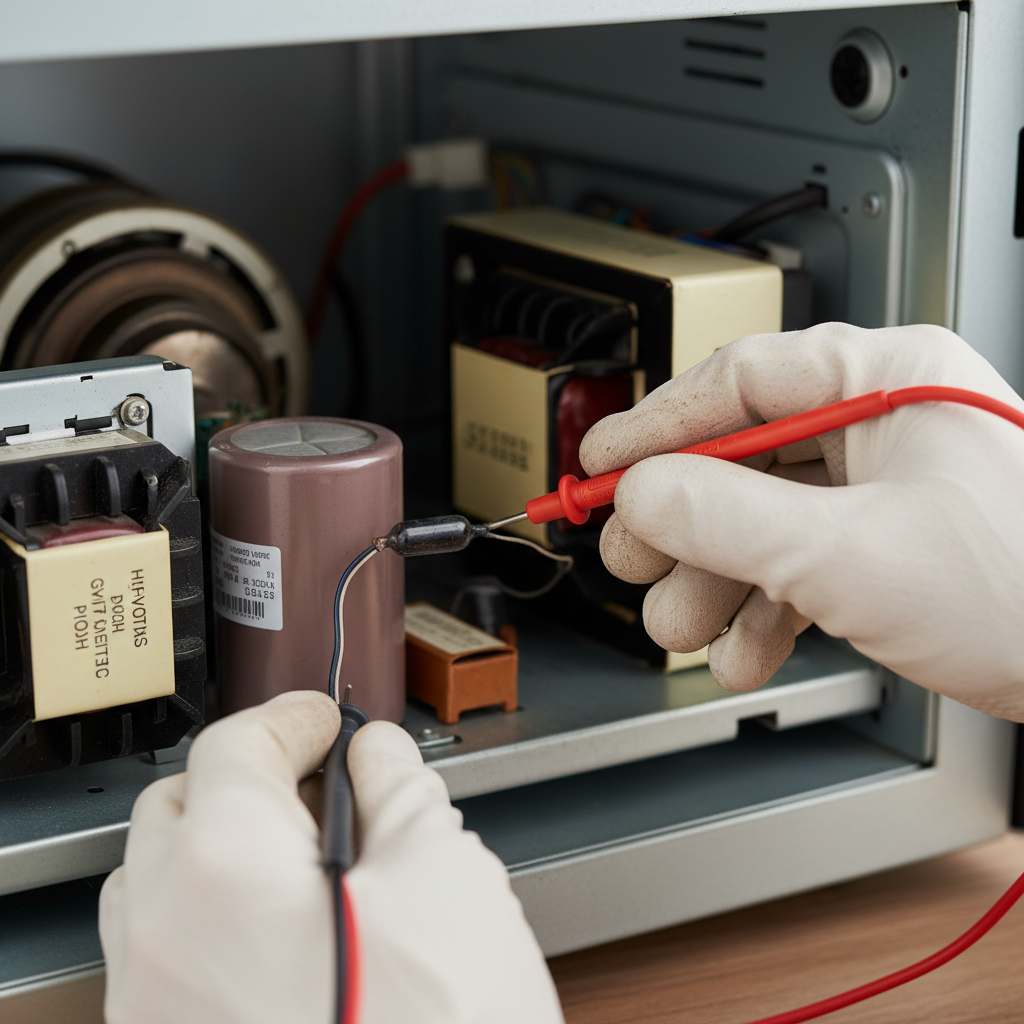
- Locate the Service Panel — Accessing the internals
- Safety: Keep children and pets away from the work area.
- Identify High-Voltage Components — Understanding the layout
- Warning: Do NOT touch these components yet.
- Discharge the High-Voltage Capacitor — Crucial safety step
HVAC · High energy usage
| Project category | HVAC |
|---|---|
| Problem type | High energy usage |
| Trade required | HVAC |
| Urgency | Planned project |
| Safety risk | Low safety risk |
| DIY suitability | DIY for experienced homeowners |
| Cost category | High cost |
| Typical timeline | Assessment within weeks; replacement planned off-season |
| Contractor type | Licensed HVAC technician |
Repair option
Duct sealing, insulation, and a tune-up before touching the equipment.
Replacement option
High-efficiency replacement sized by a load calculation, not a rule of thumb.
Common causes
- Aging, low-efficiency equipment
- Leaking ducts losing conditioned air
- Insufficient attic insulation
- Oversized system short-cycling
Relevant tools:project cost estimatorrepair or replace
Published May 30, 2026Last updated August 17, 2026
Tools & materials you'll need
Affiliate links- AmazonHigh-voltage diode (microwave specific)1
As an Amazon Associate FixlyGuide earns from qualifying purchases — at no extra cost to you. Prices and availability are accurate as of publication and subject to change.
Quick Answer
If your microwave oven appears to function—the light turns on, the turntable spins, and the fan runs—but your food remains cold, the most likely cause is a failed high-voltage diode. This small, crucial component in the microwave's high-voltage circuit can burn out, preventing the magnetron from generating microwaves. Testing with a multimeter and carefully replacing it can restore heating function.
The Problem
There's nothing more frustrating than putting food in the microwave, hearing it hum and seeing the turntable spin, only to pull out a plate that's just as cold as when it went in. This specific symptom—microwave runs but doesn't heat—narrows down the potential issues significantly. Unlike a completely dead microwave (which might point to a fuse or door switch issue), or one that sparks (often a waveguide cover or magnetron problem), a non-heating but otherwise operational microwave usually indicates a breakdown in the high-voltage circuit, specifically the high-voltage diode, or less commonly, the capacitor or magnetron itself. We'll focus on the diode, which is a surprisingly common and relatively inexpensive fix for this particular headache.
How It Works
Understanding how a microwave heats food helps in diagnosing the problem. Inside your microwave oven, a component called a magnetron generates high-frequency radio waves, specifically microwaves. These waves agitate the water molecules within your food, creating friction that rapidly heats up the food. For the magnetron to function, it requires an extremely high DC voltage—typically around 4,000 to 5,000 volts. This voltage is produced by a high-voltage transformer, which steps up the standard household AC voltage. However, the magnetron needs DC, not AC, to operate efficiently. This is where the high-voltage diode and capacitor come into play, working together as a voltage doubler circuit. The capacitor stores electrical energy, and the diode acts as a one-way valve, allowing current to flow in only one direction. This combination effectively doubles and rectifies the high AC voltage from the transformer into the colossal DC voltage required by the magnetron. If the diode fails, it either shorts out, preventing the capacitor from charging, or opens, breaking the circuit entirely. In either case, the magnetron doesn't receive the necessary power, and consequently, it cannot produce microwaves, leaving your food cold while everything else (fan, light, turntable) appears to work normally. The microwave's control panel and low-voltage circuits are independent of this high-voltage heating circuit, which is why other functions persist even when heating fails. The diode is a critical, yet fragile, link in this powerful, precisely engineered chain.
Step-by-Step Fix
SAFETY FIRST: Before anything else, UNPLUG your microwave oven from the wall outlet. The high-voltage capacitor inside can store a lethal electrical charge even after the unit is unplugged. Always discharge the capacitor before touching any components. Wear insulated gloves and safety glasses.
- Locate the Service Panel — Accessing the internals
- Unplug the microwave. Move it to a clear, well-lit workspace. You'll typically find a metal access panel on the side or back, secured by several Phillips head screws. Remove these screws and carefully set the panel aside. You may need to remove the outer casing entirely, depending on your model.
- Safety: Keep children and pets away from the work area.
- Identify High-Voltage Components — Understanding the layout
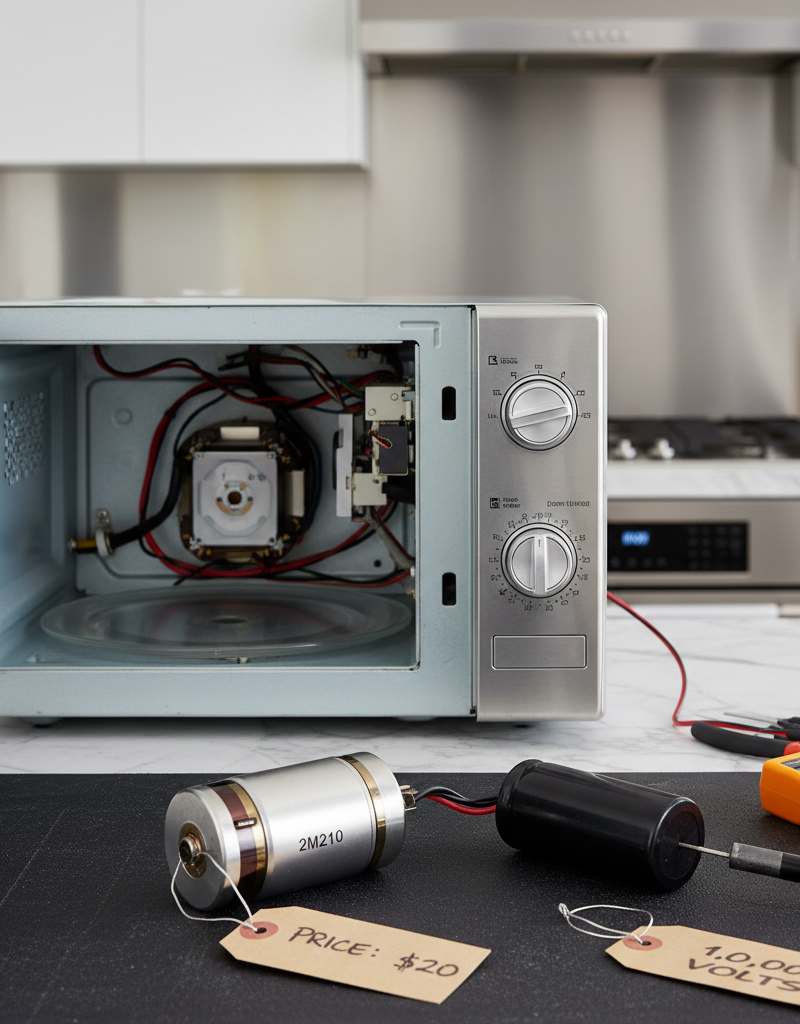
- Inside, you'll see the large high-voltage transformer (the heaviest component), a cylindrical high-voltage capacitor, and connected to these, the high-voltage diode (often a thin, black cylindrical component with leads on both ends, either bolted to the chassis or connected via spade connectors). The magnetron is usually a large, finned metal box with an antenna extending into the waveguide.
- Warning: Do NOT touch these components yet.
- Discharge the High-Voltage Capacitor — Crucial safety step
- Using a well-insulated screwdriver with a rubber or plastic handle, touch the metal shaft of the screwdriver simultaneously to both terminals of the high-voltage capacitor. You might hear a pop or see a small spark—this is normal and indicates the capacitor has discharged. Repeat this several times to ensure all voltage is drained. For added safety, use a jumper wire with alligator clips to permanently short the capacitor terminals while you work.
- Safety: Always assume the capacitor is charged. Do not bypass this step. Use only insulated tools.
- Disconnect the Diode — Prepare for testing
- The diode will have one end connected to the high-voltage capacitor terminal and the other end either bolted to the microwave chassis or connected to the transformer. Carefully note how it's connected (take a photo!). Using needle-nose pliers or a screwdriver, disconnect both ends of the diode. Some diodes are secured with a screw, others with simple spade connectors.
- Note: If the diode is bolted, ensure you remove the bolt and any washers.
- Test the Diode with a Multimeter — Checking for continuity
- Set your multimeter to the highest resistance setting (Ohms, e.g., 20k or 200k). A high-voltage diode is unique; it should only show continuity (a low resistance reading, or some value) in one direction and open (infinite resistance, or 'OL' on a digital multimeter) in the other. It will NOT behave like a standard rectifier diode showing near-zero resistance.
- Place the red probe on one end of the diode and the black probe on the other. Note the reading. Then, reverse the probes. A good high-voltage diode will show a reading in one direction and open in the other. If it reads open in both directions, it's faulty. If it reads short (very low resistance) in both directions, it's faulty.
- If this doesn't work: If the diode tests good, the issue might be with the high-voltage capacitor or the magnetron itself. Testing the capacitor requires a multimeter with a capacitance setting or a different discharge method, and testing the magnetron is generally left to a professional due to its delicate nature and the risks involved.
- Replace the Faulty Diode — Install the new part
- Purchase a replacement high-voltage diode that matches the specifications (voltage and current rating) of your original diode. It's often best to buy one specifically designed for microwaves. Connect the new diode in the exact same orientation as the old one. If it was bolted to the chassis, ensure it is securely re-bolted. If it used spade connectors, ensure they are firmly seated.
- Tip: Double-check the orientation. Many diodes have a marking (band or notch) that indicates polarity. If your original had one, ensure the new one's marking matches.
- Reassemble and Test — Final checks
- Carefully replace the access panel and secure all screws. Before plugging the microwave back in, do a visual inspection to ensure no wires are pinched and all components are properly seated.
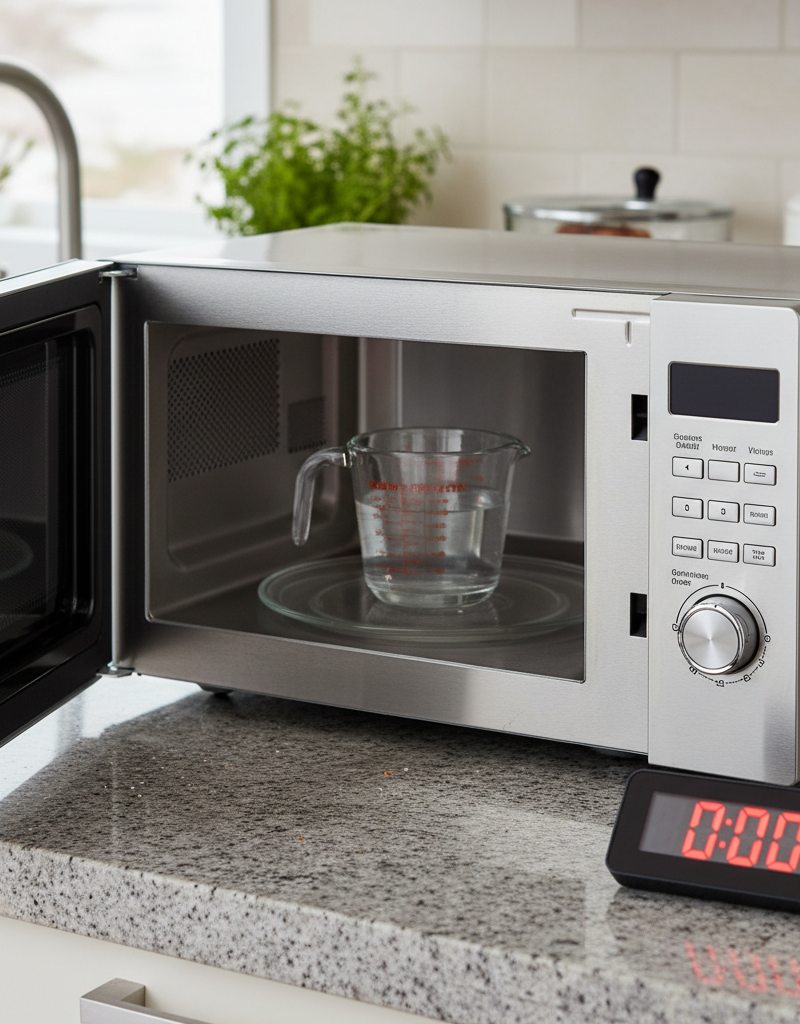
- Plug the microwave back into the wall outlet. Place a cup of water inside the microwave and set it to run for 30-60 seconds. If the water heats up, you've successfully fixed the problem!
- Safety: Do not operate the microwave with the outer casing removed.
Common Causes
- Voltage Spikes/Power Surges: Sudden fluctuations in electrical power can overload the diode, causing it to burn out. This is a common failure mechanism for many electronic components.
- Age and Wear: Over time, even without surges, the diode can simply degrade and fail. Microwaves, like all appliances, have a lifespan for their internal components.
- Manufacturing Defect: While less common, a diode can fail prematurely due to a defect from the factory.
- Overuse/Prolonged Operation: Extremely heavy or continuous use can generate more heat within the high-voltage circuit, accelerating the degradation of components like the diode.
Common Mistakes
- Forgetting to Unplug: Never, ever work on an appliance, especially a microwave, without unplugging it first. The immediate danger is severe electrical shock.
- Skipping Capacitor Discharge: This is the most critical safety step. The high-voltage capacitor can store enough lethal energy to cause electrocution even after the microwave is unplugged. Always discharge it before touching anything inside.
- Incorrect Diode Replacement: Installing the new diode in the wrong orientation will prevent it from working and could potentially damage other components. Pay close attention to polarity or how the old one was oriented.
- Using the Wrong Diode Type: A standard rectifier diode (like those used in smaller electronics) will not work in a microwave's high-voltage circuit. You need a specific microwave high-voltage diode designed to handle thousands of volts.
- Ignoring Other Symptoms: If your microwave is sparking, making loud noises, or burning food unevenly, a diode replacement might not be the primary fix. These indicate different problems (e.g., magnetron, waveguide cover).
- Not Securing the Casing: Running the microwave with its outer casing removed or improperly secured can expose you to harmful microwave radiation. Always reassemble fully before operating.
Cost & Time Breakdown
| Task | DIY Cost | Pro Cost | Time |
|---|---|---|---|
| High-Voltage Diode | $5–$20 | (Included) | 15–30 minutes |
| Total DIY Estimate | $5–$20 | $150–$300 | 30–60 minutes |
Tips & Prevention
- Use a Surge Protector: Plugging your microwave into a high-quality surge protector can help protect its internal components, including the diode, from damaging power surges and voltage spikes.
- Avoid Running Empty: Never run your microwave oven when it's empty. Without food or water to absorb the microwaves, the magnetron can be damaged, potentially causing stress on other high-voltage components.
- Clean Regularly: While not directly related to diode failure, keeping the microwave clean, especially the interior and waveguide cover, helps maintain overall efficiency and can prevent arcing, which might indirectly stress components.
- Monitor Performance: Pay attention to any changes in your microwave's heating ability. If food starts cooking slower or unevenly, it could be an early warning sign of developing issues. Early diagnosis can prevent a full breakdown.
When to Call a Professional
While replacing the high-voltage diode is a DIY-friendly fix for many, it's crucial to know when to call in a professional. If, after carefully replacing the diode, your microwave still fails to heat, the problem likely lies with the high-voltage capacitor or, more seriously, the magnetron. Both of these components deal with extremely high voltages and can be particularly dangerous to test or replace without specialized knowledge and tools. Capacitor testing requires specific equipment to measure capacitance accurately, and magnetron replacement involves handling a sensitive component that produces powerful microwaves; improper installation can lead to radiation leakage. Furthermore, if you encounter any difficulty discharging the capacitor or are uncomfortable working with high voltage, cease your DIY efforts immediately. Any humming, sparking, or unusual smells after attempting the fix are also clear signals to unplug the unit and contact a licensed appliance repair technician. Professionals have the training, experience, and safety equipment to diagnose and repair these more complex and hazardous issues safely and effectively.
Related Articles
Keep troubleshooting with these hand-picked guides from FixlyGuide:
- The #1 Reason Your Microwave Runs But Doesn't Heat (It's Not What You Think) — Uncover the most common, often overlooked, reason your microwave runs but fails to heat food, and learn how to fix it safely.
- The Secret Reason Your Oven Fails to Heat (It's NOT Always the Element) — Discover why your oven isn't reaching its set temperature, from common part failures to overlooked calibration issues, and how to fix it.
- The #1 Reason Your AC Blows Warm Air (And It's Not What You Think) — Discover the most common and often overlooked reason your AC might be blowing warm air, and how a simple capacitor fix can restore cool air.
- The $5 Part That Stops Your Dryer From Heating (And How to Replace It in 30 Min) — Discover the most common, inexpensive culprit behind a dryer not heating up and learn how to quickly diagnose and replace it yourself.
- The #1 Reason Your AC Blows Warm Air (And It's Not What You Think) — A dirty air filter is often the overlooked culprit behind an air conditioner blowing warm air, hindering its ability to cool your home effi…
- $20 Part, 10,000 Volts: Why Your Microwave Won't Heat — Your microwave spins and lights up, but your food stays cold. This guide dives deep into the high-voltage components, explaining why it's n…
Should you do this yourself?
Answer five quick questions before you start. Safety outranks savings every time.
Your experience with work like this
How high do you have to work?
Does the job involve any of these?
Will it need a permit?
Specialty tools
Free and instant. Educational guidance only — not a quote, inspection, or professional diagnosis.
Estimate your own project cost
National averages are a starting point. Enter your details for a range that fits your house.
HVAC replacement cost
- Equipment$2,200 – $3,800
- Installation labor$1,200 – $2,500
Always insist on a Manual J load calculation — sq-ft sizing is only a rough check. Federal heat-pump rebates may reduce cost significantly.
Educational estimate only — always confirm with written local bids.
What should this project cost?
Enter your project details for a realistic cost range before you call anyone.
Service calls and common repairs run $150–$900; full system replacement typically $6,000–$12,000.
- Regional adjustment
- National average
- Labor share (typical)
- ~$1,935
- Quotes to collect
- 3 written estimates
Educational estimate based on national averages — not a binding quote. Always confirm with written local estimates.
Fixly Project Decision Box
- DIY difficulty
- Advanced
- Estimated time
- Homeowner checks 20–30 minutes
- Cost level
- Moderate
Main tools / materials
- Clean air filter
- Garden hose for condenser coils
- Shop vac for the condensate line
When to stop and call a pro
- Burning smell, smoke, or a tripping breaker
- Refrigerant lines iced over or hissing
- Any work inside the sealed refrigerant circuit (EPA-licensed only)
- Gas smell near a furnace — leave and call the utility
Need professional help?
Find an HVAC Pro Near YouBefore you start
Check the difficulty, permits, and safety risk — then decide whether to call a pro.
Free, no signup required. Estimates are educational guidance, not a quote or an inspection.
Get the print-ready PDF of this guide
A clean, ad-free, printable version you can keep on your phone or pin to the workshop wall. Free with a FixlyGuide account.
- Print-optimized layout
- Tools, materials & every step included
- Saved to your account
Frequently asked questions
Why would my microwave run but not heat food?+
If your microwave runs (light, fan, turntable all work) but doesn't heat food, the most common culprit is a failed high-voltage diode. This component is crucial for supplying the correct power to the magnetron, which generates the microwaves that cook your food.
Is it safe to fix a microwave myself?+
You can safely fix some microwave problems, like replacing a high-voltage diode, *if you follow strict safety protocols*. The most critical step is discharging the high-voltage capacitor, which can store a lethal electrical charge even when unplugged. Always unplug the unit and discharge the capacitor before touching any internal components.
How do I test a microwave high-voltage diode?+
To test a microwave high-voltage diode, first, safely discharge the capacitor and disconnect the diode. Then, set your multimeter to the highest resistance (Ohms) setting. A good microwave diode should show a reading in one direction and 'open' (infinite resistance) when the probes are reversed.
What's the difference between a high-voltage diode and a regular diode?+
A microwave high-voltage diode is specifically designed to withstand and rectify thousands of volts, whereas a regular diode used in general electronics handles much lower voltages. You cannot substitute a regular diode for a high-voltage microwave diode.
Discussion
Loading comments…