- Multimeter with continuity/ohms (Ω) setting
- Screwdrivers (Phillips and flat-head)
- Nut driver set (typically 1/4" and 5/16")
- Work gloves and flashlight
- OEM-specific replacement thermal fuse for your dryer model. Do not use a generic part.
HVAC · No heating
| Project category | HVAC |
|---|---|
| Problem type | No heating |
| Trade required | HVAC |
| Urgency | Emergency — act now |
| Safety risk | High safety risk |
| DIY suitability | Pro recommended |
| Cost category | Moderate cost |
| Typical timeline | Emergency in freezing weather; most repairs same day |
| Contractor type | Licensed HVAC technician |
Repair option
Igniter, sensor, or control replacement after a combustion safety check.
Replacement option
Immediate replacement when the heat exchanger is cracked.
Common causes
- Failed igniter or flame sensor
- Blocked flue or pressure switch fault
- Cracked heat exchanger — a carbon monoxide risk
- Thermostat or control board failure
Relevant tools:emergency checklistrepair or replace
Published April 20, 2026Last updated August 17, 2026
Tools & materials you'll need
Affiliate links- AmazonReplacement Thermal FuseSpecific to your dryer brand and model
As an Amazon Associate FixlyGuide earns from qualifying purchases — at no extra cost to you. Prices and availability are accurate as of publication and subject to change.
How it works
An electric dryer's heating system is a dedicated 240-volt circuit that operates independently from the 120-volt circuit powering the motor, drum, and controls. When you start a cycle, the timer or control board sends power to both the drive motor and the heating circuit. Electricity flows to the heating element, a large coil of resistant wire similar to one in a toaster. As current passes through it, the coil glows red and generates intense heat.
To prevent overheating and regulate the temperature inside the drum, this circuit includes several critical safety and control components. Air is pulled into the dryer by a blower wheel, flows over the heating element to get hot, circulates through the drum to absorb moisture from the clothes, passes through a lint filter, and is finally exhausted outside through the vent ducting.
The path of electricity to the element is governed by a series of switches:
- Cycling Thermostat: This component monitors the air temperature inside the drum. It cycles the heating element on and off throughout the drying cycle to maintain the selected temperature (e.g., 125°F for low heat, 150°F for high heat).
- High-Limit Thermostat: This is a safety backup. If the cycling thermostat fails and doesn't shut off the element, the temperature will rise. Once it reaches a preset high limit (e.g., 250°F), this thermostat cuts power to the element to prevent damage.
- Thermal Fuse: This is the final, one-time-use safety device. It’s designed to blow and permanently break the circuit if the temperature becomes dangerously high, a condition almost always caused by a severe airflow blockage in the vent. Once the thermal fuse blows, it must be replaced to restore heat.
Step-by-Step Fix
This guide outlines the complete process for safely diagnosing and replacing a thermal fuse in a standard electric dryer. The primary cause of a blown fuse is restricted airflow; therefore, cleaning the vent system is a mandatory part of this repair.
Safety First: This repair involves working with a 240V appliance. Accidental contact with live circuits can be fatal. Disconnect all power before opening any panels.
- Tools:
- Multimeter with continuity/ohms (Ω) setting
- Screwdrivers (Phillips and flat-head)
- Nut driver set (typically 1/4" and 5/16")
- Work gloves and flashlight
- Pliers
- Vent cleaning brush kit
- Shop vacuum
- Parts:
- OEM-specific replacement thermal fuse for your dryer model. Do not use a generic part.
-
Confirm the Symptoms and Disconnect Power — Ensure the dryer's drum tumbles and the controls light up, but no heat is produced. This specific symptom points toward a fault in the heating circuit. Go to your home's circuit breaker panel and switch off the two-pole breaker labeled "Dryer." Pull the dryer away from the wall and unplug its large 240V cord from the outlet. This double-disconnection method ensures zero electrical potential inside the appliance.
-
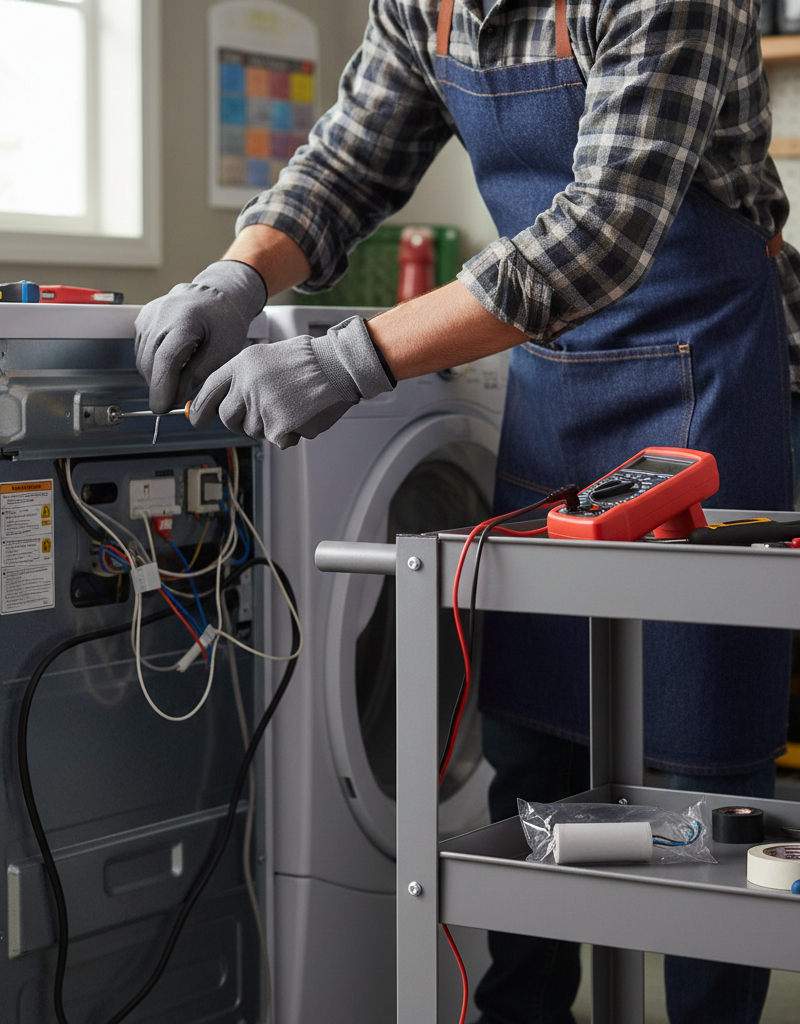
Disconnect Venting and Remove Rear Panel — Use a screwdriver or nut driver to loosen the clamp holding the flexible vent hose to the dryer's exhaust port. Pull the hose off and set it aside. Use a shop vacuum to clean any loose lint from the dryer's exhaust port. Next, locate and remove the screws securing the main rear access panel (or, on some models, a smaller lower panel). Set the panel and its screws aside in a safe place.
-
Locate the Heating Circuit Components — With the rear panel removed, inspect the cylindrical metal ducting that runs from the bottom of the dryer (the blower housing) up toward the top. The thermal fuse is a small, white plastic component, typically about 1 inch long, with two wires attached. It is almost always mounted directly onto this exhaust duct or the adjacent blower housing. Nearby, you will also find the high-limit thermostat, a slightly larger, disc-shaped metal component, also with two wires.
-
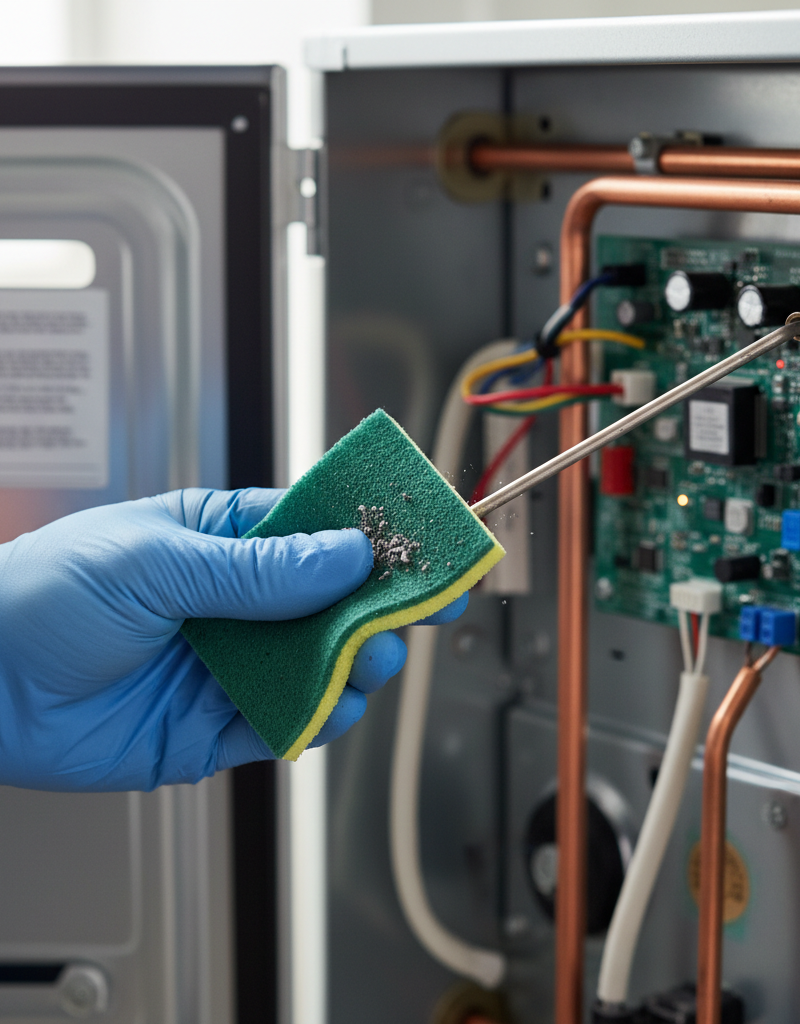
Thoroughly Clean the Entire Airflow Path — Before testing any parts, address the root cause of overheating. Begin inside the dryer cabinet by vacuuming out all accumulated lint from the base of the machine, around the motor, and especially in and around the blower fan housing. Disconnect the vent hose from the wall and take it outside. Use a vent cleaning brush kit, which attaches to a power drill, to aggressively scrub the entire length of the hose. Finally, use the brush to clean the rigid ductwork inside your wall, pushing it all the way to the exterior vent cap. Ensure the exterior vent cap's flap or louvers move freely and are not clogged with lint.
-
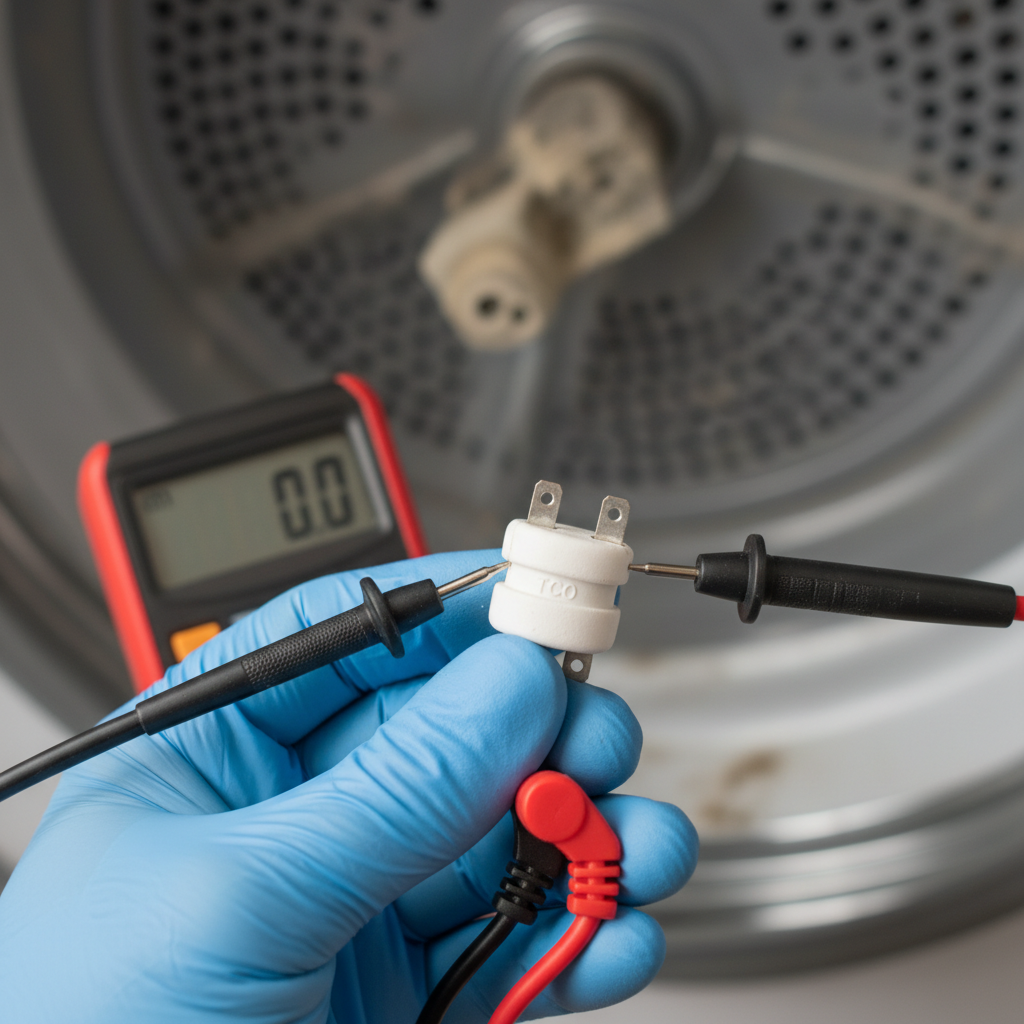
Test the Thermal Fuse — Set your multimeter to the continuity setting (it often shares a setting with ohms Ω and may have a sound icon). Disconnect both wires from the thermal fuse terminals. Touch one multimeter probe to each of the fuse's metal terminals.
- Good Fuse: The meter will beep continuously, and/or display a resistance reading near zero ohms (e.g., 0.0 to 1.0 Ω).
- Blown Fuse: The meter will remain silent and display "OL," "Open," or infinite resistance. If the fuse is blown, it confirms the diagnosis and requires replacement.
-
Test the High-Limit Thermostat — While you are there, it is wise to test the high-limit thermostat. It is a normally closed switch that should have continuity at room temperature. Disconnect its two wires and test it exactly as you did the thermal fuse. It should beep and show a reading near zero ohms. If it reads "OL" or infinite resistance, it has also failed and must be replaced. A failed high-limit thermostat can cause temperature regulation issues that may contribute to a blown thermal fuse.
-
Remove the Blown Thermal Fuse — Take a clear photo of the fuse and its wire connections for reference. Using a 1/4" nut driver or Phillips screwdriver, remove the single screw holding the fuse to the ductwork. Carefully set the screw aside. The old fuse is now free.
-
Source the Correct Replacement Part — Do not guess or install a generic fuse. Find your dryer's model number, usually located on a sticker inside the door jamb. Use this model number to order an exact OEM (Original Equipment Manufacturer) replacement fuse from an appliance parts supplier. The temperature rating and amperage are critical for safety; using an incorrect part can create a significant fire hazard.
-
Install the New Thermal Fuse — Position the new fuse in the exact same orientation as the old one. Secure it firmly to the ductwork using the original screw. Reconnect the two wires to the terminals. The polarity does not matter. Ensure the wire connectors slide on snugly; if they are loose, gently crimp them with pliers for a tighter fit before connecting. A loose connection can overheat and fail prematurely.
-
Reassemble the Dryer — Carefully replace the rear access panel, ensuring you don't pinch any wires. Reinstall all screws. Slide the dryer back toward the wall, but leave enough space to work. Reattach the freshly cleaned vent hose to the dryer's exhaust port and tighten the clamp securely. Make sure the hose has a smooth path to the wall and is not kinked or crushed, as this will immediately restrict airflow again.
-
Safely Restore Power and Test — Plug the 240V cord back into its outlet. Go to the circuit breaker panel and switch the dryer's breaker back to the ON position. Load the dryer with a few damp towels (never run a dryer empty). Select a timed dry cycle on high heat and start the machine.
-
Confirm the Repair — After 5-10 minutes, cautiously check the air coming from the exterior vent; it should be warm and humid. Listen for the normal hum of the motor and airflow. If the dryer heats properly and completes the cycle, the repair is successful. If it still doesn't heat or the fuse blows again quickly, there is a more complex underlying issue.
Common mistakes
- Replacing the Fuse Without Cleaning the Vent: This is the most frequent error. The new fuse will simply blow again, often within one or two cycles, because the root cause of overheating (poor airflow) has not been resolved. Always perform a thorough vent cleaning as part of the fuse replacement.
- Using the Wrong Replacement Fuse: Grabbing a "universal" fuse or one with a different temperature rating is extremely dangerous. Fuses are rated for a specific temperature limit. A higher-rated fuse may not blow during an overheat event, allowing temperatures to rise high enough to ignite lint and cause a fire. Always use the exact OEM part for your model.
- Relying on Duct Tape for Vent Connections: Never use duct tape to connect a vent hose. The heat and moisture from the dryer will cause the adhesive to fail quickly, leading to leaks of hot, moist, lint-filled air into your wall cavity or laundry room. Always use a proper metal worm-gear clamp.
- Ignoring Other Faulty Components: If the cycling thermostat fails in the "on" position, it will cause the heating element to run continuously, leading to overheating that blows the high-limit thermostat and eventually the thermal fuse. Always test the high-limit and cycling thermostats for continuity when replacing a blown thermal fuse.
- Crushing the Vent Hose During Reinstallation: When pushing the dryer back into place, it's easy to kink or crush the flexible vent hose. A single sharp bend can reduce airflow by over 50%, recreating the conditions that blew the fuse in the first place. Use a semi-rigid aluminum duct, which is less prone to crushing than foil versions.
- Testing for Continuity with Power On: Attempting to use a multimeter on live circuits is hazardous and can damage the meter. Always ensure the appliance is completely unplugged and the breaker is off before testing any component for continuity or resistance.
Cost & time breakdown
The cost and time for this repair are minimal for a DIYer, but increase significantly if a professional is required, especially if they need to perform extensive vent cleaning.
| Task | DIY Cost | Pro Cost | Time |
|---|---|---|---|
| Initial Diagnosis | $0 (if you own a multimeter) | $90 - $150 (service call fee) | 15 - 30 minutes |
| Replacement Thermal Fuse | $5 - $20 | $25 - $50 (part markup) | N/A |
| Complete Vent & Duct Cleaning | $20 - $35 (for a brush kit) | $125 - $250 | 45 - 90 minutes |
| Fuse Replacement Labor | $0 | $75 - $125 | 30 - 60 minutes |
| Total DIY Project | $25 - $55 | N/A | 1.5 - 2.5 hours |
| Total Professional Repair | N/A | $175 - $400+ | 1 - 2 hours |
When to call a pro
While replacing a thermal fuse is a manageable DIY task, certain signs indicate a more complex problem that requires a qualified appliance technician. Call a professional if:
- The new fuse blows immediately or after one cycle. This confirms the overheating problem was not resolved by cleaning the vent. The cause is likely a faulty cycling thermostat, a grounded heating element, or a malfunctioning motor centrifugal switch, all of which are more complex to diagnose and replace.
- You find melted wires or scorch marks. Any sign of burning or melting around the heating element, thermostats, or wire harnesses points to a severe electrical fault. Do not attempt to repair this yourself; it is a serious fire risk that requires professional assessment.
- Multimeter tests reveal multiple failed components. If your tests show that the thermal fuse, high-limit thermostat, and/or cycling thermostat have all failed, it is best to have a technician investigate the underlying cause rather than simply replacing all the parts.
- You are not confident using a multimeter. Correctly diagnosing electrical components is key to a successful repair. If you are unsure how to test for continuity or interpret the readings, a professional can do so quickly and accurately.
- The dryer is a stacked unit or located in a tight closet. Accessing components can be extremely difficult in these installations. Professionals have the tools and experience to disassemble and reassemble these units safely without causing damage.
Prevention & maintenance
Consistent maintenance is the key to preventing thermal fuse failure and ensuring your dryer operates safely and efficiently.
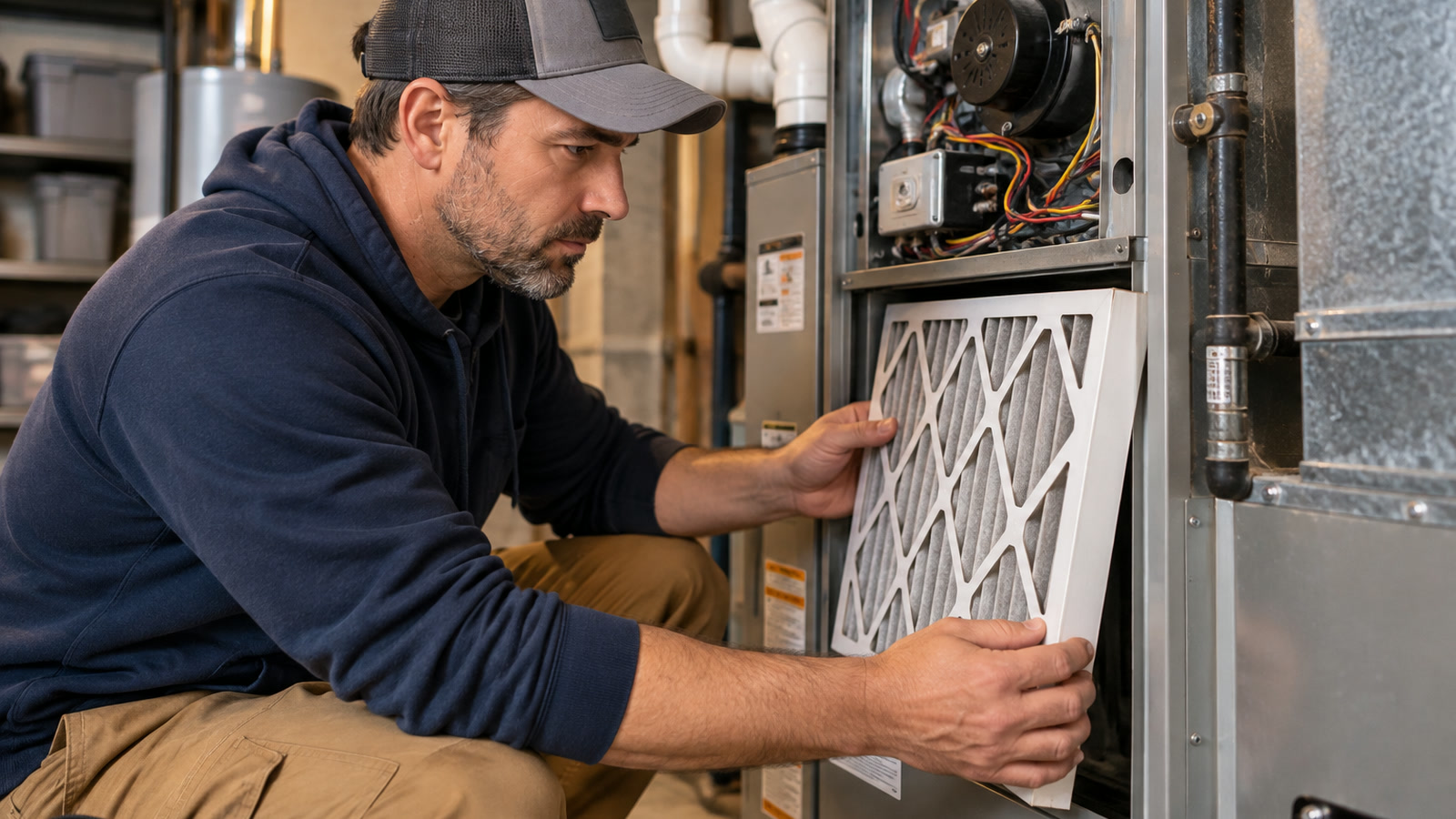
- Clean the Lint Filter After Every Single Load: This is the most important maintenance task. A clogged filter is the first step toward restricted airflow. Make it a non-negotiable habit. At least twice a year, wash the screen with warm, soapy water and a soft brush to remove residue from dryer sheets, which can impede airflow even when the screen looks clean.
- Perform a Full Vent Cleaning Annually: At least once per year, disconnect the dryer and clean the entire length of the vent ducting—from the back of the appliance to the termination cap on the exterior of your house. Use a specialized vent brush kit for best results.
- Inspect the Exterior Vent Cap Quarterly: Check the outdoor vent cover every few months to ensure the flap or louvers open easily when the dryer is running. Clear away any lint, leaves, snow, or bird nests that could obstruct airflow.
- Avoid Overloading the Dryer: Stuffing the dryer drum too full prevents clothes from tumbling freely. This blocks airflow through the load, significantly increases drying time, and forces the heating element to run longer, raising the risk of overheating. Dry smaller loads for better efficiency and longevity.
- Use Proper Venting Material: Replace flimsy, white vinyl or foil accordion-style ducts. They are easily crushed, kinked, and can trap large amounts of lint. The safest and most efficient choice is rigid or semi-rigid metal ducting, which provides a smooth interior for maximum airflow.
- Listen for Changes in Operation: Pay attention to how your dryer sounds and performs. If you notice cycles are taking progressively longer to dry clothes, it's a strong indicator that airflow is becoming restricted and maintenance is needed before a component fails.
Related Articles
Keep troubleshooting with these hand-picked guides from FixlyGuide:
- The $5 Part That Stops Your Dryer From Heating (And How to Replace It in 30 Minutes) — A dryer that tumbles but doesn't heat often points to a blown thermal fuse, a simple and inexpensive fix most homeowners can do themselves.
- The $5 Part That Stops Your Dryer From Heating (And How to Replace It in 30 Min) — Discover the most common, inexpensive culprit behind a dryer not heating up and learn how to quickly diagnose and replace it yourself.
- Oven Not Heating to Correct Temperature? How to Diagnose and Fix — An oven that doesn't heat to the correct temperature can ruin meals. This guide helps you diagnose common issues like a faulty igniter or h…
- Why Your House is Humid Despite AC & How to Fix It — Even with your AC running, high indoor humidity can make your home uncomfortable. Often, common issues like oversized units or clogged filt…
- The Secret Culprit Behind Your Dead AC (And How to Revive It in 10 Minutes) — Discover how a common, easily replaceable part might be preventing your air conditioner from turning on, and learn to fix it yourself in un…
- Is a frozen pipe about to burst? 3 ways to fix it fast — Safely thawing a frozen pipe can prevent costly damage. This guide provides step-by-step instructions for homeowners to resolve a common pl…
Should you do this yourself?
Answer five quick questions before you start. Safety outranks savings every time.
Your experience with work like this
How high do you have to work?
Does the job involve any of these?
Will it need a permit?
Specialty tools
Free and instant. Educational guidance only — not a quote, inspection, or professional diagnosis.
Estimate your own project cost
National averages are a starting point. Enter your details for a range that fits your house.
HVAC replacement cost
- Equipment$2,200 – $3,800
- Installation labor$1,200 – $2,500
Always insist on a Manual J load calculation — sq-ft sizing is only a rough check. Federal heat-pump rebates may reduce cost significantly.
Educational estimate only — always confirm with written local bids.
What should this project cost?
Enter your project details for a realistic cost range before you call anyone.
Service calls and common repairs run $150–$900; full system replacement typically $6,000–$12,000.
- Regional adjustment
- National average
- Labor share (typical)
- ~$1,935
- Quotes to collect
- 3 written estimates
Educational estimate based on national averages — not a binding quote. Always confirm with written local estimates.
Fixly Project Decision Box
- DIY difficulty
- Advanced
- Estimated time
- Homeowner checks 20–30 minutes
- Cost level
- Moderate
Main tools / materials
- Clean air filter
- Garden hose for condenser coils
- Shop vac for the condensate line
When to stop and call a pro
- Burning smell, smoke, or a tripping breaker
- Refrigerant lines iced over or hissing
- Any work inside the sealed refrigerant circuit (EPA-licensed only)
- Gas smell near a furnace — leave and call the utility
Need professional help?
Find an HVAC Pro Near YouGet the print-ready PDF of this guide
A clean, ad-free, printable version you can keep on your phone or pin to the workshop wall. Free with a FixlyGuide account.
- Print-optimized layout
- Tools, materials & every step included
- Saved to your account
Frequently asked questions
Where is the thermal fuse located on a dryer?+
The thermal fuse is typically found on the dryer's exhaust duct or blower housing, usually at the back of the appliance. You might need to remove an access panel to reach it. Consult your dryer's owner's manual for its exact location.
How do I test a thermal fuse?+
To test a thermal fuse, unplug the dryer and use a multimeter set to the 'ohms' or continuity setting. Touch one probe to each terminal of the fuse. A reading of '0' ohms or a continuous beep indicates the fuse is good. No reading or 'OL' means it's blown and needs replacement.
Can I bypass a thermal fuse?+
No, you should never bypass a thermal fuse. It's a critical safety device designed to prevent your dryer from overheating and potentially causing a fire. Bypassing it creates a serious fire hazard and could damage other components of your dryer.
What causes a dryer thermal fuse to blow?+
The most common cause is a clogged dryer vent, which restricts airflow and causes the dryer to overheat. Other likely culprits include a faulty cycling thermostat, a malfunctioning vent fan, or consistently overloading the dryer.
How long does it take to replace a thermal fuse?+
Replacing a dryer thermal fuse usually takes 20-45 minutes for a DIYer, assuming you have the right tools and can easily access the fuse. The longest part is often disassembling and reassembling the dryer panels.
Discussion
Loading comments…