- Inspect the Wiring — Understanding your existing setup.
- You’ll usually see three wires, maybe four if you’ve got a switched half-outlet. Look for:
- Black or Red: Hot wire(s), always on the brass-colored screws.
- White: Neutral wire(s), always on the silver-colored screws.
- Bare Copper or Green: Ground wire(s), connected to the green screw on the old receptacle, and often pigtailed to the metal box.
Electrical · Panel or service upgrade
| Project category | Electrical |
|---|---|
| Problem type | Panel or service upgrade |
| Trade required | Electrical |
| Urgency | Planned project |
| Safety risk | High safety risk |
| DIY suitability | Licensed pro only |
| Cost category | High cost |
| Typical timeline | Permit plus utility scheduling, commonly 2–6 weeks |
| Contractor type | Licensed electrician |
Repair option
Add a subpanel when the main service is adequate.
Replacement option
Full service upgrade with utility coordination and permits.
Common causes
- Obsolete or recalled panel brands
- Service capacity too small for added loads
- No room for required AFCI/GFCI breakers
Relevant tools:project cost estimatorcompare quotes
Published July 31, 2026Last updated August 17, 2026
Tools & materials you'll need
Affiliate linksAs an Amazon Associate FixlyGuide earns from qualifying purchases — at no extra cost to you. Prices and availability are accurate as of publication and subject to change.
Quick Answer
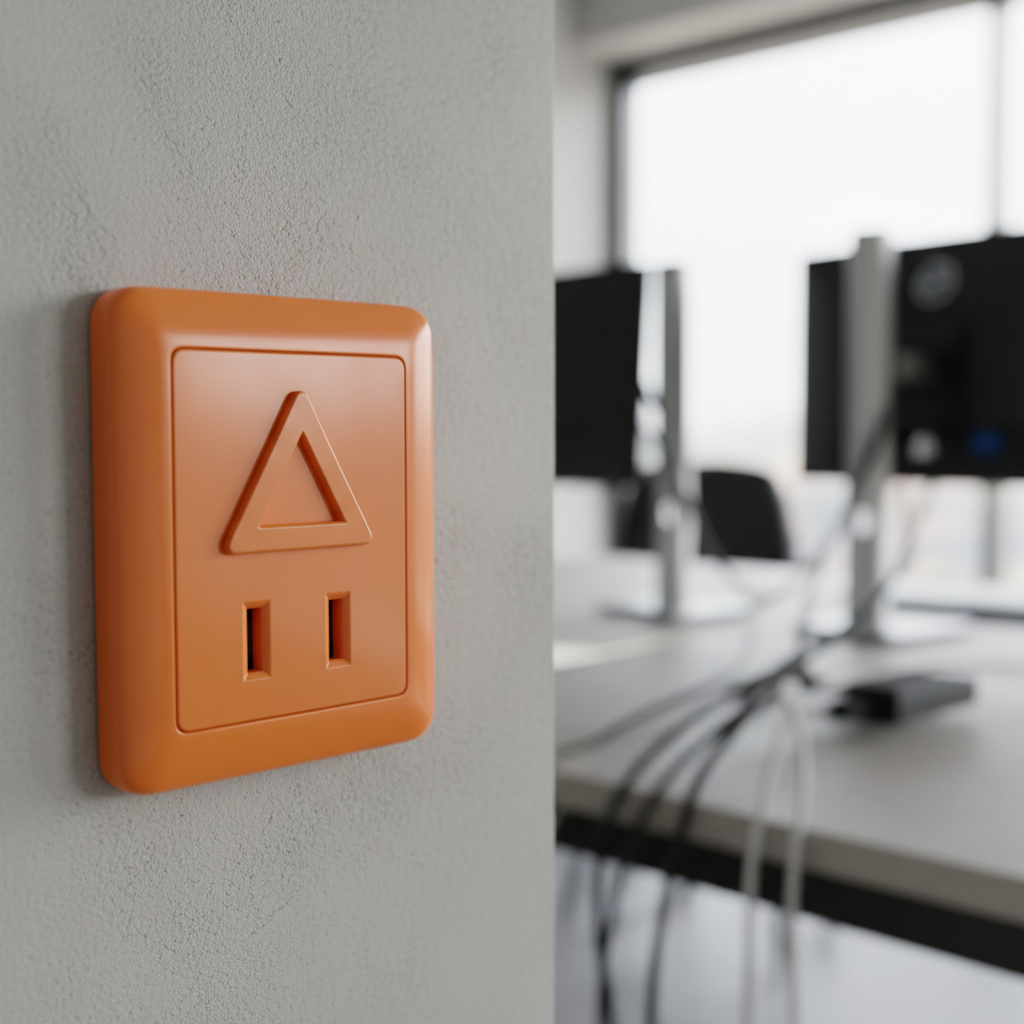
See an orange outlet in your house? It’s usually not some designer thing. An orange electrical outlet almost always means you’re looking at an “isolated ground” (IG) receptacle. The ground path on that device is kept separate from the conduit system, so you get a cleaner, steadier electrical ground. That matters for sensitive gear, since it cuts down on electrical “noise” that can mess with performance.
The Problem
I’ve had homeowners call me to nice new homes, worried sick about these orange outlets. “Is it some kind of special high-voltage outlet, Bill? Am I going to fry my computer?” they’d ask. Fair question. A lot of folks think an outlet’s just an outlet. No dice.
Regular outlets share a ground path with other circuits and the metal conduit or cable sheath in your walls. That’s fine for lamps, toasters, blenders — the usual stuff. But if you’re feeding sensitive electronics, like high-end audio gear, medical equipment, or delicate lab instruments, that shared ground can cause problems. Tiny electrical fluctuations, or “noise,” ride along that shared path. Then you get hums, glitches, weird readings, all that junk.
I once saw a recording studio in Brookhaven fighting constant hum in their tracks, and the culprit was plain old outlets near the mixing board. We swapped them to IG receptacles, and the problem went away. Clean as you like. That “dirty” ground can be sneaky.
How It Works
Alright, let’s crack open the electrical theory for a sec. Every circuit’s got three basic parts: hot, neutral, and ground. The hot wire (usually black or red) carries power from your breaker panel. The neutral wire (white) carries it back, and that closes the loop. The ground wire (bare copper or green) is your safety net. If something faults — say a hot wire touches the metal case of an appliance — that ground gives the stray current a safe path back to the panel and trips the breaker before you become the path. That’s the whole point.
With a standard receptacle, the ground wire ties into the metal box and the conduit system if you’ve got metal conduit, or into the bare ground in your Romex cable, which heads back to the main panel’s ground bus. That setup is safe. It works. For most loads, that’s the end of the story.
The trouble starts with sensitive electronics. The metal conduit and shared ground can pick up electromagnetic interference (EMI) and radio frequency interference (RFI) from other circuits, fluorescent lights, motors, and all the other electrical gadgets in a house. Think of it like traffic on a busy road — plenty of electrons moving, and some of them are making noise while they go.
An isolated ground (IG) receptacle, on the other hand, is built to give you a separate, dedicated, cleaner ground path. Inside the IG receptacle, the ground terminal isn’t bonded to the mounting strap or the metal yoke. Instead, it uses a separate green grounding screw that connects straight to an isolated ground wire. That wire, often green with a yellow stripe, runs all the way back to the main electrical panel and bypasses the other boxes and metallic conduit on the way.
It lands on its own terminal on the ground bus in the panel, separate from the common equipment ground. That makes a “quiet” ground with far less electrical noise riding along it. Basically, your sensitive electronics get their own private lane back to ground, which is exactly what they want. That’s why you’ll usually see them in server rooms, recording studios, hospitals, or a fancy home theater setup.
Step-by-Step Fix
If you’ve got a sensitive electronic device acting up and it’s plugged into a standard outlet, switching to an isolated ground (IG) receptacle might be the fix. It’s a moderate DIY job, but it’s absolutely doable if you don’t rush it.
-
Safety First — Shut Down the Power! — Before you touch anything electrical.
- Go to your electrical panel and find the breaker feeding the circuit you’re working on. It’ll probably be a 15-amp or 20-amp breaker. Flip it to the “OFF” position. Trust me on this. I nearly learned the hard way in a dark basement in Marietta when I thought I’d killed the right breaker and got a surprise 120-volt wake-up call. Don’t guess.
- Pro Tip: Use a non-contact voltage tester to confirm the power is off at the outlet you’re working on. Stick it in both slots and near the screw terminals. If it beeps or lights up, the power’s still on. Find the right breaker.
-
Remove the Faceplate — Exposing the outlet beneath.
- Use a flat-head screwdriver, or sometimes a Phillips, to take out the little screw in the middle of the faceplate. Pull the plate straight off and set it aside.
-
Unscrew the Old Receptacle — Carefully pulling it from the box.
- You’ll see two screws holding the receptacle to the electrical box, one at the top and one at the bottom of the mounting yoke. Back those out. Then gently pull the old receptacle straight out, and don’t yank on the wires like a rookie.
-
Inspect the Wiring — Understanding your existing setup.
- You’ll usually see three wires, maybe four if you’ve got a switched half-outlet. Look for:
- Black or Red: Hot wire(s), always on the brass-colored screws.
- White: Neutral wire(s), always on the silver-colored screws.
- Bare Copper or Green: Ground wire(s), connected to the green screw on the old receptacle, and often pigtailed to the metal box.
- Important: Pay attention to how it’s all laid out. Snap a picture with your phone if that helps. I do that all the time when I’m in a tight retrofit and I don’t want to trust my memory alone.
- You’ll usually see three wires, maybe four if you’ve got a switched half-outlet. Look for:
-
Disconnect the Old Wires — Carefully freeing the old outlet.
- Loosen the terminal screws and remove the wires. If the wires are shoved into “backstab” holes, you may need to use a small screwdriver or a release tool in the slot next to the hole to free them. Use the screw terminals if you can — backstabbing isn’t as solid. Take the ground wire off last.
-
Install the New Isolated Ground Receptacle — Connecting to the dedicated ground.
- An IG receptacle will have an orange face, or at least an orange triangle printed on it. That’s the tell. It’ll also have a green grounding screw that is not electrically bonded to the mounting strap.
- Connect the Hot Wires: Bend the stripped ends of the black/red wires into a hook shape. Loop them clockwise around the brass-colored terminal screws on the new IG receptacle. Tighten them down good. The insulation should come right up to the screw, but it shouldn’t get pinched.
- Connect the Neutral Wires: Do the same with the white neutral wires, landing them on the silver-colored terminal screws.
- Connect the Isolated Ground Wire: This is the whole point of the IG setup. For a true isolated ground, you need a separate, dedicated ground wire (often green with a yellow stripe) running from the IG receptacle all the way back to the main service panel, bypassing the box
Related Articles
Keep troubleshooting with these hand-picked guides from FixlyGuide:
- Is That Sweet Car Smell a Secret Killer? (& 6 Other Odors to Watch For) — Unusual odors in your car aren't just unpleasant; they're often critical warnings of underlying mechanical issues that could compromise saf…
- The Hidden Reason Your GFCI Trips (It’s Not Always a Short Circuit) — A persistently tripping GFCI outlet is often a sign of a hidden electrical issue, frequently caused by moisture, a faulty appliance, or sub…
- The Hidden Reason Your GFCI Trips (It’s Not Always a Bad Outlet) — A tripping GFCI outlet is a safety mechanism doing its job, often indicating a problem like moisture, a faulty appliance, or a wiring issue…
- The Single Cedar Board Secret to Attracting Bluebirds to Your Yard — Discover how to construct an ideal bluebird nesting box using just one cedar board, providing a safe and inviting habitat for these cherish…
- The Single Board Secret to Attracting Bluebirds: A Quick DIY House — Discover how to construct an ideal bluebird house using just one cedar board, providing a safe and inviting home for these cherished backya…
- The 3 Hidden Reasons Your Deck Boards Warp (and How to Fix Each for $50) — Warped deck boards aren't just an eyesore; they're a tripping hazard and a sign of underlying issues. Discover the real reasons and how to…
What should this project cost?
Enter your project details for a realistic cost range before you call anyone.
Outlet and switch work usually $150–$400; panel upgrades commonly $1,800–$4,200.
- Regional adjustment
- National average
- Labor share (typical)
- ~$709
- Quotes to collect
- 3 written estimates
Educational estimate based on national averages — not a binding quote. Always confirm with written local estimates.
Get the print-ready PDF of this guide
A clean, ad-free, printable version you can keep on your phone or pin to the workshop wall. Free with a FixlyGuide account.
- Print-optimized layout
- Tools, materials & every step included
- Saved to your account
This article was independently written by FixlyGuide based on the source topic.
Frequently asked questions
What's the main difference between a regular outlet and an orange isolated ground (IG) outlet?+
The main difference is in their grounding paths. A regular outlet’s ground is bonded to the electrical box and conduit, sharing ground with other circuits. An orange IG outlet has a separate, dedicated ground wire that runs directly back to the main electrical panel, bypassing potential electrical noise from other devices.
Why are some outlets orange? Is it just a color choice?+
While the color itself isn't mandated by code for *all* IG receptacles, orange is the industry standard for identifying isolated ground receptacles. This visual cue immediately tells electricians and homeowners that it's a special type of outlet designed for sensitive equipment.
Do I need special wiring for an orange isolated ground outlet?+
Yes, for a truly effective isolated ground system, you need a separate, insulated ground wire (often green with a yellow stripe) run from the IG receptacle all the way back to the main electrical panel, bypassing any other electrical boxes or shared conduit.
Can I simply replace a regular outlet with an orange IG outlet and get isolated grounding?+
You can replace it, but without running a new, dedicated isolated ground wire back to the panel, it won't function as a true isolated ground system. It will just be a regular outlet that happens to be orange. The effectiveness comes from the *isolated* ground path, not just the outlet itself.
Where are isolated ground outlets typically used?+
IG outlets are commonly found in environments with sensitive electronic equipment: server rooms, recording studios, hospitals, laboratories, data centers, and advanced home theater or office setups where specific equipment is prone to electrical interference.
What kind of equipment benefits from an isolated ground outlet?+
Equipment that benefits includes high-fidelity audio systems, computers, medical diagnostic tools, laboratory instruments, point-of-sale systems, and any device where electrical noise could corrupt data, introduce hums, or degrade performance.
Can an isolated ground outlet protect against surges?+
An isolated ground outlet itself isn't designed for surge protection. Its primary function is to provide a clean, noise-free ground path. For surge protection, you'd still need a dedicated surge protector, either as a whole-home unit at your panel or a point-of-use strip.
Is it safe to plug regular appliances into an orange isolated ground outlet?+
Absolutely! It's perfectly safe to plug any standard appliance into an isolated ground outlet. The IG outlet will function just like a regular grounded outlet for devices that don't require the specialized clean ground, but the dedicated path will still be available for sensitive electronics if you plug them in later.
What if my orange outlet isn't wired with an isolated ground?+
In some rare cases, particularly in older installations or if a DIYer wasn't aware, an orange outlet might have been installed but not wired for a true isolated ground. If you suspect this, or if your sensitive electronics are still having issues, it's best to have a qualified electrician inspect the wiring to confirm and correct the setup.



Discussion
Loading comments…