- Proper Cleaning: To prevent damage to the keypad, never spray cleaners directly on the control panel. Apply a non-abrasive cleaner to a soft cloth and then wipe the surfaces. This prevents liquid from seeping into the electronics.
- Ensure Good Ventilation: Ovens, especially those installed in tight cabinets, need adequate ventilation. Overheating of the control area due to poor airflow can shorten the lifespan of the EOC board.
- Invest in a Surge Protector: While most ovens are hardwired, some plug-in ranges can benefit from a heavy-duty appliance surge protector. Power grid fluctuations can and do damage sensitive electronics like control boards.
- Know Your Breaker: Before you ever have a problem, identify which breaker in your electrical panel controls your oven. Label it clearly. This will allow you to shut off power quickly in an emergency or for repairs.
HVAC · High energy usage
| Project category | HVAC |
|---|---|
| Problem type | High energy usage |
| Trade required | HVAC |
| Urgency | Planned project |
| Safety risk | Low safety risk |
| DIY suitability | DIY for experienced homeowners |
| Cost category | High cost |
| Typical timeline | Assessment within weeks; replacement planned off-season |
| Contractor type | Licensed HVAC technician |
Repair option
Duct sealing, insulation, and a tune-up before touching the equipment.
Replacement option
High-efficiency replacement sized by a load calculation, not a rule of thumb.
Common causes
- Aging, low-efficiency equipment
- Leaking ducts losing conditioned air
- Insufficient attic insulation
- Oversized system short-cycling
Relevant tools:project cost estimatorrepair or replace
Published June 11, 2026Last updated August 17, 2026
Tools & materials you'll need
Affiliate links- AmazonMultimeter1 · Essential for testing the temperature sensor and verifying voltage.
- AmazonScrewdriver Set1 · You will likely need both Phillips and flathead screwdrivers.
- AmazonNut Driver Set1 · For removing hex-head screws that often secure control panels.
- AmazonPencil Eraser1 · For safely cleaning ribbon cable contacts.
- AmazonCotton Swabs1 · For cleaning contacts with alcohol.
- AmazonIsopropyl Alcohol1 bottle · For cleaning electronic contacts.
- AmazonReplacement EOC Board1 · Order based on your specific oven model number.
- AmazonReplacement Keypad1 · Order based on your specific oven model number.
- AmazonReplacement Temperature Sensor1 · Order based on your specific oven model number.
As an Amazon Associate FixlyGuide earns from qualifying purchases — at no extra cost to you. Prices and availability are accurate as of publication and subject to change.
Quick Answer
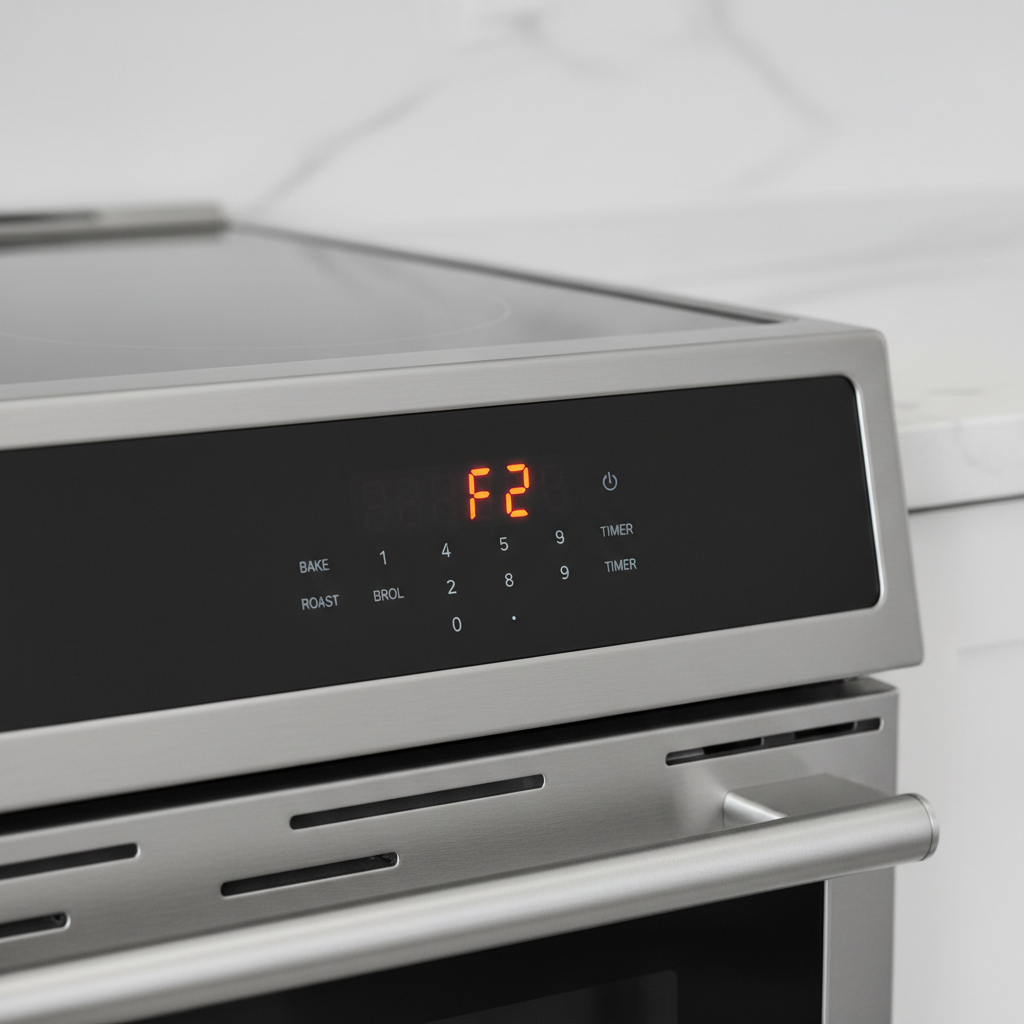
Oven error codes like F1, F2, or F9 typically signal a failure in the electronic control system. F1 and F9 often point to a faulty Electronic Oven Control (EOC) board, possibly due to a shorted keypad or a component failure. The F2 error indicates the oven temperature has exceeded a safe limit, which can be caused by a bad temperature sensor or a stuck relay on the control board itself. Diagnosing these requires testing components like the sensor and keypad connector.
The Problem
You’ve set your oven to preheat, ready to bake a pizza or roast a chicken, when a sudden, insistent beeping shatters your culinary plans. A cryptic message flashes on the display: "F1," "F2," or "F9." The oven refuses to heat, the buttons are unresponsive, and the beeping won’t stop until you unplug the appliance. These error codes are your oven's way of telling you something has gone wrong deep within its electronic brain. An F1, F2, or F9 error code is more than just a nuisance; it’s a specific diagnostic message pointing toward a problem with the oven's control system, most often involving the Electronic Oven Control (EOC) board or its related components. Understanding what each code signifies is the first step toward a successful repair, saving you from a costly and unnecessary service call or, worse, a premature appliance replacement.
These faults don't mean your oven is destined for the scrap heap. Often, they point to a single, replaceable component. The F1 and F9 codes are notorious for indicating a failure in the control board itself or a communication breakdown with the keypad. The F2 code, on the other hand, signals a dangerous overheating situation that the oven’s safety protocols have detected. Ignoring these warnings isn’t an option, as they can represent not just a broken appliance but a potential fire hazard. This guide will demystify these common oven error codes, explain the underlying issues, and walk you through the diagnostic steps to pinpoint the problem accurately.
How It Works
Modern ovens rely on a sophisticated microprocessor, the Electronic Oven Control (EOC) board, to manage all functions. Think of it as the central nervous system. This board receives input from you via the keypad (or touchpad), monitors the oven’s temperature using a sensor, and controls the heating elements (bake and broil) by opening and closing high-power relays. When you set a temperature, the EOC reads the initial temperature from the oven sensor, a type of thermistor whose electrical resistance changes predictably with temperature. The EOC then sends a signal to a relay, an electromagnetic switch, which closes a circuit and sends high voltage (240V) to the bake or broil element.
As the oven heats up, the sensor constantly reports the changing resistance back to the EOC. The microprocessor translates this resistance value into a specific temperature. Once the target temperature is reached, the EOC opens the relay, cutting power to the heating element. It continues to cycle the power on and off throughout the cooking process to maintain a precise average temperature. This entire system relies on clear communication and functioning components. A fault occurs when the EOC detects a condition outside its normal operating parameters. An F1, F2, or F9 oven error code is the result of the EOC’s self-diagnostic programming identifying an irrecoverable problem. F1/F9 often means the EOC’s internal logic has failed or it has lost communication with the keypad, sometimes due to a short circuit in the membrane switch. An F2 error is triggered when the EOC sees a temperature reading that exceeds a preset safety limit (e.g., over 600°F), which could mean a faulty sensor is sending bad data or a relay is physically stuck in the closed position, creating a runaway heating situation. The error code is the board’s last-ditch effort to alert you and shut down operations to prevent further damage or a safety risk.
Step-by-Step Fix
SAFETY FIRST: Before starting any diagnostic work, disconnect your oven from the power supply. For electric ovens, unplug it from the wall outlet or turn off the corresponding double-pole breaker in your home's electrical panel. For gas ovens, shut off the gas supply valve, typically located behind the appliance.
1. Power Cycle the Oven
- Action: Unplug the oven or turn off the circuit breaker for at least five minutes. This allows the internal capacitors on the control board to fully discharge and can reset minor, transient electronic glitches.
- Details: Sometimes a power surge or momentary software hiccup can cause an error code to appear. A hard reset is the simplest first step. After five minutes, restore power and see if the error code returns immediately or upon trying to use an oven function. If it does, the problem is persistent and requires further investigation.
2. Inspect the Keypad Ribbon Connector
- Action: Gain access to the Electronic Oven Control (EOC) board, usually located behind the main control panel or at the top rear of the oven. Carefully examine the thin, flat ribbon cable connecting the keypad (touchpad) to the EOC.
- Details: An F1 or F9 error is frequently caused by a faulty keypad connection. Look for signs of moisture, corrosion, or physical damage on the ribbon. Unseat the connector, clean the contacts gently with a pencil eraser or a cotton swab dipped in isopropyl alcohol, and reseat it firmly. Ensure it is straight and fully inserted. If the connector or ribbon appears burned or damaged, the keypad assembly will likely need replacement.
3. Test the Oven Temperature Sensor (for F2)
- Action: Locate the oven temperature sensor inside the oven cavity. It’s a thin, pencil-like probe, usually about 4-6 inches long, mounted to the back wall in one of the upper corners. You’ll need a multimeter for this step.
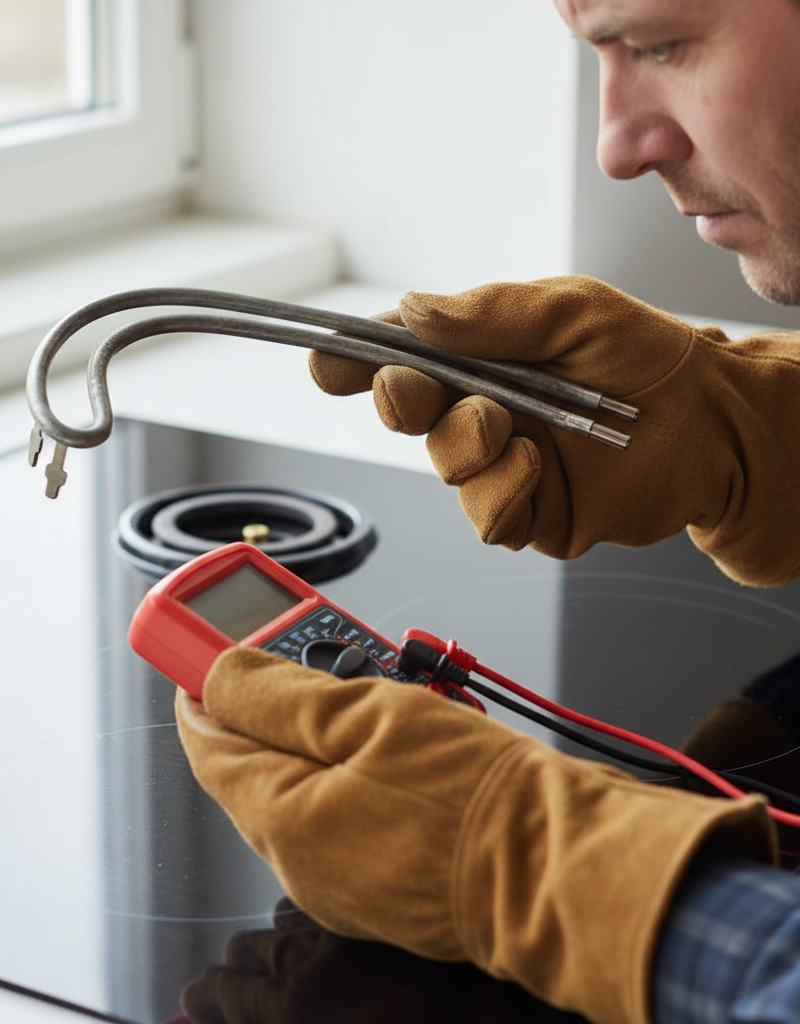
- Details: Set your multimeter to measure resistance (Ohms, Ω). At room temperature (around 70-75°F), the sensor should read approximately 1080-1100 Ohms. If the reading is significantly different (e.g., infinite resistance, indicating an open circuit, or near zero, indicating a short), the sensor has failed and must be replaced. This is a common cause of the F2 error.
4. Disconnect the Keypad to Isolate the Fault (for F1/F9)
- Action: With the power still off, disconnect only the keypad ribbon cable from the EOC board. Reassemble the control panel enough to be safe, restore power, and wait for a few minutes.
- Details: This is a critical diagnostic step. If the F1 or F9 error code does not reappear after disconnecting the keypad, the fault lies with the keypad. The keypad membrane has likely developed an internal short. If the error code does return even with the keypad disconnected, the problem is confirmed to be within the Electronic Oven Control (EOC) board itself.
5. Visual Inspection of the EOC Board
- Action: Carefully remove the EOC board from its housing. Perform a close visual inspection of both sides of the circuit board.
- Details: Look for any obvious signs of failure. Check for burnt or discolored spots, bulging or leaking capacitors, cracked solder joints (especially around the relay pins), or any signs of arcing. A burn mark is a definitive sign of component failure. If you see this, the board needs to be replaced.
6. Check Relays for Sticking (for F2)
- Action: If you suspect an F2 error is caused by a stuck relay and not the sensor, tap firmly (but not excessively hard) on the top of the relays on the EOC board with the handle of a screwdriver while the power is off.
- Details: The relays are the small, usually black or blue, rectangular boxes soldered to the board. Sometimes, the internal contacts of a relay can weld themselves shut. A sharp tap can occasionally free a stuck relay, though this is a temporary fix at best. If the F2 error disappears after doing this, it confirms a faulty relay and the EOC board needs replacement.
7. Verify Power to the EOC
- Action: Use your multimeter to verify that the correct voltage is reaching the EOC board. This is an advanced step and should only be performed if you are comfortable working with live electrical circuits.
- Details: Consult your oven’s technical sheet or wiring diagram to identify the correct terminals. You should find both 120V (for the electronics) and 240V (for the heating circuits) at the board’s main connector. An absence of power points to a wiring issue or a problem further upstream, but this is a less common cause for these specific error codes.
8. Replace the Faulty Component
- Action: Based on your diagnosis, order and install the correct replacement part. This will be either the keypad/touchpad assembly, the oven temperature sensor, or the Electronic Oven Control (EOC) board.
- Details: Use your oven’s model number to ensure you purchase the exact part. For the EOC, it is often wise to buy from a reputable appliance parts dealer who can provide a pre-programmed board if necessary. Follow the installation instructions carefully, taking pictures during disassembly to aid in reassembly.
Common Causes
The F1, F2, and F9 error codes are specific signals of internal electronic failure. Here are the most frequent culprits:
- Keypad Failure (F1/F9): This is arguably the most common cause. The flexible membrane of the touchpad can degrade over time from heat, moisture, or physical wear. Cleaning solutions dripping down the front of the oven are a notorious cause of keypad failure. This creates a short circuit, causing the EOC to register a "stuck key" or invalid input, triggering the F1 or F9 code.
- Control Board Failure (F1/F9): The EOC itself can fail. This could be due to a faulty microprocessor, a cracked solder joint from years of thermal cycling, a power surge that damaged a sensitive component, or the failure of an integrated circuit. If the keypad is ruled out, the EOC is the next logical point of failure for F1 and F9.
- Failed Oven Temperature Sensor (F2): The temperature sensor is a thermistor, and its resistance properties can drift or fail entirely over time. It might break internally (open circuit) or short out. When the EOC receives an out-of-range resistance reading from the sensor, it interprets this as an extreme temperature and triggers the F2 error to prevent a runaway heating scenario.
- Stuck Relay on the EOC Board (F2): The mechanical relays that control power to the bake and broil elements can fail. The high current they switch can cause the internal contacts to arc and eventually weld themselves together. When a relay is stuck in the closed position, it sends continuous power to a heating element, even when the EOC is telling it to shut off. The EOC detects this via the temperature sensor reading and initiates an F2 fault code.
- Moisture or Contamination: Spills, cleaning sprays, or even high humidity can lead to moisture getting into the control panel. This can short out the keypad ribbon cable connector or cause corrosion on the EOC board itself, leading to any of these error codes.
Common Mistakes
- Replacing the Wrong Part: The most expensive mistake is misdiagnosing the problem. Homeowners often assume an "F" code means the main control board is bad and replace it, only to have the error return. It is crucial to perform the keypad isolation test (Step 4) to differentiate between a keypad and a board failure for F1/F9 codes.
- Ignoring a Potential Overheating Oven: An F2 error should be taken very seriously. Simply resetting the breaker and continuing to use the oven without diagnosing the cause is dangerous. An F2 code indicates a potential runaway oven, which is a significant fire hazard.
- Using Harsh Chemicals on the Control Panel: Never spray cleaner directly onto your oven’s control panel. The liquid can seep behind the bezel and destroy the sensitive electronics of the keypad. Always spray cleaner onto a cloth first, then wipe the panel.
- Ordering the Incorrect EOC Board: Oven control boards can have multiple revisions and software versions. Always use the full model and serial number of your appliance when ordering a replacement. Ordering the wrong one can result in an inoperable oven or new, different error codes.
- Forgetting to Disconnect Power: It sounds basic, but it’s a critical safety step that is sometimes overlooked in haste. Attempting to unplug connectors or handle the EOC with the power on can cause further electrical shorts, damage to the new parts, and a severe risk of electric shock.
- Damaging the Ribbon Cable: The keypad’s ribbon cable is delicate. Prying it out with a screwdriver or pulling on it forcefully can tear the thin conductive traces, ruining the keypad assembly. Always use the connector’s latch or gently wiggle it out.
Cost & Time Breakdown
| Task | DIY Cost | Pro Cost | Time |
|---|---|---|---|
| Diagnostics (Multimeter testing, isolation) | $20 - $40 (for a multimeter) | $120 - $180 | 1 - 1.5 hours |
| Replacing Oven Temperature Sensor | $25 - $75 | $150 - $250 | 30 minutes |
| Replacing Keypad/Touchpad Assembly | $80 - $250 | $250 - $450 | 1 - 2 hours |
| Replacing Electronic Control Board (EOC) | $150 - $400+ | $400 - $700+ | 1 - 2 hours |
| Full Diagnostic & Repair Service Call | N/A | $200 - $600 (average) | 1.5 - 3 hours |
Tips & Prevention
- Proper Cleaning: To prevent damage to the keypad, never spray cleaners directly on the control panel. Apply a non-abrasive cleaner to a soft cloth and then wipe the surfaces. This prevents liquid from seeping into the electronics.
- Use the Self-Clean Feature Sparingly: The extremely high temperatures of the self-clean cycle put significant stress on all electronic components, including the EOC and temperature sensor. It is a common cause of premature electronic failure.
- Ensure Good Ventilation: Ovens, especially those installed in tight cabinets, need adequate ventilation. Overheating of the control area due to poor airflow can shorten the lifespan of the EOC board.
- Invest in a Surge Protector: While most ovens are hardwired, some plug-in ranges can benefit from a heavy-duty appliance surge protector. Power grid fluctuations can and do damage sensitive electronics like control boards.
- Address Spills Immediately: If a liquid boils over on the stovetop and runs down the front of the oven, turn off the power at the breaker immediately and clean and dry the area around the control panel as thoroughly as possible before restoring power.
- Know Your Breaker: Before you ever have a problem, identify which breaker in your electrical panel controls your oven. Label it clearly. This will allow you to shut off power quickly in an emergency or for repairs.
When to Call a Professional
While replacing a temperature sensor or even a control board can be a manageable DIY task for a handy homeowner, there are definite times when calling a professional is the smarter, safer choice. If you are not comfortable using a multimeter or working around live electricity, do not attempt the diagnostic steps beyond the initial power cycle. A mistake can lead to personal injury or cause more extensive damage to the appliance.
If you perform the diagnostics and replace a part, but the F1, F2, or F9 oven error code persists, it’s time to call for help. This could indicate a more complex issue, such as a problem in the wiring harness between components or a secondary failure you haven’t identified. Furthermore, if you see any signs of burning, melting, or arcing around the control board or wiring, stop immediately and call a qualified appliance repair technician. These signs point to a more severe electrical fault that requires expert diagnosis. A professional has the experience, schematic diagrams, and specialized tools to trace complex electrical problems safely and accurately, ensuring the repair is done correctly and your appliance is safe to use.
What should this project cost?
Enter your project details for a realistic cost range before you call anyone.
Cost depends heavily on which system turns out to be the source.
- Regional adjustment
- National average
- Labor share (typical)
- ~$1,620
- Quotes to collect
- 3 written estimates
Educational estimate based on national averages — not a binding quote. Always confirm with written local estimates.
Frequently asked questions
Can I just reset the breaker to fix an F1 error code?+
While a power cycle (resetting the breaker) can sometimes clear a temporary electronic glitch, it is not a permanent fix for a recurring F1 error. This code almost always indicates a persistent hardware fault, most commonly a failed keypad or a failing Electronic Oven Control (EOC) board. If the error returns, you must perform further diagnostics to find the root cause.
Is an F2 error code dangerous?+
Yes, an F2 error code should be considered a serious safety issue. It indicates that the oven has detected a temperature far above the normal operating range, signaling a runaway heating condition. This could be caused by a stuck relay on the control board or a faulty temperature sensor. Continuing to use the oven without fixing the problem poses a significant fire risk.
What is the difference between an F1 and an F9 error code?+
Functionally, for the homeowner, there is very little difference. Both F1 and F9 codes typically point to a failure in the main control system. The exact distinction depends on the manufacturer's specific diagnostic programming. Often, one code might point to a shorted keypad while the other points to a general control board failure, but the diagnostic process—testing the keypad and inspecting the board—is identical for both.
Why did my oven fail right after using the self-clean cycle?+
This is a very common scenario. The self-clean cycle runs the oven at extremely high temperatures (800-900°F), which puts immense stress on electronic components. The main control board, often located directly above the oven cavity, gets exposed to significant heat. This can cause already-weakened solder joints to fail or push aging electronic components over the edge, leading to an F1, F2, or F9 error code immediately following a self-clean.
Can I replace just one relay on my control board?+
While it is technically possible for someone with advanced electronics and soldering skills to de-solder a faulty relay and solder a new one onto the board, it is not a recommended repair for most homeowners. It requires specialized tools and carries a risk of damaging the board further. For safety and reliability, the entire Electronic Oven Control (EOC) board should be replaced as a single unit.

Discussion
Loading comments…