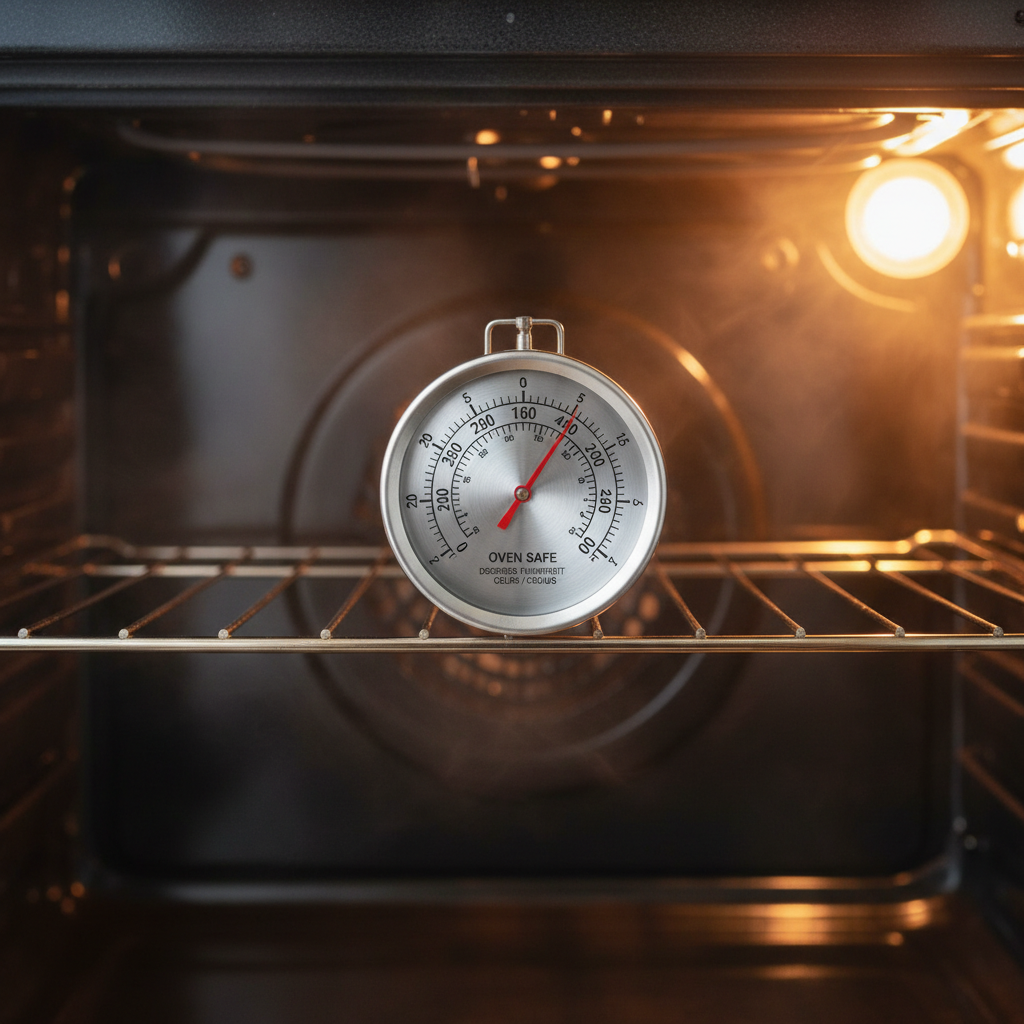
- Thermostat Drift: This is the most common reason. Over years of heating and cooling, mechanical thermostats simply lose their precision.
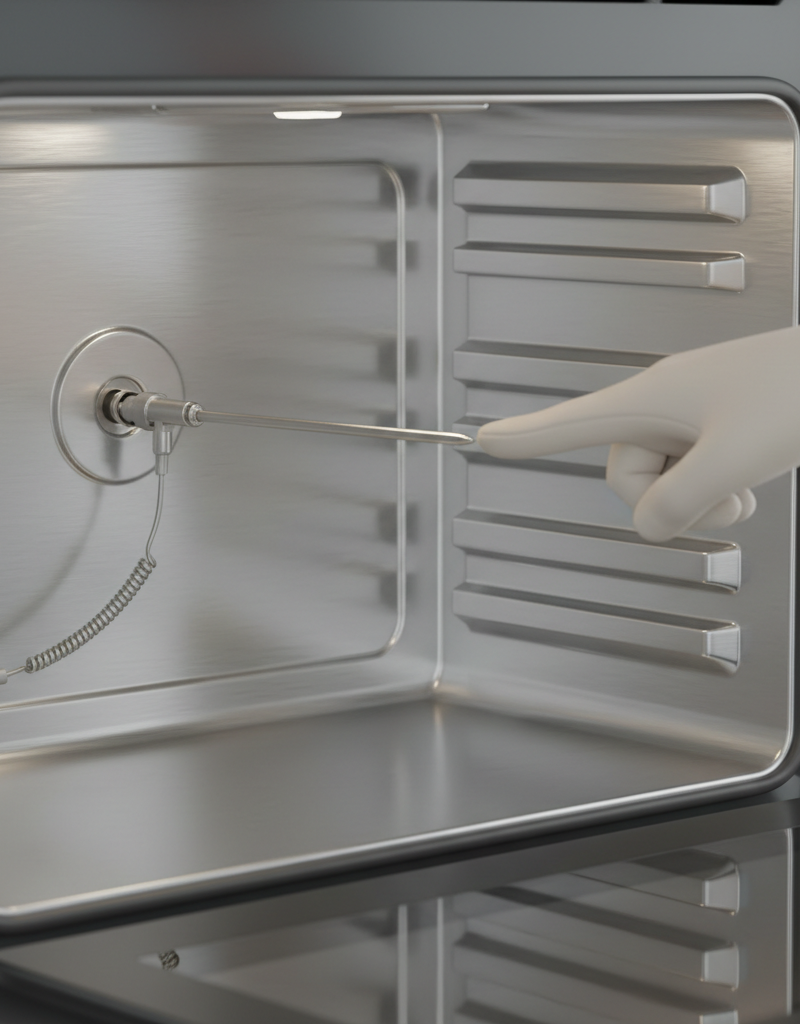
- Failing Temperature Sensor: The sensor probe can become coated in grease, physically damaged, or simply degrade electrically. It can also get pushed and accidentally touch the oven wall, giving a false reading.
- Leaky Door Gasket: A worn-out, torn, or brittle door seal allows heat to escape. The oven works overtime to compensate, leading to wild temperature fluctuations and hot/cold spots.
- Faulty Electronic Control Board (EOC): In digital ovens, the main circuit board can fail, leading to a host of problems, including temperature regulation.
- Improper Air Circulation: Blocking oven vents with pans or foil can disrupt the airflow needed for even heating, creating major temperature differences within the oven cavity.
HVAC · High energy usage
| Project category | HVAC |
|---|---|
| Problem type | High energy usage |
| Trade required | HVAC |
| Urgency | Planned project |
| Safety risk | Low safety risk |
| DIY suitability | DIY for experienced homeowners |
| Cost category | High cost |
| Typical timeline | Assessment within weeks; replacement planned off-season |
| Contractor type | Licensed HVAC technician |
Repair option
Duct sealing, insulation, and a tune-up before touching the equipment.
Replacement option
High-efficiency replacement sized by a load calculation, not a rule of thumb.
Common causes
- Aging, low-efficiency equipment
- Leaking ducts losing conditioned air
- Insufficient attic insulation
- Oversized system short-cycling
Relevant tools:project cost estimatorrepair or replace
Published June 8, 2026Last updated August 17, 2026
Tools & materials you'll need
Affiliate links- AmazonOven Thermometer1 · Crucial for accurately diagnosing the problem. Choose one that can hang or stand.
- AmazonOwner's Manual1 · Essential for finding the specific calibration method for your model.
- AmazonScrewdriver Set1 · May be needed for analog/knob-style thermostat adjustments.
- AmazonNeedle-nose pliers1 · Can be helpful for pulling off a tight oven knob, but be gentle.
No materials required.
As an Amazon Associate FixlyGuide earns from qualifying purchases — at no extra cost to you. Prices and availability are accurate as of publication and subject to change.
Quick Answer
If your oven seems to run hot or cold, the most likely cause is a thermostat that has drifted out of calibration over time. You can diagnose this for under $10 with a simple oven thermometer. Place it in a preheated oven for 20 minutes (after the preheat cycle ends) to see the true temperature, then perform a simple calibration using either a screw on the back of the temperature knob or a digital keypad sequence, as detailed in your owner's manual. An inaccurate oven temperature is a common issue that causes undercooked or burnt food, and it's often a simple DIY fix.
The Problem
You followed the recipe to the letter. You meticulously measured the flour, creamed the butter and sugar until fluffy, and used high-quality chocolate. You set your oven to exactly 350°F, waited for the preheat beep, and slid the cookies in. Twelve minutes later, you pull them out to find disaster: burnt, crispy edges and a raw, doughy center.
This isn't your fault. It's your oven's.
The dial or digital display on your oven is more of a suggestion than a guarantee. Over time, the components that regulate temperature can drift, degrade, or fail. An oven that's set to 350°F might actually be running at 325°F, leading to pale, dense cakes that take forever to bake. Or, it could be screaming hot at 385°F, scorching the tops of your casseroles while the inside remains cool. This discrepancy is one of the most common sources of baking frustration and inconsistent cooking. You might notice your cooking times are always longer or shorter than recipes suggest, or that one side of the oven seems to cook faster than the other. The root issue is an oven temperature that is inaccurate, and you don't have to live with it.
How It Works
To understand why your oven is lying, you need to understand how it thinks. An oven doesn't maintain a perfect, static temperature. Instead, it cycles on and off to average your set temperature. This is controlled by three key components:
-
The Thermostat: This is the brain of the operation. In an older oven with a knob, it's a hydraulic or bimetallic switch. You turn the knob, and it sets a target. In a modern oven with a digital display, it's an electronic control board (the "EOC" or Electronic Oven Control).
-
The Temperature Sensor (Thermocouple or RTD): This is your oven's nerve ending. It's a thin metal probe, usually 3-6 inches long, located near the top rear wall of the oven cavity. Its job is to measure the air temperature. As it gets hotter, its electrical resistance changes. It sends this resistance signal back to the thermostat/control board.
-
The Heating Element(s): These are the black tubes at the bottom (the bake element) and top (the broil element) of your oven. They are the muscles, providing the raw heat.
Here’s the process: You set the oven to 350°F. The thermostat sends power to the bake element. The oven heats up, and the temperature sensor continuously reports back to the thermostat. When the sensor reports that the air has reached a certain point (say, 365°F), the thermostat cuts power to the element. The oven then begins to lose heat naturally. When the sensor reports the temperature has dropped to a lower threshold (say, 335°F), the thermostat turns the element back on. This range is called the "temperature swing" or "hysteresis." Your oven is constantly swinging between these high and low points to average 350°F. The "preheat" light simply tells you the oven has hit its target temperature for the first time, not that the oven walls and racks are properly saturated with heat.
The problem arises when a component drifts. If the temperature sensor becomes less accurate with age (a very common issue), it might report 350°F when the actual temperature is only 325°F. Your thermostat, trusting the faulty sensor, will stop heating, leaving you with a cold oven. Conversely, if the thermostat's internal switch is worn, it might require a much hotter temperature to trigger the "off" signal, leading to a hot oven. Calibrating the oven adjusts this relationship, telling the thermostat, "Hey, what you think is 350°F is actually 325°F, so please add 25 degrees of heat before you shut off."
Step-by-Step Fix: The Thermometer Test & Calibration
This process will take about an hour, mostly waiting for the oven to heat and stabilize. It's simple, and the diagnostic part costs less than a single takeout pizza.
SAFETY FIRST: For the diagnostic test, no special precautions are needed. However, if you proceed to a manual calibration that involves removing a knob or panel, you MUST either unplug your electric oven or turn off its dedicated circuit breaker. For a gas oven, be extremely careful not to disturb the gas lines; if you are not 100% confident, call a professional.
Step 1: Buy a Dedicated Oven Thermometer Don't use a meat thermometer. You need a simple, dial-style or liquid-filled thermometer designed to hang from an oven rack or stand on its own. You can find these at any grocery store, hardware store, or online for $7-$15. This is the most important tool for this job.
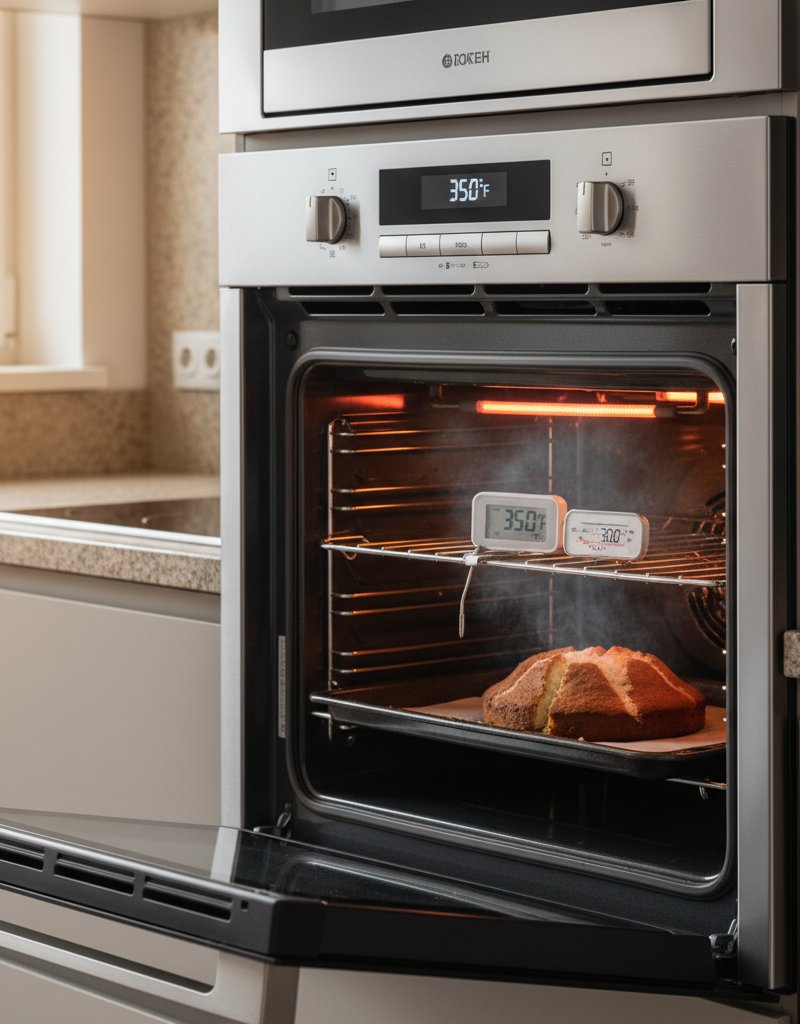
Step 2: Position the Rack and Thermometer Adjust your oven racks so one is in the dead center of the oven cavity. Place the oven thermometer directly in the middle of this rack, ensuring it’s not touching the oven walls, door, or the heating element. It should be easily readable through the oven window.
Step 3: Preheat the Oven Set your oven to bake at a common temperature you use, like 350°F. Let the oven run its full preheat cycle. Wait for the preheat light to turn off or for the oven to beep, signaling it has reached its target temperature.
Step 4: Wait and Stabilize This is the most critical step. Do not trust the preheat light. The air inside the oven might be hot, but the metal walls are still catching up. To get a true reading of your oven’s average temperature, you must let it complete at least two or three full heating cycles. After the preheat signal goes off, wait an additional 20 minutes. For an electric oven with a hidden bake element, wait 30 minutes.
Step 5: Read the Temperature (Without Opening the Door!) Turn on your oven light and look through the window. What does the thermometer say? Opening the door, even for a second, can drop the internal temperature by 50-75 degrees and will ruin your test. If you can't see it clearly, get a flashlight. The reading on the thermometer is the real temperature of your oven.
Step 6: Calculate the Difference Compare the set temperature (350°F) with the thermometer’s reading. Is it 325°F? 370°F? 352°F? This difference is your offset. A variance of +/- 10-15°F is generally acceptable, but anything more than 20-25°F will significantly impact your cooking.
Step 7: Locate the Calibration Control Now for the fix. Consult your oven’s owner’s manual (you can almost always find it online by searching your model number). The method depends on your oven type:
- Analog/Knob Control: Often, the fix is right behind the temperature knob itself. Pull the knob straight off. On the back of the knob or on the stem it connects to, you may see a small calibration dial or one or two tiny screws.
- Digital/Keypad Control: These ovens have a built-in calibration mode. This typically involves pressing and holding a specific button (like "Bake" or "Cook Time") for 5-10 seconds until the display changes. It will then flash the current offset (e.g., "00" or "0") and allow you to enter a positive or negative offset (e.g., "+25" or "-15") using the number or arrow keys.
Step 8: Make a Small, Incremental Adjustment SAFETY: If adjusting a screw, ensure the power is OFF. For a digital adjustment, power can remain on.
Do not adjust by the full offset amount at once. If your oven is 30 degrees cold, do not crank it up by 30 degrees.
- For screws: Use a small screwdriver to turn the screw slightly. The rule is usually "a barely-perceptible turn equals about 10-15 degrees." Turn clockwise to increase temperature, counter-clockwise to decrease (your manual will confirm).
- For digital: Enter an offset that is about half of what you need. If you are 25 degrees cold, enter an offset of +15°F. Save the setting according to the manual's instructions.
Step 9: Retest Your Work Put the knob back on (if you removed it). Set the oven back to 350°F and repeat the entire test: preheat, wait 20-30 minutes, and read the thermometer through the window.
Step 10: Fine-Tune the Calibration Check the new reading. If you were 25 degrees cold and made a +15 adjustment, you might now be only 10 degrees cold. Or you might have overshot and are now 5 degrees hot. Based on this new reading, make another small adjustment. Repeat this process until your thermometer reads consistently within 10-15°F of the setpoint. Achieving a perfect "0" is nearly impossible due to the natural temperature swing.
Common Causes for Inaccurate Oven Temperature
- Thermostat Drift: This is the most common reason. Over years of heating and cooling, mechanical thermostats simply lose their precision.
- Failing Temperature Sensor: The sensor probe can become coated in grease, physically damaged, or simply degrade electrically. It can also get pushed and accidentally touch the oven wall, giving a false reading.
- Leaky Door Gasket: A worn-out, torn, or brittle door seal allows heat to escape. The oven works overtime to compensate, leading to wild temperature fluctuations and hot/cold spots.
- Faulty Electronic Control Board (EOC): In digital ovens, the main circuit board can fail, leading to a host of problems, including temperature regulation.
- Improper Air Circulation: Blocking oven vents with pans or foil can disrupt the airflow needed for even heating, creating major temperature differences within the oven cavity.
Common Mistakes to Avoid
- Trusting the Preheat Light: It only tells you the air has hit a target temp once. The oven walls, which hold most of the thermal mass, are not yet fully heated. Always wait at least 15-20 minutes after the preheat signal.
- Placing the Thermometer Incorrectly: Placing it on the oven floor or touching a wall will give you an inaccurate reading of the cooking zone temperature.
- Opening the Oven Door: This is the fastest way to ruin your test and your baking. Every time you peek, heat floods out, and your oven has to cycle on again, throwing off the average temperature.
- Making a Drastic First Adjustment: Adjusting the calibration by the full 30 or 40 degrees at once will almost certainly cause you to overshoot the target, leading to a frustrating cycle of over-correction.
Cost & Time Breakdown
Here's what you can expect in terms of investment for fixing an inaccurate oven temperature.
| Item / Service | DIY Cost | Professional Cost | Notes |
|---|---|---|---|
| Oven Thermometer | $7 - $15 | N/A | This is a required diagnostic tool. |
| Screwdriver/Pliers | $0 (owned) - $20 | N/A | For manual thermostat adjustments. |
| Service Call Fee | N/A | $85 - $150 | This is the baseline fee for a technician to visit. |
| Professional Calibration | N/A | $50 - $125 | Labor charge on top of the service fee. |
| Temperature Sensor Part | $15 - $40 | $15 - $40 | The part cost is relatively low. |
| Thermostat Part (Mechanical) | $20 - $60 | $20 - $60 | For older, knob-style ovens. |
| Control Board (EOC) | $100 - $250 | $100 - $250 | The most expensive component. |
| --- | --- | --- | --- |
| TOTAL (DIY Simple Calibration) | $7 - $15 | N/A | You only need the thermometer. |
| TOTAL (Pro Simple Calibration) | N/A | $135 - $275 | If it's just a calibration adjustment. |
| TOTAL (Pro Sensor Replacement) | N/A | $150 - $315 | Includes service call, labor, and part. |
| TOTAL (Pro EOC Replacement) | N/A | $250 - $525+ | This repair can approach the cost of a new appliance. |
Time Estimate: 1-2 hours (DIY/Pro). Most of this time is spent waiting for the oven to heat and stabilize during testing and re-testing.
Tips & Prevention
- Test Annually: Make the oven thermometer test an annual kitchen maintenance task.
- Check the Door Seal: Use the "dollar bill test." Close the oven door on a dollar bill. If you can pull it out with zero resistance, your gasket is worn and should be replaced. A good seal is crucial for stable temperature.
- Keep the Sensor Clean: When cleaning your oven, gently wipe down the temperature sensor probe with a damp cloth. Avoid using harsh chemicals directly on it.
- Don't Block Vents: Consult your manual to identify the location of your oven's air vents and never cover them with foil or place large pans in a way that blocks them.
- Use a Baking Stone: A large pizza or baking stone left on the bottom rack acts as a heat sink. It absorbs and radiates steady heat, dramatically reducing the temperature swings as the element cycles on and off, leading to more stable real-world temperatures.
When to Call a Professional
While calibration is often a DIY job, you should call a qualified appliance repair technician if:
- You perform the calibration, and it has no effect on the temperature.
- The temperature swings wildly (e.g., by 100°F or more), indicating a failing control component.
- Your digital display shows an error code (e.g., "F2," "F3," "F4"), which often points directly to a faulty sensor or control board.
- You are not comfortable removing panels from your appliance or handling its electrical components.
- You suspect a problem with a gas oven and are not an expert.
What should this project cost?
Enter your project details for a realistic cost range before you call anyone.
Cost depends heavily on which system turns out to be the source.
- Regional adjustment
- National average
- Labor share (typical)
- ~$1,620
- Quotes to collect
- 3 written estimates
Educational estimate based on national averages — not a binding quote. Always confirm with written local estimates.
Frequently asked questions
How accurate should my oven be?+
A home oven is not a scientific instrument. A temperature swing of +/- 15°F from the set point is considered normal and acceptable. If your oven is consistently more than 25°F off, it will negatively impact cooking and should be calibrated.
Can I calibrate a convection oven?+
Yes, the process is exactly the same. Perform the test with the convection fan turned OFF to get a baseline reading. Once calibrated, the convection setting will function correctly based on the newly calibrated baseline.
Why did my brand new oven fail the thermometer test?+
Even new ovens can be off from the factory. Manufacturing tolerances mean some will run slightly hot or cold out of the box. It's always a good idea to test a new oven and calibrate it if needed before you start cooking with it.
Does the temperature vary in different parts of the oven?+
Absolutely. Most ovens have hot spots, typically in the back and at the top. The center rack is the most stable, which is why it's the standard for testing and for most recipes. Rotating pans halfway through baking helps ensure even cooking.
Discussion
Loading comments…