- The Secret to Lush Raised Beds? It's Not Just About How You Water — Smart irrigation for raised garden beds isn't just about automation; it's about delivering the right amount of water precisely when your pl…
- The One Pruning Mistake That Could Be Killing Your Shrubs (and How to Fix It) — Discover the crucial pruning mistake many homeowners make that can significantly damage or even kill their shrubs, and learn the simple fix.
- The Hidden Reason Your AC Isn't Cooling (And Why Most Homeowners Get It Wrong) — When your central AC unit isn't cooling, the culprit often isn't what you think, leading to frustration and unnecessary repair calls.
- The 1 Mistake Homeowners Make with Pellet Grills (and How to Fix It) — Unpredictable temperature swings are the most common and frustrating issue for pellet grill owners, often caused by maintenance oversights.
- The 5 Essential Filters You Forget to Check (Until It's Too Late) — Regularly checking and replacing your home's filters can prevent costly repairs, improve indoor air quality, and lower utility bills.
Published May 27, 2026Last updated August 17, 2026
Tools & materials you'll need
Affiliate linksAs an Amazon Associate FixlyGuide earns from qualifying purchases — at no extra cost to you. Prices and availability are accurate as of publication and subject to change.
Quick Answer
Most traditional sprinkler systems waste an astonishing amount of water and often lead to an unhealthy lawn because they operate on a fixed schedule, regardless of actual weather conditions or soil moisture. A smart sprinkler controller eliminates this inefficiency by connecting to Wi-Fi and using real-time local weather forecasts, historical data, and even soil moisture sensors to automatically adjust watering times. This precision ensures your lawn receives exactly the water it needs, when it needs it, preventing both underwatering and the far more common problem of overwatering, which can lead to fungal diseases and nutrient runoff.
The Problem
Imagine always watering your plants on Tuesday and Friday, regardless of whether it just rained for two days straight or if there's a heatwave baking your garden. That's essentially how a traditional sprinkler system operates. It follows a rigid schedule set weeks or months ago, oblivious to the ever-changing environmental conditions. This leads to two critical problems for homeowners: first, massive water waste, contributing to higher utility bills and environmental strain. Second, an unhealthy lawn. Overwatering is a silent killer, leading to shallow root growth, increased susceptibility to pests and diseases, and leaching of essential nutrients from the soil. The result is often a patchy, disease-ridden lawn that still looks thirsty.
How It Works
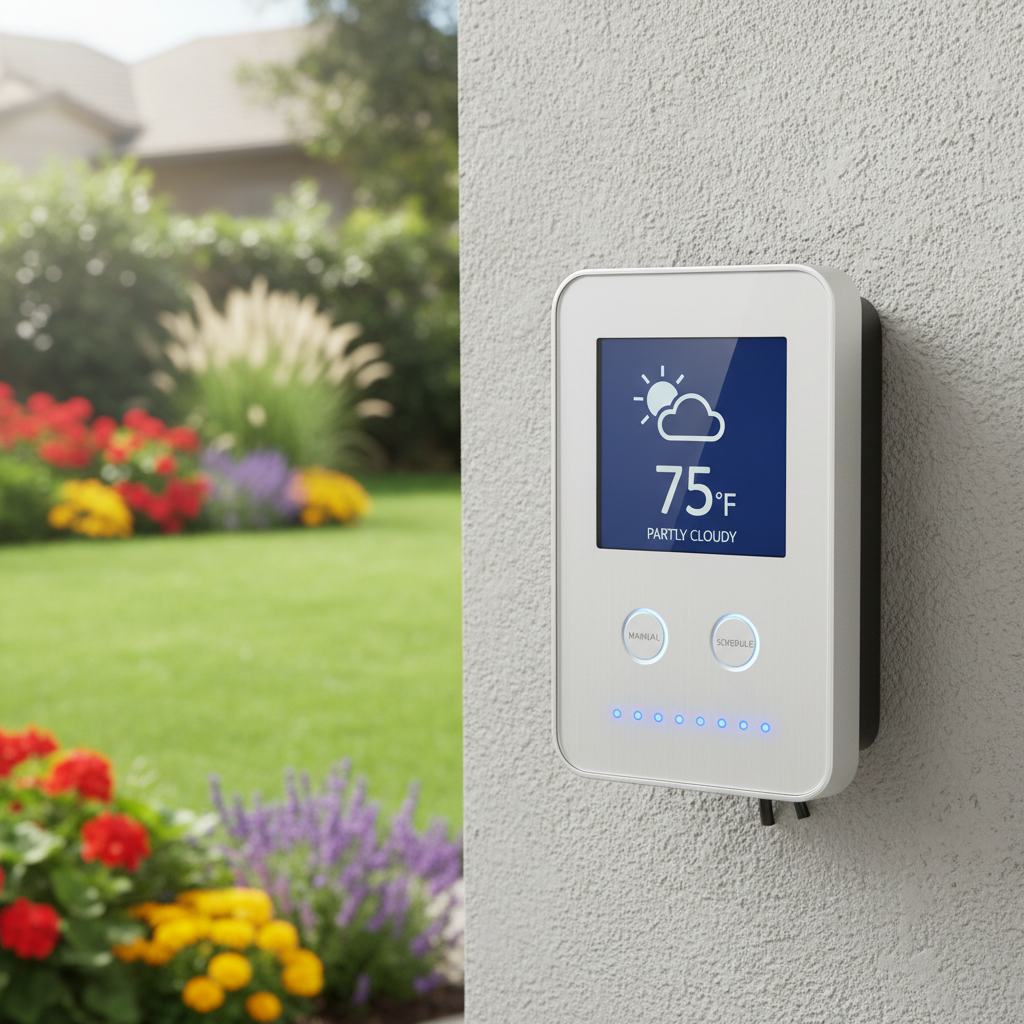
At its core, a smart sprinkler controller is a sophisticated, internet-connected timer for your irrigation system. Unlike a basic mechanical timer, a smart controller integrates a variety of data sources to make intelligent watering decisions. Here's a breakdown:
-
Wi-Fi Connectivity: This is the brain's link to the outside world. The controller connects to your home's Wi-Fi network, allowing it to access online weather services, receive software updates, and be controlled remotely via a smartphone app.
-
Weather Intelligence: The most significant advantage. Smart controllers tap into local weather stations or hyper-local forecasting services (like AccuWeather or NOAA) to get real-time data on temperature, humidity, rainfall, wind speed, and evapotranspiration (ET). ET is a critical metric that measures how much water evaporates from the soil and transpires from plants. By knowing the ET rate, the controller can calculate exactly how much water your lawn has lost and needs to regain.
-
Zone Customization: You can program each individual watering zone in your yard with specific parameters. This includes the soil type (clay, loam, sand), plant type (grass, shrubs, flowers), sun exposure (full sun, partial shade), and even the slope of the land. These details help the controller fine-tune watering duration and frequency for optimal absorption and minimal runoff.
-
Seasonal Adjustments: As seasons change, so do a lawn's water requirements. Smart controllers automatically adjust watering schedules to account for warmer summer months (more water) and cooler winter months (less water), eliminating the need for manual recalibration.
-
Watering Restrictions: Many municipalities have water restrictions. Smart controllers often allow you to input these restrictions, ensuring your system complies with local ordinances.
-
Integration with Sensors: While not always standard, many smart controllers can integrate with optional accessories like soil moisture sensors or rain sensors. A soil moisture sensor, placed directly in the ground, provides hyper-accurate data on how much water is actually in the soil, allowing the controller to skip watering if the ground is already sufficiently moist. A rain sensor provides an immediate shut-off if precipitation begins during a scheduled watering cycle.
By synthesizing all this information, the smart controller creates a dynamic watering schedule that responds to the environment, delivering water precisely when and where it's needed, thereby conserving water and promoting a healthier, more resilient landscape.
Step-by-Step Fix
Replacing your old sprinkler timer with a smart controller is a straightforward DIY project for most homeowners. Shutting off power and correctly wiring can be a bit tricky, but the benefits far outweigh the effort.
-
Safety First — Shut Off Power — Before touching any wires, locate your sprinkler system's power supply and turn it OFF. This is usually a plug a transformer unit into an outdoor GFCI outlet or a dedicated breaker in your electrical panel. Use a voltage tester to confirm there's no power.
- Safety Note: Always assume wires are live until tested. If you're unsure, consult a licensed electrician.
-
Document Your Existing Wiring — Take a clear photo of your current sprinkler controller's wiring. This is your most valuable reference! Pay close attention to which wire goes into which terminal (common wire, master valve, and individual zone wires).
- If your system has many zones (8+): Consider labeling each wire with masking tape corresponding to its terminal number on the old controller.
-
Remove the Old Controller — Disconnect all wires from the old controller's terminals. Unscrew and remove the old unit from the wall.
-
Mount the New Smart Controller — Follow the manufacturer's instructions to mount the new controller in the same location or a suitable outdoor-rated spot. Ensure it's level and securely fastened. Most smart controllers come with a mounting template and screws.
- Location tip: Choose a location with good Wi-Fi signal strength and protection from direct sunlight and extreme weather if not explicitly rated for full outdoor exposure.
-
Connect the Wiring — Refer to your photo and the new controller's wiring diagram. Connect the common wire (usually white or black) to the 'C' or 'Common' terminal. Then, connect each zone wire to its corresponding numbered terminal (e.g., zone 1 wire to terminal 1, zone 2 wire to terminal 2, etc.). If you have a master valve (M) or pump start relay (P/MV), connect its wire to the designated terminal.
- Troubleshooting: If a zone doesn't activate later, double-check that the wire is securely inserted into the terminal and that there are no frayed ends or breaks.
-
Restore Power & Initial Setup — Once all wires are connected, restore power to the controller. The unit should power on. Follow the on-screen prompts or the accompanying app instructions to connect the controller to your home's Wi-Fi network. This usually involves selecting your network and entering the password.
-
Configure Zones in the App — Download the manufacturer's app (e.g., Rachio, Hunter Hydrawise, Rain Bird). Within the app, you'll set up each zone: identify the type of vegetation (grass, shrubs), soil type, sprinkler head type (rotor, spray), sun exposure, and slope. The more accurate this information, the better the controller can optimize watering.
-
Create Your First Schedule & Test — Use the app to create an initial watering schedule. Many smart controllers offer
Related Articles
Keep troubleshooting with these hand-picked guides from FixlyGuide:
- The Secret to Lush Raised Beds? It's Not Just About How You Water — Smart irrigation for raised garden beds isn't just about automation; it's about delivering the right amount of water precisely when your pl…
- The One Pruning Mistake That Could Be Killing Your Shrubs (and How to Fix It) — Discover the crucial pruning mistake many homeowners make that can significantly damage or even kill their shrubs, and learn the simple fix.
- The Hidden Reason Your AC Isn't Cooling (And Why Most Homeowners Get It Wrong) — When your central AC unit isn't cooling, the culprit often isn't what you think, leading to frustration and unnecessary repair calls.
- The #1 Mistake Homeowners Make with Pellet Grills (and How to Fix It) — Unpredictable temperature swings are the most common and frustrating issue for pellet grill owners, often caused by maintenance oversights.
- The 5 Essential Filters You Forget to Check (Until It's Too Late) — Regularly checking and replacing your home's filters can prevent costly repairs, improve indoor air quality, and lower utility bills.
- The #1 Mistake Killing Your Lawn's Fight Against Dandelions (It's Not What You Think) — Stop dandelions from taking over your lawn by understanding the crucial timing and methods that most homeowners overlook, leading to endles…
What should this project cost?
Enter your project details for a realistic cost range before you call anyone.
Cost depends heavily on which system turns out to be the source.
- Regional adjustment
- National average
- Labor share (typical)
- ~$1,620
- Quotes to collect
- 3 written estimates
Educational estimate based on national averages — not a binding quote. Always confirm with written local estimates.
Get the print-ready PDF of this guide
A clean, ad-free, printable version you can keep on your phone or pin to the workshop wall. Free with a FixlyGuide account.
- Print-optimized layout
- Tools, materials & every step included
- Saved to your account
This article was independently written by FixlyGuide based on the source topic.
Frequently asked questions
How much water can a smart sprinkler controller really save?+
Studies show smart sprinkler controllers can reduce outdoor water use by 30-50% compared to traditional timers. The exact savings depend on your climate, plant types, and how efficiently your old system ran, but significant reductions in water bills are common.
Are smart sprinkler controllers compatible with existing sprinkler systems?+
Yes, most smart sprinkler controllers are designed to be universally compatible with existing 24V AC irrigation systems. They replace your old timer and use the same wiring for zone valves and common wires.
Do I need a soil moisture sensor for a smart controller to work?+
No, a soil moisture sensor is optional. Smart controllers use predictive watering based on local weather data, which is highly effective on its own. A soil moisture sensor, however, can provide even more precise watering by measuring the actual moisture content in your soil, leading to marginal additional savings.
How long do smart sprinkler controllers typically last?+
Most smart sprinkler controllers are built with durable components and come with warranties ranging from 1 to 5 years. With proper installation and care, you can expect a smart controller to last 8-10 years or even longer.

Discussion
Loading comments…