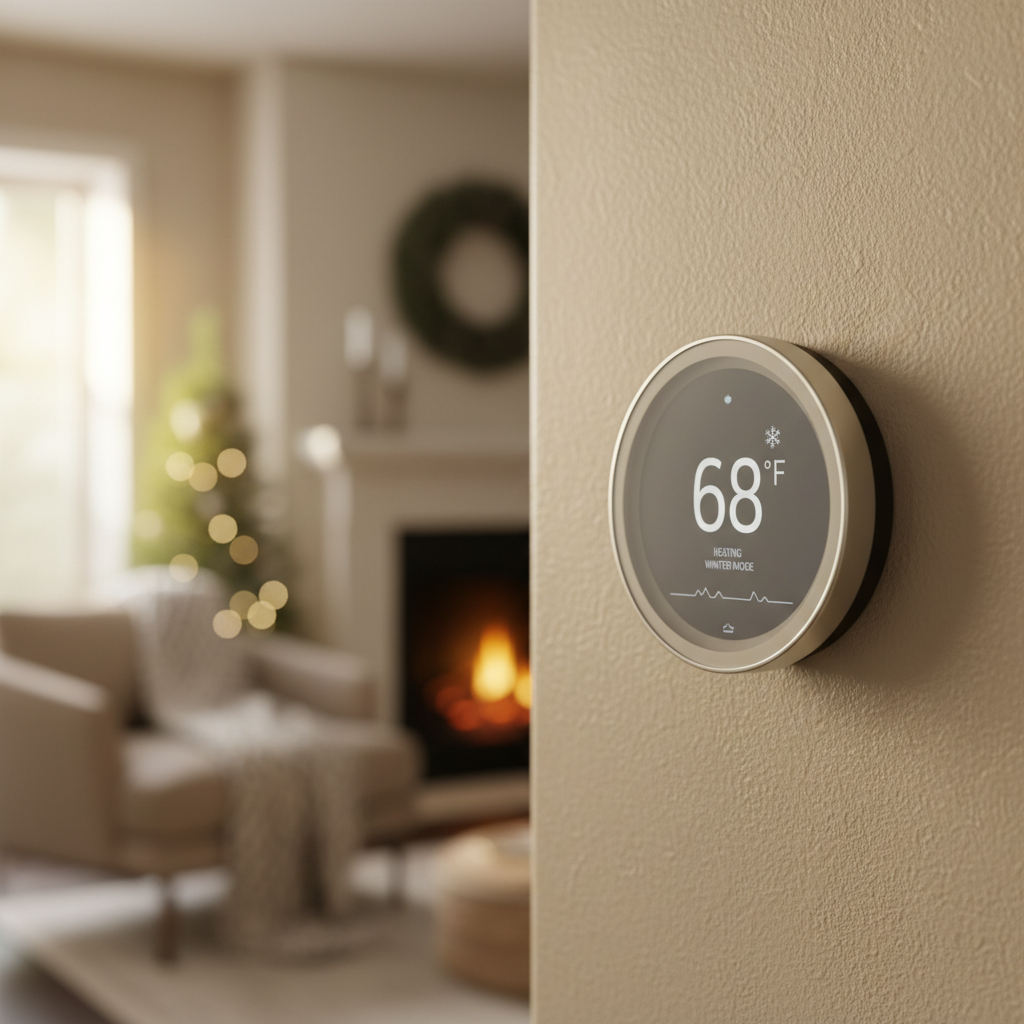
- Manual Activation: Someone in the household may have accidentally selected it on the thermostat.
- Extreme Cold: The outdoor temperature is below the operational limit of your heat pump, and the thermostat has been configured to lock out the compressor and switch entirely to EM Heat.
- Defrost Cycle Malfunction: The outdoor unit gets stuck in a defrost cycle or fails to defrost, becoming a block of ice. The system recognizes it can't function and switches to EM Heat.
- Thermostat Configuration Error: The thermostat is improperly wired or configured for the type of system you have, causing it to call for EM heat incorrectly.
HVAC · High energy usage
| Project category | HVAC |
|---|---|
| Problem type | High energy usage |
| Trade required | HVAC |
| Urgency | Planned project |
| Safety risk | Low safety risk |
| DIY suitability | DIY for experienced homeowners |
| Cost category | High cost |
| Typical timeline | Assessment within weeks; replacement planned off-season |
| Contractor type | Licensed HVAC technician |
Repair option
Duct sealing, insulation, and a tune-up before touching the equipment.
Replacement option
High-efficiency replacement sized by a load calculation, not a rule of thumb.
Common causes
- Aging, low-efficiency equipment
- Leaking ducts losing conditioned air
- Insufficient attic insulation
- Oversized system short-cycling
Relevant tools:project cost estimatorrepair or replace
Published June 4, 2026Last updated August 17, 2026
Tools & materials you'll need
Affiliate links- AmazonReplacement Air Filter1 · Ensure it matches the size and MERV rating recommended for your system.
As an Amazon Associate FixlyGuide earns from qualifying purchases — at no extra cost to you. Prices and availability are accurate as of publication and subject to change.
Quick Answer
The "Emergency Heat" or "EM Heat" setting on your thermostat activates a secondary, inefficient electric resistance heating system, similar to a giant toaster inside your air handler. It consumes 2-3 times more electricity than your primary heat pump. This mode should only be used if your main heat pump system fails or during exceptionally cold weather below your heat pump's operational limit, otherwise it will cause a massive spike in your utility bill.
The Problem
You open your monthly electric bill and get a nasty shock—it’s double, or even triple, what you expected. You haven’t been cranking the heat up, and the weather hasn't been that much colder than last year. Frustrated, you walk over to your thermostat and notice two small letters illuminated that you've never really paid attention to before: "EM." Is this the culprit? You try switching the system to "Heat" mode, but maybe it switches back on its own. You’re left wondering what this setting is, why it's on, and if it’s really the cause of your shockingly high heating bill.
This scenario is incredibly common for homeowners with heat pump systems. That little "EM Heat" light indicates you’re running on one of the most expensive ways to heat a home, and understanding why is the first step to fixing the problem and regaining control of your energy budget.
How It Works
To understand why Emergency Heat is so costly, you first need to understand how your heat pump works. Unlike a traditional furnace that creates heat by burning fuel, a heat pump primarily moves heat. In the winter, it extracts latent heat from the cold outdoor air and transfers it inside your home. This process is remarkably efficient.
The efficiency of a heat pump is measured by its Coefficient of Performance (COP). A modern heat pump can have a COP of 3.0 to 4.0 in moderate winter conditions. This means for every 1 kilowatt-hour (kWh) of electricity it consumes, it moves 3 to 4 kWh worth of heat into your home. It’s like a highly effective courier service for heat energy.
However, as the outside temperature drops, it becomes harder for the heat pump to extract heat from the air. Its efficiency decreases. Below a certain temperature (often between 25°F and 40°F, depending on the model), the heat pump can no longer keep up with your home's heating demand on its own. This is where your secondary heat source comes in, which in most all-electric homes is a set of electric resistance coils inside your indoor air handler unit. These coils are collectively known as the "heat strips."
This is where "Auxiliary Heat" (AUX) and "Emergency Heat" (EM) come into play. They both use the exact same expensive hardware: the heat strips.
- Auxiliary Heat (AUX): This is the automated sidekick. When your thermostat sees that the heat pump is running but the indoor temperature is still dropping (or not rising fast enough), it automatically turns on the heat strips to assist the heat pump. This is normal and expected during very cold weather or when you make a large temperature adjustment (e.g., increasing the setpoint by 3+ degrees). It’s a temporary boost.
- Emergency Heat (EM): This is the manual override. When you switch your thermostat to "EM Heat," you are telling your system to turn off the efficient heat pump entirely and rely 100% on the inefficient electric heat strips. The COP of electric resistance heat is always 1.0. For every 1 kWh of electricity consumed, it creates exactly 1 kWh of heat. It’s no longer a courier; it’s a factory burning raw materials, and those raw materials are expensive kilowatts.
Running on EM Heat means your system is operating at 1/3 or 1/4 the efficiency of the heat pump. This is why your bill doubles or triples. You are essentially using a house-sized space heater to keep warm.
Step-by-Step Fix
If your thermostat is on "EM Heat," your top priority is to determine why and switch it back to normal, efficient operation.
SAFETY NOTE: These steps involve basic observation and thermostat adjustments. Do not attempt to open the main panels on your indoor or outdoor HVAC units, as they contain high-voltage components. For any electrical testing or component replacement, turn off the corresponding breakers at your main electrical panel first.
-
Check the Thermostat Mode. Your immediate first step. Look at your thermostat's display and mode buttons. If the mode is set to "EM Heat," "Emergency," or "E," use the mode button to switch it back to "Heat."
-
Observe the System's Response. After switching to "Heat," wait 5-10 minutes. The outdoor unit (the condenser/heat pump) should start running, and the air coming from your vents should feel warm (though often not as hot as a traditional furnace). If the outdoor unit kicks on and you get warm air, you may have simply activated the mode by mistake.
-
Monitor for an Automatic Switch. Keep an eye on the thermostat for the next few hours, especially if it's cold outside. If the thermostat automatically switches back to EM Heat, it indicates an underlying problem. The system is trying to run the heat pump but is failing for some reason, forcing it into the backup mode.
-
Inspect the Outdoor Unit. Go outside and look at the heat pump. Is it buried in snow? Are the sides blocked by leaves, tarps, or other debris? The unit needs unrestricted airflow to work. Gently clear any obstructions at least 24 inches around the unit. Also, look for excessive ice buildup (a thin layer of frost is normal and will be handled by the defrost cycle, but a solid block of ice is not).
-
Check and Change the Air Filter. A severely clogged air filter in your indoor unit can restrict airflow so much that the system overheats the heat strips or can't properly circulate air, leading to performance issues that may trigger a fault. If your filter is visibly dirty, replace it. This is a critical, simple maintenance step.
-
Find the Breakers. Locate the breakers for your HVAC system in your main electrical panel. There are usually two: one for the indoor "Air Handler" and one for the outdoor "Condenser" or "Heat Pump."
-
Reset the System. Turn both HVAC breakers off. Wait a full 60 seconds. Then, turn them back on. This power cycle can sometimes reset the internal logic of the system and clear a temporary fault that may have forced it into EM Heat.
-
Look for Fault Codes. Some modern thermostats or HVAC units will display a blinking light or a specific error code. Consult your user manual or search the code online to see what it means. This can point directly to the source of the problem (e.g., "low-pressure lockout").
-
Review Thermostat Lockout Settings (Advanced). Many thermostats have an "installer settings" menu that determines when to use auxiliary or emergency heat. One key setting is the "compressor lockout" or "outdoor lockout" temperature. This tells the thermostat to stop trying to use the heat pump and switch to EM Heat when the outdoor temperature drops below a certain point (e.g., 30°F). If this is set too high, you'll be using expensive heat unnecessarily. Accessing this menu varies by brand (e.g., for Honeywell, you often press and hold the center and '+' buttons). Warning: Be extremely careful in these menus. Do not change settings you don't understand; take a picture of the original settings before making any adjustments.
-
Monitor Energy Usage. After you believe the issue is resolved and the system is running in normal "Heat" mode, the final proof is in the pudding. Check your utility's online portal, which often shows daily energy usage. You should see a significant drop in kilowatt-hour consumption compared to the days when EM Heat was running.
Common Causes
Why would a system enter Emergency Heat mode in the first place?
- Manual Activation: Someone in the household may have accidentally selected it on the thermostat.
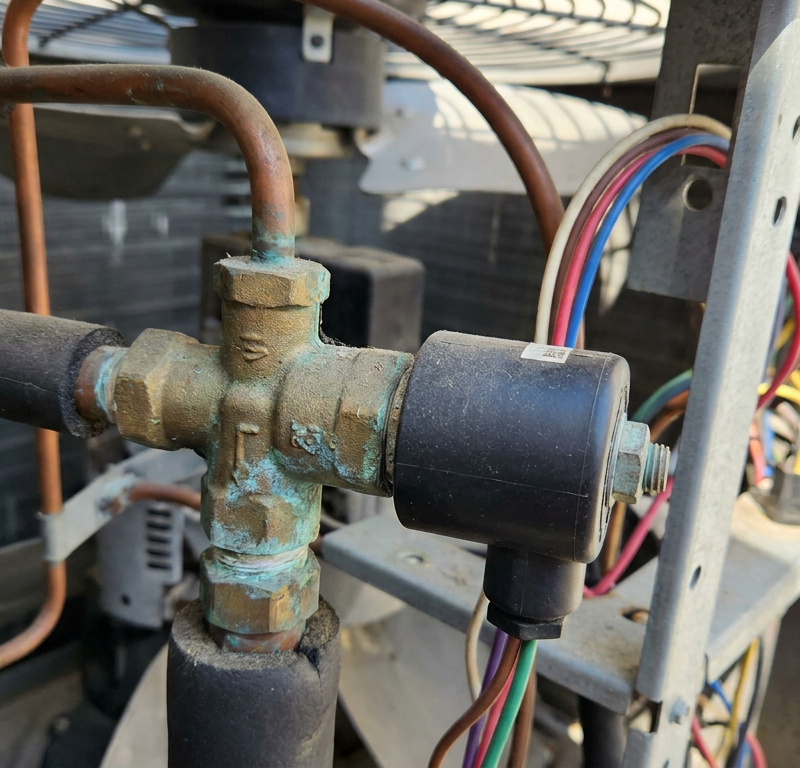
- Heat Pump Fault: The most common reason. This can be anything from a simple failed capacitor ($20 part) to low refrigerant, a bad reversing valve, or a failed compressor motor. The system detects the heat pump isn't working and automatically goes into self-preservation/backup mode.
- Extreme Cold: The outdoor temperature is below the operational limit of your heat pump, and the thermostat has been configured to lock out the compressor and switch entirely to EM Heat.
- Defrost Cycle Malfunction: The outdoor unit gets stuck in a defrost cycle or fails to defrost, becoming a block of ice. The system recognizes it can't function and switches to EM Heat.
- Thermostat Configuration Error: The thermostat is improperly wired or configured for the type of system you have, causing it to call for EM heat incorrectly.
Common Mistakes
Homeowners often make these costly mistakes regarding their heat pump settings:
- Using EM Heat to Warm Up Faster: Believing it’s a "turbo" button. It’s not. It’s just an expensive button. Normal "Heat" mode will use the heat pump and automatically supplement with AUX heat if needed, which is the proper way to recover temperature.
- Leaving It On All Winter: After a cold snap or a power outage, homeowners might switch it on and forget to switch it back, racking up hundreds of dollars in extra costs.
- Ignoring a System Fault: Seeing the EM Heat light on and ignoring it for weeks. The light is often an indicator that your primary, efficient system has failed and needs repair.
- Setting the Thermostat Back Too Far: If you let your home's temperature drop by 10 degrees while you're away, the system may need to use the AUX/EM heat strips to recover the temperature quickly, negating the savings you achieved.
- Pouring Hot Water on an Iced-Up Unit: Never do this. You can cause thermal shock and damage coils, and the water will quickly refreeze, potentially encasing the fan in ice. Let it run its defrost cycle or, if it's truly frozen solid, call a professional.
- Blocking the Outdoor Unit: Building a deck over it, planting dense shrubs around it, or piling snow against it will starve it of the air it needs to function.
Cost & Time Breakdown
Understanding the financial and time investment can help you decide how to proceed. Pro costs include diagnostic time and labor.
| Task | DIY Cost | Pro Cost | Time |
|---|---|---|---|
| Switch Thermostat from EM to Heat | $0 | N/A | 1 Minute |
| Replace Clogged Air Filter | $15 - $40 | $75 - $150 (if part of a service call) | 10 Minutes |
| Professional Heat Pump Diagnosis | N/A | $100 - $250 | 1-2 Hours |
| Replace a Failed Capacitor | $20 (part) | $175 - $400 | 1-2 Hours |
| Repair Refrigerant Leak & Recharge | N/A | $500 - $1,800+ | 3-6 Hours |
| Replace a Bad Reversing Valve | N/A | $600 - $1,500 | 3-5 Hours |
Tips & Prevention
- Know Your Thermostat: Read the manual for your thermostat. Understand what each mode ("Heat," "Cool," "Auto," "EM Heat") does.
- Schedule Annual professional Maintenance: A technician can spot failing components, check refrigerant levels, and clean coils before you have a catastrophic failure in the middle of winter.
- Keep the Outdoor Unit Clear: Maintain at least a 24-inch clearance around your heat pump. In winter, gently brush away snow drifts after a storm.
- Use Gentle Setbacks: During winter, it's better to set your thermostat and leave it. If you use a programmable schedule, limit setbacks to 2-4°F. Large setbacks can trigger the costly auxiliary heat to recover.
- Upgrade to a Smart Thermostat: Many modern smart thermostats (like Nest, Ecobee) have much more intelligent algorithms for managing auxiliary heat and will alert your phone if the system has defaulted to EM heat, warning you of a potential problem and high costs.
- Match Your Filter to Your System: Using a super-high-MERV filter in a system not designed for it can restrict airflow and cause problems. Check your system's manual for the recommended MERV rating.
When to Call a Professional
While you can and should perform the basic diagnostic steps, it's critical to know when to stop and call an HVAC technician.
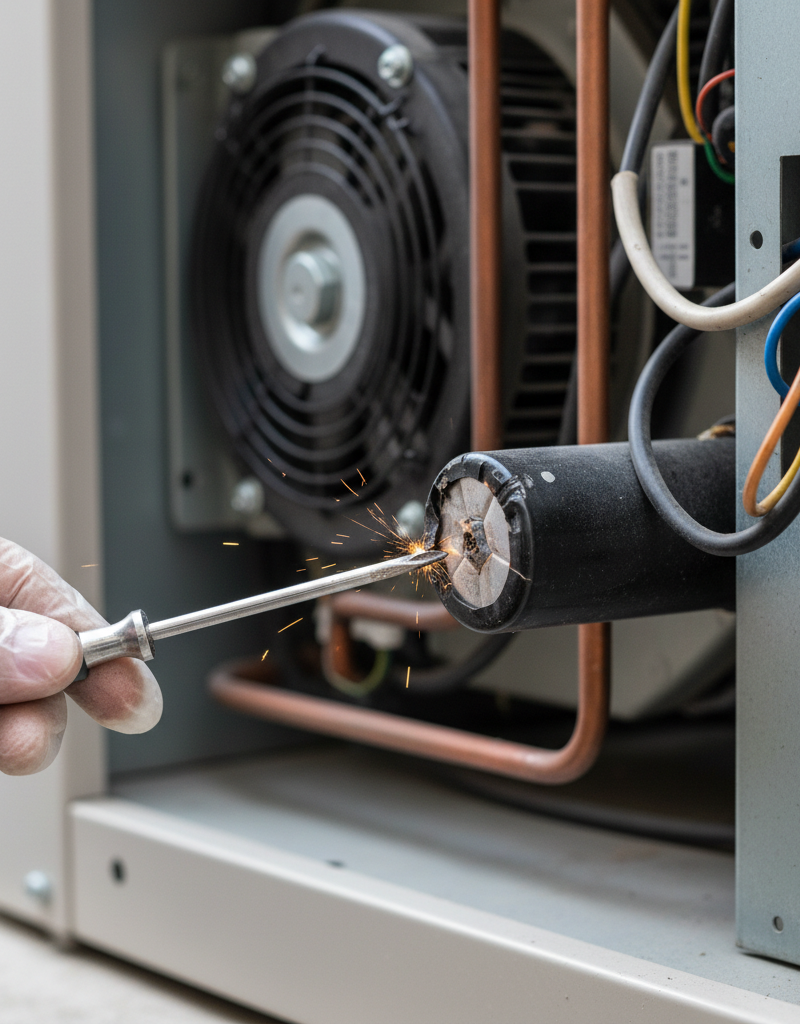
PRO CALLOUT: Your HVAC system operates on high-voltage (240V) electricity and contains high-pressure refrigerant. Attempting to service these components without proper training and tools is extremely dangerous and can lead to injury or expensive damage to your system.
Call a qualified professional immediately if:
- You switch the thermostat to "Heat," but the outdoor unit never turns on.
- The system runs, but only blows cool or room-temperature air.
- The heat pump is making loud, metallic grinding, screeching, or banging noises.
- The outdoor unit is encased in a solid block of ice, not just a light frost.
- You reset the breakers, and they immediately trip again.
- You are not comfortable performing any of the diagnostic steps yourself.
An experienced technician can properly diagnose the root cause—whether it’s electrical or refrigerant-related—and replace the correct component safely, getting your system back to its peak efficiency and stopping the budget-breaking cycle of Emergency Heat.
What should this project cost?
Enter your project details for a realistic cost range before you call anyone.
Service calls and common repairs run $150–$900; full system replacement typically $6,000–$12,000.
- Regional adjustment
- National average
- Labor share (typical)
- ~$1,935
- Quotes to collect
- 3 written estimates
Educational estimate based on national averages — not a binding quote. Always confirm with written local estimates.
Fixly Project Decision Box
- DIY difficulty
- Advanced
- Estimated time
- Homeowner checks 20–30 minutes
- Cost level
- Moderate
Main tools / materials
- Clean air filter
- Garden hose for condenser coils
- Shop vac for the condensate line
When to stop and call a pro
- Burning smell, smoke, or a tripping breaker
- Refrigerant lines iced over or hissing
- Any work inside the sealed refrigerant circuit (EPA-licensed only)
- Gas smell near a furnace — leave and call the utility
Need professional help?
Find an HVAC Pro Near YouGet the print-ready PDF of this guide
A clean, ad-free, printable version you can keep on your phone or pin to the workshop wall. Free with a FixlyGuide account.
- Print-optimized layout
- Tools, materials & every step included
- Saved to your account
Frequently asked questions
What's the difference between Aux Heat and Emergency Heat?+
They both use the same electric heat strips, but 'Aux Heat' is an automatic, temporary supplement to your main heat pump. 'Emergency Heat' is a manual mode that shuts off your heat pump and relies 100% on the inefficient heat strips, meant only for when the main heat pump is broken.
How long can I run my emergency heat?+
You can run it as long as necessary to prevent your pipes from freezing, but you should only do so until an HVAC professional can fix your main heat pump. Running it for an extended period will result in an extremely high electricity bill, as it's the most expensive way to heat your home.
What temperature should I set my emergency heat to come on?+
This setting, known as the 'compressor lockout,' is in your thermostat's advanced settings. A common setting is between 25°F and 35°F. Setting it too high will use expensive heat strips unnecessarily, while setting it too low may cause the heat pump to struggle in conditions it can't handle. It's often best to leave it at the default or have a pro a djust it based on your specific heat pump model and climate.
Is it cheaper to use space heaters than emergency heat?+
Both use electric resistance to create heat and have a similar (low) efficiency. Running your whole-house emergency heat will use significantly more total power than a single 1500-watt space heater. However, if your goal is to keep your entire house from freezing, the central system is the only practical option. For supplemental heat in one room, a space heater is more targeted, but for a whole-home solution during a heat pump failure, you must use the EM Heat and call for service immediately.
Discussion
Loading comments…