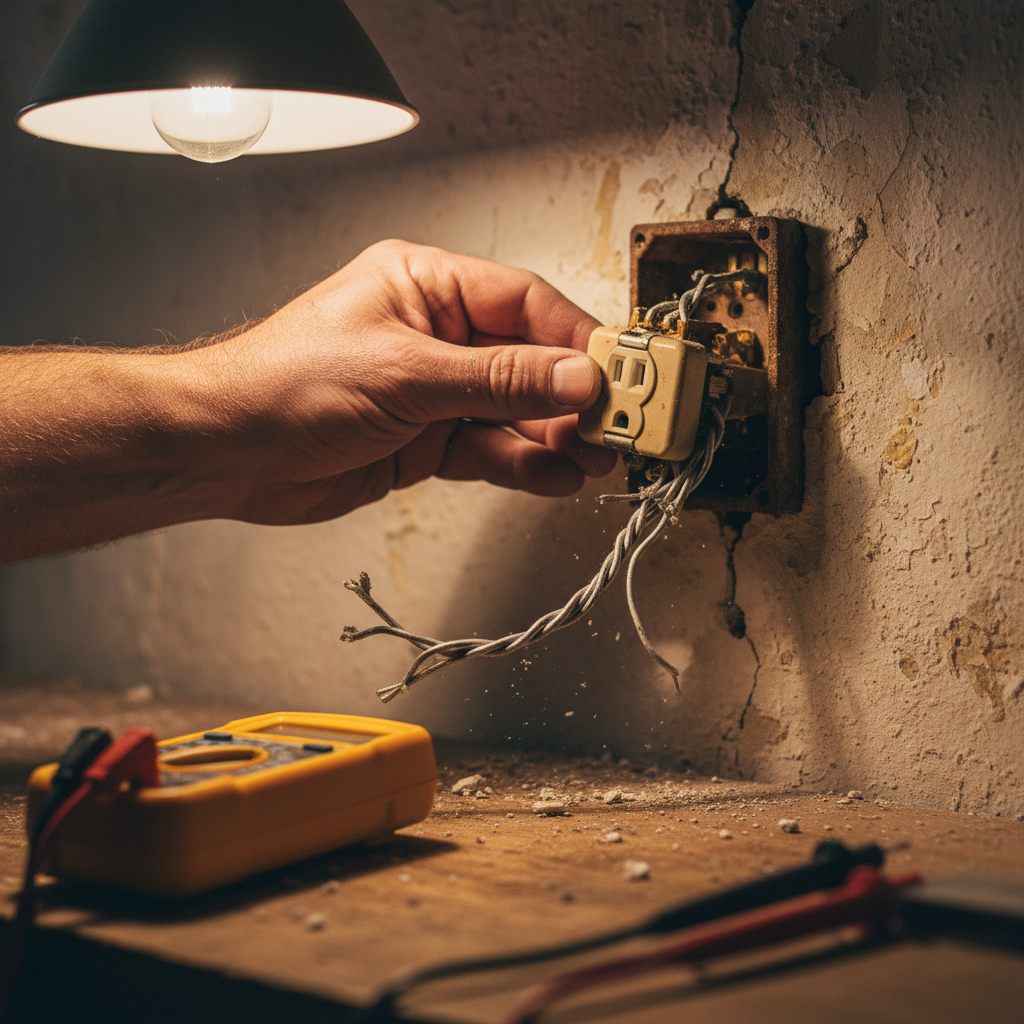
- Dissimilar Metals: The primary cause is connecting aluminum wire to devices (outlets, switches) made with standard brass or copper terminals, leading to galvanic corrosion and loosening.
- Thermal Expansion: Aluminum expands and contracts at a higher rate than copper when heating and cooling, causing connections to "walk" or loosen over time.
- Wire "Creep": Under the pressure of a terminal screw, aluminum wire slowly deforms and flows, reducing the connection's tightness and increasing electrical resistance.
- Oxidation: Exposed aluminum quickly forms a highly resistive layer of aluminum oxide, which traps heat at loose connection points, accelerating the failure cycle.
- Improper Installation: Installers in the 60s and 70s were often unfamiliar with the unique properties of aluminum and failed to use the proper techniques, such as abrading the wire, applying antioxidant, and torquing screws correctly.
Electrical · Panel or service upgrade
| Project category | Electrical |
|---|---|
| Problem type | Panel or service upgrade |
| Trade required | Electrical |
| Urgency | Planned project |
| Safety risk | High safety risk |
| DIY suitability | Licensed pro only |
| Cost category | High cost |
| Typical timeline | Permit plus utility scheduling, commonly 2–6 weeks |
| Contractor type | Licensed electrician |
Repair option
Add a subpanel when the main service is adequate.
Replacement option
Full service upgrade with utility coordination and permits.
Common causes
- Obsolete or recalled panel brands
- Service capacity too small for added loads
- No room for required AFCI/GFCI breakers
Relevant tools:project cost estimatorcompare quotes
Published June 5, 2026Last updated August 17, 2026
Tools & materials you'll need
Affiliate links- AmazonNon-Contact Voltage Tester1 · For verifying power is off.
- AmazonWire Strippers1 · Must have slots for #12 and #10 AWG solid wire.
- AmazonScrewdriver Set1 · Includes flathead and Phillips head.
- AmazonNeedle-Nose Pliers1 · For handling and straightening wires.
- AmazonTorque Screwdriver1 · Recommended for precise terminal screw tightness.
- AmazonOutlet Tester1 · For verifying correct wiring after installation.
As an Amazon Associate FixlyGuide earns from qualifying purchases — at no extra cost to you. Prices and availability are accurate as of publication and subject to change.
Quick Answer
Aluminum wiring, common in homes built from 1965 to 1973, expands and contracts more than copper wire. This "thermal cycling" causes connections at outlets and switches to loosen over time, creating dangerous arcing and overheating. The only safe and permanent DIY-level retrofit is installing special CO/ALR rated devices, which are specifically designed to be used with aluminum wire.
The Problem
The flickering lights in your mid-century home might seem charming, but they could be a red flag for a serious electrical hazard. If your house was built or had circuits added between 1965 and 1973, there's a significant chance it contains solid single-strand aluminum wiring. While perfectly legal and considered safe at the time due to soaring copper prices, decades of real-world use have proven that aluminum wiring poses a substantial fire risk. The Consumer Product Safety Commission (CPSC) reports that homes with aluminum wiring are up to 55 times more likely to have a fire hazard condition compared to homes wired with copper.
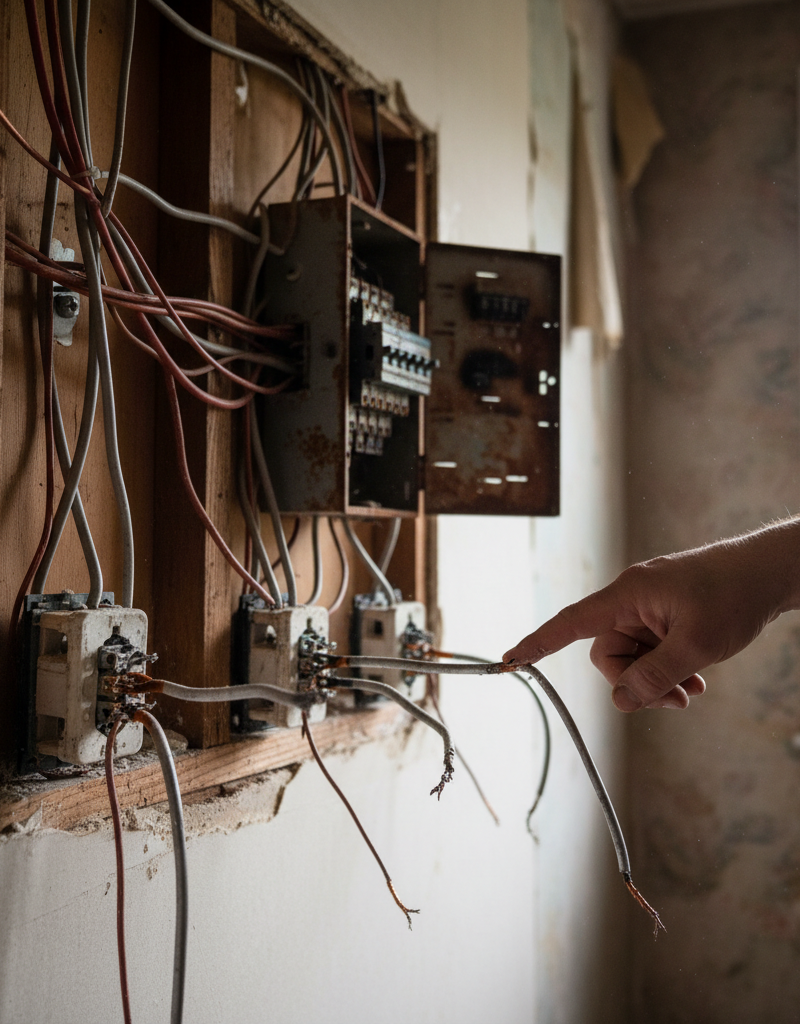
The danger isn't the wire itself, but the connections. You'll find these connections at every single outlet, switch, light fixture, and junction box. The issue is that aluminum and copper (which standard outlets and switches are made of) behave very differently when they heat up and cool down. This incompatibility creates a slow-motion failure that can, without warning, lead to a catastrophic fire. Telltale signs of a problem include outlets that are warm to the touch, a faint smell of burning plastic near switches or outlets, and flickering or dimming lights that aren't related to appliance startups.
How It Works
To understand why aluminum connections fail, we need to look at three key properties of the metal: thermal expansion, creep, and oxidation.
First, thermal expansion. When electricity flows through a wire, it generates heat, causing the wire to expand. Aluminum expands about 30% more than copper under the same heat load. When you plug in a 1500-watt vacuum cleaner, the aluminum wire heats up and swells significantly. When you turn it off, it cools and shrinks. This constant expansion and contraction at the terminal screw of a standard brass or copper outlet is like repeatedly tightening and loosening a bolt. Over hundreds of these cycles, the connection becomes loose.
Second, this loosening is accelerated by a phenomenon called "creep." When compressed under a screw terminal, aluminum wire will slowly and permanently deform over time. As it flattens and flows out from under the screw head, the connection becomes even less secure. Copper does this too, but to a much lesser extent.
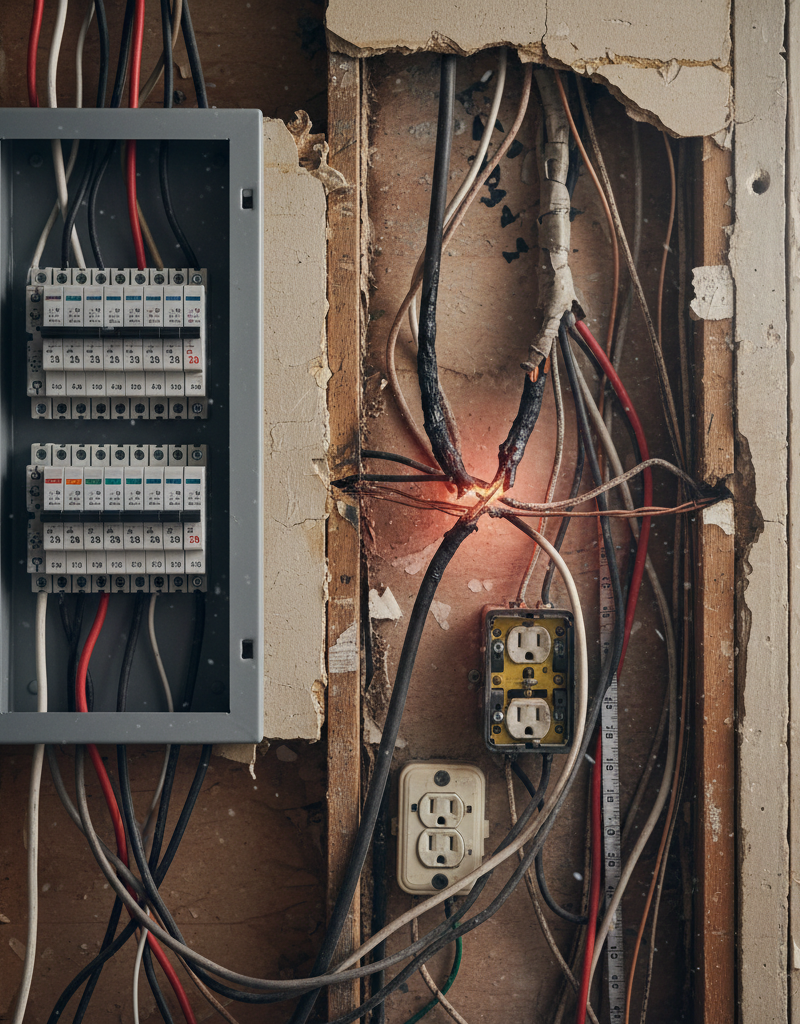
Third, and most critically, is oxidation. As soon as aluminum is exposed to air, it forms a layer of aluminum oxide. This oxide is not very conductive and creates resistance. In a tight, secure connection, this isn't a major problem. But in a loose connection, a fresh layer of oxide can form in the tiny air gaps. This increased resistance generates more heat (Resistance x Current^2 = Watts of heat). More heat causes more expansion, which loosens the connection further, which allows more oxidation to form. This vicious cycle, known as "thermal runaway," can eventually generate temperatures high enough to melt the outlet (over 300°F) and ignite surrounding materials like the wall box and insulation.
CO/ALR devices interrupt this failure cycle. The "CO/ALR" stamp stands for "Copper/Aluminum Re-rated." These devices are specifically engineered with screw terminals made of a special tin-plated alloy. This alloy is chemically compatible with aluminum and grips the softer wire more effectively, drastically reducing the rate of creep and preventing the loosening that leads to overheating.
Step-by-Step Fix
SAFETY FIRST: This job requires working with live electrical circuits. Before starting, you must turn off the corresponding breaker in your main electrical panel. Use a non-contact voltage tester to confirm there is NO power at the outlet or switch you are working on. If you are not 100% confident in your ability to do this safely, STOP and call a licensed electrician.
-
Kill the Power — Go to your breaker panel. Identify the circuit for the room you're working in and switch the breaker to the full "OFF" position. A good practice is to place a piece of tape over the breaker to prevent someone from accidentally turning it back on.
-
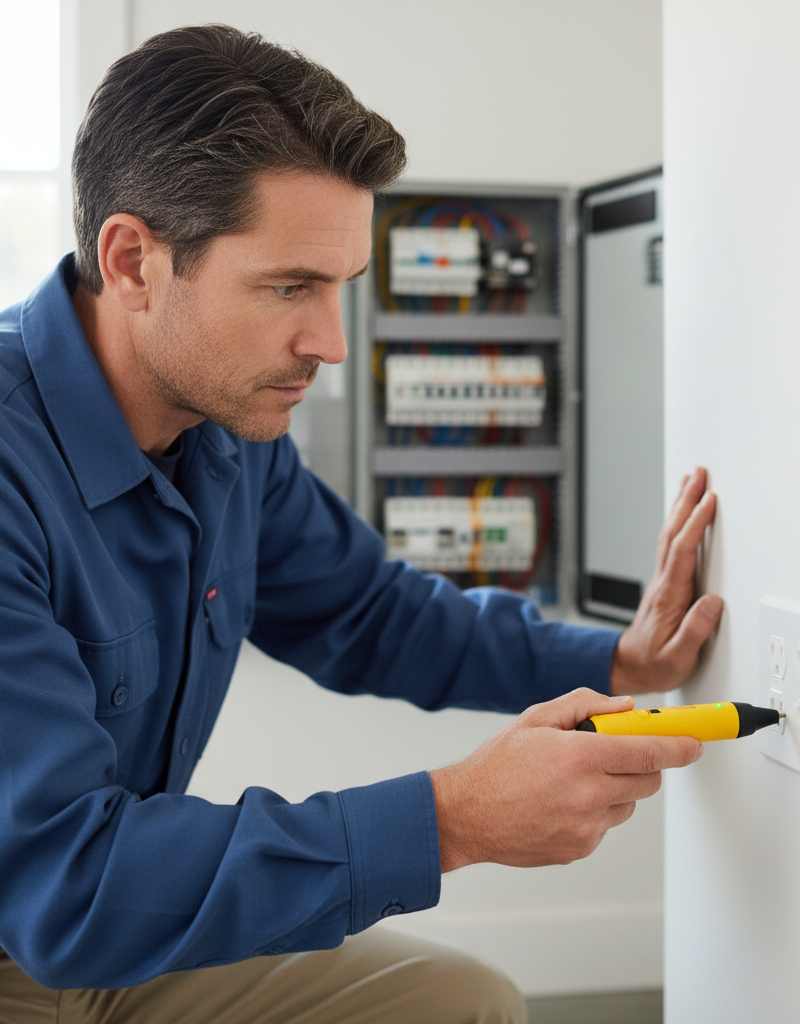
Test for Power — Back in the room, use a non-contact voltage tester to verify that the power is off. Insert the tip of the tester into the outlet slots or hold it next to the switch. The tester should not light up or make any noise. Double-check by plugging in a lamp you know works.
-
Remove the Old Device — Unscrew the faceplate. Then, unscrew the two long screws holding the old outlet or switch in the electrical box. Gently pull the device out from the wall. The wires will still be attached.
-
Inspect the Wires — Look closely at the wires. Aluminum wiring will be a dull silver or grey color and is typically #12 AWG for 15-amp circuits and #10 AWG for 20-amp circuits. You may see signs of overheating like scorched insulation or discoloration on the device's terminals. If you see significant charring or melted plastic, stop work and call an electrician immediately.
-
Disconnect and Clean the Wires — Carefully loosen the terminal screws and unhook the wires. The wires will likely be hooked in a "J" shape. Use needle-nose pliers to straighten them out completely. Then, using a wire brush or very fine-grit sandpaper, gently clean any oxidation off the bare end of each wire until it is shiny.
-
Cut and Re-strip the Wire — The end of the wire has been subjected to years of stress and creep. It's best to start fresh. Use wire cutters to snip off the old, compressed end (about 3/4 inch). Then, using a wire stripper designed for the correct gauge (#12 or #10), carefully strip exactly 1/2 inch of new insulation off the end.
-
Apply Antioxidant Compound — This is a critical step. Squeeze a small amount of an approved antioxidant paste (e.g., Ideal Noalox) onto the bare end of the aluminum wire. This gray, gritty paste prevents oxygen from reaching the wire, inhibiting the formation of resistive aluminum oxide.
-
Connect the CO/ALR Device — Your new CO/ALR outlet or switch will be clearly marked. Connect the "hot" wire (usually black insulation) to the brass-colored screw, the "neutral" wire (white insulation) to the silver-colored screw, and the bare copper or green insulated "ground" wire to the green screw. Unlike standard devices, do NOT loop the wire into a "J" hook. Insert the straight, coated wire under the screw plate and tighten the screw firmly. The CPSC recommends a specific torque of 12 inch-pounds. If you have a torque screwdriver, use it.
-
Wrap and Reinstall — For an extra layer of safety, wrap the body of the device with a few turns of electrical tape, covering the screw terminals. This helps prevent the terminals from accidentally contacting the side of a metal electrical box. Carefully fold the wires back into the box and screw the new device into place.
-
Final Checks — Attach the new faceplate. Go back to the breaker panel, remove your tape, and switch the breaker back ON. Use an outlet tester to confirm the outlet is wired correctly. It will have a series of lights to indicate correct wiring, open ground, reversed polarity, etc.
Common Causes
- Dissimilar Metals: The primary cause is connecting aluminum wire to devices (outlets, switches) made with standard brass or copper terminals, leading to galvanic corrosion and loosening.
- Thermal Expansion: Aluminum expands and contracts at a higher rate than copper when heating and cooling, causing connections to "walk" or loosen over time.
- Wire "Creep": Under the pressure of a terminal screw, aluminum wire slowly deforms and flows, reducing the connection's tightness and increasing electrical resistance.
- Oxidation: Exposed aluminum quickly forms a highly resistive layer of aluminum oxide, which traps heat at loose connection points, accelerating the failure cycle.
- Improper Installation: Installers in the 60s and 70s were often unfamiliar with the unique properties of aluminum and failed to use the proper techniques, such as abrading the wire, applying antioxidant, and torquing screws correctly.
Common Mistakes
- Using Standard Outlets: The biggest mistake is replacing an old outlet with a new, standard "CU-rated" (copper only) outlet. This recreates the exact hazardous condition you are trying to fix.
- Ignoring Antioxidant: Failing to apply an antioxidant compound like Noalox to the cleaned wire before connecting it allows oxidation to begin immediately, undermining the repair.
- Re-using the Old Wire End: The portion of the wire that was under the original screw terminal is work-hardened, deformed, and likely has microscopic fractures. It must be cut off and a fresh section of wire stripped.
- Pigtailing with Wire Nuts: A common but now-disapproved fix is using a twist-on wire nut to connect a short piece of copper wire (a "pigtail") to the aluminum branch circuit. The CPSC has found that this method is also prone to failure unless a very specific type of connector (like the COPALUM crimp or certain listed purple wire nuts) is used, and those are best left to professionals.
- Over-tightening or Under-tightening Screws: There is a "goldilocks" zone for connection tightness. Too loose, and it will arc; too tight, and you accelerate the creep and damage the soft aluminum wire. Using a torque screwdriver is the only way to be certain.
- Nick-ing the Wire: When stripping the insulation, nicking or scratching the aluminum wire creates a weak spot that can easily break off or create a hot spot.
Cost & Time Breakdown
This breakdown covers the CO/ALR device replacement method for a typical 1,500 sq. ft. home with aluminum wiring.
| Task | DIY Cost | Pro Cost | Time |
|---|---|---|---|
| Initial Inspection & Planning | $25 (testers, tools) | $150 - $300 | 2 hours |
| CO/ALR Outlets & Switches (30 devices) | $120 - $180 | $300 - $450 (incl. markup) | 4-6 hours |
| Antioxidant Compound & Supplies | $10 | Included | - |
| Labor for Installation (30 devices) | $0 | $1,500 - $2,400 (@ $50-80/device) | 4-6 hours |
| Full Home Rewire (Copper) | N/A | $8,000 - $15,000+ | 1-2 weeks |
| Total (CO/ALR Retrofit) | $155 - $215 | $1,950 - $3,150 | 8-12 hours |
Tips & Prevention
- Limit High-Load Appliances: On non-retrofitted circuits, avoid using high-draw appliances like space heaters, toasters, and hair dryers for extended periods. Plug them in for the shortest time necessary.
- Feel for Warmth: Periodically (monthly), feel the faceplates of your outlets and switches. They should never feel warm. If you find one, turn off the breaker for that circuit and replace the device with a CO/ALR one immediately.
- Don't Ignore Flickering Lights: If lights flicker throughout the house, it could indicate a loose connection at the main electrical panel, a very dangerous situation. Call an electrician immediately.
- Check Your Insurance Policy: Some insurance companies will not cover homes with unmitigated aluminum wiring or may charge significantly higher premiums. A certificate from an electrician showing a proper retrofit can save you money.
- Use Arc-Fault Breakers (AFCI): Consider upgrading the breakers for your aluminum-wired circuits to AFCI breakers. These breakers are designed to detect the specific electrical signature of a dangerous arc and shut the power off before a fire can start. They are a powerful second layer of defense.
- Label Your Panel: Clearly label the circuits in your breaker panel that are aluminum. This is a crucial heads-up for any future work or for emergency responders.
When to Call a Professional
While replacing a single outlet with a CO/ALR device can be a DIY job for a confident homeowner, the overall issue of aluminum wiring is serious. You should call a licensed electrician if you encounter any of the following:
- You are not 100% comfortable turning off breakers and verifying that power is dead.
- You open an outlet and see significant charring, melted wires, or blackened soot. This indicates a past or imminent failure that needs an expert eye.
- You find multi-wire circuits (where breaking a tab on the outlet allows one plug to be switched and the other to be always on). These require special handling.
- Your home has a mix of aluminum and copper wiring in the same box. This requires specialized connection methods.
- You want to explore the two most permanent (and most expensive) solutions: a whole-home rewire with copper, or the COPALUM Crimp method, which involves cold-welding a piece of copper wire to every aluminum wire end. The COPALUM system is only available to certified electricians.
An electrician can perform a full inspection, assess the condition of your wiring and panel, and provide a certified report on the safety of your system. For a hazard of this magnitude, the peace of mind that comes from a professional evaluation is invaluable.
What should this project cost?
Enter your project details for a realistic cost range before you call anyone.
Outlet and switch work usually $150–$400; panel upgrades commonly $1,800–$4,200.
- Regional adjustment
- National average
- Labor share (typical)
- ~$709
- Quotes to collect
- 3 written estimates
Educational estimate based on national averages — not a binding quote. Always confirm with written local estimates.
Fixly Project Decision Box
- DIY difficulty
- Advanced
- Estimated time
- Homeowner checks 20–30 minutes
- Cost level
- Moderate
Main tools / materials
- Clean air filter
- Garden hose for condenser coils
- Shop vac for the condensate line
When to stop and call a pro
- Burning smell, smoke, or a tripping breaker
- Refrigerant lines iced over or hissing
- Any work inside the sealed refrigerant circuit (EPA-licensed only)
- Gas smell near a furnace — leave and call the utility
Need professional help?
Find an HVAC Pro Near YouGet the print-ready PDF of this guide
A clean, ad-free, printable version you can keep on your phone or pin to the workshop wall. Free with a FixlyGuide account.
- Print-optimized layout
- Tools, materials & every step included
- Saved to your account
Frequently asked questions
Is all aluminum wiring dangerous?+
Not all. Multi-strand aluminum wiring used for main service entrance cables and large appliance circuits (like your stove or AC) is generally considered safe. The primary concern is with single-strand 15- and 20-amp branch circuits from the 1965-1973 era.
Can I just use a regular outlet instead of CO/ALR?+
Absolutely not. Using a standard outlet rated only for copper (CU/AL) on aluminum wire is the primary cause of overheating and fires. You must use devices marked CO/ALR.
I heard about "pigtailing" with wire nuts. Is that okay?+
The CPSC advises against pigtailing with standard wire nuts as a DIY fix. While some special connectors exist (like AlumiConn or King Innovation), they must be installed perfectly. The most reliable DIY solution is replacing the device with a CO/ALR-rated one.
Does my whole house need to be rewired?+
Not necessarily. A complete copper rewire is the most permanent solution but is also very expensive and disruptive. A properly executed CO/ALR retrofit on all outlets, switches, and light fixtures is recognized by the CPSC as a safe and acceptable alternative.
Discussion
Loading comments…