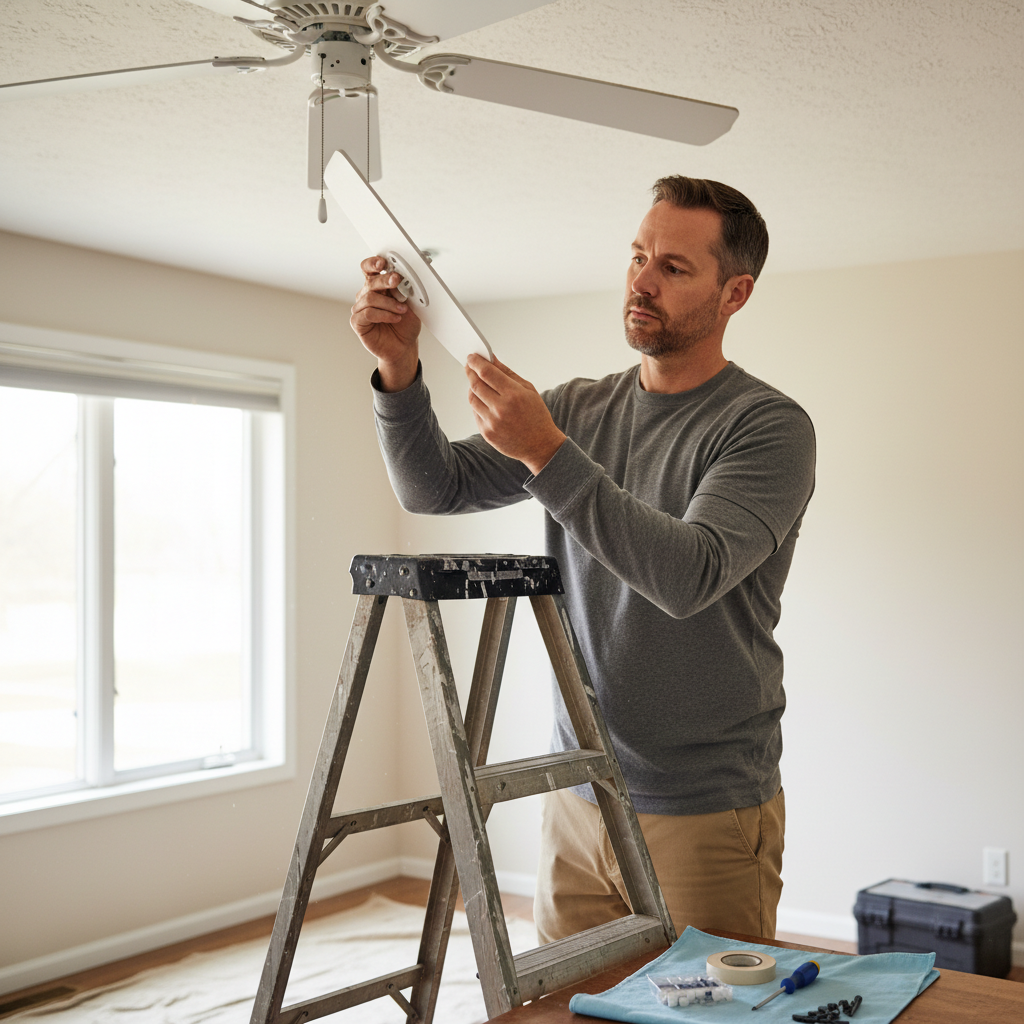
- Use a Fan Balancing Kit — The most common solution for blade imbalance.
- Attach the clip: Pick one blade and clip the balancing clip onto its trailing edge, about halfway out from the motor. (Make sure the power is back on for this step, but stand clear of the spinning blades!)
- Turn on the fan: Run the fan on high and observe. If the wobble gets worse, move the clip to the next blade. If it improves, move the clip further out or in on the same blade.
- Repeat: Go through each blade, moving the clip until you find the blade and position where the wobble is minimized. It’s a bit of trial and error.
- Re-test: Turn the fan back on and check. If it’s still wobbling, try a different blade or add more weight incrementally.
Electrical · Panel or service upgrade
| Project category | Electrical |
|---|---|
| Problem type | Panel or service upgrade |
| Trade required | Electrical |
| Urgency | Planned project |
| Safety risk | High safety risk |
| DIY suitability | Licensed pro only |
| Cost category | High cost |
| Typical timeline | Permit plus utility scheduling, commonly 2–6 weeks |
| Contractor type | Licensed electrician |
Repair option
Add a subpanel when the main service is adequate.
Replacement option
Full service upgrade with utility coordination and permits.
Common causes
- Obsolete or recalled panel brands
- Service capacity too small for added loads
- No room for required AFCI/GFCI breakers
Relevant tools:project cost estimatorcompare quotes
Published August 22, 2026Last updated August 22, 2026
Tools & materials you'll need
Affiliate linksAs an Amazon Associate FixlyGuide earns from qualifying purchases — at no extra cost to you. Prices and availability are accurate as of publication and subject to change.
Quick Answer
Alright, let’s cut right to it. If your ceiling fan’s doing the cha-cha, it’s usually one of three things: the blades are out of whack, the whole thing’s loose at the ceiling, or the electrical box it’s hanging from isn’t up to snuff. Don’t panic. Most wobbles are fixable with a little elbow grease and the right tools. You’ll likely spend less than 20 bucks and about an hour of your time to get it spinning smooth again.
The Problem
That rhythmic shake, that unsettling shimmy—a wobbly ceiling fan isn’t just annoying; it can actually be dangerous. Over time, constant vibration can loosen screws, fatigue metal components, and even cause the fan to fall, which you definitely don’t want happening while you’re catching some Z’s. I’ve seen plenty of these over the years, from little shakes that just make you twitch to full-blown disco balls threatening to take flight. The good news? For the most part, it’s a pretty straightforward fix if you know what you’re looking for.
How It Works
To understand why a fan wobbles, you gotta get how it’s built to not wobble. A ceiling fan, at its core, is an electric motor spinning a set of blades to move air. That motor assembly sits in a housing, which attaches to a downrod. That downrod connects to a canopy, which hides the electrical box in your ceiling. The whole shebang hangs from a mounting bracket, and that bracket is screwed directly into—or securely supported by—the electrical box. For the fan to run smooth, every one of those parts has to be balanced and locked down tight. Think of it like a car tire: if it’s out of balance or not bolted on tight, you’re gonna feel that vibration.
Fans are designed to have their weight evenly distributed around a central axis. When something throws that balance off—a blade gets bent, a screw loosens, or the mounting bracket isn’t flush—the centrifugal force from the spinning blades creates an uneven pull. That force turns into the wobble you see and hear. A typical fan motor might spin at around 150-200 RPM on high, and even a tiny imbalance gets magnified at those speeds. The faster it spins, the uglier the wobble usually gets. That’s why checking the fan on its highest setting is a solid diagnostic move.
Your electrical box in the ceiling isn’t just there for wires; it also has to carry the fan. Most modern ceiling fan boxes are rated for up to 70 pounds—way more than the average 20-35 pound fan. But if you’ve got an older house, or somebody slapped up a regular junction box that wasn’t made for fan support, well, that’s a recipe for trouble and a major wobble culprit.
Step-by-Step Fix
Before you touch a thing, make sure you’re safe. We’re talking about electricity and something heavy overhead. Always kill the power at the breaker box before you start messing with the fan. Flip that switch and give the light pull chain a tug to confirm it’s off. Trust me, I’ve seen guys try to work with the power on, and it never ends well. Now let’s get that fan sorted.
-
Check the Breaker First — Safety always comes first. Go to your electrical panel and flip the breaker for the fan’s room to the "OFF" position. Don’t just use the wall switch; that only cuts the "hot" wire, and you could still get zapped. Tug the fan’s pull chain or flip the wall switch a few times to confirm it’s dead. You want no power, zero juice, before you even think about grabbing a screwdriver.
-
Tighten All Visible Screws — A common, easy fix. A good 80% of wobbles I’ve fixed start right here. Grab a screwdriver—usually a Phillips head. Check every single screw you can see. That means the ones holding the fan blades to their brackets, the screws connecting the blade brackets to the motor housing, and the screws securing the downrod to the motor and the mounting bracket. Give ’em all a snug turn. Don’t overtighten and strip ’em, but make sure they’re good and firm. I pulled a water heater in Frisco last month that had exactly this kind of “mystery” vibration going on up above—turned out three blade screws were barely hanging on.
-
Inspect for Bent or Damaged Blades — Visual check is key. Look closely at each blade. Are they all straight? Sometimes, especially if someone was horsing around with a broom or moving furniture, a blade can get dinged or bent. A slight warp can throw the whole fan off balance. If you see a visibly bent blade, you might need to replace the whole set to keep things balanced. You can often find replacement blades online or at home improvement stores. Make sure the replacement blades match the weight of the originals as closely as possible.
-
Clean the Blades — Dust builds up. Believe it or not, a thick layer of dust or grime can build up unevenly on the blades, adding enough weight to cause a wobble. Grab a damp cloth and wipe down both the top and bottom of each blade. It’s a long shot, but it’s free and easy, and it’ll make your fan look better too.
-
Use a Fan Balancing Kit — The most common solution for blade imbalance. If tightening screws and cleaning didn’t cut it, it’s probably blade imbalance. These kits are cheap—usually under 10 bucks. They come with small weights and a clip. Here’s the drill:
- Attach the clip: Pick one blade and clip the balancing clip onto its trailing edge, about halfway out from the motor. (Make sure the power is back on for this step, but stand clear of the spinning blades!)
- Turn on the fan: Run the fan on high and observe. If the wobble gets worse, move the clip to the next blade. If it improves, move the clip further out or in on the same blade.
- Repeat: Go through each blade, moving the clip until you find the blade and position where the wobble is minimized. It’s a bit of trial and error.
- Apply the weight: Once you’ve found the sweet spot, remove the clip and use the adhesive weights from the kit. Stick one to the top of the blade where the clip was. Sometimes you need more than one weight, or you might need to try the weights on the opposite side of the blade (leading edge) depending on the fan and the imbalance.
- Re-test: Turn the fan back on and check. If it’s still wobbling, try a different blade or add more weight incrementally.
-
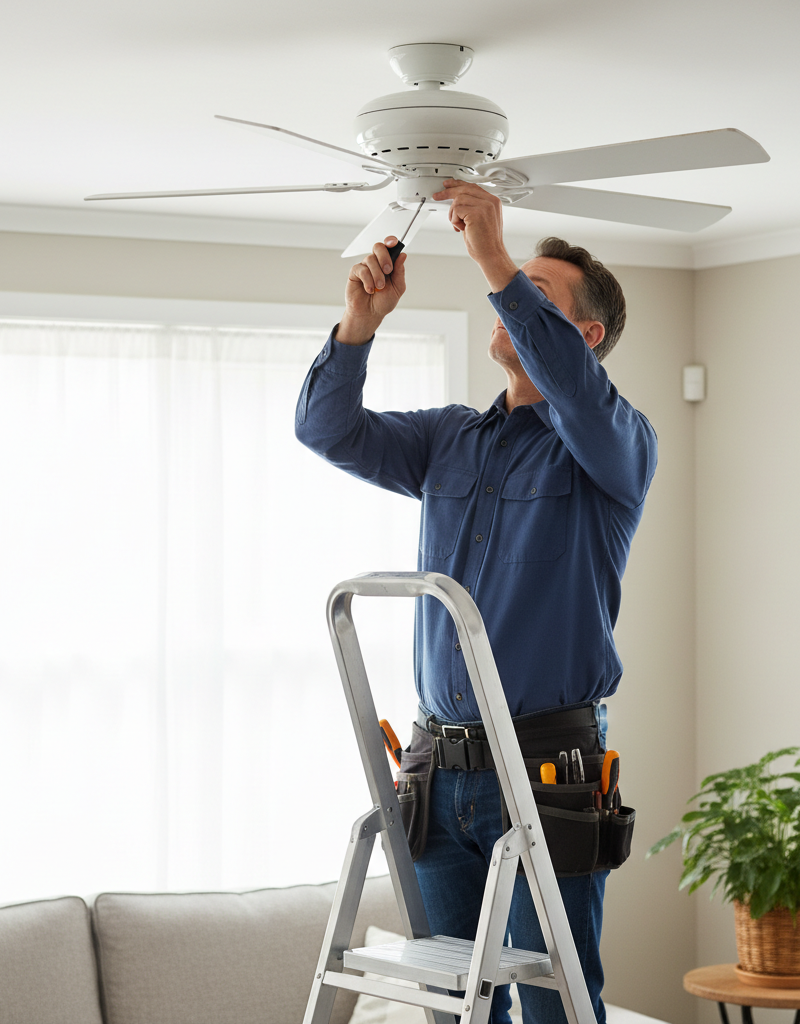
Check the Downrod and Canopy — Sometimes it’s the rod, not the blades. With the power off, pull down the canopy (the decorative cover against the ceiling). Check the setscrews that secure the downrod to both the motor housing and the mounting bracket. These little guys can work their way loose over time. Tighten them firmly. Make sure the downrod isn’t bent itself—that’s rare, but I’ve seen it. If it is, you’ll need to replace it.
-
Inspect the Mounting Bracket — Is it secure to the electrical box? This is where things get a bit more serious if there’s a problem. The mounting bracket is what holds the entire fan to your ceiling. It must be securely fastened to a fan-rated electrical box or directly into a ceiling joist with appropriate screws. If you see any play or looseness when you wiggle the bracket (with the power OFF, of course), you’ve found a big problem. You might need to tighten the screws holding the bracket to the electrical box. If the box itself is loose, that’s a job for a professional or a more involved DIY.
-
Evaluate the Electrical Box (Advanced) — When the box is the culprit. If the mounting bracket is solid but the entire electrical box moves, then that’s your wobble. Regular electrical boxes aren’t meant to support the dynamic load of a spinning fan. You need a fan-rated box, specifically designed for this. If you have a flimsy box, or one that’s just nailed to a joist side, it’s time for an upgrade. This usually involves removing the old box and installing a new fan brace and box. For attic access, it’s a relatively simple job to install an adjustable fan brace between two joists. If there’s no attic access, you’ll need an "old work" fan box and brace that can be installed through the drywall opening. This is usually where I tell homeowners to consider calling in a licensed electrician, especially if you’re not comfortable working with live wires or cutting drywall.
Common Causes
- Loose Mounting Hardware: The most frequent offender. Screws holding blades, blade brackets, downrod, or the mounting bracket itself can loosen with vibration over time.
- Imbalanced Blades: Even a tiny difference in blade weight or angle across the set can create a significant wobble when spinning at high speed. This can be from manufacturing defects, bent blades, or uneven dust accumulation.
- Uneven Blade Angles (Pitch): Some fans allow you to adjust the blade pitch. If they’re not consistent, it’ll throw off the airflow and cause an imbalance. This is less common on newer fans.
- Non-Fan-Rated Electrical Box: An electrical box not designed to support the dynamic load of a ceiling fan can sag or vibrate, transferring that wobble to the entire fixture. This is a safety issue, not just an aesthetic one.
- Bent Downrod: If the downrod itself gets bent, the fan will never spin true. This often happens during installation or if the fan is bumped hard.
Common Mistakes
- Ignoring the Wobble: That wobble isn’t just annoying; it’s a sign of stress. Ignoring it can lead to screws stripping, parts breaking, and in rare cases, the fan falling. Don’t put it off.
- Only Checking Blade Screws: While blade screws are a common culprit, don’t forget the screws holding the downrod, the blade brackets to the motor, and especially the mounting bracket to the ceiling.
- Overtightening Screws: Snug is good, but cranking down on screws until they strip the threads or crack plastic/wood is not. You’ll create a bigger problem than you started with.
- Not Using a Balancing Kit Correctly: Guessing where to put the weights usually doesn’t work. You gotta use that clip to pinpoint the exact spot that minimizes the wobble before you stick on the permanent weights.
- Assuming All Electrical Boxes are Created Equal: Plenty of homeowners don’t realize there’s a difference between a light fixture box and a fan box. A light box can’t handle the constant rotational stress of a fan.
- Working with Power On: I can’t stress this enough. Flip that breaker! A few minutes saved isn’t worth an emergency room visit.
Cost & Time Breakdown
Here’s what you can expect to spend and how long it’ll take, depending on the severity of the wobble.
| Task | DIY Cost | Pro Cost | Time |
|---|---|---|---|
| Tighten Loose Screws | $0 | $75–$150 | 10–20 minutes |
| Clean Blades | $0 | $75–$150 | 5–10 minutes |
| Balance Blades with Kit | $5–$15 | $75–$150 | 20–60 minutes |
| Replace Blades | $30–$70 | $100–$200 | 30–90 minutes |
| Replace Fan-Rated Electrical Box | $20–$50 | $150–$300 | 1–3 hours |
| Full Fan Replacement & Installation | $100–$400+ (fan) | $200–$500+ | 2–4 hours |
Tips & Prevention
- Annual Tightening Check: Once a year, give your fan a quick once-over. With the power off, check all those screws. A few minutes of prevention can save you a headache (and a wobbling fan) later.
- Clean Regularly: Dust and grime can build up, especially in humid environments. A quick wipe down every couple of months keeps things clean and helps maintain balance.
- Proper Installation is Key: If you’re installing a new fan, make absolutely sure it’s mounted to a proper fan-rated electrical box and that all components are securely fastened. Don’t cut corners.
- Blade Care: Be mindful when moving furniture or doing anything that might ding a fan blade. A bent blade is almost guaranteed to cause a wobble.
- Don’t Overload: If your fan has light kits or decorative accessories, make sure they’re within the manufacturer’s weight limits. Adding too much weight can stress the motor and mounting.
- Check Blade Pitch: If your fan has adjustable blade pitch, ensure all blades are set to the same angle. Some manufacturers even provide a small plastic gauge for this.
When to Call a Professional
Look, I’m all for DIY, but there are times when you gotta call in the pros. If you’ve gone through all the steps, used a balancing kit, tightened every screw, and that fan is still shaking like a wet dog, it’s time for an electrician. Especially if you suspect the electrical box itself is the problem. Replacing or properly securing a ceiling electrical box, particularly if you don’t have attic access, involves cutting drywall, running new wires, or installing a special fan brace. That’s not just about comfort; it’s about safety. An improperly installed fan or one connected to a weak box is a genuine falling hazard. If you’re not comfortable with electrical work or working up on a ladder for extended periods, or if the wobble seems severe and gets worse with slight movements, don’t risk it. A licensed electrician will ensure the fan is securely mounted and wired correctly, giving you peace of mind. It might cost you a bit, but a secure fan is worth every penny.
Related Articles
Keep troubleshooting with these hand-picked guides from FixlyGuide:
- The Surprising Reason Your Ceiling Fan Wobbles (It’s Not Always What You Think) — A wobbling ceiling fan isn't just annoying; it can be a safety concern. Learn the real culprits behind the shake and how to fix them.
- The Secret Reason Your Ceiling Fan Wobbles (It's Not Always What You Think) — A wobbling ceiling fan isn't just annoying; it can be a sign of deeper issues. Learn how to diagnose and fix the most common causes of an u…
- The Surprising Reason Your Ceiling Fan Wobbles (It’s Not Always What You Think) — A wobbling ceiling fan is more than just annoying; it can be a symptom of various issues, from loose screws to unbalanced blades, impacting…
- The Secret Cause of Ceiling Fan Wobble (It's Not Always What You Think) — A wobbling ceiling fan isn't just annoying; it can be a sign of a deeper issue. Learn the common culprits and how to restore balance safely.
- The Hidden Reason Your GFCI Won't Reset (And It's Not Always a Faulty Outlet) — A GFCI outlet that refuses to reset often points to a persistent electrical fault, not necessarily a broken outlet. Learn to diagnose and f…
- The Surprising Reason Your Interior Door Sticks (It's Not Always Humidity) — Before you blame humidity, learn the common culprits behind a sticking interior door and how to fix them with simple DIY steps.
Should you do this yourself?
Answer five quick questions before you start. Safety outranks savings every time.
Your experience with work like this
How high do you have to work?
Does the job involve any of these?
Will it need a permit?
Specialty tools
Free and instant. Educational guidance only — not a quote, inspection, or professional diagnosis.
What should this project cost?
Enter your project details for a realistic cost range before you call anyone.
Outlet and switch work usually $150–$400; panel upgrades commonly $1,800–$4,200.
- Regional adjustment
- National average
- Labor share (typical)
- ~$709
- Quotes to collect
- 3 written estimates
Educational estimate based on national averages — not a binding quote. Always confirm with written local estimates.
Fixly Project Decision Box
- DIY difficulty
- Professional Recommended
- Estimated time
- Diagnosis 1–2 hours
- Cost level
- Moderate
Main tools / materials
- Non-contact voltage tester
- Outlet tester
- Flashlight
When to stop and call a pro
- Burning smell, scorch marks, or a warm outlet or switch plate
- A breaker that trips again right after being reset
- Any work inside the service panel
- Aluminum wiring or cloth-insulated wiring
Need professional help?
Talk to a Licensed ElectricianGet the print-ready PDF of this guide
A clean, ad-free, printable version you can keep on your phone or pin to the workshop wall. Free with a FixlyGuide account.
- Print-optimized layout
- Tools, materials & every step included
- Saved to your account
Frequently asked questions
Why is my ceiling fan wobbling even after I balanced the blades?+
If blade balancing didn't work, check all mounting screws—especially those securing the downrod to the motor and the mounting bracket to the ceiling. A loose connection at any of these points can still cause significant wobble. Also, inspect the electrical box itself for stability.
Can a wobbly ceiling fan fall?+
Yes, a severely wobbly ceiling fan can fall, especially if it's improperly installed or if the mounting hardware fails over time due to constant vibration. This is why addressing a persistent wobble is crucial for safety, not just comfort.
How much does a fan balancing kit cost?+
A ceiling fan balancing kit is typically very inexpensive, usually costing between $5 and $15. You can find them at most home improvement stores or online, and they include small weights and a clip for testing.
How do I know if my electrical box is fan-rated?+
A fan-rated electrical box is usually larger and more robust, often clearly marked with a weight rating (e.g., 'Suitable for Fan Support up to 70 lbs'). If you see a small, flimsy plastic or metal box, it's likely not fan-rated and needs to be replaced for safety.
What if my fan wobbles only on certain speeds?+
Wobbling at specific speeds often points to blade imbalance. The resonant frequency of the wobble might align with the fan's speed. Re-balancing the blades meticulously, trying different weight placements, is the best approach here.
Can a bent blade be straightened?+
While you might be able to gently attempt to bend a metal blade back, it's very difficult to get it perfectly straight and balanced. For wooden or composite blades, straightening is usually impossible without causing further damage. Replacing the entire set of blades is often the safest and most effective solution.
Should I try to fix a wobbly fan myself or call a pro?+
For simple fixes like tightening screws or using a balancing kit, DIY is definitely doable. However, if the wobble persists, you suspect issues with the electrical box, or you're uncomfortable working with electricity and heights, it's always best to call a licensed electrician.
How often should I check my ceiling fan for wobbles?+
It's a good practice to give your ceiling fan a quick visual check and listen for any unusual noises or wobbles seasonally, perhaps twice a year. An annual tightening of all accessible screws (with power off) can prevent many issues before they start.
Does cleaning the fan blades really help with wobble?+
Yes, surprisingly, it can. If dust and grime accumulate unevenly on the blades, it can add enough off-center weight to create a minor wobble. A thorough cleaning ensures all blades have a consistent weight profile.


Discussion
Loading comments…