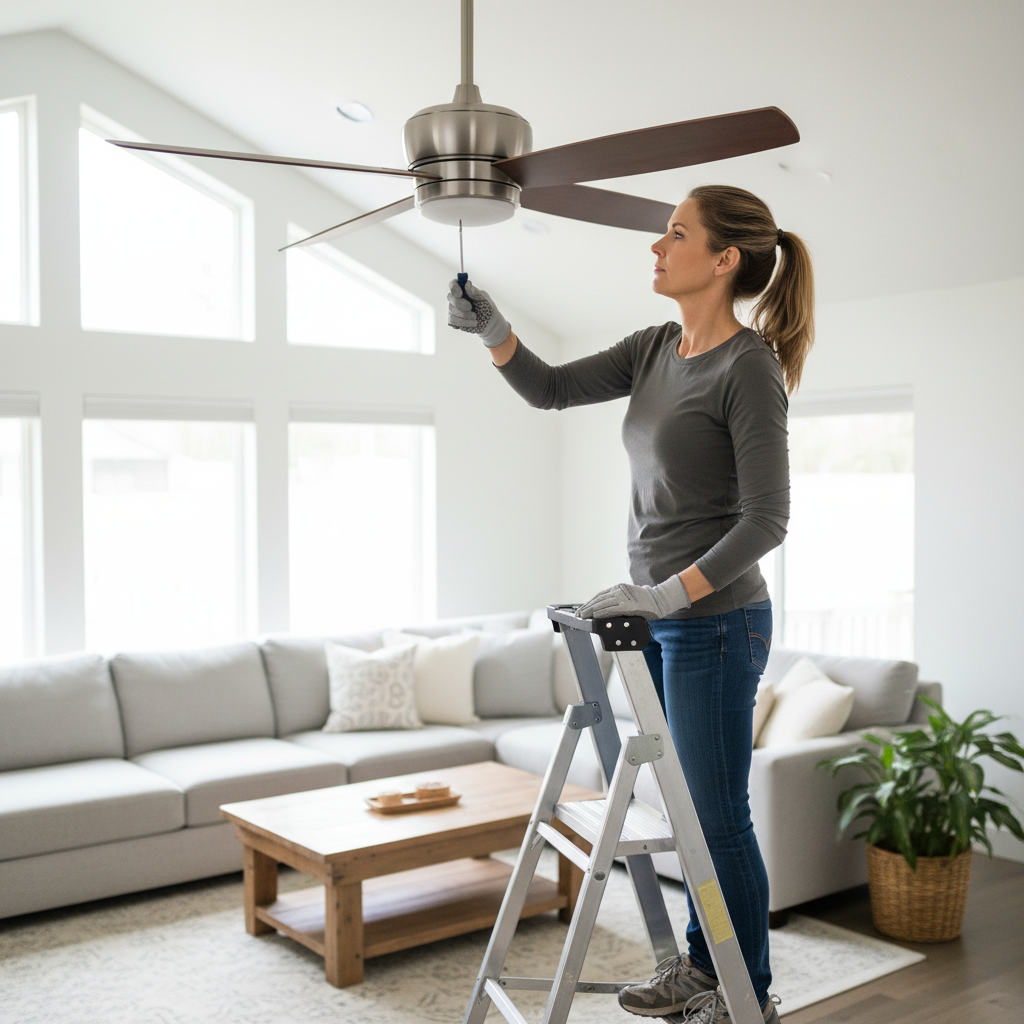
- Unbalanced Blades: The most frequent cause, resulting from uneven dust buildup, warped blades, or mismatched blade weights (even slight manufacturing variations).
- Loose Blade Screws: Vibrations from normal operation can gradually loosen the screws holding the blades to their arms or the arms to the motor housing.
- Bent Blade Arms: Accidental bumping or improper installation can bend a blade arm, throwing off the geometric balance of the fan.
- Loose Mounting Bracket: If the bracket securing the fan to the ceiling electrical box isn't tight, the entire fan can sway.
- Improperly Secured Electrical Box: A ceiling electrical box not securely fastened to a ceiling joist or an approved fan-rated brace can shift, allowing the fan to wobble independently of blade issues.
Electrical · Panel or service upgrade
| Project category | Electrical |
|---|---|
| Problem type | Panel or service upgrade |
| Trade required | Electrical |
| Urgency | Planned project |
| Safety risk | High safety risk |
| DIY suitability | Licensed pro only |
| Cost category | High cost |
| Typical timeline | Permit plus utility scheduling, commonly 2–6 weeks |
| Contractor type | Licensed electrician |
Repair option
Add a subpanel when the main service is adequate.
Replacement option
Full service upgrade with utility coordination and permits.
Common causes
- Obsolete or recalled panel brands
- Service capacity too small for added loads
- No room for required AFCI/GFCI breakers
Relevant tools:project cost estimatorcompare quotes
Published July 20, 2026Last updated August 17, 2026
Tools & materials you'll need
Affiliate linksAs an Amazon Associate FixlyGuide earns from qualifying purchases — at no extra cost to you. Prices and availability are accurate as of publication and subject to change.
Quick Answer
A wobbling ceiling fan is typically a symptom of minor imbalances or loose connections, not necessarily a sign of a fan on its last legs. The most frequent culprits are dirty or warped blades, loose blade screws, or an improperly secured mounting bracket. In many cases, you can restore balance by cleaning the blades, tightening all visible fasteners, or using a balancing kit. However, persistent or severe wobbling can signal an issue with the ceiling box itself, which might require professional attention.
The Problem
You're trying to relax, but your ceiling fan is putting on a show, swaying back and forth like a metronome gone wild. This isn't just an aesthetic annoyance; a severely wobbling ceiling fan can create excessive noise, undue stress on the motor and mounting hardware, and over time, potentially lead to premature fan failure or even a safety hazard if the mounting becomes compromised. The constant vibration can loosen electrical connections or cause the ceiling box to degrade, particularly if the fan was installed improperly from the start. Identifying the precise cause of the wobble is crucial before attempting a fix, as different causes require different solutions.
How It Works
To understand why a ceiling fan wobbles, it helps to know how it's designed to operate smoothly. A ceiling fan consists of a motor housing, blade arms, and blades, all connected to a downrod (or directly to a flush mount) which hangs from a mounting bracket. This bracket is securely fastened to an electrical box in the ceiling. The key to smooth operation is precise balance. When the motor rotates, it spins the blades, creating airflow. If the weight distribution of the blades, blade arms, or even the motor assembly itself is uneven, centrifugal force comes into play. Any slight deviation from perfect balance will cause the heaviest side to pull downwards and outwards as it spins, creating an oscillation or wobble. Think of a car tire: if it's out of balance, the car vibrates at speed. Similarly, an unbalanced ceiling fan blade or assembly will cause the entire unit to shake. The mounting bracket and ceiling electrical box are designed to hold the fan rigidly; if these are loose or not rated for the fan's weight, the fan has no stable anchor, exacerbating any existing balance issues.
Step-by-Step Fix
Safety First — Before attempting any work on your ceiling fan, always switch off the power to the fan at your home's circuit breaker or fuse box. This is critical to prevent accidental injury or electrocution. Use a non-contact voltage tester to confirm the power is off at the switch and at the fan itself.
-
Inspect the Blades for Debris and Damage — Start with the simplest potential issues. Look closely at each fan blade. Are there any visible clumps of dust, pet hair, or debris accumulated on one blade more than others? Even a small amount of unevenly distributed dust can throw off the balance. Also, check for warped, cracked, or bent blades, which can occur over time, especially if the fan operates in a humid environment or was stored improperly. Gently clean the blades with a damp cloth.
- If a blade is warped or severely damaged: It's best to replace the entire set of blades. Replacing just one might still leave an imbalance.
-
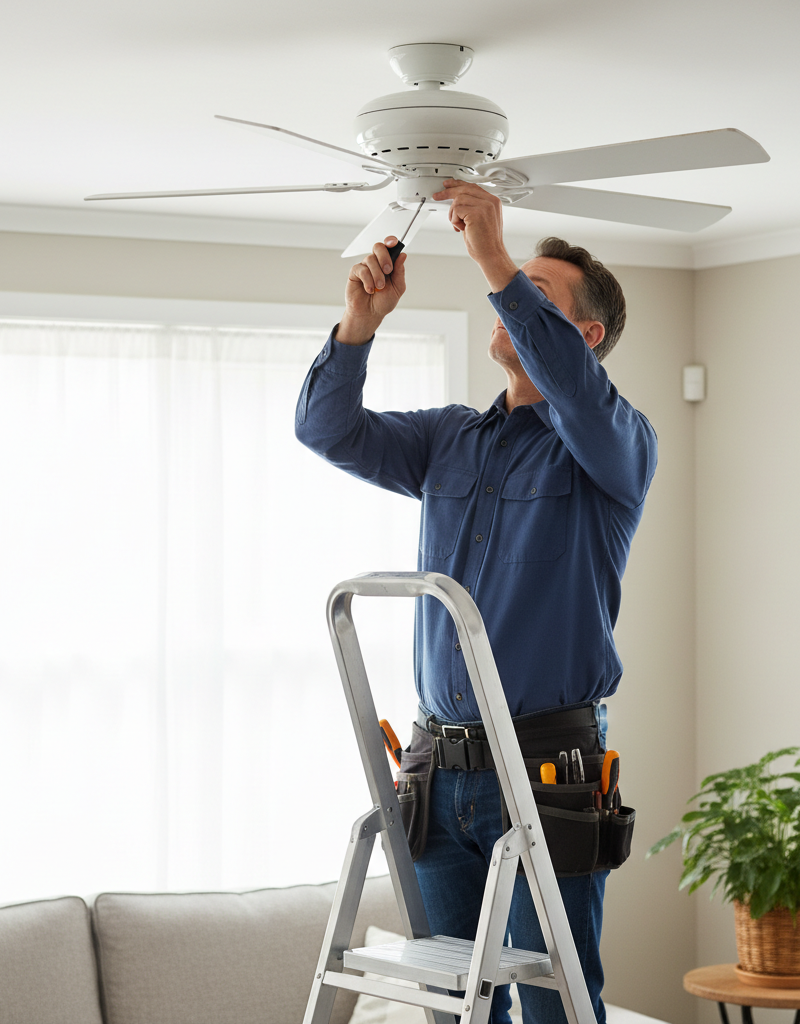
Tighten All Blade Screws — Loose screws are a common culprit. Get a screwdriver and systematically check every screw that attaches the fan blades to the blade arms, and every screw that attaches the blade arms to the motor housing. Turn each screw clockwise until it's snug, but do not overtighten, as this can strip the screws or crack the blade material.
- If screws feel loose or spin freely: The threads might be stripped or the holes enlarged. Try using slightly longer screws of the same diameter, or consider applying a small amount of thread locker (removable type) if suitable for the material.
-
Check Blade Arm Tightness & Alignment — Blade arms can bend or loosen. Inspect each blade arm. Are they all securely fastened to the motor housing? Do any appear bent or twisted compared to the others? A bent blade arm will throw off the fan's balance by changing the pitch and position of the blade.
- If an arm is bent: You can gently try to straighten it with pliers, but be careful not to snap it. If it seems significantly damaged, replacing the blade arm set is recommended.
- If the arm screws are loose: Tighten them securely to the motor housing.
-
Verify the Ceiling Mounting Bracket — A loose connection to the ceiling is a major cause of wobble. Climb up and gently but firmly jiggle the fan's downrod (the pole connecting the fan to the ceiling). Is there any give or movement where the mounting bracket meets the electrical box in the ceiling? If so, the bracket or the electrical box itself might be loose. Remove the canopy (the decorative cover against the ceiling) to expose the mounting bracket.
- If the bracket is loose: Tighten the screws that secure the mounting bracket to the electrical box. Ensure the electrical box is firmly attached to a ceiling joist or a fan-rated brace. If the box itself is loose, or if it's not a fan-rated box (which can support up to 50 lbs), you'll need to install a proper fan-rated metal electrical box, ideally one secured to a joist or with an adjustable brace.
- If the electrical box is not fan-rated or loose: This is a critical safety issue. Call a qualified electrician. Attempting to install or re-secure a ceiling box without proper knowledge can lead to serious electrical hazards or the fan falling.
-
Secure the Downrod and Ball Joint — The downrod connection must be solid. For fans with a downrod, ensure the set screw that secures the downrod to the motor housing is tight. Also, make sure the ball joint at the top of the downrod is seated correctly in the mounting bracket cradle. An improperly seated ball joint can cause excessive play.
-
Perform the Penny Test for Blade Sag — This helps find subtle warps. Take a tape measure and select a fixed point on your ceiling, like a light fixture. Measure the distance from that point to the leading edge (the edge facing the direction of rotation) of each blade at its tip. Rotate the fan manually and measure each blade. They should all be within 1/8 inch of each other. If one or more blades are consistently lower or higher, they are warped.
- If a blade is warped: Most hardware stores sell ceiling fan balancing kits with weights. You might also try gently twisting the blade back to position, but be careful not to crack it.
-
Use a Fan Balancing Kit — The final tweak for persistent wobble. If, after all checks and tightening, your fan still wobbles, a balancing kit can help. These kits usually include a clip and small weights. Attach the clip to the trailing edge of one blade, about halfway out. Turn the fan on low speed and observe. If the wobble lessens, move the clip to a different position on the same blade, or try a different blade. Once you find the spot that minimizes the wobble, attach one of the adhesive weights to that spot. Repeat the process if necessary with additional weights until the fan runs smoothly.
-
Power On and Observe — Test the fix thoroughly. Once all adjustments are made, switch the power back on at the circuit breaker. Operate the fan at all speeds, observing if the wobbling is eliminated or significantly reduced. If the wobble persists, revisit the steps, particularly the mounting bracket and electrical box inspection.
Common Causes
- Unbalanced Blades: The most frequent cause, resulting from uneven dust buildup, warped blades, or mismatched blade weights (even slight manufacturing variations).
- Loose Blade Screws: Vibrations from normal operation can gradually loosen the screws holding the blades to their arms or the arms to the motor housing.
- Bent Blade Arms: Accidental bumping or improper installation can bend a blade arm, throwing off the geometric balance of the fan.
- Loose Mounting Bracket: If the bracket securing the fan to the ceiling electrical box isn't tight, the entire fan can sway.
- Improperly Secured Electrical Box: A ceiling electrical box not securely fastened to a ceiling joist or an approved fan-rated brace can shift, allowing the fan to wobble independently of blade issues.
- Improper Downrod Installation: A loose setscrew on the downrod or an improperly seated ball joint can introduce movement.
- Non-Fan-Rated Electrical Box: Standard electrical boxes are not designed to support the dynamic weight of a spinning ceiling fan. If a regular box was used, it can flex and weaken over time, leading to wobble and potential failure.
Common Mistakes
- Ignoring a Minor Wobble: Even a slight wobble can worsen over time, stressing components and potentially leading to more serious issues. Address it early.
- Overtightening Screws: Stripping screw threads or cracking plastic/wood blades by applying too much force can create bigger problems than the initial wobble.
- Only Checking One Blade: Assuming only one blade is the problem without checking all blades and blade arms for unseen damage or imbalance.
- Not Turning Off Power: Forgetting to kill the power at the breaker before working on any part of the fan, risking severe electrical shock.
- Using a Non-Fan-Rated Electrical Box: Installing a heavy ceiling fan on a standard electrical box is a significant safety hazard and a common cause of persistent wobble. These boxes are not designed for the dynamic load.
- Replacing Just One Blade: If a blade is warped or damaged, replacing only that blade often doesn't solve the balance issue, as slight variations between new and old blades can still cause wobbling. Replace the set if possible.
Cost & Time Breakdown
| Task | DIY Cost | Pro Cost | Time |
|---|---|---|---|
| Cleaning & Tightening | $0 | $50–$100 | 15–30 min |
| Fan Balancing Kit | $5–$15 | included | 10–20 min |
| Replacing Blade Arms (Set) | $20–$50 | $100–$200 | 30–60 min |
| Installing Fan-Rated Box | $15–$50 | $150–$300+ | 1–2 hours |
| Full Fan Replacement | $50–$300+ | $200–$500+ | 1.5–3 hours |
Tips & Prevention
- Regular Cleaning: Periodically wipe down fan blades to prevent uneven dust buildup, especially if your home is prone to dust or pet hair.
- Seasonal Checks: Twice a year (e.g., spring and fall), give your fan a quick once-over. Check that all screws are snug and blades are free of debris.
- Proper Installation: Ensure your ceiling fan is always installed on a fan-rated electrical box securely fastened to a structural member (joist or brace). Never hang a ceiling fan from a standard lighting junction box.
- Avoid Bumping Blades: Be mindful of where your fan blades are, especially when moving furniture or cleaning. Bent blades are a common cause of wobble.
- Use the Right Fan Size: Install a fan appropriate for the room size. An undersized or oversized fan can sometimes lead to less efficient operation and potentially more vibration.
When to Call a Professional
While many ceiling fan wobbles can be resolved with basic DIY troubleshooting, there are clear indicators when it's time to call a licensed electrician or experienced handyman. If, after carefully following all the tightening and balancing steps, the wobble persists, especially if it's severe or accompanied by loud grinding noises, it points to a more significant issue. Critically, if you discover that your ceiling fan is mounted to a non-fan-rated electrical box, or if the existing electrical box is loose, damaged, or not securely anchored to a structural beam, you absolutely must call a professional. This is a significant safety hazard that could lead to the fan falling, causing injury or property damage. Additionally, if you're uncomfortable working with electrical components, unsure how to properly secure a ceiling box, or if the wobble seems to originate deep within the motor housing, a professional can safely diagnose and repair the problem without risking your safety or damaging the unit further.
Related Articles
Keep troubleshooting with these hand-picked guides from FixlyGuide:
- The Secret Cause of Ceiling Fan Wobble (It's Not Always What You Think) — A wobbling ceiling fan isn't just annoying; it can be a sign of a deeper issue. Learn the common culprits and how to restore balance safely.
- The 3 Hidden Reasons Your Ceiling Fan Wobbles (And the Easy Fixes) — A wobbling ceiling fan isn't just annoying; it can be a sign of underlying issues that are simple to fix with the right approach.
- The Surprising Culprit Behind Your Wobbling Ceiling Fan (It's Not Always Loose Screws) — A wobbling ceiling fan is annoying and potentially dangerous. Learn how to diagnose and fix the most common causes, from imbalanced blades…
- The 30-Minute Trick to Stop Your Ceiling Fan From Wobbling (No Disassembly Needed!) — A wobbling ceiling fan is more than annoying; it can shorten the life of your fan. Learn how to quickly diagnose and fix the imbalance.
- The 3 Hidden Reasons Your Gas Burner Won't Light (Beyond a Clog) — Before you call a technician, discover the most common culprits behind a gas stove burner that refuses to ignite and learn how to fix them…
- The Secret Culprit Behind Your Leaky Refrigerator (It’s Not Always the Water Line) — Discover the most common, often overlooked, reasons your refrigerator is leaking water and how to fix them with simple DIY steps.
Should you do this yourself?
Answer five quick questions before you start. Safety outranks savings every time.
Your experience with work like this
How high do you have to work?
Does the job involve any of these?
Will it need a permit?
Specialty tools
Free and instant. Educational guidance only — not a quote, inspection, or professional diagnosis.
What should this project cost?
Enter your project details for a realistic cost range before you call anyone.
Outlet and switch work usually $150–$400; panel upgrades commonly $1,800–$4,200.
- Regional adjustment
- National average
- Labor share (typical)
- ~$709
- Quotes to collect
- 3 written estimates
Educational estimate based on national averages — not a binding quote. Always confirm with written local estimates.
Get the print-ready PDF of this guide
A clean, ad-free, printable version you can keep on your phone or pin to the workshop wall. Free with a FixlyGuide account.
- Print-optimized layout
- Tools, materials & every step included
- Saved to your account
Frequently asked questions
How do you stop a ceiling fan from wobbling?+
To stop a ceiling fan from wobbling, first ensure the power is off. Then, clean the blades, tighten all blade screws and blade arm screws, check the mounting bracket for looseness, and finally, use a balancing kit if needed. Sometimes, simply cleaning off uneven dust accumulation can solve the problem.
What happens if a ceiling fan wobbles too much?+
If a ceiling fan wobbles too much, it can cause excessive noise, put undue stress on the motor and mounting components, and potentially lead to premature fan failure. In severe cases, a persistently wobbling fan can loosen its mounting to the ceiling, creating a safety hazard where the fan could fall.
Can I use any electrical box for a ceiling fan?+
No, you cannot use just any electrical box for a ceiling fan. Ceiling fans require a special fan-rated electrical box, which is designed to support the dynamic weight of a spinning fan (up to 50 lbs or 70 lbs, depending on the box rating). Standard electrical boxes are only rated for stationary light fixtures and can fail under a fan's stress, leading to a fall or electrical short.
How do I know if my fan blades are bent?+
You can check if your fan blades are bent using the 'penny test.' Measure the distance from a fixed point on your ceiling (like a light fixture next to the fan) to the tip of each blade. Rotate the fan and measure each blade again. If there's more than a 1/8-inch difference between blade measurements, one or more blades are likely bent or warped.


Discussion
Loading comments…