- Lack of awareness about TOU rates: Many homeowners simply don't know their utility company charges different prices for electricity at different times of the day.
- Default thermostat settings: Standard thermostats aren't designed to optimize for time-of-use pricing and are often left on continuous cooling or simple schedules.
- Habitual daytime AC use: Running the AC at the same comfort level throughout the day, including peak hours, due to long-standing habits.
- Over-reliance on "set and forget": While convenient, a truly "set and forget" approach without considering TOU can be costly.
- Poor home insulation: A poorly insulated home struggles to retain cool air, making pre-cooling less effective and requiring the AC to run more frequently during peak hours.
HVAC · High energy usage
| Project category | HVAC |
|---|---|
| Problem type | High energy usage |
| Trade required | HVAC |
| Urgency | Planned project |
| Safety risk | Low safety risk |
| DIY suitability | DIY for experienced homeowners |
| Cost category | High cost |
| Typical timeline | Assessment within weeks; replacement planned off-season |
| Contractor type | Licensed HVAC technician |
Repair option
Duct sealing, insulation, and a tune-up before touching the equipment.
Replacement option
High-efficiency replacement sized by a load calculation, not a rule of thumb.
Common causes
- Aging, low-efficiency equipment
- Leaking ducts losing conditioned air
- Insufficient attic insulation
- Oversized system short-cycling
Relevant tools:project cost estimatorrepair or replace
Published June 6, 2026Last updated August 17, 2026
Tools & materials you'll need
Affiliate links- AmazonScrewdriver setPhillips and flathead for thermostat installation
- AmazonWire strippersIf new wiring is required
- AmazonMultimeterOptional, for checking voltage (use with caution)
- AmazonPencilFor marking wire connections
- AmazonSmartphone or computerFor programming the smart thermostat and researching utility rates
- AmazonSmart thermostat1 · e.g., Ecobee, Nest, Honeywell
As an Amazon Associate FixlyGuide earns from qualifying purchases — at no extra cost to you. Prices and availability are accurate as of publication and subject to change.
Quick Answer
By understanding your utility company's off-peak electricity rates, you can program your smart thermostat to pre-cool your home during cheaper hours, then slightly raise the temperature during peak times. This simple strategy reduces the amount of expensive electricity used by your HVAC system, leading to substantial savings on your monthly energy bill without a noticeable drop in comfort if done correctly.
The Problem
Most homeowners operate their air conditioning systems continuously, especially during hot summer months. While this keeps homes comfortable, it often means running the AC during peak electricity demand hours. Utility companies typically charge higher rates for electricity consumed during these peak times, which are usually late afternoon and early evening when most people return home from work and turn on their appliances. This traditional usage pattern can lead to surprisingly high energy bills, even if your HVAC system is otherwise efficient. The problem isn't just the amount of electricity used, but when it's used. Ignoring off-peak hours means you're paying a premium for the energy that cools your home.
How It Works
Electricity pricing isn't always flat; many utility companies use a "time-of-use" (TOU) rate structure. This means the cost per kilowatt-hour (kWh) varies depending on the time of day, day of the week, and sometimes even the season. Off-peak hours are typically periods of lower electricity demand, such as overnight, early morning, and weekends, when the grid isn't stressed. During these times, electricity is cheaper. Peak hours, usually weekdays from late afternoon to early evening, see the highest demand and therefore the highest prices. Shoulder hours fall in between peak and off-peak, with moderate pricing.
Your air conditioner is a major energy consumer, often accounting for 40-60% of your summer electricity bill. A central AC unit might draw between 3,000 to 5,000 watts per hour, depending on its size and efficiency. If you run a 3,500-watt AC for eight hours during peak rates of, say, $0.25/kWh, that's $7.00 for just those eight hours. If you could shift even half of that cooling to off-peak rates of $0.10/kWh, the savings become significant quickly over the course of a month. The strategy is to leverage your home's thermal mass – its ability to absorb and store heat – by pre-cooling during off-peak hours when electricity is cheap. This cools down your walls, furniture, and even your foundation, essentially "charging" your home with coolness. Then, when peak rates kick in, you can slightly raise your thermostat setting. Your pre-cooled home will stay comfortable longer without the AC running as intensely or as often, thus minimizing your use of expensive peak-hour electricity. A smart thermostat, with its programming capabilities and often direct integration with utility company rate schedules, is the ideal tool for automating this process.
Step-by-Step Fix
-
Understand Your Utility's Time-of-Use Program — Start by contacting your electricity provider or checking their website. Look for information on "Time-of-Use (TOU)" rates, "peak/off-peak hours," or "demand response programs." Note down the exact hours and rates for peak, off-peak, and shoulder periods. Many utilities offer online portals where you can see your specific rate plan.
- If you don't have TOU rates: This strategy may not apply directly, but you can still save by simply raising your thermostat a few degrees during the hottest parts of the day.
-
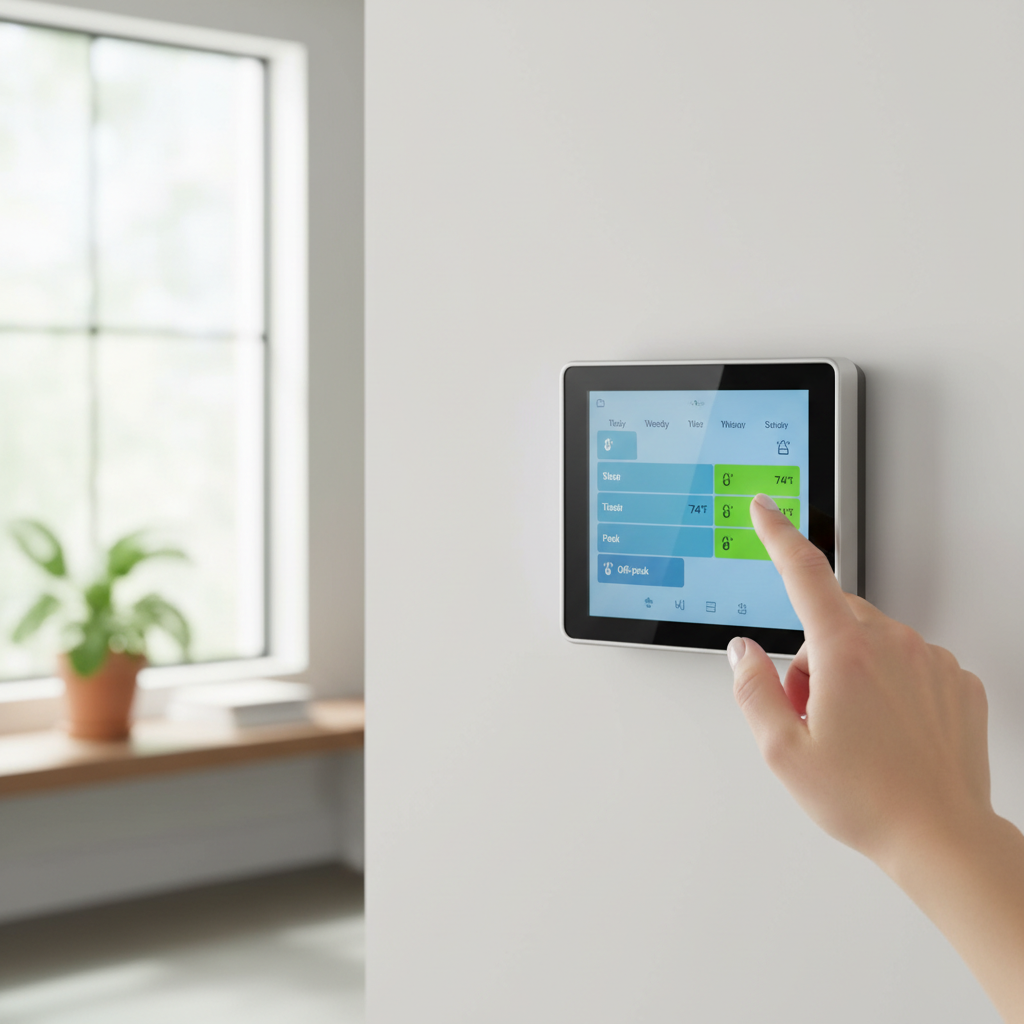
Invest in a Smart Thermostat — If you don't already have one, purchase a smart thermostat that allows for detailed scheduling and, ideally, integrates with utility TOU programs. Models from Ecobee, Nest, and Honeywell are popular choices.
- Look for features: Geofencing, energy usage reports, and remote access capabilities are highly beneficial.
-
Program Your Pre-Cooling Schedule — Identify the hours just before peak rates begin. For example, if peak rates start at 2 PM, program your thermostat to actively cool your home to a comfortable temperature (e.g., 72°F) starting at 12 PM or 1 PM. This charges your home with cool air.
- Experiment with timing: You might need to adjust the pre-cooling start time and duration based on your home's insulation and local climate.
-
Set Your Peak-Hour Temperature Strategy — Once peak rates begin, slightly raise your thermostat by 2-4 degrees (e.g., to 75-76°F). Your pre-cooled home will feel comfortable for a significant portion of this period without the AC running constantly.
- Monitor comfort: The goal is to save money without sacrificing comfort. If 76°F is too warm, try 74°F and adjust accordingly.
-
Optimize for Off-Peak Recovery — After peak hours end, program your thermostat to return to your desired comfortable temperature. The AC can then run during cheaper off-peak times to bring your home back to its set point if needed.
- Consider overnight settings: Many people prefer slightly warmer temperatures while sleeping, which can further reduce energy consumption.
-
Utilize Away Modes and Geofencing — If your smart thermostat has geofencing, activate it. This allows the thermostat to automatically adjust the temperature when you leave or return home, preventing unnecessary cooling of an empty house. If not, manually set an "away" schedule.
- Manual override: Always have the option for manual override if your schedule changes unexpectedly.
-
Monitor and Adjust — Regularly review your energy bills and your smart thermostat's energy usage reports. Compare bills before and after implementing this strategy. Fine-tune your temperature settings and schedule based on your comfort levels and actual savings.
- Seasonal adjustments: You'll likely need to adjust your strategy for different seasons, as peak hours and cooling needs change.
Common Causes
- Lack of awareness about TOU rates: Many homeowners simply don't know their utility company charges different prices for electricity at different times of the day.
- Default thermostat settings: Standard thermostats aren't designed to optimize for time-of-use pricing and are often left on continuous cooling or simple schedules.
- Habitual daytime AC use: Running the AC at the same comfort level throughout the day, including peak hours, due to long-standing habits.
- Over-reliance on "set and forget": While convenient, a truly "set and forget" approach without considering TOU can be costly.
- Poor home insulation: A poorly insulated home struggles to retain cool air, making pre-cooling less effective and requiring the AC to run more frequently during peak hours.
Common Mistakes
- Ignoring peak hour schedules: Just setting any schedule without confirming your utility's exact peak and off-peak times will likely miss the savings opportunity.
- Drastically lowering peak-hour temperatures: Trying to keep the house at 68°F during peak hours defeats the purpose and will lead to higher bills, even with prior pre-cooling.
- Not pre-cooling enough: Setting the pre-cool temperature too high, or running it for too short a time, means your home doesn't have enough thermal mass "charged" to sustain comfort during peak rates.
- Forgetting to use "away" settings: Letting the AC blast full tilt while no one is home wastes significant energy, regardless of peak/off-peak rates.
- Expecting immediate massive savings: Savings accumulate over time. Don't get discouraged if the first month's bill isn't drastically lower; fine-tune your approach.
- Neglecting basic HVAC maintenance: A dirty filter or an unserviced unit runs less efficiently, negating some of the savings from off-peak strategies. Before optimizing your schedule, ensure your HVAC system is running as efficiently as possible with regular maintenance.
Cost & Time Breakdown
| Task | DIY cost | Pro cost | Time |
|---|---|---|---|
| Research TOU rates | $0 | $0 | 15–30 minutes |
| Smart thermostat (if needed) | $100–$300 | $250–$500 | 30–60 minutes |
| Installation of smart thermo. | $0 | $100–$200 | 30–60 minutes |
| Programming optimal schedule | $0 | $0 | 30–60 minutes |
| Monitoring and adjustment | $0 | $0 | Ongoing (5–10 min/month) |
Tips & Prevention
- Insulate, insulate, insulate: The better insulated your home, the more effectively it retains pre-cooled air, maximizing your savings. Check attics, walls, and windows.
- Seal air leaks: Use caulk and weatherstripping to seal gaps around windows, doors, and utility penetrations. This prevents expensive cool air from escaping.
- Regular HVAC maintenance: Schedule annual professional tune-ups for your AC. A well-maintained unit runs more efficiently, reducing overall energy consumption.
- Clean or replace filters monthly: A dirty air filter restricts airflow, making your AC work harder and use more energy.
- Use ceiling fans: Ceiling fans create a wind-chill effect, allowing you to set your thermostat 2-4 degrees higher without feeling warmer. They use much less energy than your AC.
- Consider window treatments: Close blinds, shades, or curtains on south and west-facing windows during the day to block solar heat gain.
- Plant shade trees: Strategically planted deciduous trees can provide natural shade in summer, reducing heat gain through your roof and walls.
When to Call a Professional
While the off-peak strategy itself is a DIY programming task, there are times you might need a professional. If you're unsure about your home's electrical wiring when installing a smart thermostat, especially if your current setup uses only two wires and requires a C-wire adapter, a licensed electrician can ensure a safe and correct installation. Furthermore, if your home struggles to maintain comfort even with optimal pre-cooling and off-peak strategies, it might indicate underlying issues with your HVAC system's efficiency, insulation, or ductwork. In such cases, an HVAC technician can diagnose problems like refrigerant leaks, compressor issues, or improperly sized equipment, and recommend solutions to improve your overall cooling efficiency. If you experience persistent discomfort or notice a significant increase in energy bills despite implementing this strategy, a professional evaluation is warranted. They can also help you understand if your current HVAC system is too old or inefficient to benefit effectively from time-of-use strategies, and might recommend an upgrade to a more modern, energy-efficient unit like a variable-speed heat pump.
Related Articles
Keep troubleshooting with these hand-picked guides from FixlyGuide:
- The Surprising Trick to Cutting Your Dryer Bill By $100 Per Year — Installing a clothesline can significantly reduce your energy bills and add a fresh scent to your laundry. This guide covers how to choose…
- The Secret Window AC Trick That Slashes Your Summer Electric Bill By 30% — Mastering simple window AC maintenance can significantly reduce your cooling costs and extend the life of your unit, often by more than 30%.
- 7 Inspection Red Flags That Secretly Signal a $20,000 Bill — Don't let your dream home become a money pit. Many buyers and even some inspectors overlook subtle home inspection red flags that lead to f…
- The Secret to Endless Hot Showers? It's Not Your Water Heater's Age — Inconsistent hot water or no hot water at all often points to a single, often overlooked culprit: the thermostat. Understanding its role is…
- The 7 Critical Household Filters You're Forgetting (And What They Cost You) — Neglected household filters are quietly costing you money, diminishing air quality, and paving the way for expensive repairs. Discover the…
- The #1 HVAC Mistake Making Your Energy Bills Soar (It's Not What You Think) — Discover the crucial HVAC filter mistake that's quietly inflating your energy bills and damaging your system, and how a simple change can s…
What should this project cost?
Enter your project details for a realistic cost range before you call anyone.
Service calls and common repairs run $150–$900; full system replacement typically $6,000–$12,000.
- Regional adjustment
- National average
- Labor share (typical)
- ~$1,935
- Quotes to collect
- 3 written estimates
Educational estimate based on national averages — not a binding quote. Always confirm with written local estimates.
Get the print-ready PDF of this guide
A clean, ad-free, printable version you can keep on your phone or pin to the workshop wall. Free with a FixlyGuide account.
- Print-optimized layout
- Tools, materials & every step included
- Saved to your account
This article was independently written by FixlyGuide based on the source topic.
Frequently asked questions
What are off-peak electricity hours?+
Off-peak electricity hours are periods when demand on the power grid is lower, typically overnight, early mornings, and weekends. During these times, utility companies often charge lower rates per kilowatt-hour (kWh) compared to peak hours, which are usually late afternoons and evenings on weekdays.
Can any thermostat use an off-peak strategy?+
While any programmable thermostat can be set to a schedule, modern smart thermostats are ideal for an off-peak strategy. They offer more nuanced scheduling, often integrate directly with utility time-of-use (TOU) programs, and provide energy usage reports to help you fine-tune your savings.
How much can I save on my energy bill?+
Savings vary widely depending on your utility's specific time-of-use rates, your home's insulation, climate, and how diligently you apply the strategy. However, many homeowners report saving 10-30% on their summer cooling costs by shifting energy consumption to off-peak times.
Will my house be uncomfortable during peak hours?+
Not if done correctly. The strategy involves pre-cooling your home during cheaper off-peak hours to build up 'thermal mass.' This allows you to raise your thermostat a few degrees during expensive peak hours without a noticeable drop in comfort, as your home slowly rewarms.
What if my utility doesn't have time-of-use rates?+
Even without specific time-of-use rates, you can still save by simply raising your thermostat setting during the hottest parts of the day or when you're away from home. However, the off-peak strategy's full benefits are realized with TOU pricing plans.


Discussion
Loading comments…