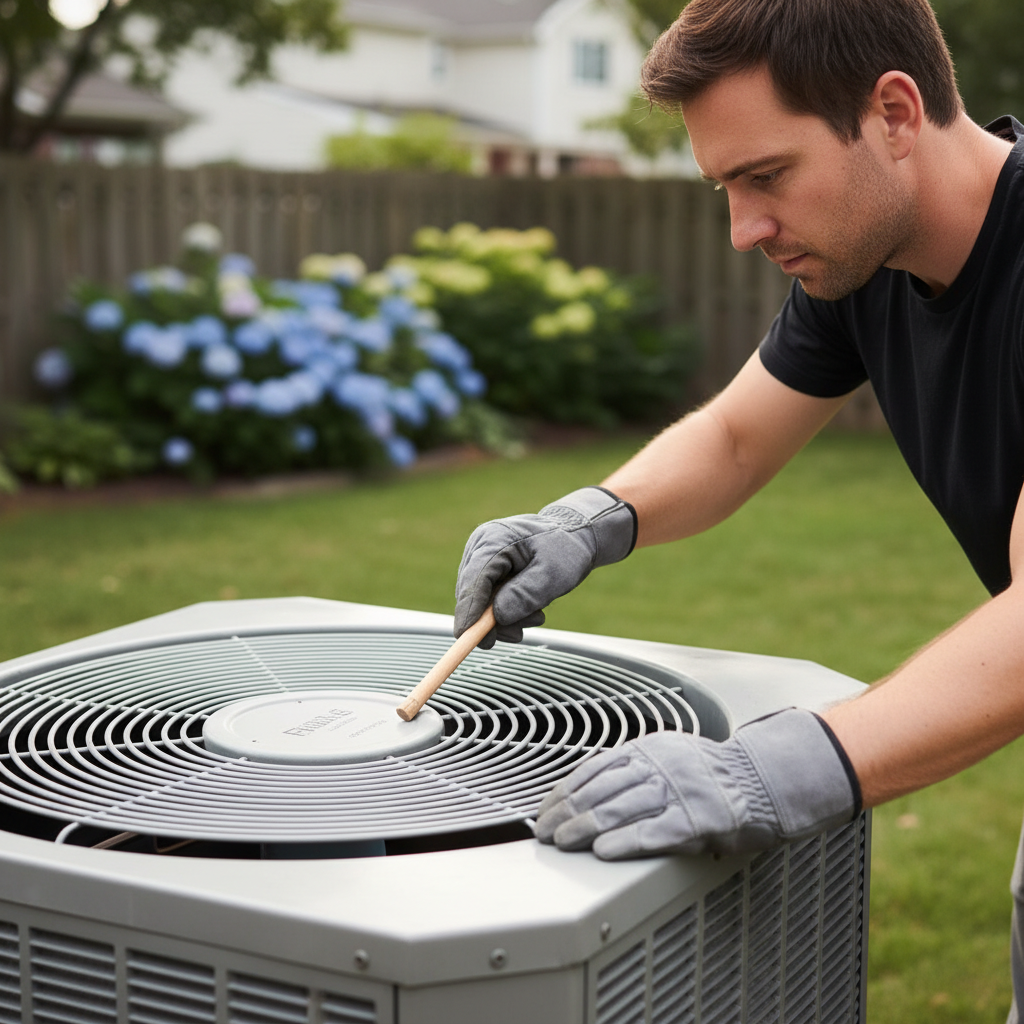
- Kill the Power – Locate and switch off the outdoor unit's dedicated breaker.
- Find your main electrical panel.
- Locate the breaker labeled for your AC or outdoor unit (usually a double-pole 240V breaker).
- Flip it to the 'OFF' position. Confirm the fan is completely still and the compressor (the large, cylindrical part in the unit) is not running.
- Safety Note: Always use a non-contact voltage tester to confirm no power is present at the disconnect switch near the outdoor unit before proceeding.
HVAC · High energy usage
| Project category | HVAC |
|---|---|
| Problem type | High energy usage |
| Trade required | HVAC |
| Urgency | Planned project |
| Safety risk | Low safety risk |
| DIY suitability | DIY for experienced homeowners |
| Cost category | High cost |
| Typical timeline | Assessment within weeks; replacement planned off-season |
| Contractor type | Licensed HVAC technician |
Repair option
Duct sealing, insulation, and a tune-up before touching the equipment.
Replacement option
High-efficiency replacement sized by a load calculation, not a rule of thumb.
Common causes
- Aging, low-efficiency equipment
- Leaking ducts losing conditioned air
- Insufficient attic insulation
- Oversized system short-cycling
Relevant tools:project cost estimatorrepair or replace
Published May 22, 2026Last updated August 17, 2026
Tools & materials you'll need
Affiliate links- AmazonReplacement AC run capacitorExact match for µF and VAC ratings, dual-run if applicable
As an Amazon Associate FixlyGuide earns from qualifying purchases — at no extra cost to you. Prices and availability are accurate as of publication and subject to change.
Quick Answer
A non-spinning AC condenser fan is a common problem that can dramatically reduce your AC's cooling power and lead to system damage. Often, the culprit is a failing capacitor, a seized motor, or an electrical issue. Before calling a professional, homeowners can often diagnose and fix the problem by safely checking for obstructions, manually 'kick-starting' the fan, or inspecting and replacing a faulty capacitor. These steps can save you hundreds of dollars in repair costs if a professional isn't needed.
The Problem
Your outdoor AC unit, the condenser, has a large fan on top that draws air over the condenser coils. This process is critical for dissipating heat from the refrigerant, allowing your AC system to cool your home efficiently. If this fan isn't spinning, the heat transfer can't occur properly. You'll notice warm air blowing from your vents, or worse, your AC unit might 'freeze up' because the refrigerant isn't releasing its heat. Continuously running an AC with a non-spinning condenser fan can cause the compressor to overheat and fail prematurely, leading to a much more expensive repair—often meaning a full unit replacement.
How It Works
The AC condenser fan motor is an electric motor that spins the fan blades. This motor is powered by electricity from your home, routed through the outdoor unit's contactor and often a start/run capacitor. The capacitor's role is crucial: it provides the initial surge of electrical energy to get the motor spinning (start winding) and then helps maintain efficient operation (run winding). Think of it like a rechargeable battery that gives the fan a 'kick' to overcome inertia.
When your thermostat calls for cooling, power is sent to the outdoor unit. The contactor engages, sending voltage to the compressor and the fan motor. The capacitor stores and releases electrical energy, creating a phase shift in the motor's windings, which generates the rotating magnetic field needed to turn the rotor and, consequently, the fan blades. If the capacitor weakens or fails, it can't provide this necessary energy, and the motor either won't start or will struggle to spin. Similarly, if the motor bearings seize or if there's an electrical fault within the motor windings, it won't spin even with a perfectly good capacitor. Proper airflow across the condenser coils is what allows the refrigerant inside to shed the heat it absorbed from your home's air, keeping your living space cool and comfortable.
Step-by-Step Fix
SAFETY FIRST: Always turn off power to your AC unit at the thermostat AND the main electrical breaker before touching any components. High voltage is present in AC units and can cause severe injury or death. Use caution and never work on a live unit.
-
Kill the Power – Locate and switch off the outdoor unit's dedicated breaker.
- Find your main electrical panel.
- Locate the breaker labeled for your AC or outdoor unit (usually a double-pole 240V breaker).
- Flip it to the 'OFF' position. Confirm the fan is completely still and the compressor (the large, cylindrical part in the unit) is not running.
- Safety Note: Always use a non-contact voltage tester to confirm no power is present at the disconnect switch near the outdoor unit before proceeding.
-
Clear Obstructions – Remove any visible debris preventing fan rotation.
- Carefully use a stick or gloved hand (with power OFF) to check for twigs, leaves, or other debris caught between the fan blades or grille.
- Even a small obstruction can prevent the fan from starting. Remove anything you find.
- If this doesn't work: Proceed to the manual push-start.
-
The Manual Push-Start (The $0 Trick) – Give the fan blades a gentle assist to see if it engages.
- With the power still OFF, carefully reach into the unit (or through the top grille if possible) and try to spin the fan blades by hand. Do they spin freely, or do they feel stiff and resistant?
- If they spin freely, restore power to the unit at the breaker.
- Immediately after turning the power back on, and only for a few seconds, use a long, sturdy stick (like a broom handle) to carefully push one of the fan blades to give it a spin.
- Safety Note: Stand clear. If the fan starts spinning, immediately remove the stick. If it starts but hums and slows down, or only spins weakly, turn power off immediately. This usually indicates a bad capacitor and the motor is struggling.
- If this doesn't work: Your motor might be seized or the capacitor severely failed. Proceed to capacitor inspection.
-
Inspect the Run Capacitor – Look for visible signs of damage on the capacitor.
- With power OFF and verified, remove the service panel (usually a small panel on the side of the outdoor unit, secured by a few screws) that covers the electrical components.
- Locate the capacitor. It's typically a silver cylindrical component, often with multiple terminals on top. Some units have two capacitors: one for the fan and one for the compressor (or a dual-run capacitor for both).
- Look for any swelling, bulging, leaks, or burn marks. A visibly damaged capacitor is almost certainly faulty.
- Safety Note: Capacitors can store a dangerous electrical charge even after power is off. Before touching it, discharge the capacitor using an insulated screwdriver by shorting across the terminals (place the metal shaft of the screwdriver across two terminals at once, repeating for all terminal pairs). You might see a spark—this is normal.
- If you see damage: Replace the capacitor (see next step).
- If no visible damage: The capacitor could still be bad but requires a multimeter to test properly. If you don't have one or aren't comfortable, this is a good point to call a pro. If you have a multimeter, set it to capacitance (µF) and test. The reading should be within +/- 5% of the stated microfarad (µF) value on the capacitor label.
-
Replace the Capacitor – Install a new capacitor of the correct specifications.
- Take a clear photo of the capacitor's wiring before disconnecting anything. Note the µF rating and voltage (e.g., 40/5 µF, 370V/440V) from the label.
- Carefully disconnect the wires from the old capacitor using needle-nose pliers. Note which wire connects to 'Herm' (compressor), 'Fan' (fan motor), and 'C' (common).
- Purchase an exact replacement. Values must match the old one. If it's a dual capacitor (e.g., 40/5 µF), ensure the replacement is also dual and has the same µF ratings.
- Connect the new capacitor, matching the wires to their original terminals based on your photo. Secure the panel.
- Restore power and test.
- If this doesn't work: The fan motor itself is likely faulty, or there's another electrical issue. Call a professional.
-
Check for Motor Resistance (Advanced) – Determine if the fan motor is seized even if the fan blades turn freely.
- With power OFF and verified, disconnect the wires leading to the fan motor. Make note of their positions.
- Set your multimeter to the ohms (Ω) setting.
- Touch the probes to the motor's winding terminals. You should get a continuous reading (usually between 10-100 ohms, consult your motor's specifications if available). If you get an open circuit (OL or infinite resistance), one of the windings is broken, and the motor needs replacement. If you get a very low resistance (near 0 ohms), the motor might be shorted.
- Safety Note: If you are unsure about these tests, it's safer to call a professional.
Common Causes
- Failed Run Capacitor: This is by far the most common cause. The capacitor wears out over time due to heat and electrical stress, losing its ability to store and release the charge needed to start the motor.
- Seized Fan Motor Bearings: The bearings in the fan motor can wear out, rust, or become stiff, preventing the motor from spinning freely. This is often indicated by a grinding noise or difficulty spinning the blades by hand.
- Overheating and Thermal Overload: If the fan struggles to start or runs slowly, the motor can overheat. Many motors have a thermal overload protector that will temporarily shut off the motor to prevent damage. Once it cools, it might try to restart.
- Electrical Issues: A loose wire connection, a faulty contactor, or an internal winding failure within the motor can prevent it from receiving power or operating correctly.
- Physical Obstruction: Debris like leaves, twigs, or even a child's toy can get lodged in the fan blades, preventing them from spinning. This is usually the easiest fix.
Common Mistakes
- Forgetting to Disconnect Power: This is incredibly dangerous. Always, always, always turn off power at the breaker and verify with a non-contact voltage tester before touching any internal components.
- Not Discharging the Capacitor: Capacitors can hold a lethal charge for a long time. Failure to discharge could result in a severe electrical shock.
- Replacing with the Wrong Capacitor: Using a capacitor with incorrect microfarad (µF) or voltage ratings can damage your fan motor and potentially the compressor. Always match the specifications exactly.
- Ignoring a Humming Sound: If the fan hums but doesn't spin, or spins weakly after a push-start, it's a strong indicator of a bad capacitor or failing motor. Ignoring it can lead to compressor damage.
- Attempting to Force a Seized Fan: If the fan blades are stiff or won't spin freely by hand (without power), don't force them. This indicates a problem with the motor bearings, and forcing it can cause further damage.
- Assuming the Fan is the Only Problem When the Compressor Also Isn't Running: If neither the fan nor the compressor is running, the issue might be broader, such as a tripped breaker, a faulty contactor, or a problem with the thermostat, not just the fan alone.
Cost & Time Breakdown
| Task | DIY Cost | Pro Cost | Time |
|---|---|---|---|
| Clear Obstructions | $0 | $75–$150 | 5–10 minutes |
| Manual Push-Start | $0 | $75–$150 | 5–10 minutes |
| Capacitor Replacement | $15–$50 | $150–$300 | 20–45 minutes |
| Fan Motor Replacement | $100–$300 | $400–$800 | 1–2 hours |
| Full System Diagnosis | $0 (DIY) | $75–$150 (Pro) | 15–30 minutes |
Tips & Prevention
- Regular Cleaning: Annually, especially before the cooling season, shut off power and clear any leaves, dirt, or debris from around and inside the condenser unit. This ensures proper airflow and prevents fan obstructions.
- Inspect for Damage: Periodically check the condenser fan blades for bends or cracks. Damaged blades can cause imbalance and put stress on the motor.
- Listen for Unusual Noises: Rattling, grinding, or loud humming sounds from the condenser unit often indicate an impending motor or bearing failure. Addressing these early can prevent a complete breakdown.
- Monitor Cooling Performance: If your home isn't cooling as effectively as usual, or if the AC seems to run constantly without achieving target temperatures, check the condenser fan.
- Consider a Surge Protector: Power surges can damage AC components, including capacitors and motors. A whole-home surge protector or a dedicated unit surge protector can offer protection.
When to Call a Professional
While many homeowners can tackle the basic troubleshooting and capacitor replacement for a non-spinning AC condenser fan, it's crucial to know when to call in a licensed HVAC professional. If, after safely turning off power and checking for obstructions, the fan still doesn't spin and a push-start doesn't initiate consistent operation, it's time for expert help. If you've replaced the capacitor and the problem persists, or if you detect a burning smell, visible arcing, or any signs of severe electrical damage, immediately shut down the unit and contact a professional. Dealing with high voltage components, refrigerant lines, or diagnosing complex electrical issues like a faulty contactor or a seized compressor is best left to trained technicians to ensure safety and prevent further costly damage to your HVAC system.
Related Articles
Keep troubleshooting with these hand-picked guides from FixlyGuide:
- The $0 Trick to Revive Your Frozen AC Fan (Before You Call a Pro) — Before you spend money on an AC repair, try this simple, no-cost trick to get your condenser fan spinning again and cool your home.
- The $5 Trick to Fix a Frozen AC Fan (and Why It Stops Spinning) — A non-spinning AC condenser fan can lead to system overheating and no cold air. Often, a simple, inexpensive fix can restore function.
- The $0 Trick to Get Your AC Condenser Fan Spinning Again (Before Calling a Pro) — Before you spend money on a technician, a simple, often overlooked check can get your AC condenser fan spinning and cool air flowing.
- The #1 Mistake Homeowners Make When Their AC Won't Turn On (And the Easy Fix) — Learn the most common reason your AC isn't turning on and how to fix it with simple troubleshooting steps, potentially saving a costly serv…
- The #1 Reason Your AC Freezes Solid (It's Not What You Think) — A frozen AC unit often points to poor airflow, which can be a simple fix if you know where to look.
- Your Door Won't Latch? The 5-Minute Fix Nobody Talks About — Tired of a door that swings open? Learn the secret 5-minute fix for a door that won't latch. This simple adjustment to your strike plate ca…
Should you do this yourself?
Answer five quick questions before you start. Safety outranks savings every time.
Your experience with work like this
How high do you have to work?
Does the job involve any of these?
Will it need a permit?
Specialty tools
Free and instant. Educational guidance only — not a quote, inspection, or professional diagnosis.
Estimate your own project cost
National averages are a starting point. Enter your details for a range that fits your house.
HVAC replacement cost
- Equipment$2,200 – $3,800
- Installation labor$1,200 – $2,500
Always insist on a Manual J load calculation — sq-ft sizing is only a rough check. Federal heat-pump rebates may reduce cost significantly.
Educational estimate only — always confirm with written local bids.
What should this project cost?
Enter your project details for a realistic cost range before you call anyone.
Service calls and common repairs run $150–$900; full system replacement typically $6,000–$12,000.
- Regional adjustment
- National average
- Labor share (typical)
- ~$1,935
- Quotes to collect
- 3 written estimates
Educational estimate based on national averages — not a binding quote. Always confirm with written local estimates.
Fixly Project Decision Box
- DIY difficulty
- Advanced
- Estimated time
- Homeowner checks 20–30 minutes
- Cost level
- Moderate
Main tools / materials
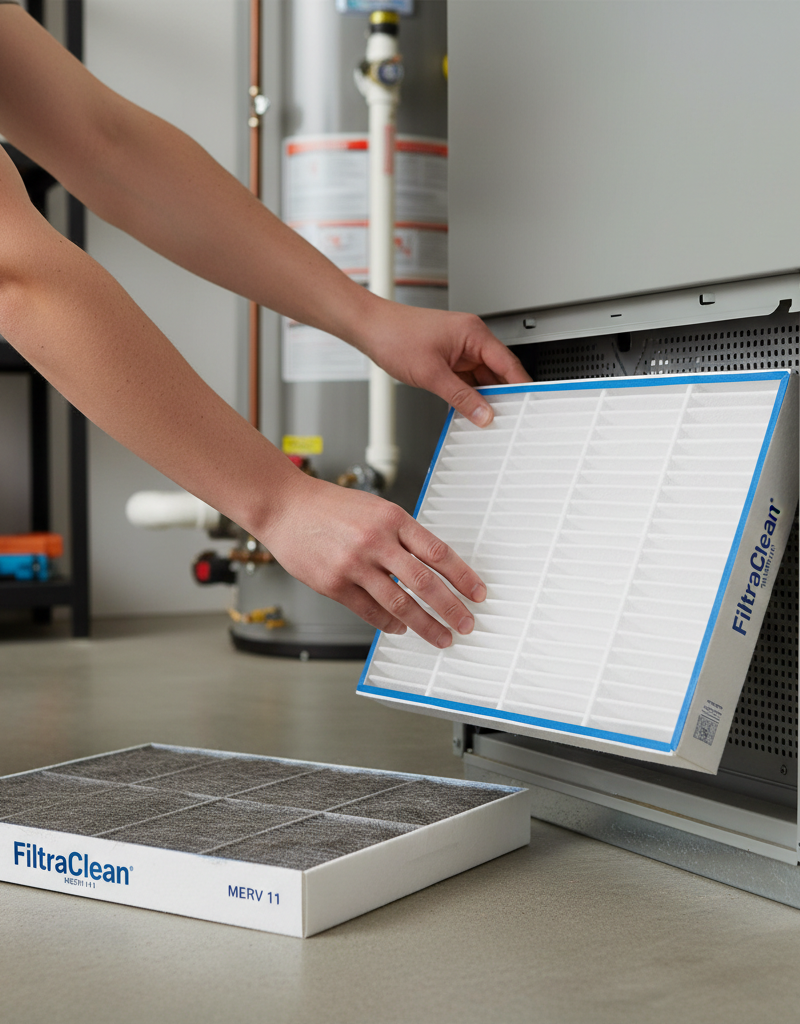
- Clean air filter
- Garden hose for condenser coils
- Shop vac for the condensate line
When to stop and call a pro
- Burning smell, smoke, or a tripping breaker
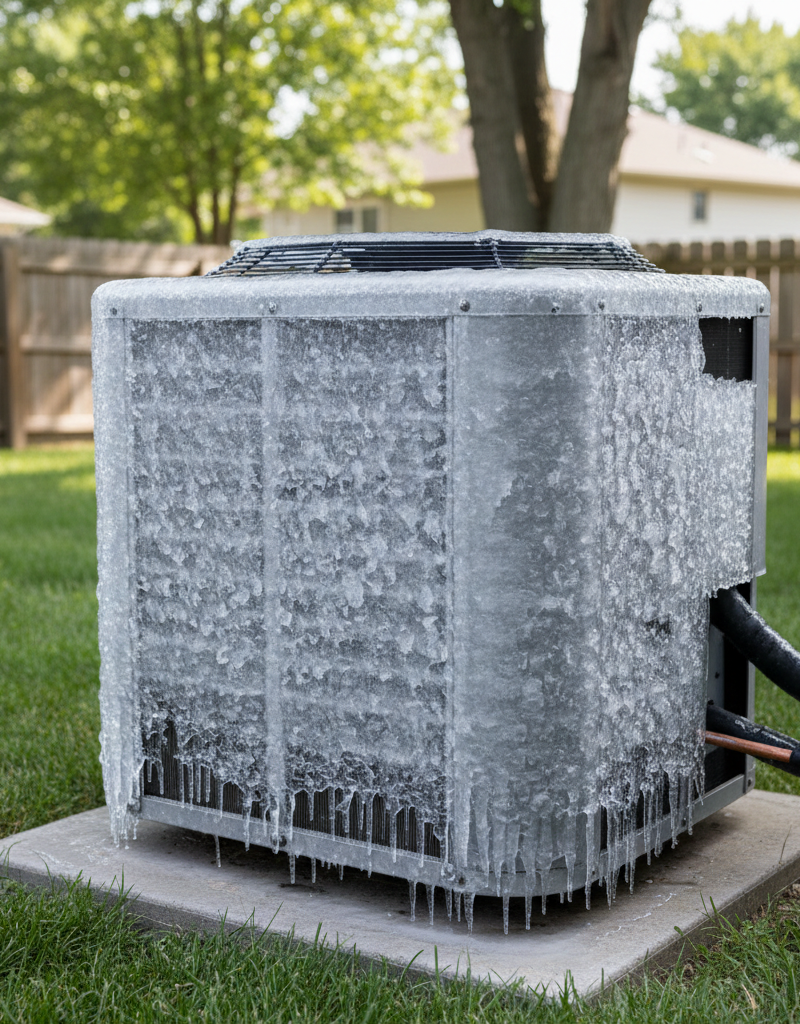
- Refrigerant lines iced over or hissing
- Any work inside the sealed refrigerant circuit (EPA-licensed only)
- Gas smell near a furnace — leave and call the utility
Need professional help?
Find an HVAC Pro Near YouGet the print-ready PDF of this guide
A clean, ad-free, printable version you can keep on your phone or pin to the workshop wall. Free with a FixlyGuide account.
- Print-optimized layout
- Tools, materials & every step included
- Saved to your account
Frequently asked questions
Why is my AC condenser fan not spinning but the unit is humming?+
A humming sound with a non-spinning fan is a classic sign of a failed run capacitor. The motor is trying to start but isn't getting the necessary electrical 'kick' from the capacitor.
Can I manually spin my AC condenser fan to start it?+
Yes, with the power safely off and then immediately restored, you can carefully try to push-start the fan with a sturdy stick. If it starts and continues to spin, the capacitor is likely weak but might still provide enough power to keep it running for a while. If it hums and fails, the capacitor is likely bad.
How do I know if my AC condenser fan motor is bad?+
If the fan blades are stiff to turn by hand even with power off, or if you've replaced the capacitor and the fan still doesn't spin or hums loudly without starting, the fan motor itself is likely seized or has internal electrical damage. A multimeter test for winding resistance can also confirm motor failure.
Is it safe to run my AC if the condenser fan isn't spinning?+
No, it is not safe to run your AC if the condenser fan isn't spinning. This prevents the unit from dissipating heat, causing the compressor to overheat and potentially fail, leading to much more expensive repairs.
Discussion
Loading comments…