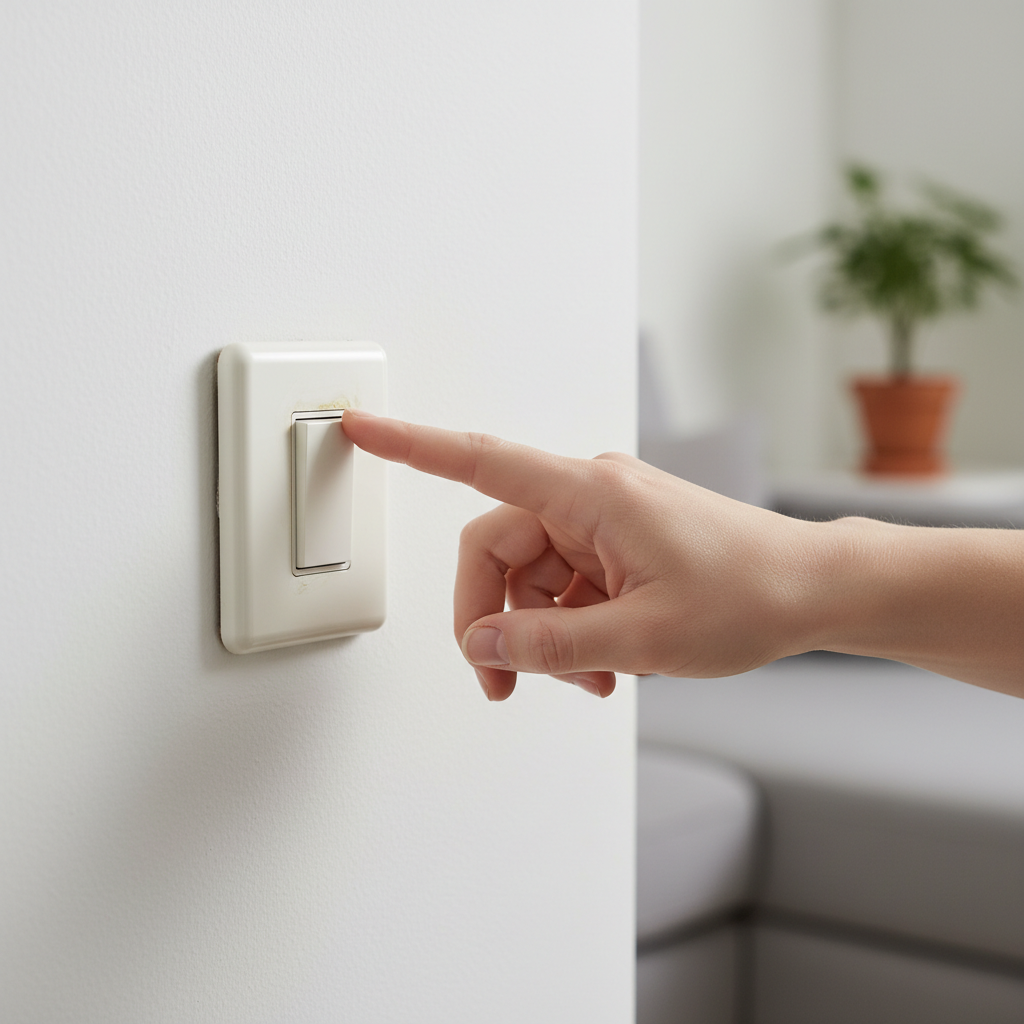
- Go to your electrical panel and locate the circuit breaker corresponding to the room or area where the hot switch is located.
- Flip the breaker to the 'OFF' position.
- Safety Note: Tag the breaker so no one accidentally turns it back on while you're working.
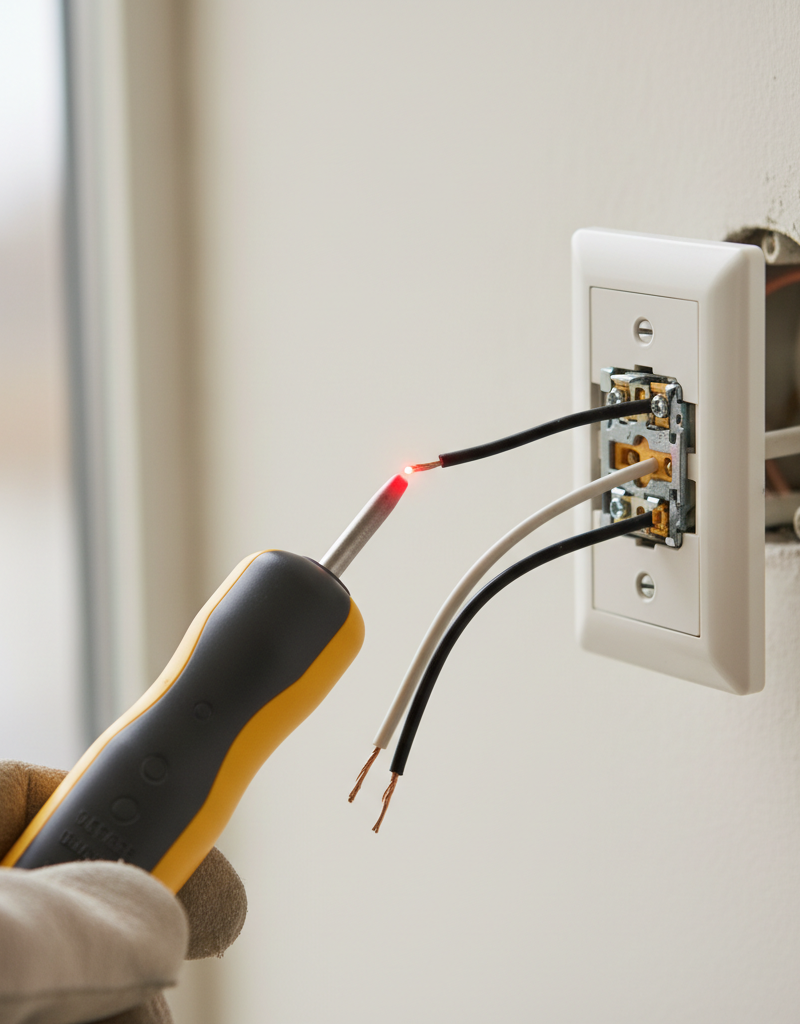
- Return to the switch location and use a non-contact voltage tester on the switch plate and, once removed, on the wires connected to the switch to confirm power is absent.
- With power confirmed off, use a screwdriver to carefully remove the screws holding the switch plate to the wall.
Electrical · Panel or service upgrade
| Project category | Electrical |
|---|---|
| Problem type | Panel or service upgrade |
| Trade required | Electrical |
| Urgency | Planned project |
| Safety risk | High safety risk |
| DIY suitability | Licensed pro only |
| Cost category | High cost |
| Typical timeline | Permit plus utility scheduling, commonly 2–6 weeks |
| Contractor type | Licensed electrician |
Repair option
Add a subpanel when the main service is adequate.
Replacement option
Full service upgrade with utility coordination and permits.
Common causes
- Obsolete or recalled panel brands
- Service capacity too small for added loads
- No room for required AFCI/GFCI breakers
Relevant tools:project cost estimatorcompare quotes
Published June 2, 2026Last updated August 17, 2026
Tools & materials you'll need
Affiliate linksAs an Amazon Associate FixlyGuide earns from qualifying purchases — at no extra cost to you. Prices and availability are accurate as of publication and subject to change.
Quick Answer
A hot light switch typically indicates a loose electrical connection, an overloaded circuit, or a faulty switch mechanism. These issues cause increased electrical resistance, generating heat. Addressing the problem quickly is crucial to prevent potential fire hazards and further electrical damage.
The Problem
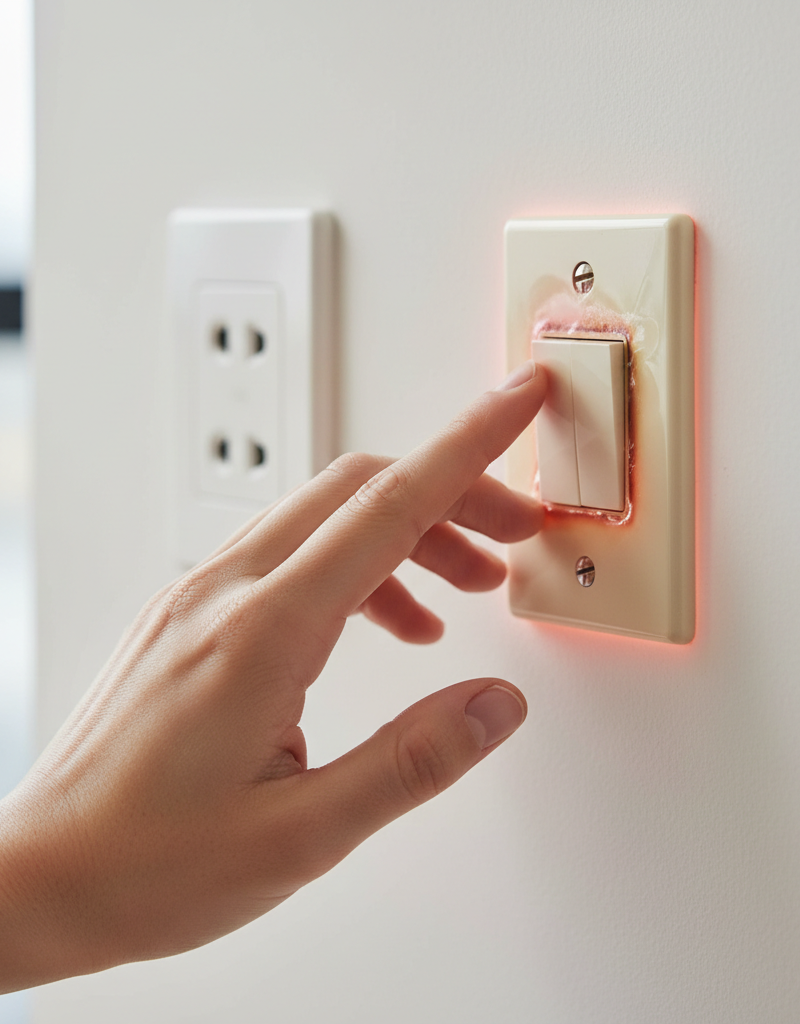
You reach to flip the light on or off, and your fingers brush against a switch plate that feels surprisingly warm, or even hot. It's a common, yet often overlooked, home electrical issue that can range from a minor nuisance to a serious fire hazard. Many homeowners might dismiss it as 'just how older switches are' or 'it's probably fine,' but a hot light switch is almost always a symptom of an underlying problem that demands immediate investigation. The heat generated isn't just an inconvenience; it's a sign that something is drawing too much current, restricting current flow, or failing within your electrical system. Ignoring it can lead to degraded wiring, melted components, and, in the worst-case scenario, an electrical fire. Understanding why your switch is hot and knowing how to safely diagnose and address the cause is essential for maintaining a safe home electrical system. This guide will walk you through the common culprits and the steps you can take to rectify them, including when it’s absolutely necessary to call in a professional.
How It Works
To understand why a light switch gets hot, it helps to grasp the basic principles of electricity and how a switch functions. Electricity flows through conductors like wires and switch components. When electricity encounters resistance, it generates heat. Think of it like water flowing through a pipe: if the pipe narrows or there's an obstruction, pressure builds, and in the case of electricity, this pressure (resistance) converts electrical energy into thermal energy.
A standard light switch consists of a simple mechanism designed to make or break an electrical connection. Inside the switch, movable contacts connect two terminals, completing a circuit and allowing electricity to flow to your light fixture. When the switch is in the 'off' position, these contacts are separated, breaking the circuit.
There are several points within this system where resistance can increase, leading to heat. A loose wire connection at the screw terminal of the switch creates a small air gap or poor contact point, forcing the current through a smaller area, thus increasing resistance. Similarly, if the switch itself is faulty, its internal contacts might be corroded or pitted, offering more resistance than designed. An overloaded circuit means too much current is trying to pass through the switch and its associated wiring, exceeding their capacity and causing excessive heat generation. Even the type of light bulb can play a role; incandescent bulbs, for instance, draw significant current and convert a large portion of it into heat, which can, over time, affect the switch, especially if it's rated for lower wattage. Understanding this interplay of current, resistance, and heat is key to diagnosing a hot light switch.
Step-by-Step Fix
SAFETY FIRST: Before performing any electrical work, ALWAYS turn off the power at the circuit breaker for the affected switch. Use a non-contact voltage tester to confirm the power is off before touching any wires. Electrical shocks can be fatal.
1. Isolate the Circuit – Confirm no power is active.
- Go to your electrical panel and locate the circuit breaker corresponding to the room or area where the hot switch is located.
- Flip the breaker to the 'OFF' position.
- Safety Note: Tag the breaker so no one accidentally turns it back on while you're working.
- Return to the switch location and use a non-contact voltage tester on the switch plate and, once removed, on the wires connected to the switch to confirm power is absent.
2. Remove the Switch Plate – Gain access to the switch.
- With power confirmed off, use a screwdriver to carefully remove the screws holding the switch plate to the wall.
- Gently pull the plate away and set it aside.
3. Inspect for Obvious Damage – Look for visual cues.
- Visually inspect the switch and the wires connected to it.
- Look for: Any signs of discoloration, melting plastic, burnt smells, or exposed copper wiring that looks dark or brittle.
- Check for: Wires that appear loose or are not securely fastened under the screw terminals.
- If you see significant burning or melting, stop immediately and call a licensed electrician. The switch is likely compromised and needs professional replacement.
4. Tighten Loose Connections – Secure wiring.
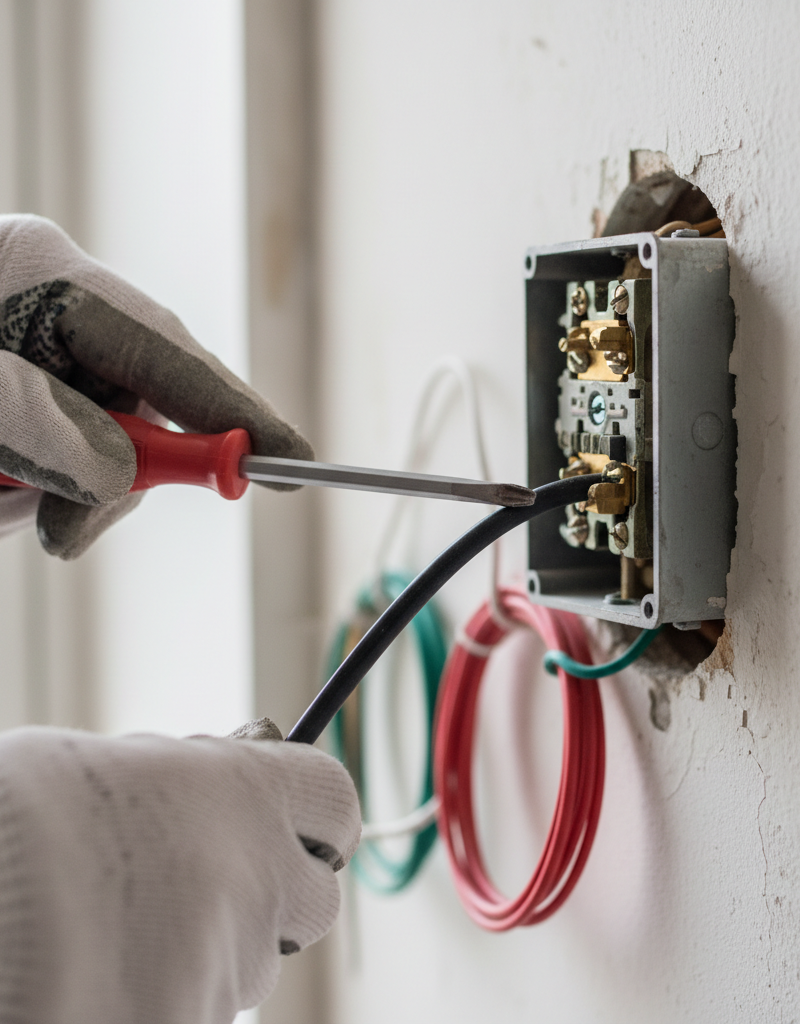
- Using a Phillips or flathead screwdriver (depending on the screw type), carefully tighten each screw terminal on the switch where a wire is connected.
- Ensure: Wires are wrapped securely clockwise around the terminal screws (so tightening the screw pulls the wire tighter) and are not frayed.
- Do not overtighten, as this can strip the screw or damage the wire. Just snug.
- Check any push-in connections as well. While less common on modern switches, older switches might have small push-in holes. These are prone to loosening and are generally less reliable than screw terminals. If present, it's often best practice to convert these to screw terminals if possible, or replace the switch.
5. Check for Overloaded Circuit Symptoms – Assess the connected load.
- Consider what devices or lights are on the same circuit as the hot switch.
- Is there a high-wattage appliance, multiple incandescent lights, or a space heater plugged into outlets on the same circuit?
- Try: Reducing the load by unplugging some devices or replacing incandescent bulbs with lower-wattage LED alternatives.
- If the heat is localized to a dimmer switch, ensure the wattage of the bulbs connected does not exceed the dimmer's maximum rating. Dimmers generate some heat normally, but excessive heat indicates overloading.
6. Replace the Switch (if necessary) – Install a new component.
- If tightening connections doesn't resolve the issue, or if the switch shows signs of damage (discoloration, melting, or feels flimsy), it's likely faulty and needs replacement.
- Before disconnecting: Take a photo of the existing wiring configuration for reference.
- Unscrew the old switch from the electrical box.
- Loosen the terminal screws and carefully remove each wire from the old switch.
- Connect the wires to the new switch in the exact same configuration. (Typically: one or two 'hot' wires on brass screws, one 'load' wire on a brass screw, and a ground wire on a green screw).
- Grounding: Ensure the bare copper or green insulated wire (ground wire) is securely connected to the green ground screw on the new switch and the electrical box, if applicable.
- Carefully push the new switch back into the electrical box, ensuring no wires are pinched.
- Secure the switch with the mounting screws.
- Replace the switch plate.
7. Restore Power and Test – Verify the fix.
- Return to your electrical panel and flip the circuit breaker back to the 'ON' position.
- Test the light switch. Operate it several times.
- Periodically check the switch plate over the next few hours or days to see if the heat returns. If it does, there's a deeper issue.
Common Causes
- Loose Wire Connections: This is by far the most common cause. A loose wire at a terminal screw creates resistance, leading to heat generation as electricity struggles to flow. Over time, these connections can loosen due to vibration, expansion/contraction, or improper installation.
- Overloaded Circuit: When too many high-wattage devices or lights are connected to a single circuit, the current draw exceeds the intended capacity of the wiring and switch. This excess current generates heat throughout the circuit, including at the switch.
- Faulty Switch Mechanism: Internal components of the switch can wear out, corrode, or get damaged over time. This can lead to increased internal resistance, causing the switch to heat up. This is more common with older switches or frequently used switches.
- Incorrect Switch Type or Rating: Using a standard switch for an application that requires a heavy-duty switch (e.g., controlling a powerful motor) or exceeding the wattage rating of a dimmer switch can cause overheating.
- Old or Degraded Wiring: Especially in older homes, insulation around wires can degrade, or the wire itself might be undersized for modern electrical loads. This can contribute to resistance and heat buildup throughout the circuit.
- Improper Grounding: While less common for direct heat, a missing or improper ground can sometimes allow fault currents to flow through unintended paths, potentially contributing to system stress and heat.
- Too Many Devices on the Circuit: Similar to an overloaded circuit, if a single circuit is supplying power to an excessive number of lights or outlets, even if individually low-wattage, the cumulative draw can lead to overheating at the weakest points, including the switch.
Common Mistakes
- Ignoring the Problem: Many homeowners continue using a hot switch, hoping it will 'fix itself' or assuming it's normal. This is a critical mistake that significantly increases the risk of an electrical fire.
- Not Shutting Off Power: Attempting to troubleshoot or fix a hot switch without first turning off the power at the breaker is extremely dangerous and can lead to severe electrical shock or electrocution.
- Overtightening Screws: While loose connections are bad, overtightening terminal screws can strip the screw head, damage the wire, or crack the switch housing, creating new problems.
- Assuming All Switches Are Alike: Using a standard single-pole switch in a 3-way or 4-way application, or installing a dimmer switch without checking its wattage rating, can lead to incorrect operation and overheating. Always use the correct type of switch for the application.
- Not Inspecting Wiring Thoroughly: Just tightening screws isn't enough. It's crucial to look for signs of burnt insulation, melted plastic, or brittle wires, which indicate more severe underlying issues that a simple tightening won't fix.
- Using Push-In Terminals When Screw Terminals Are Available: While convenient, push-in terminals (back-stabs) are notorious for loosening over time and creating poor connections, leading to heat. If your switch has both, always opt for the more secure screw terminals.
Cost & Time Breakdown
| Task | DIY Cost | Pro Cost | Time |
|---|---|---|---|
| Initial Inspection & Tightening | $0 | $75 – $150 | 15 – 30 mins |
| Replacing a Standard Switch | $5 – $20 | $100 – $250 | 30 – 60 mins |
| Replacing a Dimmer Switch | $20 – $50 | $120 – $300 | 45 – 90 mins |
| Diagnosing Overload/Wiring | $0 | $150 – $400+ | 30 mins – 2 hrs |
Tips & Prevention
- Regular Inspections: Periodically check your light switches and outlets for warmth, buzzing sounds, or flickering lights. Early detection can prevent major issues.
- Use LED Bulbs: Replacing incandescent bulbs with energy-efficient LED alternatives significantly reduces the electrical load on circuits, generating less heat and prolonging the life of your switches and wiring.
- Understand Circuit Loads: Be mindful of how many high-wattage devices are plugged into outlets on the same circuit. Distribute loads across different circuits where possible, or use dedicated circuits for heavy-draw appliances.
- Install Correct Switch Types: When replacing switches, ensure you're using the correct type (single-pole, 3-way, dimmer, etc.) and that it's rated for the intended load. Dimmer switches, in particular, have specific wattage limits.
- Professional Electrical Audit: If you live in an older home, consider having a licensed electrician perform a comprehensive electrical audit to identify potential issues like outdated wiring or undersized circuits before they become critical.
- Avoid Back-Stab Connections: When installing new switches or outlets, always use the screw terminals for wire connections instead of the push-in (back-stab) holes, as screw terminals provide a much more secure and reliable connection.
When to Call a Professional
While diagnosing and tightening loose connections or replacing a simple switch can be a DIY task for many, there are clear instances when you should immediately call a licensed electrician. If, after cutting the power and inspecting, you find signs of significant burning, melted plastic on the switch or wires, or a persistent acrid smell, the situation is beyond a simple fix. Similarly, if the issue persists after you've tightened connections or replaced the switch, it indicates a deeper problem within the circuit, potentially involving overloaded wiring, a fault in the electrical panel, or incorrectly sized conductors that require professional expertise to diagnose and rectify safely. Any flickering lights, buzzing sounds from the wall, or repeated tripping of the circuit breaker alongside a hot switch also warrant professional intervention. Electricity can be dangerous; never hesitate to call a pro if you're unsure or uncomfortable.
Related Articles
Keep troubleshooting with these hand-picked guides from FixlyGuide:
- Why is Your Light Switch Hot? (The Hidden Danger Most Homeowners Miss) — A hot light switch isn't just uncomfortable; it's a critical warning sign of electrical issues that should never be ignored due to fire ris…
- Why is Your Light Switch Hot? The 3 Hidden Overload Risks Explanations — A hot light switch isn't just uncomfortable; it signals potential electrical problems like overloading, loose wiring, or a failing switch.
- The Secret Reason Half Your Wall Outlet Dies (And It's Not What You Think) — Discover why only half of your electrical outlet might be working and how to diagnose and fix the common culprit, saving you from a costly…
- Why Your Wall Switch Feels Hot: The Hidden Danger Most Homeowners Miss — A hot light switch isn't just uncomfortable; it's a critical warning sign of potential electrical hazards that demand immediate attention.
- Why Your Outlet Died (Even If the Breaker's On) — Discover the hidden reasons an electrical outlet stops working, even when the circuit breaker appears to be on, and learn simple diagnostic…
- The #1 Reason Your AC Fan Won't Spin (And the 20-Minute Fix) — Diagnose and fix a non-spinning AC condenser fan with our step-by-step guide, saving you money and restoring your home's cool air.
What should this project cost?
Enter your project details for a realistic cost range before you call anyone.
Outlet and switch work usually $150–$400; panel upgrades commonly $1,800–$4,200.
- Regional adjustment
- National average
- Labor share (typical)
- ~$709
- Quotes to collect
- 3 written estimates
Educational estimate based on national averages — not a binding quote. Always confirm with written local estimates.
Fixly Project Decision Box
- DIY difficulty
- Professional Recommended
- Estimated time
- Diagnosis 1–2 hours
- Cost level
- Moderate
Main tools / materials
- Non-contact voltage tester
- Outlet tester
- Flashlight
When to stop and call a pro
- Burning smell, scorch marks, or a warm outlet or switch plate
- A breaker that trips again right after being reset
- Any work inside the service panel
- Aluminum wiring or cloth-insulated wiring
Need professional help?
Talk to a Licensed ElectricianFrequently asked questions
How hot is too hot for a light switch?+
A light switch should generally not feel noticeably warm to the touch. If it feels hot enough to be uncomfortable, or if there's any discoloration, melting, or burning smell, it's definitely too hot and indicates a serious problem that needs immediate attention.
Can a hot light switch cause a fire?+
Yes, absolutely. A hot light switch is a sign of excessive resistance and heat buildup, which can melt wire insulation, ignite surrounding materials within the wall, and lead to an electrical fire. It's a critical fire hazard that should never be ignored.
Should I replace all hot light switches?+
Not necessarily all, but you should definitely investigate and consider replacing any switch that consistently feels hot, especially after confirming power is off and tightening connections hasn't resolved the issue. Often, a loose connection is the culprit, but if the switch itself is faulty or damaged, replacement is essential.
How often should light switches be replaced?+
Light switches don't have a strict replacement schedule, but they can last for decades. They typically only need replacement if they fail, become damaged, or start showing signs of wear like sticking, not working consistently, or becoming hot to the touch. Upgrading older switches to modern, higher-quality ones during renovations is also a good practice.
Discussion
Loading comments…