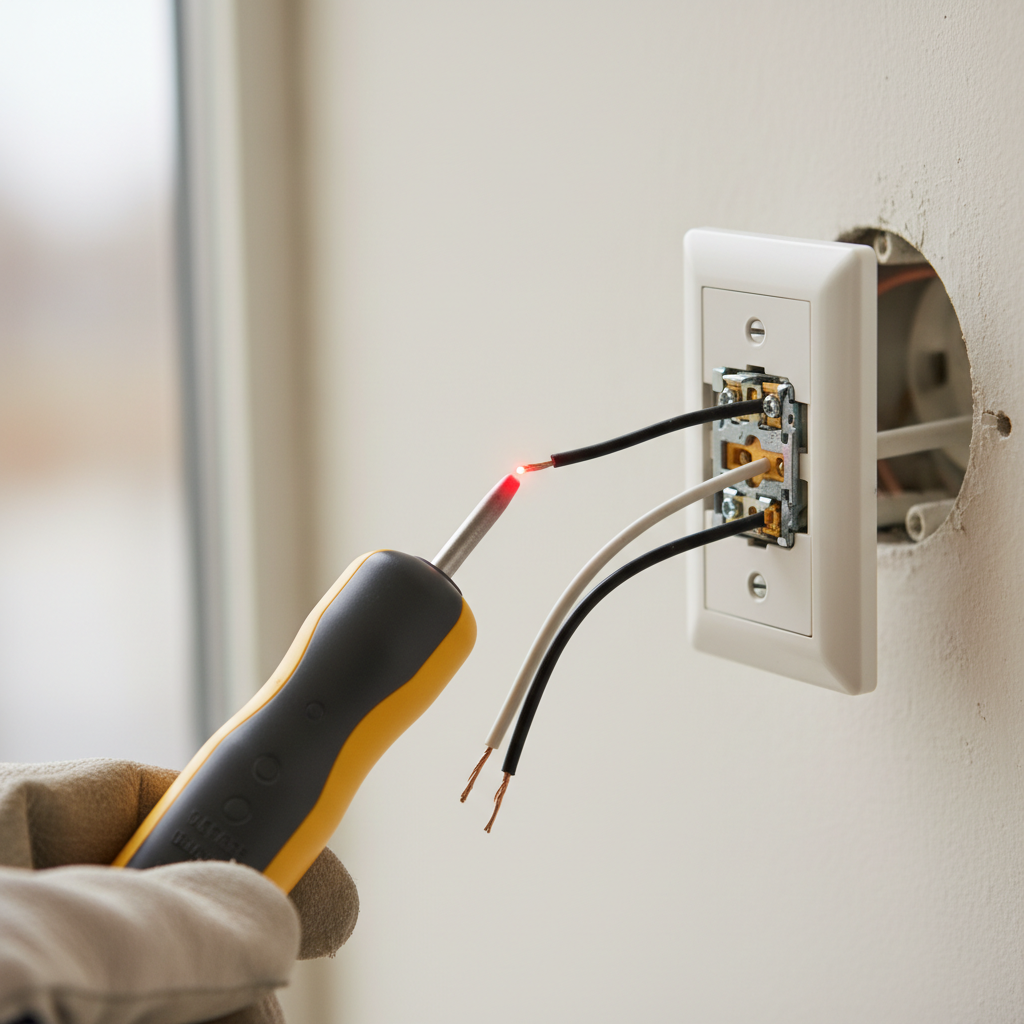
- Identify the Circuit – Locate your electrical panel and find the breaker that controls the hot light switch. Flip it to the "OFF" position. If you're unsure, turn off the main breaker to your entire home.
- Safety Note: Label your breakers for future reference if they aren't already.
- If this doesn't work: If the switch is still hot after turning off a breaker, you've likely identified the wrong one. Double-check and try another, or turn off the main breaker.
Electrical · Panel or service upgrade
| Project category | Electrical |
|---|---|
| Problem type | Panel or service upgrade |
| Trade required | Electrical |
| Urgency | Planned project |
| Safety risk | High safety risk |
| DIY suitability | Licensed pro only |
| Cost category | High cost |
| Typical timeline | Permit plus utility scheduling, commonly 2–6 weeks |
| Contractor type | Licensed electrician |
Repair option
Add a subpanel when the main service is adequate.
Replacement option
Full service upgrade with utility coordination and permits.
Common causes
- Obsolete or recalled panel brands
- Service capacity too small for added loads
- No room for required AFCI/GFCI breakers
Relevant tools:project cost estimatorcompare quotes
Published July 20, 2026Last updated August 17, 2026
Tools & materials you'll need
Affiliate links- AmazonNew standard light switch1 · If replacement is needed (15-amp, single-pole usually).
- AmazonNew dimmer switch1 · If replacing a faulty dimmer (ensure it matches load type, e.g., LED compatible).
- Amazon#12 or #14 AWG electrical wire (solid copper)2 ft · Small piece for pigtails if needed for grounding.
As an Amazon Associate FixlyGuide earns from qualifying purchases — at no extra cost to you. Prices and availability are accurate as of publication and subject to change.
Quick Answer
A A hot light switch is typically a red flag for an electrical problem, most commonly loose wiring, an overloaded circuit, or a failing dimmer switch. These issues create resistance, generating heat. Ignoring a hot switch can lead to arcing, short circuits, and potentially a house fire. Always cut the power at your circuit breaker before inspecting the switch.
The Problem
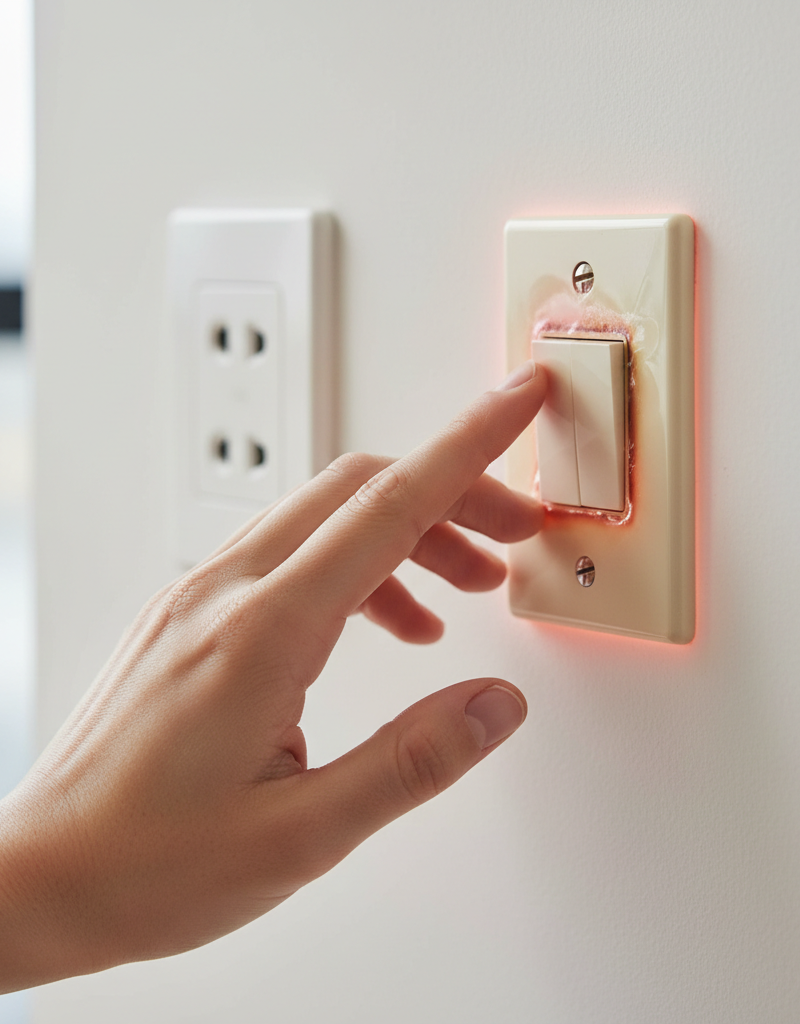
You've noticed one of your light switches feels warm or even hot to the touch. This isn't normal. While a slight warmth might be acceptable for a heavily used dimmer, significant heat indicates a problem that needs immediate attention. The heat is a direct result of excessive electrical resistance, usually caused by loose connections, too much current flowing through the switch (overload), or internal failure of the switch itself. Left unaddressed, this resistance can escalate, leading to melted insulation, arcing, and a severe fire risk within your walls.
How It Works
Electricity flows from your home's main electrical panel, through circuit breakers, and then along wires to power various devices, including light switches and fixtures. A light switch acts as a gatekeeper, completing or breaking the circuit to turn a light on or off. When the switch is on, current flows through its internal contacts. When it's off, the circuit is open, and no current flows through the switch to the light fixture.
For electricity to flow efficiently, connections must be tight and components correctly rated for the electrical load they carry. When a connection is loose, the point of contact between the wire and the switch terminal becomes smaller. This reduced contact area increases electrical resistance at that point. Think of water flowing through a wide pipe versus a narrow constriction: the constriction increases pressure and friction. Similarly, increased electrical resistance generates heat. The same principle applies to an overloaded circuit: if a switch rated for 15 amps is forced to carry 20 amps, the excess current flowing through its components will generate more heat than it's designed to dissipate. Dimmer switches, by their nature, manage power differently, often converting some electrical energy into heat as they regulate brightness, which is why a slightly warm dimmer is sometimes normal. However, a genuinely hot dimmer indicates it's either overloaded or faulty internally.
Step-by-Step Fix
SAFETY FIRST: Before attempting any electrical work, always turn off the power to the affected circuit at your main electrical panel. Verify the power is off using a non-contact voltage tester.
-
Identify the Circuit – Locate your electrical panel and find the breaker that controls the hot light switch. Flip it to the "OFF" position. If you're unsure, turn off the main breaker to your entire home.
- Safety Note: Label your breakers for future reference if they aren't already.
- If this doesn't work: If the switch is still hot after turning off a breaker, you've likely identified the wrong one. Double-check and try another, or turn off the main breaker.
-
Verify Power is Off – Use a non-contact voltage tester to confirm no power is flowing to the switch. Touch the tester to the face of the switch, then carefully remove the switch plate and touch the tester to the terminals where the wires connect. The tester should not light up or beep.
- Safety Note: Never assume the power is off without testing.
-
Remove the Switch Plate – Carefully unscrew the two screws holding the plastic switch plate to the wall. Set the plate aside.
-
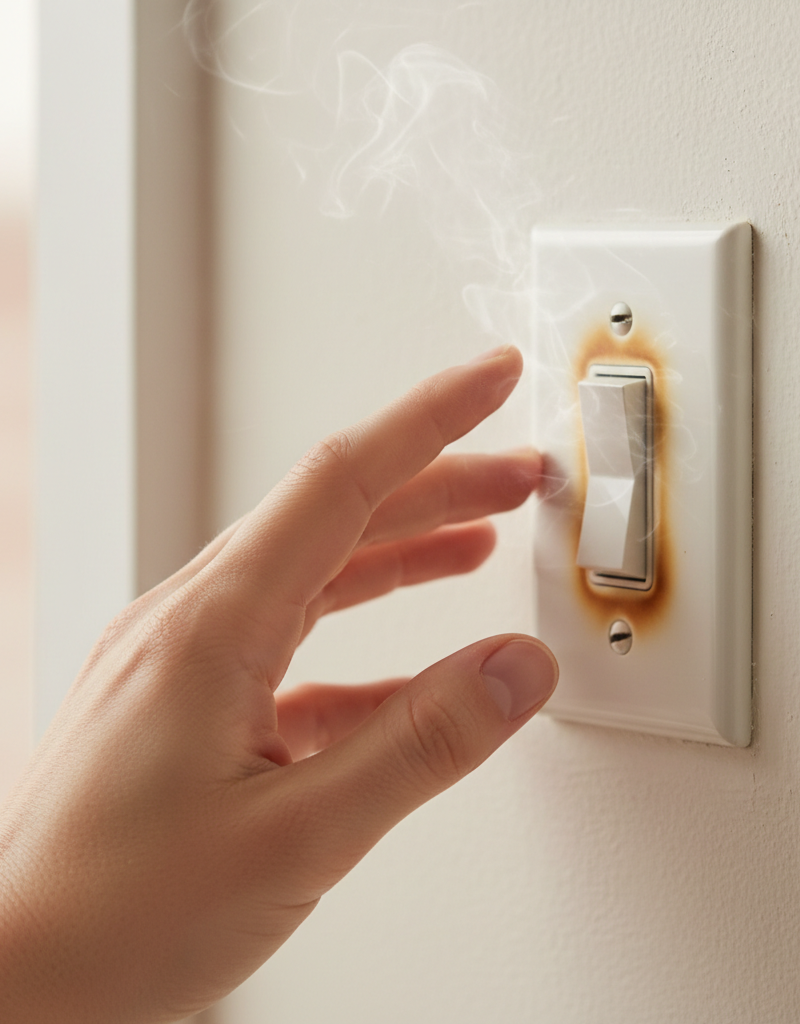
Inspect for Visible Damage – Gently pull the switch out of the electrical box (it will remain connected by wires). Look for obvious signs of damage: melted insulation on wires, scorched terminals, discolored wires, or a burning smell emanating from the switch or box. These are strong indicators of a serious problem.
- If you see significant damage: Do NOT proceed with DIY. This is a serious fire hazard. Call a licensed electrician immediately.
-
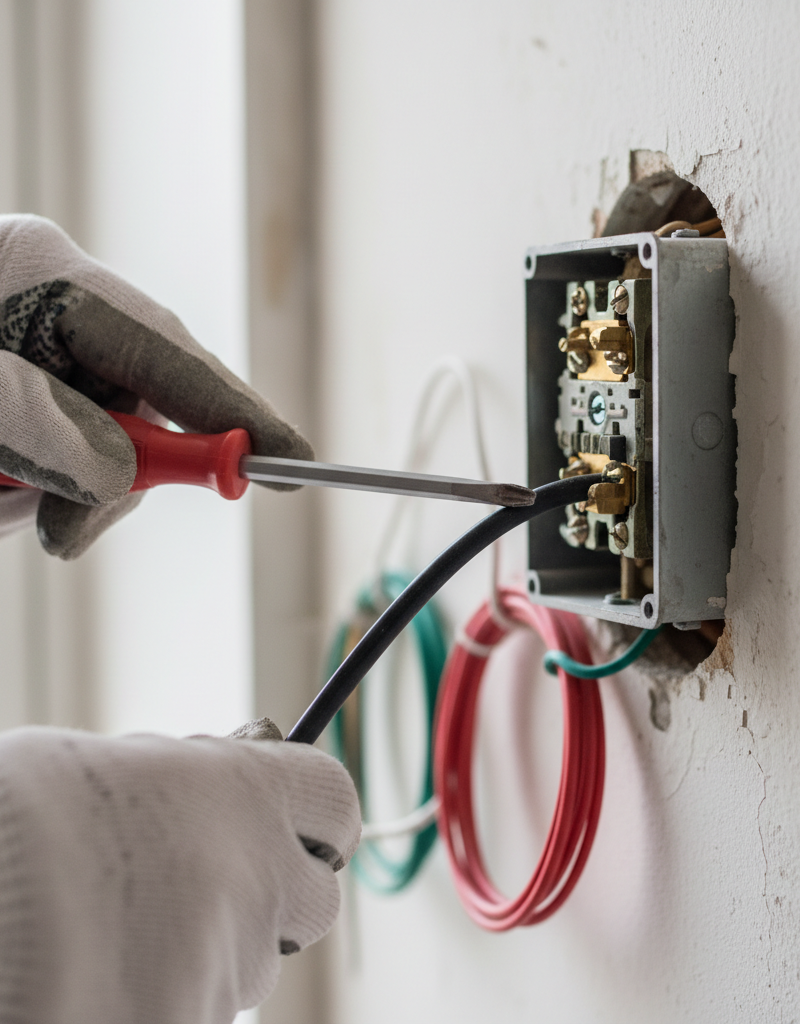
Check Wire Connections – Using a screwdriver, carefully check all wire connections to the switch. Ensure all wires are firmly seated under the terminal screws (for screw terminals) or fully inserted into the back-stab holes (if applicable). For screw terminals, the wire should wrap clockwise around the screw and be tightened securely. Wiggle each wire gently to ensure it doesn't pull out.
- Pro Tip: Back-stab connections are notorious for loosening over time. If your switch uses back-stabs, it's highly recommended to convert them to screw terminals by wrapping the stripped wire clockwise around the screw and tightening it securely.
- If connections are loose: Tighten them firmly. If the wire insulation is damaged near the connection, carefully trim the wire, re-strip it (about 1/2 to 3/4 inch), and make a fresh connection.
-
Assess the Electrical Load – Think about what lights or fixtures are controlled by this switch. Are there many high-wattage bulbs? Is the switch connected to an outlet powering heavy-draw appliances? Calculate the total wattage on the circuit. If the total wattage exceeds the switch or circuit breaker's rating (e.g., a 15-amp circuit can handle approximately 1800 watts), you have an overload.
- Solution for overload: Reduce the load by using lower-wattage bulbs (especially LEDs), or redistribute appliances to other circuits. If it's a dimmer switch, ensure it's rated for the total wattage of the lights it controls. Incandescent dimmers often can't handle LED loads without specific "CL" or "LED" ratings.
-
Examine the Switch Itself – If connections are tight and the load seems appropriate, the switch itself might be faulty. Look for scorch marks, discoloration, or a burning smell coming directly from the switch body. Sometimes the internal contacts wear out or become corroded, leading to increased resistance and heat.
- If the switch is faulty: Purchase a replacement switch of the same type and rating (e.g., 15-amp, single-pole). Disconnect the old switch by loosening the terminal screws and remove the wires. Connect the new switch, ensuring wires are installed to the correct terminals (hot usually to the bottom, switched leg to the top, ground to green screw). Make sure any bare ground wires are connected to the green grounding screw on the switch or pigtailed to the box ground.
- Safety Note: Always connect the bare copper (ground) wire to the green grounding screw on the switch.
-
Reassemble and Test – Once connections are secure (or a new switch is installed), gently push the switch and wires back into the electrical box. Screw the switch mounting screws back into the box. Replace the switch plate. Turn the power back on at the circuit breaker. Test the switch functionality and then, after waiting a few minutes, carefully check if it still feels hot.
Common Causes
- Loose Wire Connections: This is the most prevalent cause. Over time, vibrations, temperature changes, or improper initial installation can cause wires to loosen from terminal screws or back-stab connections, creating resistance and heat.
- Overloaded Circuit/Switch: The switch is attempting to handle more electrical current (amperage) than it's rated for. This often happens when high-wattage lights are added or when multiple devices are powered by a single switch (less common for lights, but possible if switch controls an outlet).
- Faulty Switch (Internal Failure): The internal mechanisms or contacts of the switch can degrade, corrode, or wear out, leading to increased resistance and heat. This is more common with older switches or heavily used ones.
- Incorrect Dimmer Switch for Load: Using a dimmer switch that isn't rated for the total wattage of the connected lights, especially when mixing incandescent and LED bulbs, can cause it to overheat. Standard dimmers for incandescent bulbs may not handle LED loads efficiently.
- Short Circuit (Intermittent): While a direct short circuit usually trips a breaker immediately, an intermittent or partial short (perhaps due to damaged insulation) can cause localized heating before a full fault occurs.
Common Mistakes
- Ignoring the Problem: The biggest mistake is assuming a hot switch will fix itself or isn't a serious issue. Heat is a symptom of a problem that can escalate into a fire.
- Not Cutting Power at the Breaker: Attempting to inspect or fix a switch without first turning off the power at the circuit breaker can lead to severe electrical shock or electrocution.
- Using Back-Stab Connections: While convenient, these spring-clip connections are notorious for loosening over time and causing poor contact. Always use screw terminals when possible, especially for connections that carry significant current.
- Over-tightening Terminal Screws: While connections need to be tight, over-tightening can cut or damage the wire, leading to a weak point and potential heating.
- Underestimating the Load: Assuming a switch can handle any light. Always be mindful of the total wattage of bulbs connected to a switch, especially with older fixtures or specialized switches.
- Not Addressing Damaged Wire Insulation: If you find melted or scorched insulation on wires, simply tightening a connection isn't enough. The damaged section needs to be repaired or replaced by a qualified professional.
Cost & Time Breakdown
| Task | DIY cost | Pro cost | Time |
|---|---|---|---|
| Tighten loose connections | $0–$5 | N/A | 15–30 min |
| Replace standard light switch | $5–$20 | $100–$250 | 30–60 min |
| Replace dimmer switch | $15–$50 | $120–$300 | 45–90 min |
| Identify and correct overload | $0–$100 | N/A | 30–60 min |
| Extensive wiring repair | N/A | $150–$500+ | 1–3 hours |
Tips & Prevention
- Use Proper Wire Stripping: When making new connections, strip insulation only enough to make a good connection (about 1/2 to 3/4 inch for screw terminals). Too much exposed wire increases the risk of shorts.
- Regular Inspections: Periodically (e.g., annually) check accessible light switches for warmth, especially those that are frequently used or control multiple lights. Feel them with the back of your hand for safety.
- Upgrade Old Switches: If you have very old switches, especially those with visible damage or intermittent functionality, consider proactively replacing them with new, high-quality switches. They are inexpensive and can prevent future issues.
- Match Switch to Load: Always ensure your light switch (especially dimmer switches) is rated for the total electrical load it controls. When switching to LED bulbs, consider "LED-compatible" or "CFL/LED" dimmer rather than incandescent-only dimmers.
- Professional Electrical Audit: If you experience frequent electrical issues, flickering lights, or multiple hot switches, consider having a licensed electrician perform a comprehensive electrical audit of your home.
When to Call a Professional
It is imperative to call a licensed electrician if you discover any widespread melting or charring of wires, a persistent burning smell, or if the circuit breaker repeatedly trips after you've addressed potential loose connections or overloads. Any signs of significant electrical arcing within the switch box, a very hot switch where the cause isn't immediately apparent and correctable, or if you feel uneasy working with electricity, warrants professional intervention. Electrical hazards can quickly escalate, and a qualified professional has the expertise and tools to diagnose complex issues safely and ensure your home's electrical system meets safety codes, preventing serious injury or fire. Do not hesitate to call a professional if you're unsure or uncomfortable at any point during your diagnosis." , meta_title=
Related Articles
Keep troubleshooting with these hand-picked guides from FixlyGuide:
- Why Your Wall Switch Feels Hot: The Hidden Danger Most Homeowners Miss — A hot light switch isn't just uncomfortable; it's a critical warning sign of potential electrical hazards that demand immediate attention.
- Why is Your Light Switch Hot? (The Hidden Danger Most Homeowners Miss) — A hot light switch isn't just uncomfortable; it's a critical warning sign of electrical issues that should never be ignored due to fire ris…
- Why is Your Light Switch Hot? The 3 Hidden Overload Risks Explanations — A hot light switch isn't just uncomfortable; it signals potential electrical problems like overloading, loose wiring, or a failing switch.
- That "Copper" Outlet Wire Might Be A Fire Hazard in Disguise — Discover the hidden fire risk lurking behind your walls—aluminum wiring was a cheap copper alternative in the 60s & 70s, but its unique pro…
- Why Does Only One Room Have Flickering Lights? The Real Culprit — Flickering lights in a single room often point to a localized electrical issue, frequently a loose connection in a light fixture or switch.
- The Hidden Reason Your Light Switch Is Warm to the Touch — Ever noticed your light switch is warm to the touch? While it's often a normal function of a dimmer, it can also signal a dangerous electri…
Should you do this yourself?
Answer five quick questions before you start. Safety outranks savings every time.
Your experience with work like this
How high do you have to work?
Does the job involve any of these?
Will it need a permit?
Specialty tools
Free and instant. Educational guidance only — not a quote, inspection, or professional diagnosis.
What should this project cost?
Enter your project details for a realistic cost range before you call anyone.
Outlet and switch work usually $150–$400; panel upgrades commonly $1,800–$4,200.
- Regional adjustment
- National average
- Labor share (typical)
- ~$709
- Quotes to collect
- 3 written estimates
Educational estimate based on national averages — not a binding quote. Always confirm with written local estimates.
Fixly Project Decision Box
- DIY difficulty
- Advanced
- Estimated time
- Homeowner checks 20–30 minutes
- Cost level
- Moderate
Main tools / materials
- Clean air filter
- Garden hose for condenser coils
- Shop vac for the condensate line
When to stop and call a pro
- Burning smell, smoke, or a tripping breaker
- Refrigerant lines iced over or hissing
- Any work inside the sealed refrigerant circuit (EPA-licensed only)
- Gas smell near a furnace — leave and call the utility
Need professional help?
Find an HVAC Pro Near YouBefore you start
Check the difficulty, permits, and safety risk — then decide whether to call a pro.
- Estimate this projectGet a cost range for your scope and ZIP before you call anyone.Open
- Get local estimatesSend one request and compare written estimates from vetted pros.Open
Free, no signup required. Estimates are educational guidance, not a quote or an inspection.
Get the print-ready PDF of this guide
A clean, ad-free, printable version you can keep on your phone or pin to the workshop wall. Free with a FixlyGuide account.
- Print-optimized layout
- Tools, materials & every step included
- Saved to your account
Frequently asked questions
Is a hot light switch dangerous?+
Yes, a hot light switch is a significant fire hazard. It indicates excessive electrical resistance caused by issues like loose wiring or an overload, which can lead to melted insulation, arcing, and potentially a house fire. Always investigate immediately.
Why is my light switch hot to the touch?+
The most common reasons are loose wire connections, an overloaded switch or circuit, or a faulty switch (especially a dimmer). These conditions create resistance, converting electrical energy into heat.
Can a hot light switch cause a fire?+
Absolutely. If the heat generated by the switch is intense enough and sustained, it can melt wire insulation, ignite surrounding combustible materials within your wall, and lead to serious electrical fires.
When should I call an electrician for a hot light switch?+
Call an electrician immediately if you see scorched wires or switch components, smell burning, experience repeated breaker trips, or if the switch remains hot after you've tightened connections and reduced the load. If you're uncomfortable or unsure at any step, a professional is your safest bet.
Can I replace a hot light switch myself?+
You can replace a standard light switch yourself if you are comfortable working with basic home electrical wiring, provided you first turn off the power at the circuit breaker and verify it's off. However, if there are signs of extensive damage like melted wires in the wall, call a pro.
Discussion
Loading comments…