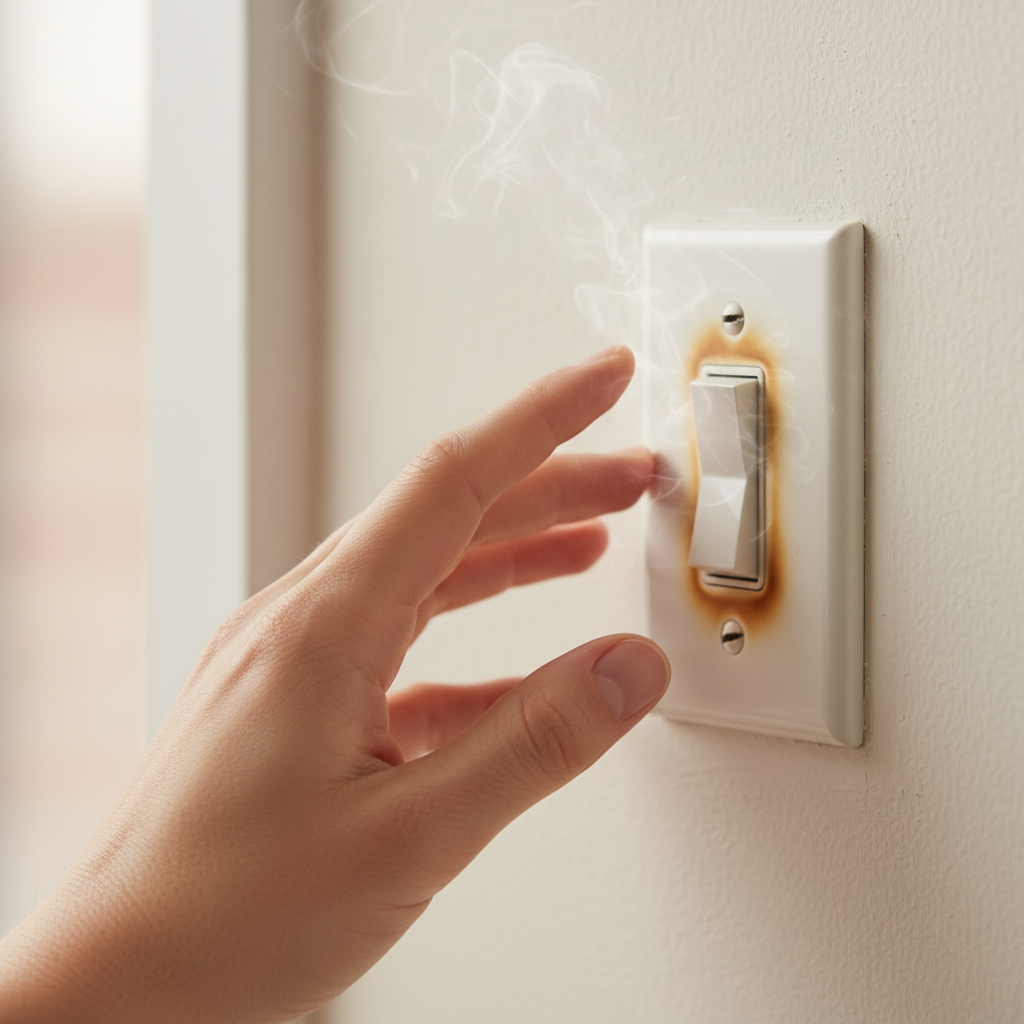
- Ignoring the Heat: The biggest mistake is assuming a hot switch is normal or harmless. Heat is a warning signal that should never be ignored. Always investigate promptly.
- Tightening Wires Without Turning Off Power: Attempting to tighten loose connections with the power on is extremely dangerous and can lead to electric shock or short circuits. Always, always cut the power first.
- Using the Wrong Screwdriver/Overtightening: Using a screwdriver that doesn't fit the screw head can strip the screw. Overtightening can also strip the screw or damage the wire, creating a worse connection than before.
- Replacing Without Diagnostics: Simply replacing a hot switch without understanding the underlying cause (e.g., an overloaded circuit or loose wiring elsewhere) means the new switch will likely face the same problem and become hot again.
- Not Considering the Full Circuit Load: Focusing only on the light fixture connected to the switch and ignoring other heavy electrical draws on the same circuit can lead to misdiagnosis. The cumulative load matters.
Electrical · Panel or service upgrade
| Project category | Electrical |
|---|---|
| Problem type | Panel or service upgrade |
| Trade required | Electrical |
| Urgency | Planned project |
| Safety risk | High safety risk |
| DIY suitability | Licensed pro only |
| Cost category | High cost |
| Typical timeline | Permit plus utility scheduling, commonly 2–6 weeks |
| Contractor type | Licensed electrician |
Repair option
Add a subpanel when the main service is adequate.
Replacement option
Full service upgrade with utility coordination and permits.
Common causes
- Obsolete or recalled panel brands
- Service capacity too small for added loads
- No room for required AFCI/GFCI breakers
Relevant tools:project cost estimatorcompare quotes
Published July 23, 2026Last updated August 17, 2026
Tools & materials you'll need
Affiliate linksAs an Amazon Associate FixlyGuide earns from qualifying purchases — at no extra cost to you. Prices and availability are accurate as of publication and subject to change.
Quick Answer
If your light switch feels hot to the touch, it's a clear indication of an electrical problem that requires immediate attention. The most common culprits are an overloaded circuit, loose wire connections within the switch or electrical box, or using a dimmer switch with incompatible light bulbs. Ignoring a hot switch can lead to serious hazards, including melted wiring, damage to your electrical system, and even house fires. Always turn off the power at your circuit breaker before investigating, and consider calling a professional if you're uncomfortable working with electricity.
The Problem
Imagine reaching for a light switch and feeling an unexpected warmth, or even significant heat. This isn't just an inconvenience; it's a critical warning sign from your home's electrical system. A light switch is designed to operate without any noticeable change in temperature during normal use. Heat is a byproduct of electrical resistance, and when excessive heat builds up in a component like a light switch, it indicates that something is wrong. This could range from a minor issue that's easily rectified to a significant safety hazard that demands immediate professional intervention. The danger with a hot switch isn't just limited to the switch itself; the heat can transfer to the wiring, potentially melting the insulation, causing short circuits, or even igniting nearby combustible materials within your wall.
How It Works
To understand why a light switch gets hot, it helps to know how it typically functions. A standard light switch acts as a simple gate, opening and closing a circuit to control the flow of electricity to a light fixture. When you flip the switch "on," it completes the circuit, allowing current to flow from your electrical panel, through the switch, to the light bulb, and back to the panel via the neutral wire.
Electricity generates heat when it encounters resistance. In a properly functioning circuit, the resistance in the wires and the switch itself is minimal, and any heat generated dissipates easily. However, several factors can increase resistance or impede heat dissipation within the switch, leading to a noticeable temperature increase. This can happen due to an excessive amount of current flowing through a switch rated for a lower amperage, a poor connection creating a bottleneck for current flow, or even a faulty component within the switch itself generating internal resistance. Dimmer switches, being more complex, inherently generate some heat during normal operation because they regulate voltage to control brightness. However, even dimmers shouldn't feel excessively hot – a slight warmth is acceptable, but anything beyond that points to an issue. The heat buildup can also be exacerbated by the internal enclosure of the electrical box, especially if it's overcrowded with wires, preventing proper airflow and cooling.
Step-by-Step Fix
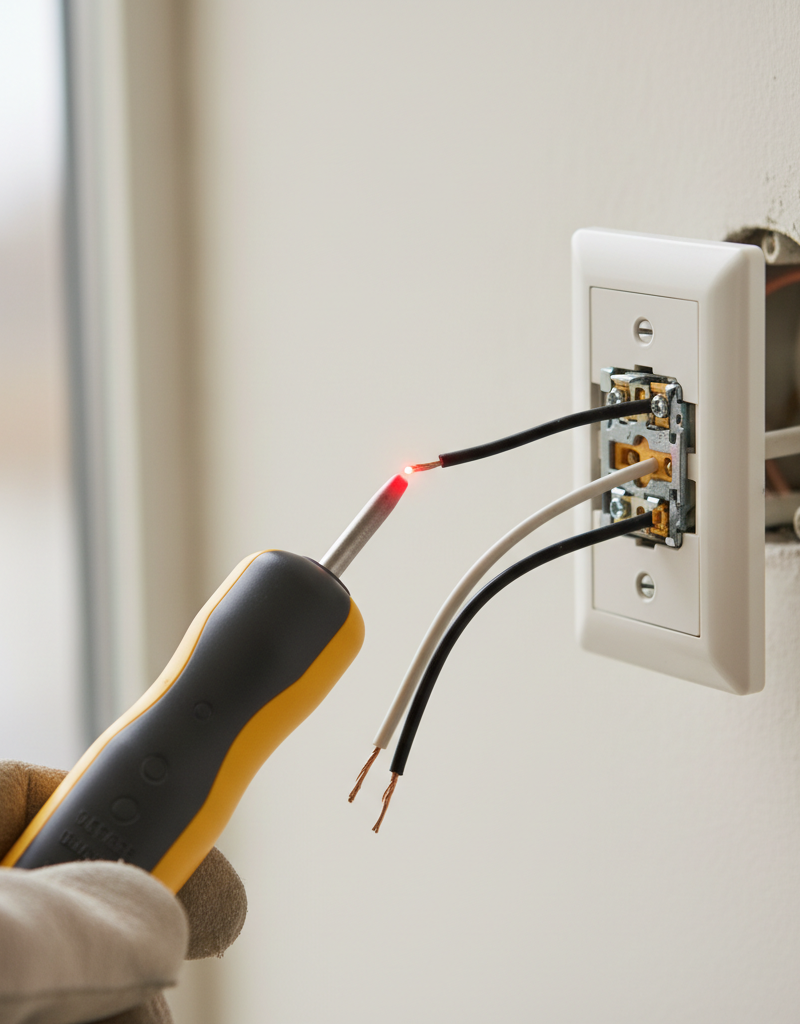
Safety First! – Always turn off the power to the affected circuit at your home's main electrical panel before performing any inspection or work on a light switch. Verify with a non-contact voltage tester.
-
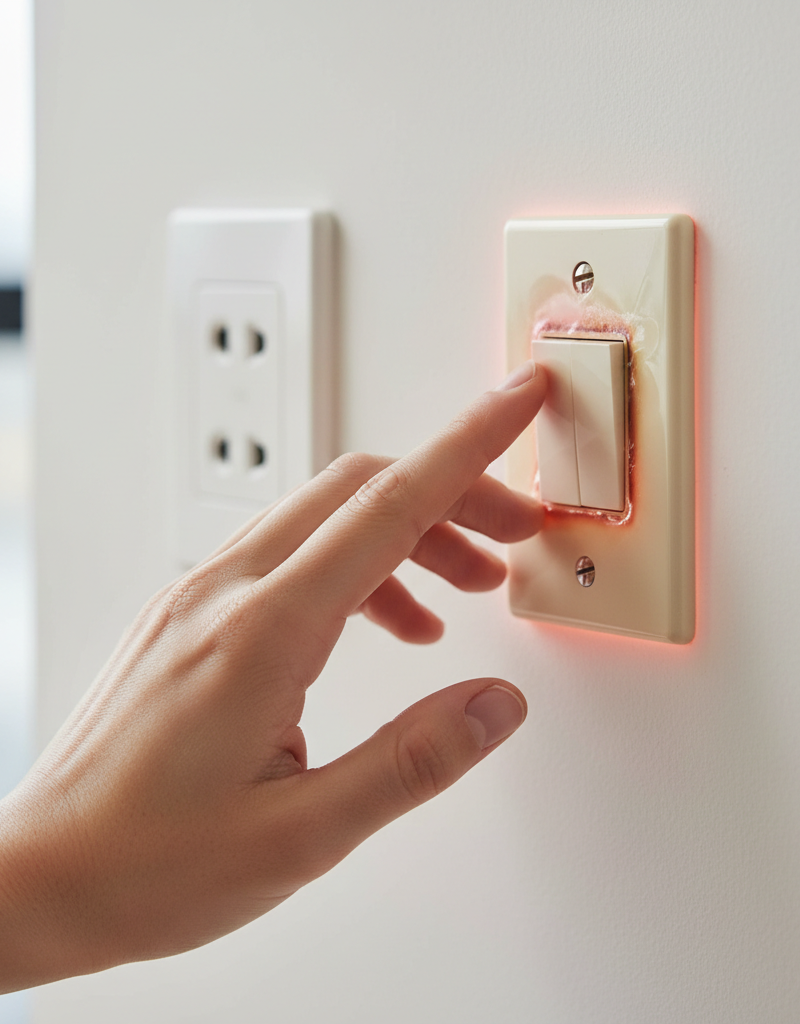
Identify the Hot Switch – Confirm which switch is hot. Gently touch the suspect switch. If it feels significantly warmer than other nearby switches or the wall plate, proceed. If unsure, compare with an unused switch in another room for a baseline.
- If multiple switches are hot: This might indicate an overloaded circuit or a problem further up the line. Call a pro immediately.
-
Turn Off Power at the Breaker – Locate your electrical panel and switch off the breaker controlling the circuit for the hot switch. Label the breaker to prevent accidental re-energizing. Use a non-contact voltage tester on the switch to confirm the power is off before proceeding.
- If you can't find the right breaker: Turn off the main breaker to your entire house, or call a licensed electrician.
-
Remove the Wall Plate – Carefully unscrew and remove the screws holding the wall plate in place. Set the screws aside in a safe spot. Accessing the switch will allow for visual inspection.
-
Inspect for Obvious Damage – With the wall plate off, visually check the switch and the wires connected to it. Look for any signs of melted plastic, discolored wires (especially brown or black), burning smells, or scorch marks. These are clear indicators of overheating.
- If you see significant damage: Do not proceed. Call a licensed electrician immediately. This indicates a severe issue that requires professional assessment and repair.
-
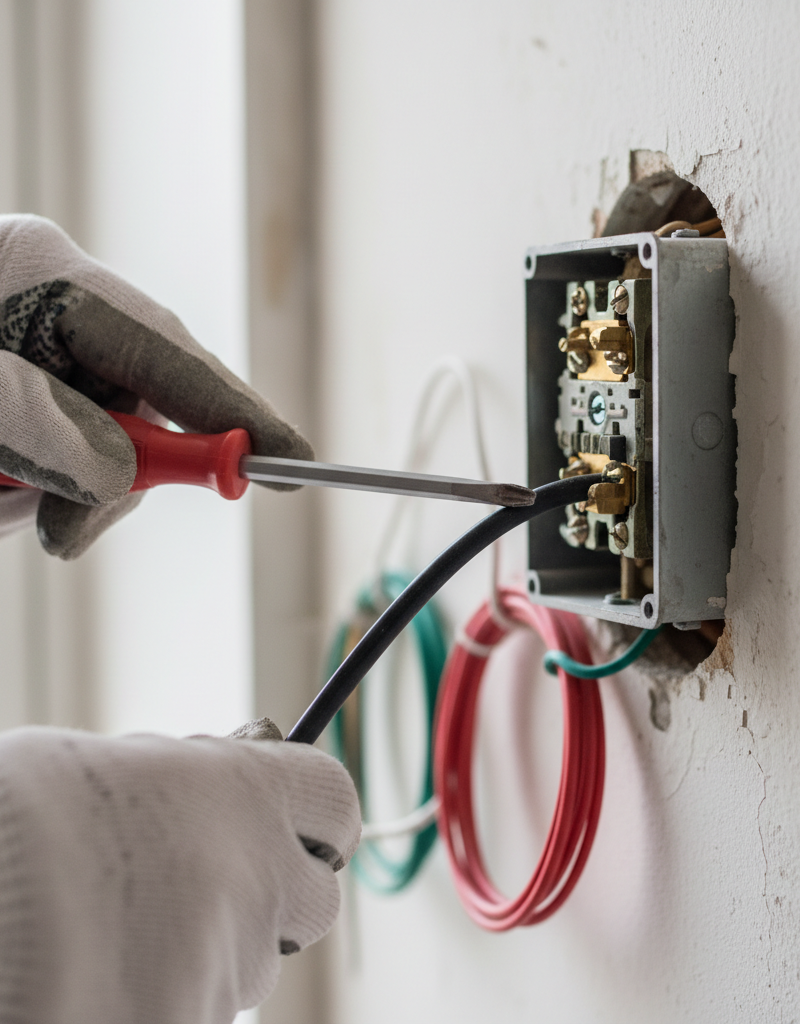
Check Wire Connections – Gently tug on each wire connected to the switch. Wires should be secure and not pull out easily. Loose connections are a primary cause of resistance and heat buildup. If wires are connected with screw terminals, ensure they are wrapped clockwise and tightened securely. For push-in terminals (often found on older or builder-grade switches), consider replacing the switch and rewiring with screw terminals for better connection reliability.
- To tighten screw terminals: Turn the breaker off (again, if you forgot!). Use a Phillips or flathead screwdriver (depending on the screw type) to tighten the screws firmly, but do not overtighten, which can strip the screw or damage the wire.
- If wires are damaged during tightening: Cut back to clean copper, strip about 3/4 inch of insulation, and re-wrap securely.
-
Assess Total Load on Circuit – Consider what else is on the same circuit as the hot switch. Is the light fixture connected to high-wattage bulbs? Are there other heavy-drawing appliances plugged into outlets on the same circuit? An overloaded circuit can cause the switch to overheat. Check the wattage of the bulbs currently in use and ensure they do not exceed the fixture's or switch's maximum rating.
- If overloading is suspected: Reduce the wattage of the bulbs, move high-draw appliances to a different circuit, or have an electrician assess your home's electrical load distribution.
-
Evaluate Dimmer Switch Compatibility – If it's a dimmer switch, verify it's rated for the type of bulbs it controls (incandescent, LED, CFL). Standard dimmers are designed for incandescent loads. Using an incandescent-only dimmer with LED or CFL bulbs can cause overheating, flickering, or premature bulb failure. Also, check the dimmer's maximum wattage rating against the total wattage of the bulbs connected to it.
- If incompatible: Replace the dimmer with one specifically rated for the type and total wattage of your bulbs. Follow the manufacturer's instructions for installation.
-
Consider a Faulty Switch – If all connections seem secure, and you've ruled out overloading or incompatibility (for dimmers), the switch itself might be faulty. Internal components can degrade over time, leading to increased resistance and heat. A standard toggle switch costs around $2-$5, while a quality dimmer might be $20-$50. Replacing a faulty switch is a straightforward repair for an experienced DIYer.
- To replace a standard switch: With the power off, disconnect the old switch, attach the new switch to the same wires (line to line, load to load, and ground to ground), then secure it in the box. Refer to the manufacturer's wiring diagram if unsure.
- If replacing a three-way or four-way switch: These are more complex. Take clear photos of the wiring before disconnecting anything, or call a professional electrician.
-
Reassemble and Test – Once you've addressed the issue (tightened connections, replaced incompatible dimmer, or replaced switch), carefully tuck the wires back into the electrical box. Be sure not to pinch any wires. Screw the switch firmly into the box, replace the wall plate, and then turn the power back on at the circuit breaker. Test the switch and monitor its temperature over the next few hours or days. If it still feels hot, turn off the power and call an electrician.
Common Causes
- Loose Wire Connections: This is the most prevalent cause. Wires connecting to the switch terminals (or connected with wire nuts to the circuit wires) can loosen over time due to vibration, improper installation, or expansion/contraction from temperature changes. A loose connection creates increased resistance, generating heat.
- Overloaded Circuit/Switch: The switch or the circuit it's on is handling more electrical current than it's designed for. This often happens when high-wattage bulbs are used, or when too many devices are pulling power from the same circuit. Dimmer switches are particularly susceptible if their wattage rating is exceeded.
- Incompatible Dimmer Switch/Bulb Combination: Using a dimmer switch not specifically designed for LED or CFL bulbs with those bulb types can cause overheating. Standard incandescent dimmers often lack the technology to properly regulate the flow of electricity to these newer, more complex bulb types, leading to excess heat generation within the dimmer.
- Faulty Switch: Like any electrical component, a light switch can simply fail. Internal springs, contacts, or other mechanisms can degrade, causing increased resistance and heat. This is more common with older switches or those subjected to heavy use.
- Shallow Electrical Box/Poor Airflow: A cramped electrical box with too many wires can prevent proper heat dissipation, causing even normally functioning components to feel warmer than they should. Wires need a certain amount of space to prevent overheating.
- High Ambient Temperature: While less common as a sole cause, if the room itself is unusually hot, and there's a pre-existing minor electrical issue, it can exacerbate the heat buildup in the switch.
Common Mistakes
- Ignoring the Heat: The biggest mistake is assuming a hot switch is normal or harmless. Heat is a warning signal that should never be ignored. Always investigate promptly.
- Tightening Wires Without Turning Off Power: Attempting to tighten loose connections with the power on is extremely dangerous and can lead to electric shock or short circuits. Always, always cut the power first.
- Using the Wrong Screwdriver/Overtightening: Using a screwdriver that doesn't fit the screw head can strip the screw. Overtightening can also strip the screw or damage the wire, creating a worse connection than before.
- Assuming All Dimmers are Universal: Not understanding that dimmer switches have specific compatibility requirements for bulb types (incandescent, CFL, LED) is a common error. Installing an incompatible dimmer can lead to overheating and damage.
- Replacing Without Diagnostics: Simply replacing a hot switch without understanding the underlying cause (e.g., an overloaded circuit or loose wiring elsewhere) means the new switch will likely face the same problem and become hot again.
- Not Considering the Full Circuit Load: Focusing only on the light fixture connected to the switch and ignoring other heavy electrical draws on the same circuit can lead to misdiagnosis. The cumulative load matters.
Cost & Time Breakdown
| Task | DIY Cost | Pro Cost | Time |
|---|---|---|---|
| Inspect & Tighten Connections | $0 | $75–$150 | 15–30 min |
| Replace Standard Switch | $2–$5 | $100–$200 | 30–60 min |
| Replace Dimmer Switch | $20–$50 | $120–$250 | 30–90 min |
| Circuit Load Assessment | $0 (DIY) | $150–$300 | 30 min – 2 hrs |
| Comprehensive Electrical Audit | N/A | $200–$500+ | 1–3 hours |
Tips & Prevention
- Use Correct Wattage Bulbs: Always ensure your light bulbs do not exceed the maximum wattage rating of the light fixture or the switch it controls. Reducing wattage can significantly decrease heat.
- Regularly Check Switch Temperatures: Periodically touch your light switches, especially those that see frequent use or control high-wattage lights. Any noticeable warmth should prompt an investigation.
- Proper Wire Connections: When installing or replacing switches, ensure all wire connections are tight and secure. Wires should be wrapped clockwise around screw terminals for a firm grip.
- Utilize Quality Components: Invest in good quality switches and dimmers from reputable brands. Cheaper components may have lower current ratings or lesser internal build quality, leading to premature failure and heat generation.
- Understand Dimmer Compatibility: If installing a dimmer, always verify its compatibility with your specific bulb types (LED, CFL, incandescent) and ensure its total wattage rating can handle the connected load.
- Don't Overload Circuits: Be mindful of what appliances and fixtures are operating on each circuit. If you frequently trip breakers or notice hot switches, consider redistributing high-draw devices or consulting an electrician about circuit upgrades.
When to Call a Professional
While some hot switch issues can be safely addressed by a competent DIYer, there are critical situations where calling a licensed electrician is not just recommended, but essential for safety. If you observe any melted plastic, scorch marks, or a burning smell emanating from the switch or wall, immediately turn off the power and contact a professional – these are signs of significant overheating and fire risk. If tightening connections or replacing a switch doesn't resolve the heat issue, or if multiple switches or outlets are hot, it indicates a broader problem within your home's wiring or electrical panel that requires expert diagnosis. Anytime you feel uncomfortable or uncertain about working with your home's electrical system, err on the side of caution and call a licensed professional to ensure the safety and integrity of your home's electrical infrastructure.
Related Articles
Keep troubleshooting with these hand-picked guides from FixlyGuide:
- Why Your Wall Switch Feels Hot: The Hidden Danger Most Homeowners Miss — A hot light switch isn't just uncomfortable; it's a critical warning sign of potential electrical hazards that demand immediate attention.
- Why is Your Light Switch Hot? The 3 Hidden Overload Risks Explanations — A hot light switch isn't just uncomfortable; it signals potential electrical problems like overloading, loose wiring, or a failing switch.
- Why is Your Light Switch Hot? (The Hidden Danger Most Homeowners Miss) — A hot light switch isn't just uncomfortable; it's a critical warning sign of electrical issues that should never be ignored due to fire ris…
- Why Does Only One Room Have Flickering Lights? The Real Culprit — Flickering lights in a single room often point to a localized electrical issue, frequently a loose connection in a light fixture or switch.
- That One Warm Breaker Is Trying to Tell You Something — A single warm circuit breaker is not normal; it's a critical warning sign of an electrical issue, often an overload or a dangerous loose co…
- The Hidden Reason Your Light Switch Is Warm to the Touch — Ever noticed your light switch is warm to the touch? While it's often a normal function of a dimmer, it can also signal a dangerous electri…
Should you do this yourself?
Answer five quick questions before you start. Safety outranks savings every time.
Your experience with work like this
How high do you have to work?
Does the job involve any of these?
Will it need a permit?
Specialty tools
Free and instant. Educational guidance only — not a quote, inspection, or professional diagnosis.
What should this project cost?
Enter your project details for a realistic cost range before you call anyone.
Outlet and switch work usually $150–$400; panel upgrades commonly $1,800–$4,200.
- Regional adjustment
- National average
- Labor share (typical)
- ~$709
- Quotes to collect
- 3 written estimates
Educational estimate based on national averages — not a binding quote. Always confirm with written local estimates.
Fixly Project Decision Box
- DIY difficulty
- Advanced
- Estimated time
- Homeowner checks 20–30 minutes
- Cost level
- Moderate
Main tools / materials
- Clean air filter
- Garden hose for condenser coils
- Shop vac for the condensate line
When to stop and call a pro
- Burning smell, smoke, or a tripping breaker
- Refrigerant lines iced over or hissing
- Any work inside the sealed refrigerant circuit (EPA-licensed only)
- Gas smell near a furnace — leave and call the utility
Need professional help?
Find an HVAC Pro Near YouBefore you start
Check the difficulty, permits, and safety risk — then decide whether to call a pro.
- Estimate this projectGet a cost range for your scope and ZIP before you call anyone.Open
- Get local estimatesSend one request and compare written estimates from vetted pros.Open
Free, no signup required. Estimates are educational guidance, not a quote or an inspection.
Get the print-ready PDF of this guide
A clean, ad-free, printable version you can keep on your phone or pin to the workshop wall. Free with a FixlyGuide account.
- Print-optimized layout
- Tools, materials & every step included
- Saved to your account
Frequently asked questions
Is a hot light switch dangerous?+
Yes, a hot light switch is a sign of an electrical problem and can be dangerous. It indicates excessive heat build-up, which can melt wire insulation, lead to short circuits, damage electrical components, and significantly increase the risk of an electrical fire.
What causes a light switch to get hot?+
The most common causes include loose wire connections, an overloaded circuit (too many high-wattage lights or devices), a faulty switch, or an incompatible dimmer switch being used with certain types of light bulbs (like LEDs or CFLs).
Can I fix a hot light switch myself?+
If you are comfortable with basic electrical work, you can often diagnose and fix issues like loose connections or replace a faulty switch after turning off the power at the breaker. However, if you see significant damage, burning, or are unsure, it's always best to call a licensed electrician.
How do I test if my switch is faulty?+
After ensuring the power is off, you can visually inspect the switch for discoloration or melted parts. If connections are tight and the circuit isn't overloaded, but the switch still feels hot after replacement, it's likely a faulty switch. An electrician can use a multimeter to test for resistance.
What tools do I need to fix a hot light switch?+
You'll primarily need a Phillips and/or flathead screwdriver, a non-contact voltage tester for safety, and potentially a new light switch or dimmer switch if replacement is necessary. Wire strippers might be needed if re-doing wire connections.
Discussion
Loading comments…