- Clean the Condensate Line: Every spring and mid-summer, pour a 50/50 mix of distilled vinegar and water down the access "T" on the drain line to kill algae and keep clogs from forming. A cup does the job.
- Keep the Outdoor Unit Clean: Hose down the outdoor condenser gently a few times a year, from the outside and away from the electrical panel, to get rid of cottonwood fluff, dust, and grass clippings. A clean coil dumps heat a lot better.
- Listen for New Noises: Pay attention to what the system sounds like. A new buzzing or humming from the outdoor unit that doesn't
HVAC · High energy usage
| Project category | HVAC |
|---|---|
| Problem type | High energy usage |
| Trade required | HVAC |
| Urgency | Planned project |
| Safety risk | Low safety risk |
| DIY suitability | DIY for experienced homeowners |
| Cost category | High cost |
| Typical timeline | Assessment within weeks; replacement planned off-season |
| Contractor type | Licensed HVAC technician |
Repair option
Duct sealing, insulation, and a tune-up before touching the equipment.
Replacement option
High-efficiency replacement sized by a load calculation, not a rule of thumb.
Common causes
- Aging, low-efficiency equipment
- Leaking ducts losing conditioned air
- Insufficient attic insulation
- Oversized system short-cycling
Relevant tools:project cost estimatorrepair or replace
Published September 29, 2026Last updated September 29, 2026
Tools & materials you'll need
Affiliate linksAs an Amazon Associate FixlyGuide earns from qualifying purchases — at no extra cost to you. Prices and availability are accurate as of publication and subject to change.
The Problem
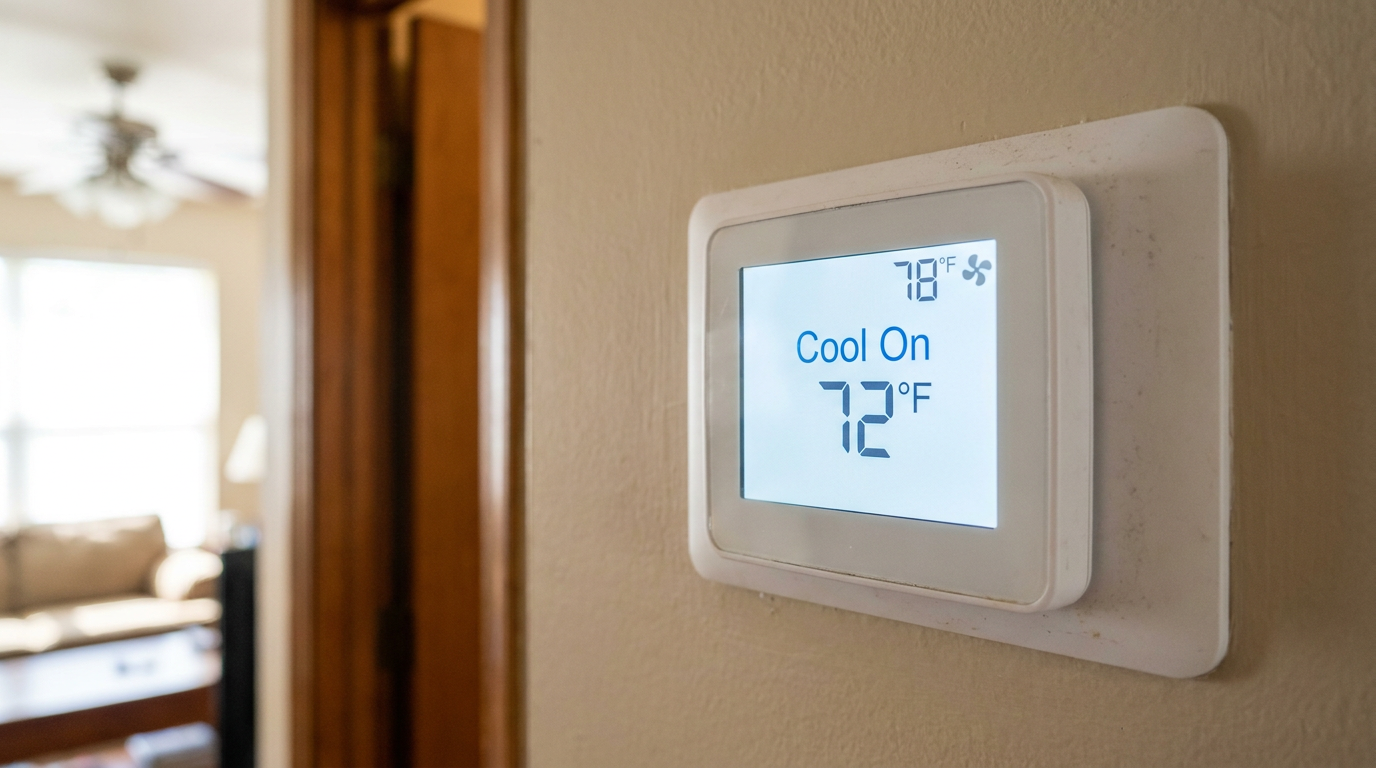
You walk up to your thermostat and there it is: "Cool On." Or maybe it's a snowflake icon. The screen's lit up, the set temp is definitely lower than the room temp, but... nothing. No hum out at the condenser. No air moving from the vents. I've seen this one a hundred times, and it always seems to hit right on the first roasting day of a North Texas summer. The thermostat thinks it's calling for cooling, but the system isn't actually starting the cycle.
Good news? Half the time, it's something dumb and simple you can knock out yourself in under 15 minutes. The other half, it's the system waving a little flag and telling you a part's gone bad. The trick is checking things in the right order so you don't waste an afternoon chasing ghosts.
How It Works
Your thermostat is the brain, sure, but it doesn't have any muscle. It's just a low-voltage switch. When the room gets warmer than your setpoint, the thermostat closes a circuit. That sends a tiny 24-volt AC signal through a bundle of skinny wires to your indoor air handler or furnace. For cooling, that signal rides down the "Y" wire for the compressor and the "G" wire for the indoor fan.
That 24-volt signal is basically a starter pistol. It heads to a control board in the air handler, and then two things happen:
- It tells a relay to kick on the indoor blower fan so air starts moving through the ducts.
- It sends that same 24-volt signal out to the outdoor condenser unit. There, it energizes a contactor, which is just a heavy-duty switch. The contactor slams shut and connects the 240-volt, high-amperage circuit that runs the compressor and the big outdoor fan.
So if your thermostat says "Cool On" and nothing happens, the brain is sending the signal but something's blocking it somewhere along the line. Could be a safety switch. Could be a failed part. Could be a broken wire. Your job is to trace that signal path and figure out where it gets stopped.
Step-by-Step Fix
Work these in order. Don't skip around, because the first few are the easy hitters.
1. Wait for the Compressor Delay
- What to do: Just wait. Don't touch anything for a full 10 minutes. A lot of modern thermostats and HVAC systems build in a delay to protect the compressor from "short cycling." If the power just blinked off or somebody was fiddling with settings, this delay keeps the compressor from trying to restart right away against high pressure, which can do real damage.
- Tools: None.
- Safety: Patience. That's it. This is the #1 reason for a "false alarm."
2. Check the Circuit Breakers
- What to do: Head to your main panel. You're looking for two separate breakers tied to the HVAC system. One's usually a single-pole breaker, often 15-amp, labeled "Furnace" or "Air Handler." The other is a bigger double-pole breaker, 30-50 amps, labeled "AC," "Condenser," or "HVAC." Sometimes the labels are junk, so don't trust them blind. Flip both breakers all the way OFF, then all the way back ON. A breaker can look on and still be tripped.
- Tools: None.
- Safety: If one trips again right away after you reset it, that's a dead short. Don't keep forcing it. Call an HVAC pro or an electrician.
3. Inspect the Condensate Overflow Switch
- What to do: This one gets a lot of people, especially around DFW where humidity can be no joke. Your indoor unit has a drain pan for condensation. If the drain line clogs, water backs up and trips a little safety switch that shuts the system down so you don't end up with a ceiling leak. Find the indoor unit, usually in the attic or a closet. Look for the white PVC drain line coming out of it. A lot of times there's a "T" fitting in that line with a small device and a couple wires coming off it. That's the overflow switch. If you see water sitting in the pan or backed up in the PVC pipe, there's your problem. You'll need to clear the clog.
- Tools: Wet/dry vacuum.
- If this doesn't work: If the line looks clear, the switch itself might've failed, though that's less common.
4. Check the Air Handler Power Switch & Door
- What to do: Most indoor air handlers or furnaces have a switch that looks just like a light switch on the unit itself or on a nearby wall. Make sure it's ON. Then check the door panel. These units have a safety interlock switch that kills power when the door is off. Make sure that panel's seated tight.
- Tools: None.
- Safety: Always shut that power switch off before you open any access panels.
5. Verify Thermostat Settings
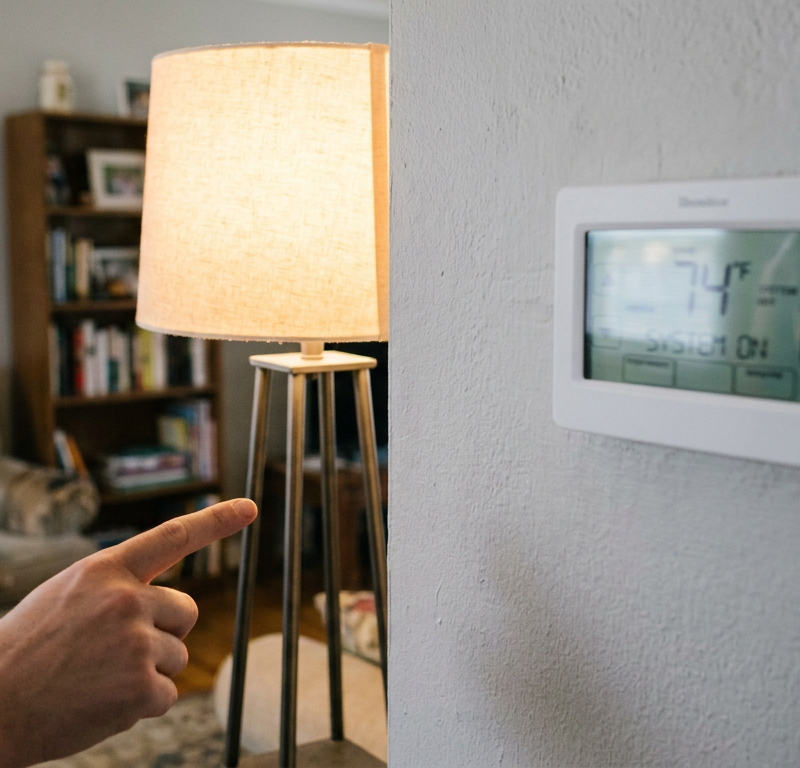
- What to do: Sounds basic, but you'd be surprised. Make sure the thermostat is in "Cool" mode, not "Off" or "Heat." Set it at least 3-5°F below the current room temperature, or it won't have a reason to call for cooling. If it's a programmable model, check whether "Hold" or "Vacation" mode is turned on.
- Tools: None.
6. Check the Batteries (If Applicable)
- What to do: If your thermostat uses batteries, swap in a fresh set even if the screen looks fine. I've seen thermostats with just enough juice to light up the display but not enough to close the relay and send the 24-volt signal to the HVAC system.
- Tools: Fresh AA or AAA batteries.
- Note: Not every thermostat uses batteries. Plenty are hard-wired and pull power from the HVAC system itself.
7. Inspect the Outdoor Unit
- What to do: Go outside to the condenser. Look for a disconnect switch. It's usually a small metal box mounted on the house wall near the unit. Open the cover and see if it’s a pull-out tab or a breaker-style switch. Pull it out or switch it off, wait a minute, then put it back in tight or switch it back on. While you're out there, look for obvious junk like overgrown bushes or anything blocking the fan grille. I pulled a condenser in Frisco last month that had a dead bird wedged right against the coil — no wonder it was acting goofy.
- Tools: None.
- Safety: There's high voltage in that box. Don't touch any wires inside. Just use the switch or pullout.
8. Check for a Blown Fuse
- What to do: This is a little more advanced. Turn off power to the air handler/furnace at the breaker. Open the access panel where the low-voltage wires hook to the control board. Look for a small automotive-style fuse, usually 3-amp or 5-amp, often purple or yellow, plugged right into the board. Pull it out and hold it to the light. If the thin metal strip inside is broken, the fuse is blown. You can grab a replacement at any auto parts store.
- Tools: Nut driver or screwdriver to open panel, replacement fuse.
- Safety: A fuse blows to protect the expensive control board. If the new one blows right away, you've got a short somewhere in the low-voltage wiring and that needs to be traced by a pro.
Common Causes
If the steps above don't fix it, you're probably looking at a failed part that needs a proper diagnosis. The thermostat itself is rarely the culprit when the screen's on and it says "Cool On."
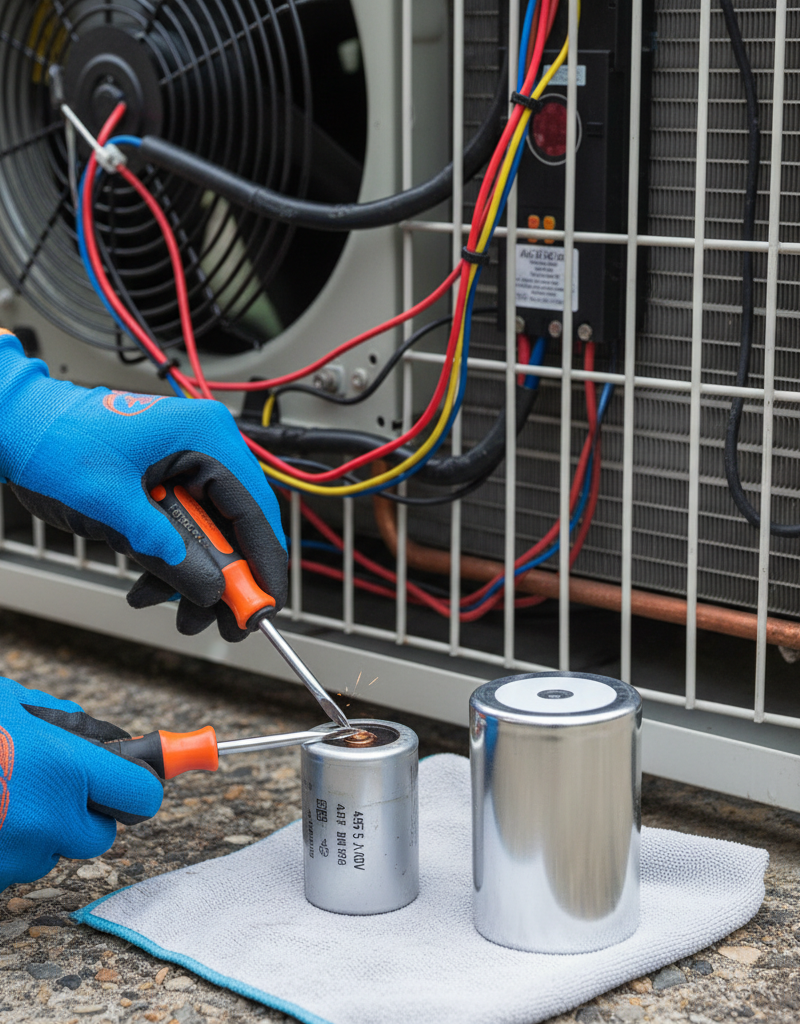
- Failed Capacitor: This is the #1 most common failed part. Your outdoor unit has a run capacitor that gives the compressor and fan motor the electrical kick they need to start and keep running. When it goes bad, the contactor may click, you might hear a hum, but the motors won't get rolling. A bulging or leaking top is a dead giveaway.
- Bad Contactor: The contactor is the physical switch that sends 240-volt power to the compressor. The 24-volt signal from the thermostat energizes a small electromagnet to close it. Over time, the contacts can get pitted and burned, or the coil can fail. Sometimes you'll hear it click, but it still won't pass power.
- Faulty Condensate Overflow Switch: Like I said above, if this switch fails in the "open" position, it'll keep the system from getting the run signal even when there's no clog.
- Broken Low-Voltage Wire: Not common, but it happens. A wire can break somewhere between the thermostat, the air handler, and the condenser. Pests chewing in the attic, a bad splice, a weed whacker taking out the wire bundle outside — I've seen all of it.
- Control Board Failure: The main board in your furnace or air handler is the hub. If the relays or logic on that board go bad, it can't process the thermostat signal and send power where it needs to go. That's a pricier repair.
- Failed Compressor or Fan Motor: Worst case. If the motors themselves have seized up or burned out, they won't run even with a good capacitor and contactor. That’s a big-ticket repair, and a lot of times it turns into a replacement conversation.
Common Mistakes
- Replacing the Thermostat First: This is the big one. If the screen is on and it's telling the system to run, the thermostat is probably doing its job. Don't go spend $200 on a new smart thermostat until you've ruled out the usual suspects like breakers, safety switches, and capacitors.
- Resetting a Tripping Breaker Repeatedly: A breaker trips for a reason. Reset it once. If it pops again right away, you've got a dangerous electrical short. Keep forcing it and you're asking for fire or a wrecked unit.
- Ignoring the Condensate Drain Line: Around North Texas, your AC drain line works hard for 8 months of the year. If you aren't pouring a cup of distilled vinegar down it every 2-3 months, you're basically inviting a clog and a shutdown on a 100°F day.
- Mismatching Fuses or Capacitors: Never swap in a bigger fuse. That's a fire hazard. And if you're replacing a capacitor, the new one has to match the exact same MFD (or µF) rating and have the same or higher voltage rating. Get that wrong and you'll smoke the motors.
- Poking Around the Outdoor Unit with the Power On: The disconnect box and the contactor inside the condenser deal with 240 volts. That's not a little zap — it can kill you. Shut off the double-pole breaker and pull the disconnect before you even think about opening the service panel. Better yet, leave it to a pro.
Cost & Time Breakdown
Here’s what I tell folks to expect for the common fixes on a system that won't start.
| Task | DIY Cost | Pro Cost | Time (DIY) |
|---|---|---|---|
| Reset Breaker / Check Switches | $0 | $80–$150 (trip fee) | 5 minutes |
| Clear Condensate Drain Line | $0–$10 (vinegar) | $100–$250 | 30 minutes |
| Replace Thermostat Batteries | $5–$10 | $80–$150 (trip fee) | 2 minutes |
| Replace Blown Control Board Fuse | $2–$5 | $90–$175 | 15-20 minutes |
| Replace Run Capacitor | $15–$50 (part) | $175–$450 | (PRO ONLY) |
| Replace Contactor | $20–$60 (part) | $200–$500 | (PRO ONLY) |
| Replace Control Board | $100-$400 (part) | $500–$1,200 | (PRO ONLY) |
Tips & Prevention
- Change Your Air Filter Religiously: A clogged filter chokes off airflow, makes the system run longer and harder, and beats up every component in there. It can also freeze the indoor coil, which can trip the condensate overflow switch when it thaws. Check it monthly.
- Clean the Condensate Line: Every spring and mid-summer, pour a 50/50 mix of distilled vinegar and water down the access "T" on the drain line to kill algae and keep clogs from forming. A cup does the job.
- Annual Pro Tune-Up: Have a licensed HVAC tech look over the system every spring before cooling season starts. They'll check refrigerant levels, clean the coils, and test electrical parts like the capacitor and contactor so they can swap them before they quit on the hottest day of the year. This service usually runs $100-$200.
- Keep the Outdoor Unit Clean: Hose down the outdoor condenser gently a few times a year, from the outside and away from the electrical panel, to get rid of cottonwood fluff, dust, and grass clippings. A clean coil dumps heat a lot better.
- Listen for New Noises: Pay attention to what the system sounds like. A new buzzing or humming from the outdoor unit that doesn't
Related Articles
Keep troubleshooting with these hand-picked guides from FixlyGuide:
- The $0 Trick to Get Your AC Condenser Fan Spinning Again (Before Calling a Pro) — Before you spend money on a technician, a simple, often overlooked check can get your AC condenser fan spinning and cool air flowing.
- The #1 Reason Your AC Won't Turn On (And It's Not the Thermostat) — Discover the most common, overlooked reason your AC won't power on and how a simple reset can get your cool air flowing again.
- The Secret Reason Your Furnace Turns On and Off So Much (It's Not What You Think) — Short cycling strains your furnace and wastes energy. Learn the most common surprising causes and how to fix them to restore efficient heat…
- The #1 Mistake Homeowners Make When Their Heat Pump Stops Heating in Winter — Discover the most common reason your heat pump struggles in cold weather and how a simple homeowner fix can restore warmth to your home.
- The Hidden Reason Your AC Freezes — And Why Most Homeowners Get It Wrong — Discover the surprising truth behind why your outdoor AC unit is freezing and learn the most common mistake homeowners make when trying to…
- The Secret Culprit Behind Your Leaky Refrigerator (It’s Not Always the Water Line) — Discover the most common, often overlooked, reasons your refrigerator is leaking water and how to fix them with simple DIY steps.
What should this project cost?
Enter your project details for a realistic cost range before you call anyone.
Service calls and common repairs run $150–$900; full system replacement typically $6,000–$12,000.
- Regional adjustment
- National average
- Labor share (typical)
- ~$1,935
- Quotes to collect
- 3 written estimates
Educational estimate based on national averages — not a binding quote. Always confirm with written local estimates.
Frequently asked questions
Why would my AC say it's on but not be cooling?+
This usually means the thermostat is sending the signal, but it's being interrupted. The most common reasons are a tripped breaker, a clogged condensate drain line tripping a safety switch, or a simple compressor protection delay. Check those three things first.
Could a bad thermostat cause this problem?+
It's possible, but not likely if the screen is on and clearly says "Cool On" or "Heat On." This display confirms the thermostat's internal logic is working. The problem is more likely downstream in the wiring, safety switches, or the HVAC unit itself.
How do I know if my AC capacitor is bad?+
A classic sign is when the outdoor unit hums or buzzes but the fan and compressor don't start. A visual inspection often reveals a bulging or domed top on the capacitor can. A pro can test it with a multimeter to be sure.
What is the 5-minute delay on an AC unit?+
It's a built-in safety feature called a compressor time delay. It prevents the compressor from restarting too quickly after shutting off, which protects it from damage. Many thermostats have this feature, so it's normal to see "Cool On" for a few minutes before the system actually starts.
Can a clogged air filter cause my AC to not turn on?+
Yes, indirectly. A severely clogged filter can cause the indoor coil to freeze into a block of ice. When the ice melts, it can overwhelm the drain pan and trip the overflow safety switch, which cuts power to the entire system.
My thermostat is on, but the fan isn't blowing. What's wrong?+
If neither the heat/AC nor the fan works (even when you set the fan to "On"), it points to a power issue. Check the air handler's circuit breaker, the power switch on the unit itself, and make sure the blower door panel is securely closed.
How much does it cost to fix an AC that won't turn on?+
The cost varies wildly depending on the cause. If it's a simple fix like a tripped breaker or clogged drain, it could be free. If a pro needs to replace a failed part, expect to pay $175-$450 for a new capacitor or up to $1,200 for a new control board.
Is it safe to replace the 3-amp fuse on my HVAC control board?+
Yes, this is a safe and simple DIY task if you follow procedure. The key is to turn off all power to the furnace or air handler at the breaker panel first. Replacing the small automotive-style fuse is easy, but if the new one blows immediately, call a pro as you have an electrical short.
Discussion
Loading comments…