- Why Your Thermostat Lies: The Real Reason Your Home Won't Hit the Set Temperature — Discover why your thermostat struggles to reach the set temperature and learn actionable steps to diagnose and fix common HVAC issues.
- The Secret Reason Your AC Isn't Drying Your Air (And What to Check First) — Your AC should cool and dehumidify, but if your house feels muggy, there's a specific, often overlooked culprit preventing it from doing it…
- The 1 Mistake Homeowners Make When Heat Pumps Stop Heating in Winter — Discover the crucial mistake most homeowners make when their heat pump struggles in cold weather and how to fix it, potentially saving hund…
- The 3 Hidden Reasons Your Furnace Short Cycles (and What to Do) — Furnace short cycling wastes energy and causes uneven heating. Learn the hidden reasons behind this common problem and how to fix it yourse…
- The 1 Reason Your AC Blows Warm Air (And It's Not What You Think) — A dirty air filter is often the overlooked culprit behind an air conditioner blowing warm air, hindering its ability to cool your home effi…
HVAC · High energy usage
| Project category | HVAC |
|---|---|
| Problem type | High energy usage |
| Trade required | HVAC |
| Urgency | Planned project |
| Safety risk | Low safety risk |
| DIY suitability | DIY for experienced homeowners |
| Cost category | High cost |
| Typical timeline | Assessment within weeks; replacement planned off-season |
| Contractor type | Licensed HVAC technician |
Repair option
Duct sealing, insulation, and a tune-up before touching the equipment.
Replacement option
High-efficiency replacement sized by a load calculation, not a rule of thumb.
Common causes
- Aging, low-efficiency equipment
- Leaking ducts losing conditioned air
- Insufficient attic insulation
- Oversized system short-cycling
Relevant tools:project cost estimatorrepair or replace
Published July 7, 2026Last updated August 17, 2026
Tools & materials you'll need
Affiliate linksAs an Amazon Associate FixlyGuide earns from qualifying purchases — at no extra cost to you. Prices and availability are accurate as of publication and subject to change.
Quick Answer
When your thermostat isn't reaching the set temperature, the most common culprits are a dirty air filter, a miscalibrated thermostat, poor thermostat placement, or issues with your HVAC system's airflow due to blocked vents or ducts. A simple diagnostic process can often reveal and resolve these issues, improving your home's comfort and energy efficiency.
The Problem
You've set your thermostat to a comfortable 72°F, but the display stubbornly shows 78°F, or worse, your home still feels like a sauna or an igloo. This frustrating scenario, where your HVAC system seems to run constantly without achieving the desired temperature, is a common grievance for homeowners. It’s more than just an inconvenience; it can lead to higher energy bills, undue wear and tear on your heating and cooling equipment, and a significant drop in indoor comfort. You might suspect a major system failure, but often, the root causes are surprisingly simple and within a confident homeowner's ability to diagnose and fix.
The issue often manifests in two primary ways: either the system is running but the temperature never quite catches up to the setting (e.g., set to 70°F, stays at 75°F), or the system cycles erratically, seeming to struggle and then give up, leaving your home at an uncomfortable equilibrium. This isn't just about a broken thermostat; it's about a breakdown in communication and efficiency between your control unit and the heart of your home's climate system.
How It Works
To understand why your thermostat isn't reaching its set temperature, it helps to grasp the basic interplay between your thermostat and your HVAC system. Your thermostat acts as the brain, constantly monitoring the ambient air temperature in its immediate vicinity using a thermistor (a type of resistor whose resistance varies significantly with temperature) or, in older models, a bimetallic strip. When the sensed temperature deviates from your programmed setpoint by a certain margin (known as the differential or swing), the thermostat sends a low-voltage electrical signal to your furnace or air conditioner.
For heating, the thermostat signals the furnace to ignite and turn on the blower fan to distribute warm air through the ductwork. For cooling, it signals the compressor and outdoor fan to activate, alongside the indoor blower, to circulate chilled air. Once the room temperature reaches the setpoint, plus or minus the differential, the thermostat cuts the signal, and the system powers down. This continuous cycle of sensing, signaling, and reacting is crucial for maintaining a stable indoor climate. Factors like drafts near the thermostat, blocked air vents, a dirty filter restricting airflow, or even a system that's too small or too large for your home's square footage can disrupt this delicate balance, preventing the thermostat from accurately reading the true home temperature or the HVAC system from efficiently delivering conditioned air.
Step-by-Step Fix
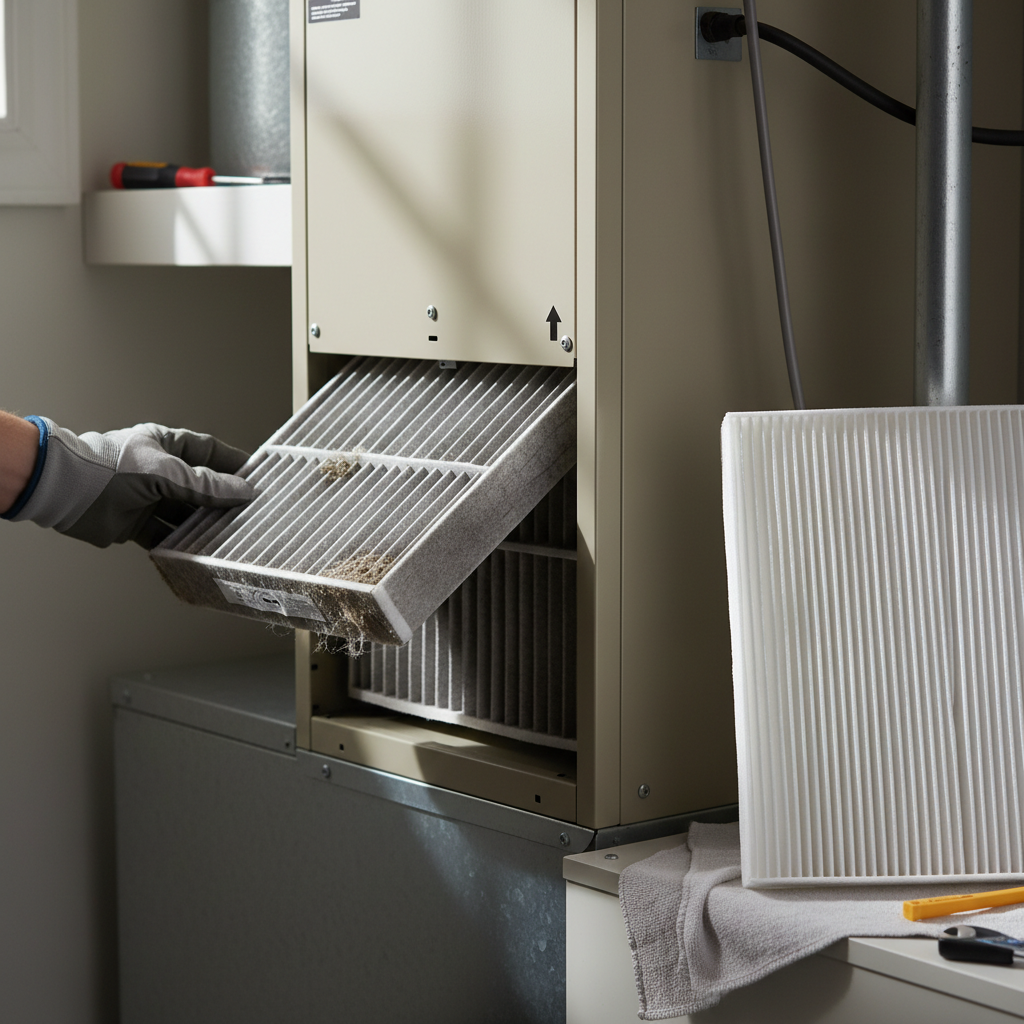
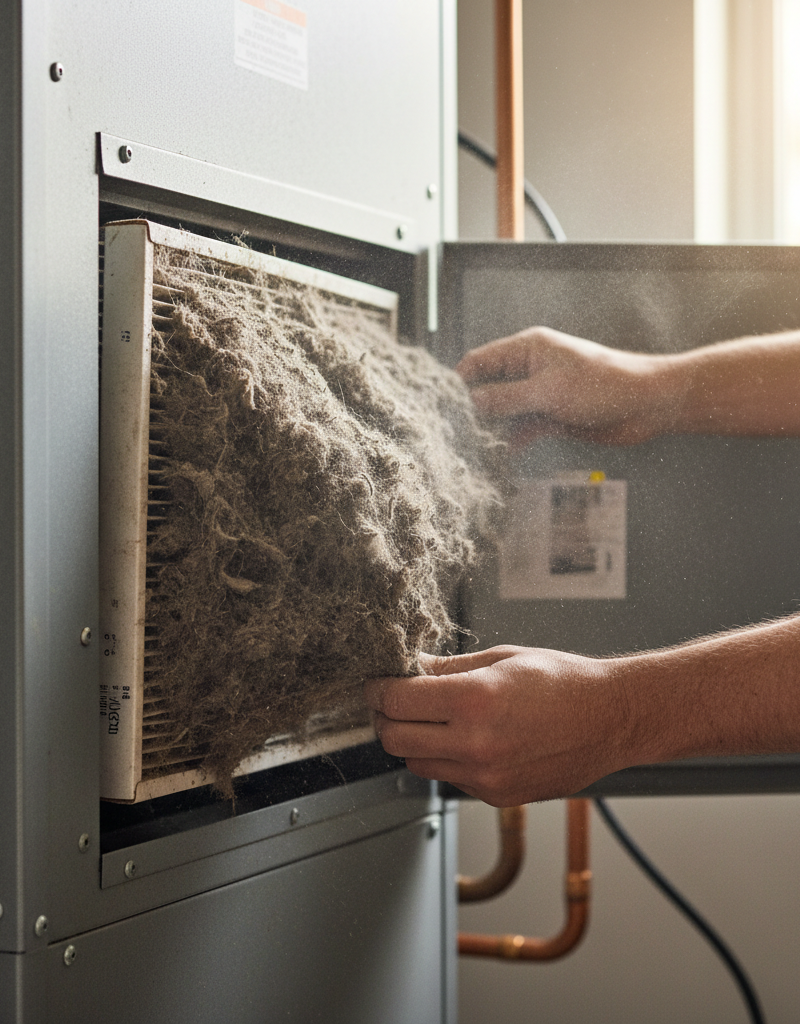
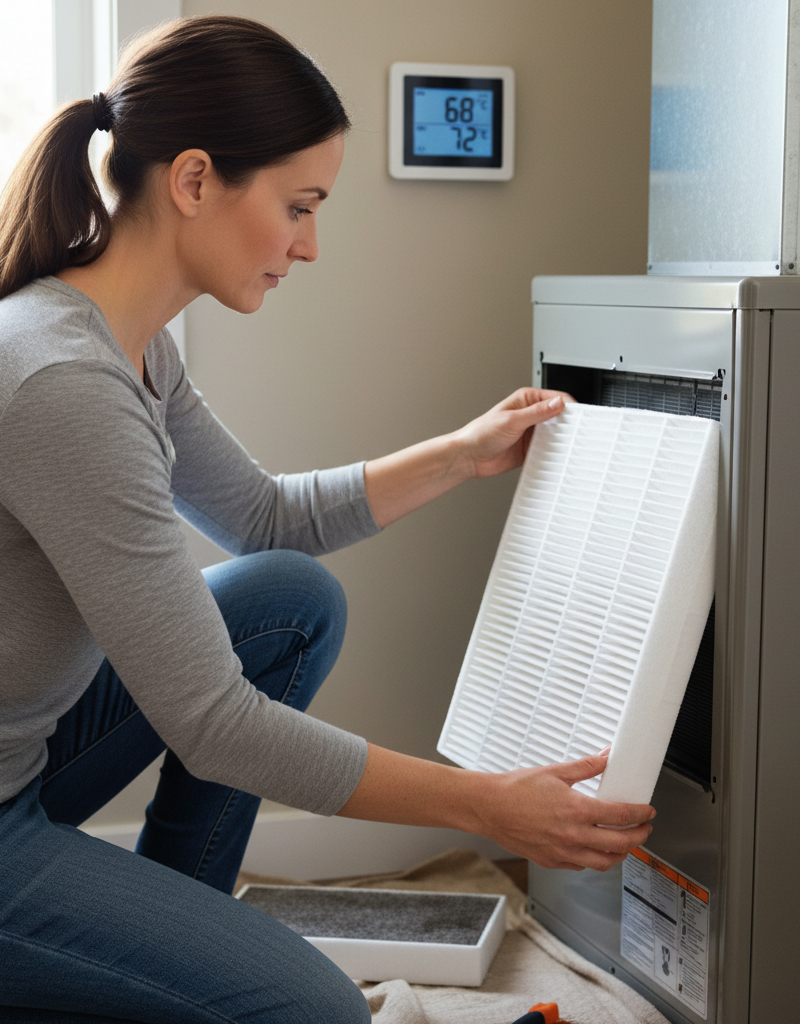
1. Check Your Air Filter — A clogged filter is the most common culprit for poor HVAC performance.
Your HVAC system's air filter is its first line of defense against dust and debris. A dirty filter restricts airflow significantly, forcing your system to work harder and reducing its ability to heat or cool effectively. It's like trying to breathe through a pillow. Locate your filter slot (usually in the furnace/air handler or a return air vent) and slide out the old filter. If it's grey and opaque, it's past due. Replace it with a new, clean filter, making sure the airflow arrow points in the direction of the air handler. Filters should be checked monthly and replaced every 1–3 months, depending on usage and household conditions (pets, allergies).
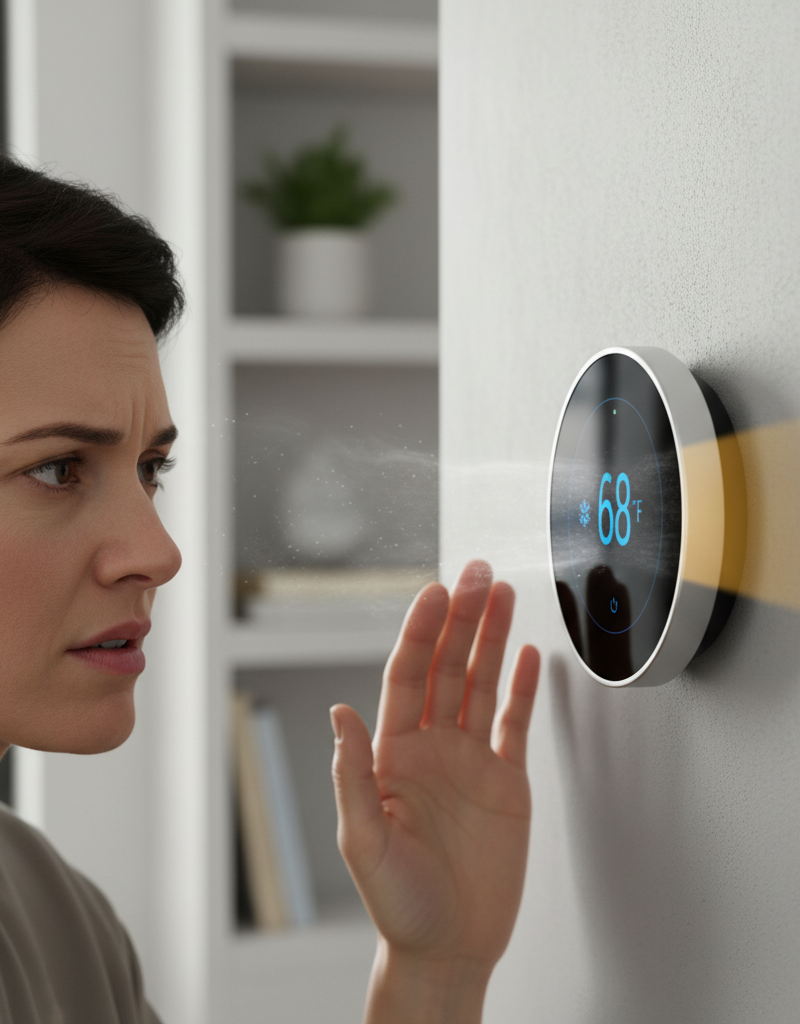
2. Inspect Thermostat Placement & Calibration — Relocate or recalibrate if your thermostat is in a bad spot or reading incorrectly.
Poor thermostat placement can lead to inaccurate temperature readings. If your thermostat is near a window, door, heat vent, or direct sunlight, it may be reading a locally skewed temperature. If possible, relocate it to an interior wall, away from drafts and heat sources. For calibration, many modern smart thermostats have a recalibration option in their settings (consult your manual). For older digital thermostats, some have a small reset button. Bimetallic strip thermostats may require careful adjustment using a small hex key to set the mercury bulb level. This ensures it's measuring the true ambient temperature of your main living space.
3. Ensure All Vents Are Open and Unblocked — Maximize airflow for even temperature distribution.
Walk through your entire home and ensure every single supply and return air vent is fully open and unobstructed by furniture, curtains, or rugs. Closing vents in unused rooms might seem like a good way to save energy, but it can actually throw off the pressure balance in your ductwork, leading to reduced airflow in other areas and making your HVAC system work less efficiently. Make sure there's at least 12 inches of clear space around all vents.
4. Clear Outdoor Unit of Debris — Maintain proper airflow to your AC condenser or heat pump.
If you have an outdoor AC condenser or heat pump unit, it needs to breathe. Over time, leaves, grass clippings, dirt, and other debris can accumulate around and inside the unit's fins, restricting airflow and reducing its ability to dissipate or absorb heat. Turn off power to the unit at the outdoor disconnect switch and the main breaker. Use a garden hose (gentle spray) to clean the outside fins. Remove any large debris by hand. Ensure at least 2 feet of clear space around the entire unit.
5. Check for Leaky Ductwork — Seal holes and gaps to prevent conditioned air loss.
Leaky ducts can lose up to 30% of your conditioned air before it even reaches your living spaces, especially if they run through unconditioned attics or crawl spaces. Visually inspect accessible ductwork for gaps, holes, or loose connections. Pay close attention to joints and where ducts connect to the furnace or vents. Use specialized mastic sealant or foil-backed HVAC tape (not duct tape, which degrades) to seal any leaks you find. This can significantly improve system efficiency and temperature delivery.
6. Inspect Evaporator Coil (AC only) — A frozen or dirty coil dramatically reduces cooling efficiency.
If your AC isn't cooling properly, the evaporator coil (located in the indoor air handler) might be frozen or covered in grime. First, turn off your AC system at the thermostat and the breaker. Let the unit thaw for several hours (or overnight) if it's frozen. Once thawed, visually inspect the coil if accessible. If it's covered in dirt, it needs cleaning. This can be a more involved process and might be better left to a professional, but a light brushing or vacuuming (with a brush attachment) of accessible surfaces can sometimes help. Safety note: Always turn off power before working near HVAC coils.
7. Check Thermostat Settings & Programming — Verify modes, fan settings, and schedules.
Double-check your thermostat settings. Is it set to
Related Articles
Keep troubleshooting with these hand-picked guides from FixlyGuide:
- Why Your Thermostat Lies: The Real Reason Your Home Won't Hit the Set Temperature — Discover why your thermostat struggles to reach the set temperature and learn actionable steps to diagnose and fix common HVAC issues.
- The Secret Reason Your AC Isn't Drying Your Air (And What to Check First) — Your AC should cool and dehumidify, but if your house feels muggy, there's a specific, often overlooked culprit preventing it from doing it…
- The #1 Mistake Homeowners Make When Heat Pumps Stop Heating in Winter — Discover the crucial mistake most homeowners make when their heat pump struggles in cold weather and how to fix it, potentially saving hund…
- The 3 Hidden Reasons Your Furnace Short Cycles (and What to Do) — Furnace short cycling wastes energy and causes uneven heating. Learn the hidden reasons behind this common problem and how to fix it yourse…
- The #1 Reason Your AC Blows Warm Air (And It's Not What You Think) — A dirty air filter is often the overlooked culprit behind an air conditioner blowing warm air, hindering its ability to cool your home effi…
- The Hidden Reason Your AC Isn't Cooling (It's Not Just Freon) — A central AC system that isn't cooling your home can often be traced back to a surprising culprit: airflow obstruction, which mistakenly le…
Should you do this yourself?
Answer five quick questions before you start. Safety outranks savings every time.
Your experience with work like this
How high do you have to work?
Does the job involve any of these?
Will it need a permit?
Specialty tools
Free and instant. Educational guidance only — not a quote, inspection, or professional diagnosis.
Estimate your own project cost
National averages are a starting point. Enter your details for a range that fits your house.
HVAC replacement cost
- Equipment$2,200 – $3,800
- Installation labor$1,200 – $2,500
Always insist on a Manual J load calculation — sq-ft sizing is only a rough check. Federal heat-pump rebates may reduce cost significantly.
Educational estimate only — always confirm with written local bids.
What should this project cost?
Enter your project details for a realistic cost range before you call anyone.
Service calls and common repairs run $150–$900; full system replacement typically $6,000–$12,000.
- Regional adjustment
- National average
- Labor share (typical)
- ~$1,935
- Quotes to collect
- 3 written estimates
Educational estimate based on national averages — not a binding quote. Always confirm with written local estimates.
Fixly Project Decision Box
- DIY difficulty
- Advanced
- Estimated time
- Homeowner checks 20–30 minutes
- Cost level
- Moderate
Main tools / materials
- Clean air filter
- Garden hose for condenser coils
- Shop vac for the condensate line
When to stop and call a pro
- Burning smell, smoke, or a tripping breaker
- Refrigerant lines iced over or hissing
- Any work inside the sealed refrigerant circuit (EPA-licensed only)
- Gas smell near a furnace — leave and call the utility
Need professional help?
Find an HVAC Pro Near YouBefore you start
Check the difficulty, permits, and safety risk — then decide whether to call a pro.
Free, no signup required. Estimates are educational guidance, not a quote or an inspection.
Frequently asked questions
How do I know if my thermostat is bad or if it's my AC/furnace?+
A good way to tell is if your thermostat display is blank, unresponsive, or gives error codes. If the display seems fine but the system isn't responding at all, or responds erratically, it could be a thermostat issue. However, if the system runs but just can't reach the set temperature, it's more likely an airflow issue (dirty filter, blocked vents) or a problem with the HVAC unit itself (low refrigerant, dirty coils). Start with the easy fixes like filters and vents first.
Can a dirty air filter really prevent my HVAC from reaching the set temperature?+
Absolutely. A dirty air filter is one of the most common causes of poor HVAC performance. It severely restricts airflow, forcing your system to work much harder to push or pull air, reducing efficiency dramatically. This extra strain can also lead to issues like a frozen evaporator coil in your AC or overheating in your furnace, both of which prevent your system from properly conditioning your home's air.
How often should I change my air filter?+
Most manufacturers recommend checking your air filter monthly and replacing it every 1 to 3 months. However, this can vary based on several factors: if you have pets, allergies, live in a dusty area, or run your system frequently, you might need to change it more often. A good rule of thumb is to hold the filter up to a light source; if you can't see light through it, it's time for a new one.
What's the ideal placement for a thermostat?+
The ideal placement for a thermostat is on an interior wall in a central part of your home, away from direct sunlight, windows, exterior doors, and heat-generating appliances or vents. This ensures it measures the average temperature of your living space most accurately, preventing it from being influenced by drafts or localized heat sources.
Discussion
Loading comments…