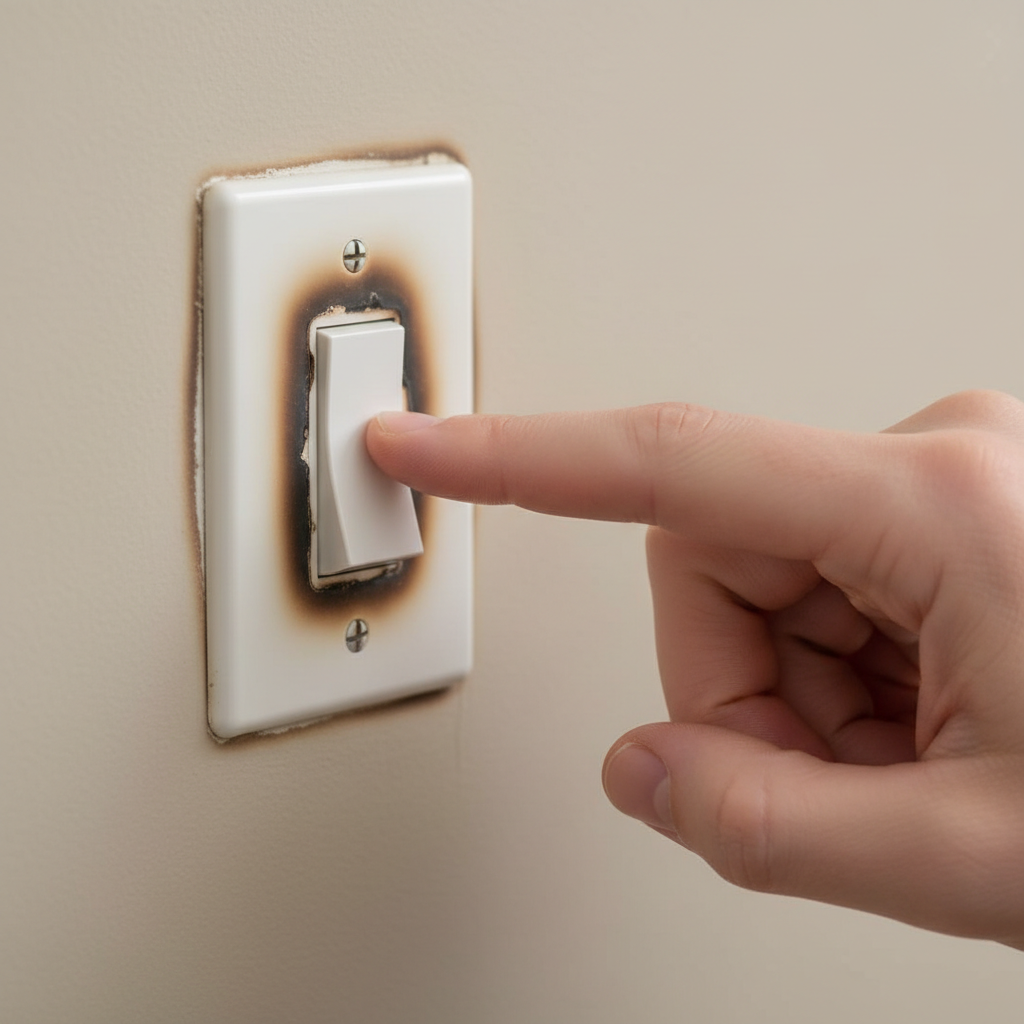
- Ignoring the Heat: The biggest mistake is assuming a hot switch is harmless or normal. It's a fire hazard warning signal that demands immediate attention.
- Not Shutting Off the Power Completely: Attempting to troubleshoot or repair a switch without confirming the circuit is dead with a voltage tester is extremely dangerous and can lead to severe electrical shock or electrocution.
- Over-tightening or Stripping Terminal Screws: While loose wires are bad, over-tightening screws can strip the screw threads or cut into the wire, damaging it and creating another point of potential failure.
- Using Too Much Bare Wire: When wrapping wires around screw terminals, only the insulated part should be visible after tightening. Too much bare wire exposed can lead to accidental shorts.
- Not Inspecting the Entire Circuit: Focusing only on the switch and not checking for overloaded fixtures or incompatible bulbs further down the line can lead to the problem recurring.
Electrical · Panel or service upgrade
| Project category | Electrical |
|---|---|
| Problem type | Panel or service upgrade |
| Trade required | Electrical |
| Urgency | Planned project |
| Safety risk | High safety risk |
| DIY suitability | Licensed pro only |
| Cost category | High cost |
| Typical timeline | Permit plus utility scheduling, commonly 2–6 weeks |
| Contractor type | Licensed electrician |
Repair option
Add a subpanel when the main service is adequate.
Replacement option
Full service upgrade with utility coordination and permits.
Common causes
- Obsolete or recalled panel brands
- Service capacity too small for added loads
- No room for required AFCI/GFCI breakers
Relevant tools:project cost estimatorcompare quotes
Published May 2, 2026Last updated August 17, 2026
Tools & materials you'll need
Affiliate linksAs an Amazon Associate FixlyGuide earns from qualifying purchases — at no extra cost to you. Prices and availability are accurate as of publication and subject to change.
Quick Answer
A light switch that feels warm or hot to the touch is a serious indicator of an underlying electrical problem. The most common culprits are loose wire connections within the switch box, an overloaded circuit drawing too much current through the switch, or a defective switch itself. Less frequently, it could be oversized bulbs, incompatible dimmer switches, or even improper grounding. Ignoring a hot light switch can lead to melted insulation, arcing, and a severe fire hazard. It's crucial to identify the cause and address it promptly, which often involves turning off the power and inspecting the wiring and switch components.
The Problem
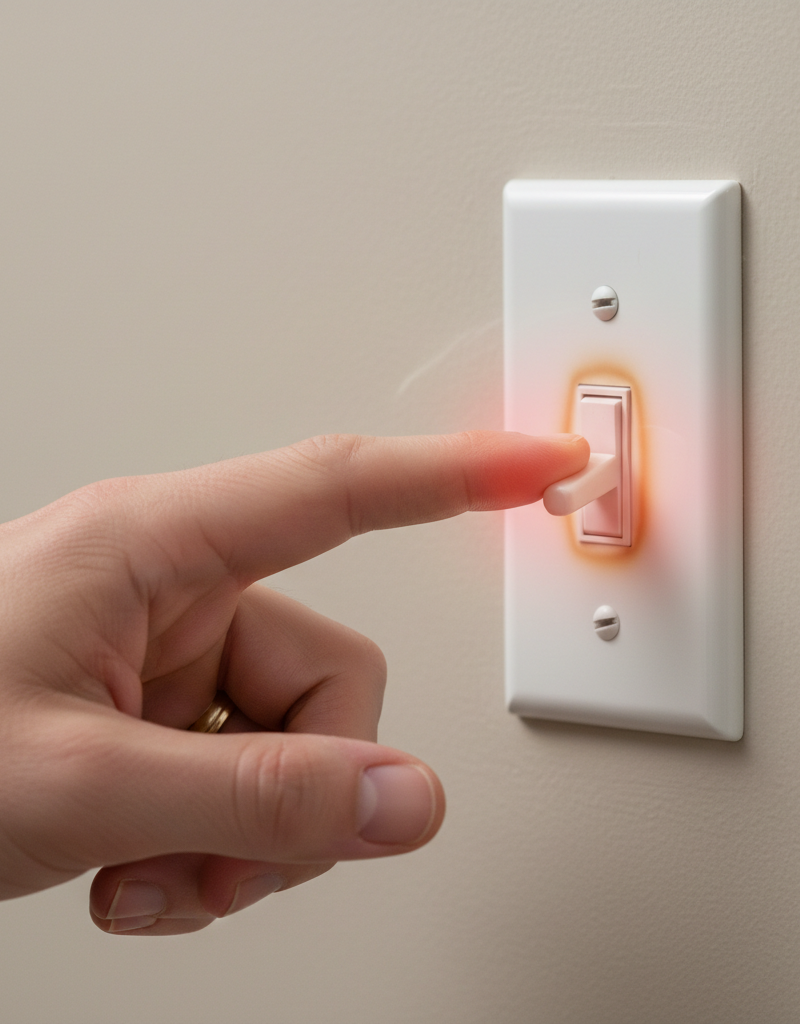
You're flipping a light switch, and you notice it's uncomfortably warm, perhaps even hot. Your instinct might be to dismiss it as a minor inconvenience, but a hot light switch is never 'normal' and always signals an electrical issue requiring immediate attention. Unlike a light bulb, which is designed to produce heat, a switch's primary function is to complete or break a circuit with minimal resistance. Excessive heat means resistance is occurring where it shouldn't, turning electrical energy into thermal energy at a rate that can damage components and pose a significant fire risk. This problem isn't just about discomfort; it's about the integrity of your home's electrical system and the safety of your family.
How It Works
To understand why a light switch gets hot, it helps to grasp how it functions. A standard light switch is a simple device designed to safely interrupt the flow of electricity to a light fixture or outlet. When you flip the switch to the 'on' position, a metal contact plate inside the switch moves to connect two terminals, completing the circuit and allowing current to flow from your home's electrical panel, through the switch, to the light, and back to the panel. When you flip it 'off,' the contacts separate, breaking the circuit.
Electricity flows much like water through a pipe. For the circuit to work efficiently and safely, the 'path' must be clear and unobstructed. Resistance in an electrical circuit is like a kink or blockage in that pipe – it impedes the flow. When current encounters resistance, some electrical energy is converted into heat. A properly functioning light switch has very low internal resistance. However, if connections are loose, if the internal components are corroded or worn, or if too much current is forced through the switch, resistance increases, and with it, heat generation. This heat can then transfer to the switch plate, making it hot to the touch. This process can escalate rapidly, especially if insulation begins to melt, leading to increased resistance, more heat, and potentially a runaway thermal event that culminates in an electrical fire.
Step-by-Step Fix
Safety First Don't attempt any electrical work without first ensuring the power is completely off at the circuit breaker.
1. Identify the Circuit – Locate and turn off the correct breaker.
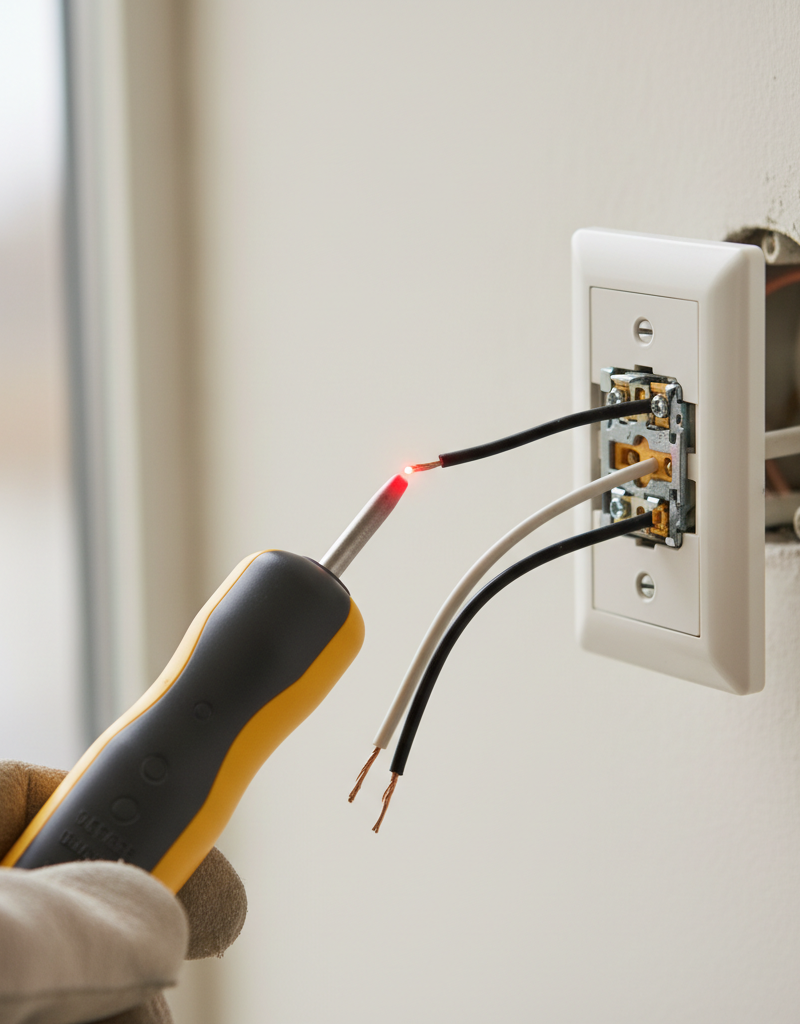
Before doing anything else, go to your home's electrical panel. Find the breaker that controls the circuit for the hot light switch. If your panel isn't clearly labeled, you may need to use a circuit breaker finder or systematically turn off breakers until the light controlled by the hot switch goes out. Always double-check with a non-contact voltage tester at the switch itself after turning off the breaker.
- Safety Tip: If you're unsure which breaker it is, turn off the main breaker to the entire house. This is the safest approach for inexperienced DIYers. Communicate with anyone else in the house that you are working on the electrical system.
2. Remove the Switch Plate – Access the switch for inspection.
Once the power is confirmed off, use a screwdriver to carefully remove the screws holding the switch plate cover in place. Set the cover and screws aside in a safe spot so you don't lose them.
- Tool Tip: Often, switch plate screws are flat-head, but some modern ones might be Phillips head. Have both types of screwdrivers handy.
3. Pull the Switch Out – Gently expose the wiring.
Carefully unscrew the two screws attaching the switch to the electrical box. Gently pull the switch straight out of the box, exposing the wiring behind it. Do not yank or pull forcefully on the wires. Allow enough slack to work comfortably, but avoid stressing the connections.
- Safety Check: After pulling the switch out, use your non-contact voltage tester on all wires in the box, especially the terminals of the switch itself, to confirm there is no live power.
4. Inspect Wiring Connections – Look for loose or damaged wires.
Examine all the wire connections to the switch. Look for wires that appear loose, frayed, discolored, or charred. The most common types of connections are screw terminals (wires wrapped around screws) or push-in terminals (wires inserted into small holes on the back of the switch).
- Loose Screw Terminals: If wires are connected via screw terminals, ensure they are securely wrapped clockwise around the screw and tightened firmly. A loose screw connection creates resistance and heat. Tighten any loose screws. If a wire looks damaged, carefully snip the damaged portion, strip about 3/4 inch of insulation, and re-wrap it around the screw.
- Push-In Connections: If wires are using push-in terminals, they are more prone to loosening and creating resistance over time. It's generally recommended to switch to screw terminal connections if possible, as they provide a more secure contact. If you must use push-in, ensure the wire is fully inserted and held tightly. If you see discoloration, replace the switch.
- Wire Nuts: Check any wire nuts connecting wires within the box. Ensure they are tight and that no bare wire is exposed. Retwist connections if they feel loose and apply new wire nuts if necessary.
5. Check for Overloaded Wires or Charring – Visual signs of excessive heat.
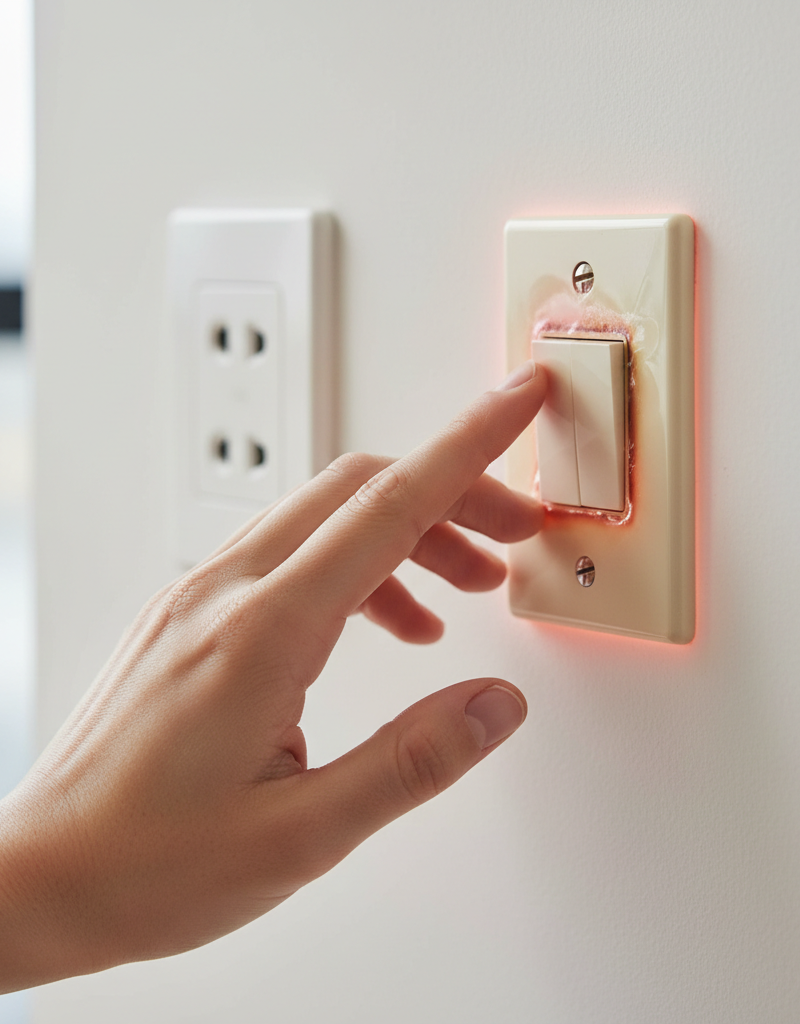
Look for any signs of heat damage around the wires or within the electrical box. This includes melted plastic insulation, darkened or brittle wire insulation, or scorch marks on the switch or the inside of the box. These are strong indicators of an overloaded circuit or a poor connection that has been generating heat for some time.
- If Charring is Present: If you find charring or significant melting, the switch and potentially the affected wires must be replaced. This is a severe fire risk. Consider calling a professional electrician to assess the extent of the damage.
6. Inspect the Switch Itself – Examine the switch mechanism.
Examine the body of the switch for any visible damage like cracks, discoloration, or melted plastic. Shake the switch gently; if you hear rattling, internal components may be loose or broken. A faulty switch mechanism can create internal resistance, leading to heat.
- If the Switch Appears Damaged: If the switch body is cracked, melted, or otherwise compromised, or if its terminals are discolored, it needs to be replaced immediately. Even if you don't see external damage, an old or cheap switch can simply fail internally.
7. Consider Bulb Wattage – Ensure bulbs are appropriate for the fixture and switch.
If the switch controls lights, check the wattage of the bulbs being used. Ensure the total wattage doesn't exceed the fixture's rating or the switch's capacity, especially if using old incandescent bulbs. While less common with modern LED bulbs, an oversized incandescent fixture can cause the entire circuit and switch to work harder.
- Recommendation: Switch to LED bulbs. They use significantly less wattage and generate far less heat, reducing the load on your circuits and switches. This is a simple, effective preventative measure.
8. Reassemble and Test – Secure everything and restore power.
Once you've addressed any loose connections, replaced a faulty switch, or confirmed no issues, carefully push the switch back into the electrical box, taking care not to pinch any wires. Screw the switch securely to the box, then replace the switch plate cover. Turn the power back on at the circuit breaker and test the switch. Feel the switch periodically over the next few hours to ensure it no longer gets hot.
- Final Check: If the switch still gets hot after taking these steps, or if you are uncomfortable performing electrical work, it's time to call a professional electrician.
Common Causes
- Loose Wire Connections: This is by far the most frequent culprit. Wires that are not firmly fastened to the switch's terminals create a gap that increases resistance, generating heat. This can happen over time due to vibrations, temperature changes, or improper installation.
- Overloaded Circuit: The switch, along with the rest of the circuit, is designed to handle a specific amount of electrical current (amperage). If too many high-wattage devices or lights are on the same circuit, the switch has to carry an excessive load, leading to heat generation. This is especially true for older homes with fewer dedicated circuits.
- Faulty or Old Switch: Like any mechanical device, light switches wear out. Internal components can corrode, contacts can pit, or springs can lose tension, leading to increased resistance and heat. Cheaper, builder-grade switches are more prone to premature failure.
- Incompatible or Incorrect Dimmer Switch: If the switch in question is a dimmer, ensure it's compatible with the type of bulbs it controls (e.g., specific dimmers for incandescent, CFL, or LED). Using the wrong dimmer or one that's not rated for the total wattage of the connected load can cause overheating.
- Oversized Light Bulbs: While less common today with the prevalence of LED, using incandescent bulbs with a total wattage higher than the fixture or switch's rating can cause overheating.
- Dirty or Corroded Contacts: Over time, dust, debris, or oxidation can build up on the internal contacts of a switch, increasing resistance and generating heat. This is more common in dusty environments or older switches.
- Improper Grounding/Wiring Errors: While less likely to directly cause a hot switch in isolation, incorrect grounding or other wiring errors can sometimes lead to current leakage or improper circuit paths that manifest as heat. If all simple fixes fail, this might be a possibility for a professional to investigate.
- Aluminum Wiring (Older Homes): In some older homes (pre-1970s), aluminum branch circuit wiring was used. Aluminum has different expansion and contraction properties compared to copper, and if not installed with CO/ALR rated devices and proper anti-oxidant compounds, connections can loosen and overheat, including at switch terminals. This requires specialized attention.
Common Mistakes
- Ignoring the Heat: The biggest mistake is assuming a hot switch is harmless or normal. It's a fire hazard warning signal that demands immediate attention.
- Not Shutting Off the Power Completely: Attempting to troubleshoot or repair a switch without confirming the circuit is dead with a voltage tester is extremely dangerous and can lead to severe electrical shock or electrocution.
- Over-tightening or Stripping Terminal Screws: While loose wires are bad, over-tightening screws can strip the screw threads or cut into the wire, damaging it and creating another point of potential failure.
- Using Too Much Bare Wire: When wrapping wires around screw terminals, only the insulated part should be visible after tightening. Too much bare wire exposed can lead to accidental shorts.
- Not Inspecting the Entire Circuit: Focusing only on the switch and not checking for overloaded fixtures or incompatible bulbs further down the line can lead to the problem recurring.
- Swapping a Hot Switch for Another Standard Switch: If the heat is caused by an overloaded circuit or incompatible dimmer, replacing the switch with another identical one won't solve the underlying problem and the new switch will also get hot.
- Forcing Wires Back into the Box: Jamming wires into a tight electrical box can pinch insulation, cause shorts, or loosen connections, creating new problems.
Cost & Time Breakdown
| Task | DIY Cost | Pro Cost | Time |
|---|---|---|---|
| Troubleshooting & Inspection | $0 | $100-$200 | 20-45 min |
| Replace Standard Light Switch | $5-$25 | $150-$250 | 30-60 min |
| Replace Dimmer Switch | $20-$70 | $180-$300 | 45-90 min |
| Tighten Loose Connections | $0 | $100-$200 | 20-30 min |
| Replace Damaged Wires (minor) | $5-$10 | $150-$250 | 30-60 min |
| Full Circuit Diagnosis (pro) | N/A | $200-$400+ | 1-3 hours |
Tips & Prevention
- Annual Electrical Check: Consider having a licensed electrician perform an electrical safety inspection every few years, especially in older homes. They can identify potential issues before they become hazards.
- Use LED Bulbs: Transitioning to LED bulbs drastically reduces the electrical load on circuits and switches, lessening heat generation and saving energy. This is a simple, effective preventative measure.
- Proper Wattage Matching: Always ensure the total wattage of bulbs in a fixture does not exceed its rated maximum. For dimmer switches, verify compatibility with bulb types (incandescent, CFL, LED) and ensure the dimmer's wattage rating exceeds the total load.
- Quality Components: When replacing switches, invest in reputable brands and higher-quality components. Cheap switches can have inferior internal contacts more prone to failure and overheating.
- Don't Overload Circuits: Be mindful of how many high-power devices are plugged into outlets or connected to light fixtures on the same circuit. If a breaker frequently trips, it's a sign of an overloaded circuit that needs attention.
- Tighten Connections During Renovations: If you ever open an electrical box for painting or minor work, take a moment to gently check and tighten wire connections on switches and outlets. This can prevent future loosening.
When to Call a Professional
If you've identified a hot light switch and traced it to a loose connection or a faulty switch you feel comfortable replacing, that's often a manageable DIY task. However, you should immediately call a licensed electrician if: you detect any burning smell or see smoke or charring, which indicates an active fire risk; the circuit breaker repeatedly trips after you've attempted a fix; the issue occurs on multiple switches or outlets, suggesting a broader problem with your home's wiring or electrical panel; you have older aluminum wiring; or you simply don't feel confident working with electricity. Electrical work can be dangerous, and a professional electrician has the tools, training, and experience to diagnose complex issues safely and ensure your home's electrical system meets safety codes.
Related Articles
Keep troubleshooting with these hand-picked guides from FixlyGuide:
- Why Your Wall Switch Feels Hot: The Hidden Danger Most Homeowners Miss — A hot light switch isn't just uncomfortable; it's a critical warning sign of potential electrical hazards that demand immediate attention.
- The 5 Silent Signals Your Light Switch Is a Fire Risk — A hot light switch can indicate a common electrical issue, but it needs prompt attention to prevent potential hazards. This guide explains…
- Is Your Light Switch a Fire Hazard? The Scary Truth About Warm Switches — A warm light switch could signal anything from minor electrical quirks to a serious fire risk in your home. Learn how to diagnose the probl…
- Light Flickering in One Room? 3 Hidden Causes Revealed — If lights in a single room are flickering, it's usually a minor electrical issue you can often fix yourself with basic tools and caution.
- 1 Flickering Light? It's Probably Not What You Think. — If the lights in a single room are flickering, the problem is usually a simple electrical issue you can often diagnose and fix yourself.
- The Hidden Reason Your Light Switch Is Warm to the Touch — Ever noticed your light switch is warm to the touch? While it's often a normal function of a dimmer, it can also signal a dangerous electri…
Frequently asked questions
Is it normal for a light switch to be warm?+
No, a light switch should ideally operate at ambient room temperature. If it feels warm or hot to the touch, it indicates an electrical issue that needs immediate investigation, as it poses a fire risk.
What causes a light switch to get hot?+
The most common causes include loose wire connections at the switch terminals, an overloaded electrical circuit, a faulty or worn-out switch mechanism, or using an incompatible dimmer switch with your lighting load.
Can a hot light switch cause a fire?+
Yes, absolutely. Excessive heat from a light switch is a critical fire hazard. It can melt wire insulation, lead to arcing, and ignite surrounding combustible materials within the wall or switch box. Immediate action is essential.
How do I fix a hot light switch?+
First, turn off power at the breaker. Then, inspect the switch and its wiring for loose connections, signs of charring, or a damaged switch. Tighten connections, replace the switch if it's faulty, and ensure the circuit isn't overloaded. If you're unsure, call a professional.
When should I call an electrician for a hot light switch?+
You should call an electrician immediately if you see smoke, smell burning, if the breaker repeatedly trips, if you have aluminum wiring, or if you don't feel comfortable diagnosing or fixing the problem yourself. Electrical work carries significant risks.
Discussion
Loading comments…