- Why is Your Light Switch Hot? (The Hidden Danger Most Homeowners Miss) — A hot light switch isn't just uncomfortable; it's a critical warning sign of electrical issues that should never be ignored due to fire ris…
- Why is My Light Switch Hot? (The Hidden Danger Most Homeowners Miss) — A hot light switch isn't just uncomfortable; it signals a potentially dangerous electrical issue that needs immediate attention from homeow…
- The Secret Reason Half Your Wall Outlet Dies (And It's Not What You Think) — Discover why only half of your electrical outlet might be working and how to diagnose and fix the common culprit, saving you from a costly…
- Why is Your Light Switch Hot? The 3 Hidden Overload Risks Explanations — A hot light switch isn't just uncomfortable; it signals potential electrical problems like overloading, loose wiring, or a failing switch.
- Why Your Outlet Died (Even If the Breaker's On) — Discover the hidden reasons an electrical outlet stops working, even when the circuit breaker appears to be on, and learn simple diagnostic…
Electrical · Panel or service upgrade
| Project category | Electrical |
|---|---|
| Problem type | Panel or service upgrade |
| Trade required | Electrical |
| Urgency | Planned project |
| Safety risk | High safety risk |
| DIY suitability | Licensed pro only |
| Cost category | High cost |
| Typical timeline | Permit plus utility scheduling, commonly 2–6 weeks |
| Contractor type | Licensed electrician |
Repair option
Add a subpanel when the main service is adequate.
Replacement option
Full service upgrade with utility coordination and permits.
Common causes
- Obsolete or recalled panel brands
- Service capacity too small for added loads
- No room for required AFCI/GFCI breakers
Relevant tools:project cost estimatorcompare quotes
Published June 18, 2026Last updated August 17, 2026
Tools & materials you'll need
Affiliate linksAs an Amazon Associate FixlyGuide earns from qualifying purchases — at no extra cost to you. Prices and availability are accurate as of publication and subject to change.
Quick Answer
If your light switch is noticeably warm or hot to the touch, it's a critical warning sign of an underlying electrical problem such as an overloaded circuit, loose wire connections, or a failing switch mechanism. These issues generate excessive heat, which can degrade wiring insulation, melt components, and potentially lead to an electrical fire. Addressing a hot light switch promptly is essential for home safety and prevents further damage to your electrical system.
The Problem
Imagine reaching for a light switch only to find it uncomfortably warm, or even hot. It's a jolt of concern, and rightly so. A hot light switch isn't merely a minor annoyance; it's a clear indicator that something is amiss within your home's electrical system, and it could be dangerous. This heat generation is a byproduct of electrical resistance, often caused by too much current flowing through a connection that can't handle it, a poor connection creating a bottleneck, or a component that is simply failing internally. Ignoring a hot light switch can lead to serious consequences, including damaged wiring, tripped circuit breakers, and, most critically, an increased risk of electrical fires. Understanding the specific causes behind this heat and knowing how to diagnose and rectify them is paramount for any homeowner.
How It Works
Electricity flows through conductors, typically copper wires, to power devices like light fixtures. When you flip a light switch, you're completing a circuit, allowing electricity to flow from your home's main electrical panel, through the switch, to the light fixture, and then back to the panel. The switch itself is a mechanical device designed to safely interrupt or complete this flow. It contains internal contacts that meet when the switch is 'on' and separate when it's 'off'.
For an electrical system to work safely, components must be able to handle the current (measured in amperes, or amps) and voltage (measured in volts) passing through them without excessive resistance. Resistance is a property that opposes the flow of current. While all conductors have some resistance, well-designed and properly installed systems keep it to a minimum. When resistance increases at a specific point, such as a loose wire connection or an overloaded circuit, electrical energy is converted into heat. This phenomenon is described by Joule's Law: Power (heat) = Current² × Resistance (P = I²R). So, even a small increase in resistance or current can lead to a significant increase in heat.
Standard light switches are rated to handle a certain amperage, typically 15 or 20 amps, suitable for general lighting circuits. If more current than the switch is rated for passes through it, or if the internal components of the switch begin to degrade, or if the connections to the switch are loose, the excess resistance turns electrical energy into heat. This heat then radiates through the switch's plastic or metal housing, making it feel hot to the touch. Sustained overheating can melt wire insulation, warp plastic components, and even ignite surrounding combustible materials, leading to serious hazards.
Step-by-Step Fix
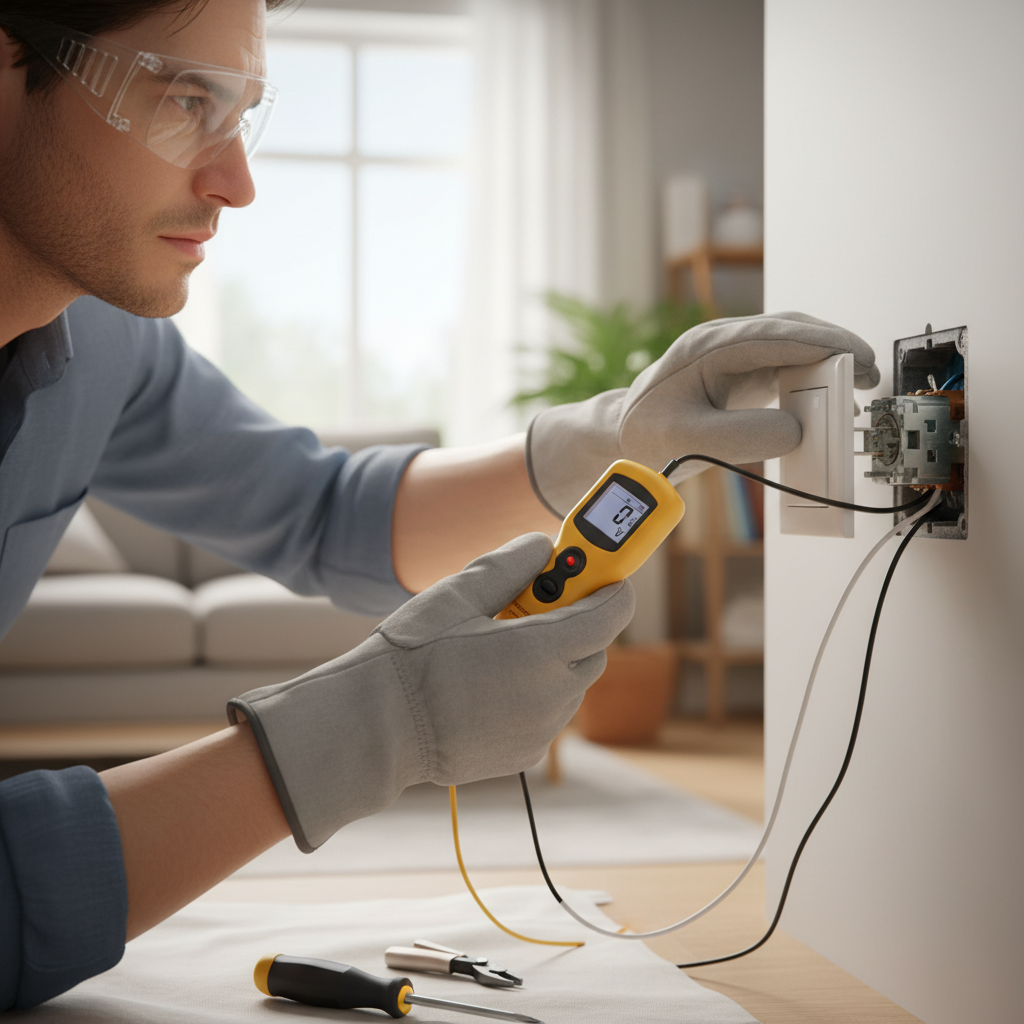
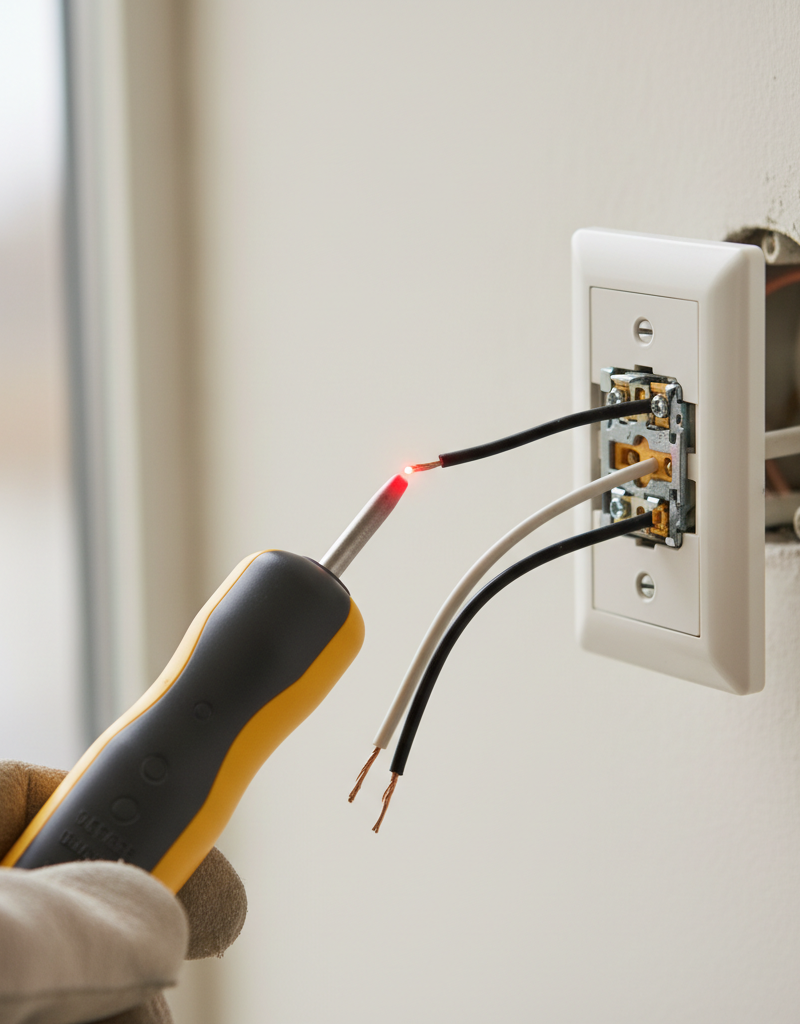
SAFETY NOTE: Always turn off the power at the circuit breaker before beginning any work on electrical components. Use a non-contact voltage tester to confirm the power is off before touching any wires.
1. Identify the Circuit Breaker — Confirm Safety First
— Locate your home's main electrical panel. Find the circuit breaker that controls the hot light switch and toggle it to the 'OFF' position. If your panel isn't clearly labeled, you may need to turn off the main breaker temporarily. For multi-gang switch boxes, confirm power is off to all switches in the box.
- Safety: Always assume wires are live until you've confirmed otherwise with a voltage tester.
- Tool: Non-contact voltage tester.
2. Remove the Switch Plate — Access the Wiring
— Carefully unscrew the two small screws holding the switch plate cover in place. Once the screws are removed, gently pull the cover away from the wall. Set the screws and cover aside in a safe place where they won't be lost.
- Tool: Flat-head screwdriver.
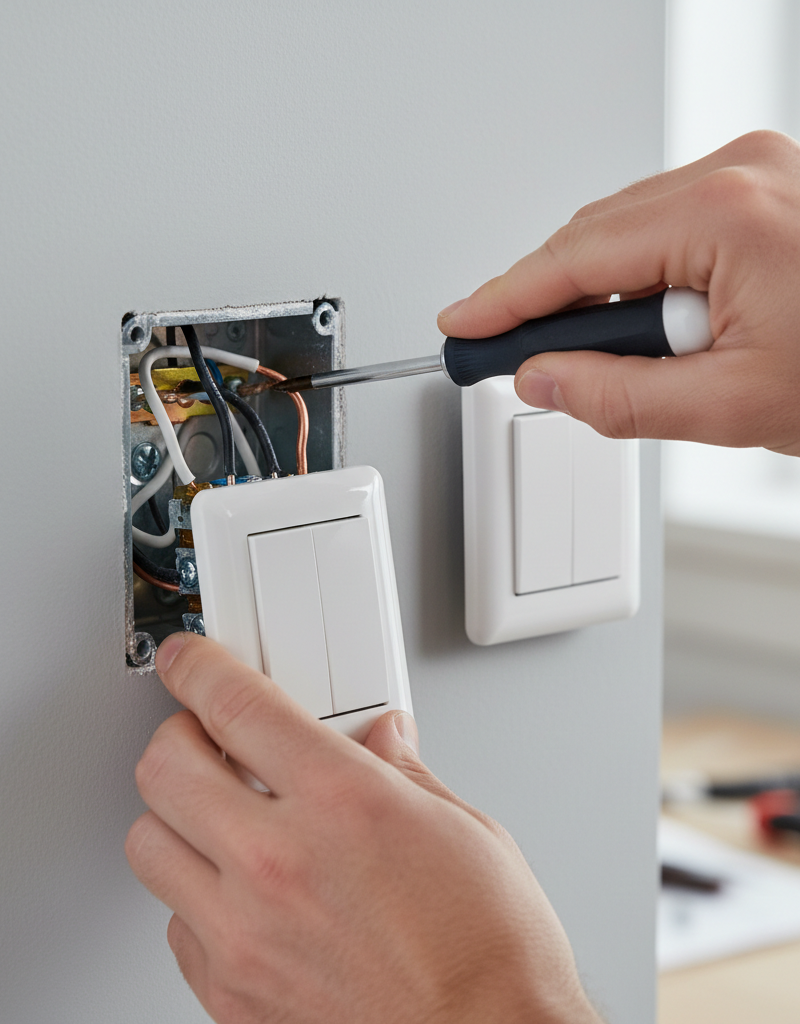
3. Pull Out the Switch — Inspect Connections
— The switch itself is typically held in the electrical box by two screws, one at the top and one at the bottom. Unscrew these mounting screws. Gently pull the switch out from the electrical box, allowing the wires to provide slack. Do not disconnect any wires yet, just expose them for inspection.
- Tool: Phillips head or flat-head screwdriver (depending on screw type).
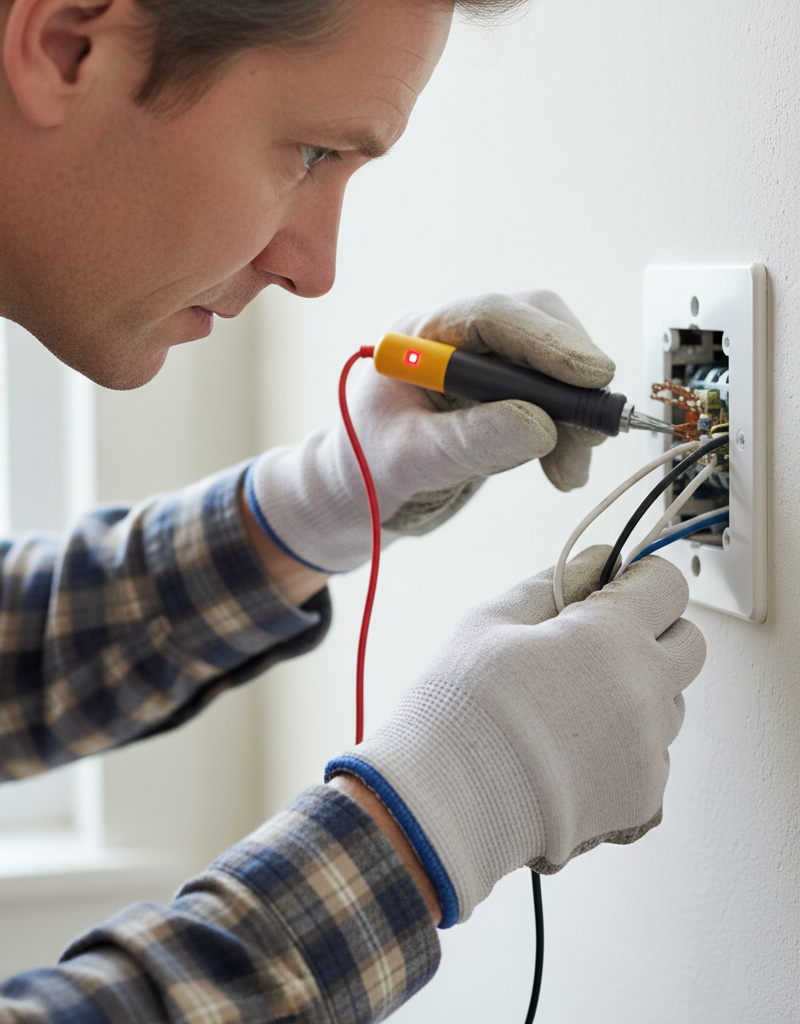
4. Inspect for Loose Connections — Tighten as Needed
— Look closely at each wire connected to the switch. Wires are usually connected either by being wrapped around screw terminals or by being inserted into back-stab holes.
- Screw Terminals: Ensure each wire is securely wrapped clockwise around its terminal and that the screw is tightened firmly. A loose screw connection is a very common cause of heat. Remove the wire, reshape the loop if necessary, and re-tighten. Wires should not be able to pull free easily.
- Back-Stab Connections: These are notorious for loosening over time and causing resistance. If your switch uses back-stab connections (small holes on the back of the switch where wires are simply pushed in), it's highly recommended to convert these to screw terminal connections for better safety and reliability. To do this, gently but firmly pull the wire out of the back-stab hole (you might need to use a small screwdriver to release a tab). Strip about 3/4 inch of insulation, create a clockwise loop, and connect it to an available screw terminal. If no screw terminal is available, replace the switch.
- Tool: Wire strippers (if converting back-stab to screw), Phillips or flat-head screwdriver.
5. Check for Damaged Wires or Insulation — Replace if Necessary
— Examine the insulation on all wires connected to the switch and within the electrical box. Look for any signs of scorching, melting, cracking, or exposed copper. Damaged insulation can lead to short circuits and excessive heat. If you find damaged insulation on a wire, you will need to replace that section of wiring or the entire run if the damage is extensive. For minor nicks, electrical tape is not a permanent fix – cut out the damaged section and use a wire nut if there's enough slack, or replace the wire.
- Safety: Never attempt to 'patch' significantly damaged wiring. If you are unsure, call a professional.
6. Assess the Load — Is the Circuit Overloaded?
— Consider what devices or lights are connected to this switch. Are there multiple high-wattage bulbs (e.g., old incandescent floods) or several fixtures on one switch? Overloading a switch or circuit means more current is flowing through it than it's designed to handle, leading to heat.
- Solution: Reduce the load. Replace incandescent bulbs with lower-wattage LED alternatives. If the switch controls multiple fixtures, consider if any can be moved to a separate circuit or if you're asking too much of one switch. A 15-amp switch on a 15-amp circuit can safely handle about 1440 watts. Total the wattage of all lights connected to the switch. If it exceeds this, you have an overload.
- Tools: Wattage calculator, knowledge of your lighting setup.
7. Consider the Switch Itself — Is It Faulty?
— If connections are tight and the load is appropriate, the switch itself might be faulty. Internal components can degrade, contacts can corrode, or a spring mechanism can weaken, all leading to increased resistance and heat. A faulty switch is often the culprit if the other issues aren't present.
- Solution: Replace the switch. This is a straightforward task, but ensure you purchase a new switch with the correct amperage rating (usually 15A or 20A) for your circuit.
- Materials: New light switch (same type: single-pole, 3-way, etc.), wire nuts (if replacing screw connections), electrical tape.
- Installation: Disconnect the old switch's wires, one by one, and connect them to the corresponding terminals on the new switch. Ensure all connections are secure. Re-insert the new switch into the electrical box, secure it with the mounting screws, and replace the switch plate.
8. Test the Repair — Restore Power Carefully
— Once all connections are secure and the switch is properly installed, carefully push the switch and all wires back into the electrical box. Ensure no wires are pinched. Restore power at the circuit breaker. Turn the light on and off several times. Monitor the switch for warmth over the next few hours and days. If it still gets hot, power down immediately and reassess.
Common Causes
- Loose Wire Connections: This is arguably the most frequent cause. When a wire is not tightly secured to a screw terminal or is poorly seated in a back-stab connection, it creates a high-resistance point. This resistance converts electrical energy into heat, making the switch hot. Over time, vibrations or slight movements can cause connections to loosen.
- Overloaded Circuit/Switch: If the total wattage of the lights or devices controlled by the switch exceeds its rated capacity (or the circuit's capacity), too much current flows through the switch. This excessive current generates heat, similar to how a small pipe tries to handle too much water.
- Faulty or Degraded Switch: Like any mechanical device, a light switch can wear out. Internal contacts can become corroded, pitted, or lose their spring tension, leading to increased resistance within the switch itself. This internal degradation generates heat, making the switch warm or hot.
- Incorrectly Rated Switch: Using a switch designed for a lower amperage than the circuit requires (e.g., a 10-amp switch on a 15-amp circuit) will cause it to overheat, especially under load. Always match the switch's rating to the circuit breaker's rating.
- Short Circuit (Less Common but Dangerous): A direct short circuit would typically trip the breaker immediately and wouldn't usually manifest as a
Related Articles
Keep troubleshooting with these hand-picked guides from FixlyGuide:
- Why is Your Light Switch Hot? (The Hidden Danger Most Homeowners Miss) — A hot light switch isn't just uncomfortable; it's a critical warning sign of electrical issues that should never be ignored due to fire ris…
- Why is My Light Switch Hot? (The Hidden Danger Most Homeowners Miss) — A hot light switch isn't just uncomfortable; it signals a potentially dangerous electrical issue that needs immediate attention from homeow…
- The Secret Reason Half Your Wall Outlet Dies (And It's Not What You Think) — Discover why only half of your electrical outlet might be working and how to diagnose and fix the common culprit, saving you from a costly…
- Why is Your Light Switch Hot? The 3 Hidden Overload Risks Explanations — A hot light switch isn't just uncomfortable; it signals potential electrical problems like overloading, loose wiring, or a failing switch.
- Why Your Outlet Died (Even If the Breaker's On) — Discover the hidden reasons an electrical outlet stops working, even when the circuit breaker appears to be on, and learn simple diagnostic…
- The Hidden Reason Your GFCI Trips (It's Not Always a Faulty Outlet) — A continuously tripping GFCI outlet is a critical safety warning, often indicating moisture, a faulty appliance, or a wiring problem that r…
What should this project cost?
Enter your project details for a realistic cost range before you call anyone.
Outlet and switch work usually $150–$400; panel upgrades commonly $1,800–$4,200.
- Regional adjustment
- National average
- Labor share (typical)
- ~$709
- Quotes to collect
- 3 written estimates
Educational estimate based on national averages — not a binding quote. Always confirm with written local estimates.
Fixly Project Decision Box
- DIY difficulty
- Advanced
- Estimated time
- Homeowner checks 20–30 minutes
- Cost level
- Moderate
Main tools / materials
- Clean air filter
- Garden hose for condenser coils
- Shop vac for the condensate line
When to stop and call a pro
- Burning smell, smoke, or a tripping breaker
- Refrigerant lines iced over or hissing
- Any work inside the sealed refrigerant circuit (EPA-licensed only)
- Gas smell near a furnace — leave and call the utility
Need professional help?
Find an HVAC Pro Near YouFrequently asked questions
Is it normal for a light switch to be warm?+
No, a light switch should not be noticeably warm or hot to the touch under normal operating conditions. A slight warmth might be acceptable for dimmer switches due to their internal electronics, but a standard on/off switch should remain cool. Any significant heat indicates an electrical problem that needs immediate attention.
What happens if a light switch gets too hot?+
If a light switch gets too hot, the excessive heat can melt the plastic insulation around the wires, degrade the switch's internal components, and potentially melt the switch itself. This can lead to a short circuit, an electrical fault, or, most dangerously, ignite surrounding combustible materials, causing a house fire.
Can a hot light switch trip a breaker?+
Yes, a hot light switch can lead to a tripped circuit breaker. The underlying issue causing the heat – such as an overloaded circuit or a short circuit due to melted insulation – will cause excessive current to flow. The circuit breaker is designed to detect this overcurrent and trip, cutting power to prevent damage and fire.
How long does a light switch last?+
A standard light switch is often rated for tens of thousands of cycles and can last for 15 to 20 years or even longer in normal use. However, factors like frequent use, excessive loads, poor installation, or manufacturing defects can significantly shorten its lifespan, leading to premature failure and overheating.
Discussion
Loading comments…