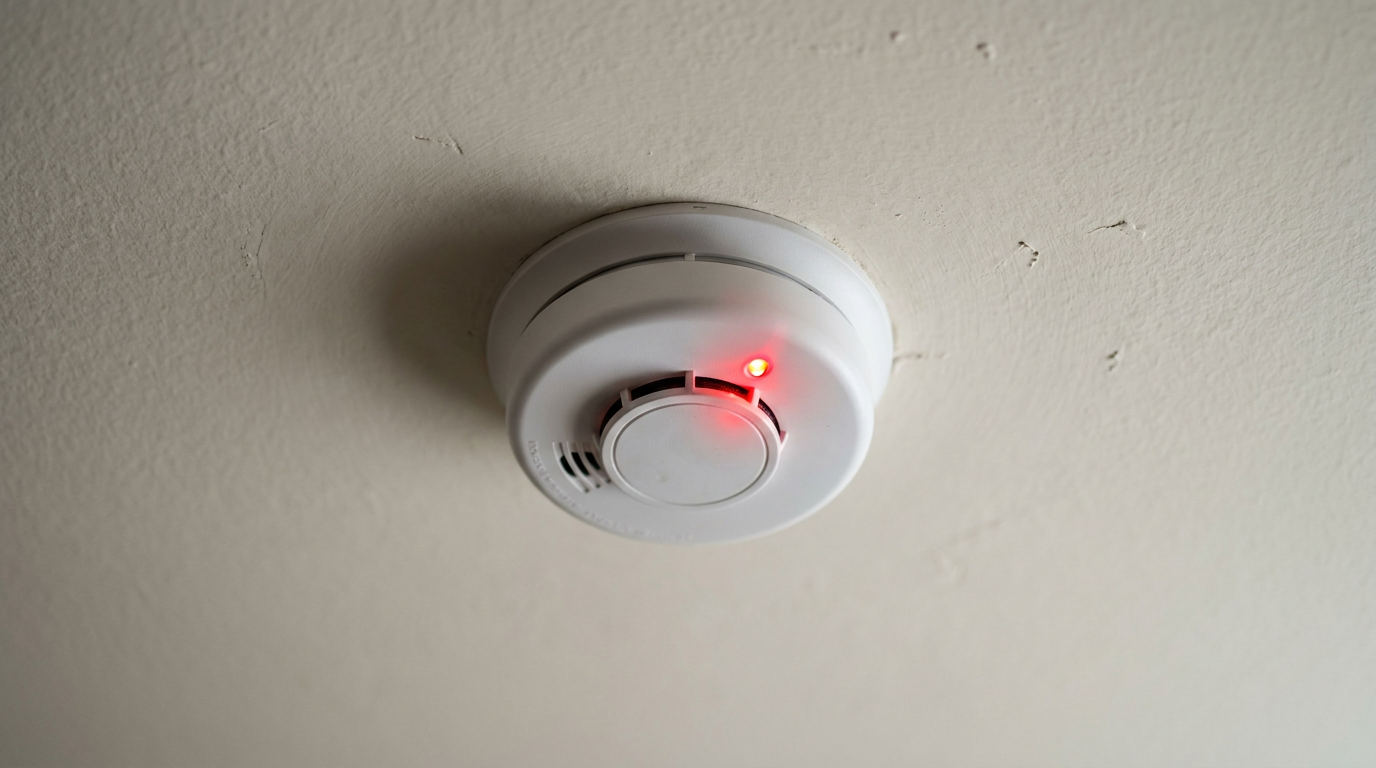
- Normal Self-Check: Nine times out of ten, a slow periodic flash just means the detector’s powered up and doing its job. This is the most common reason by a mile, and it needs no action.
- Low Battery: The number one cause of a flash plus a chirp. The unit’s warning you it doesn’t have enough juice for a full-power alarm.
- Alarm Memory: After an interconnected alarm event, one unit will "latch" with a different flashing pattern to show which detector started it. That’s a feature, not a bug.
- End-Of-Life (EOL) Signal: All smoke detectors expire. After 7-10 years, they’re programmed to give a nonstop chirp/flash combo that a battery change won’t fix, which forces you to replace it for safety.
- Hush Mode Activated: If you recently silenced a nuisance alarm, the red light might flash more often (like every 10 seconds) for the length of the hush period (usually 8-15 minutes) so you know it’s temporarily less sensitive.
Electrical · Panel or service upgrade
| Project category | Electrical |
|---|---|
| Problem type | Panel or service upgrade |
| Trade required | Electrical |
| Urgency | Planned project |
| Safety risk | High safety risk |
| DIY suitability | Licensed pro only |
| Cost category | High cost |
| Typical timeline | Permit plus utility scheduling, commonly 2–6 weeks |
| Contractor type | Licensed electrician |
Repair option
Add a subpanel when the main service is adequate.
Replacement option
Full service upgrade with utility coordination and permits.
Common causes
- Obsolete or recalled panel brands
- Service capacity too small for added loads
- No room for required AFCI/GFCI breakers
Relevant tools:project cost estimatorcompare quotes
Published October 2, 2026Last updated October 2, 2026
Tools & materials you'll need
Affiliate linksAs an Amazon Associate FixlyGuide earns from qualifying purchases — at no extra cost to you. Prices and availability are accurate as of publication and subject to change.
Quick Answer
A blinking red light on a smoke detector usually means it’s doing its job. One flash every minute? That’s normal. If it starts flashing rapidly without the siren, it’s telling you there’s smoke. If it flashes with a chirp, you’re probably looking at a low battery or a fault. And a flash every 30 seconds after an alarm usually means the unit that kicked things off is sitting in memory mode.
The Problem
You catch it out of the corner of your eye—a tiny red light blinking on the smoke detector. It’s not chirping. It’s not howling. It’s just... blinking. So what is it? Working fine? Battery on its last legs? Ready to scream at 2 a.m. for no good reason? That little LED can mean a bunch of different things, and most of them aren’t emergencies. But you can’t just shrug and hope for the best. You need to know what it’s saying, because with fire safety, guessing is a lousy game.
How It Works
Your smoke detector’s a simple machine, but it’s a smart one. Most homes have one of two types: ionization or photoelectric. Ionization alarms are better at catching fast, flaming fires—think a grease fire in the kitchen. They’ve got a tiny, safe amount of radioactive material inside that creates a small electric current in a chamber. Smoke gets in there, messes with that current, and the alarm goes off.
Photoelectric alarms are better at spotting smoky, smoldering fires, like the kind that start in bedding or a couch. They use a small LED beam aimed away from a sensor. When smoke enters the chamber, it scatters the light, throws it onto the sensor, and boom—the alarm trips. A lot of modern detectors are "dual-sensor," which just means they’ve got both systems packed into one unit. Handy setup.
That little red LED is the detector’s way of talking to you. It’s not just an on/off light. It’s programmed to blink in different patterns so you know what’s going on. A slow, steady flash usually means, “I’m powered up and watching.” A rapid flash usually means, “I see smoke right now!” And different flash-and-chirp combos can point to a low battery, a sensor error, or a unit that’s plain worn out. On interconnected systems, the blinking can even tell you which alarm tripped first, so you know where the trouble started. Pretty slick, really—simple, but it gets the point across fast.
Step-by-Step Fix
Let’s decode those blinks. Figure out the pattern first, then you’ll know what you’re dealing with.
1. Identify the Blink Pattern — Before you drag out the ladder, just stand there and watch it for a minute. Count the flashes. Is it once a minute? A few times a second? Does it chirp too? That pattern is the whole ballgame.
2. Normal Operation: One Flash Every 30-60 Seconds — This is the good one. A single, brief red flash every minute or so is the standard “I’m working” signal on most brands like Kidde, First Alert, and BRK.
- What to do: Nothing. Seriously. That’s normal. The LED’s just confirming the unit’s got power and is keeping an eye on the air. Don’t yank the battery, don’t swap the detector, don’t mess with a good thing. Call it a day.
3. Alarm Condition: Rapid, Continuous Flashing (With Siren) — If that red light’s flashing like mad and the siren’s hollering, you’ve got an active alarm.
- Safety First: Your first move is to check for fire. If you see smoke or flames, get everyone out right now and call 911 from outside. Don’t stop to poke around.
- If No Fire: If it’s a false alarm—usually cooking smoke or shower steam—hit the "Hush" or "Silence" button on the unit. That’ll usually shut it up for 8-15 minutes. Wave a towel near it to clear the air. If it still won’t quit, you may need to reset it by cutting power (see step 5).
4. Latching Alarm / Memory Mode: A "Double Flash" or Different Pattern After an Alarm — If your interconnected alarms went off recently, one unit can keep blinking a certain pattern even after the siren stops. That’s the latching or memory feature. It’s basically saying, “I was the one that started the whole racket.”
- What to look for: This changes by brand. You might see a double-flash every second, or two flashes and then a pause. The siren will be off. The other interconnected alarms should be back to their slow, normal blink.
- What to do: Press the Test/Silence button to clear the memory. That resets the unit. If it was a real fire, good—you know where it started. If it was a nuisance alarm, you’ve probably found the detector that’s too touchy or in the wrong spot, like too close to the kitchen.
5. Low Battery: One Flash with a Chirp Every 30-60 Seconds — Classic low-battery warning. The detector’s got enough juice to chirp at you, but not enough to blast the full 85-decibel alarm. The red flash helps you find which one’s making all that noise.
- Tools needed: A fresh 9V or AA battery (check your model), plus a stepladder.
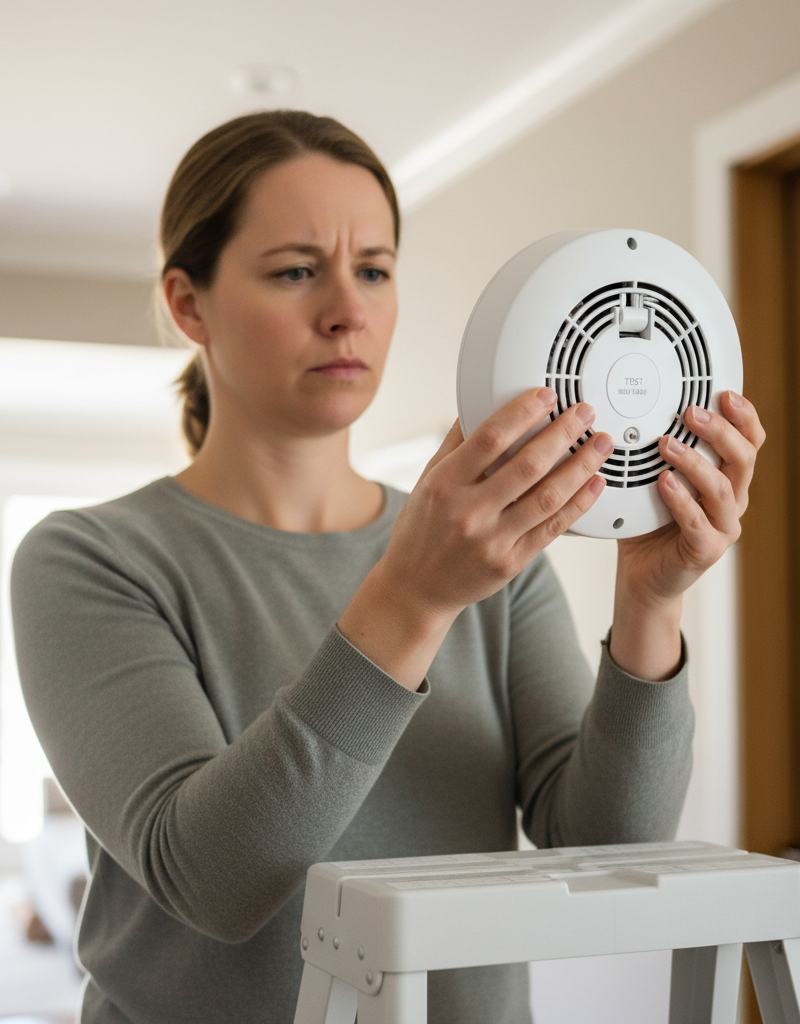
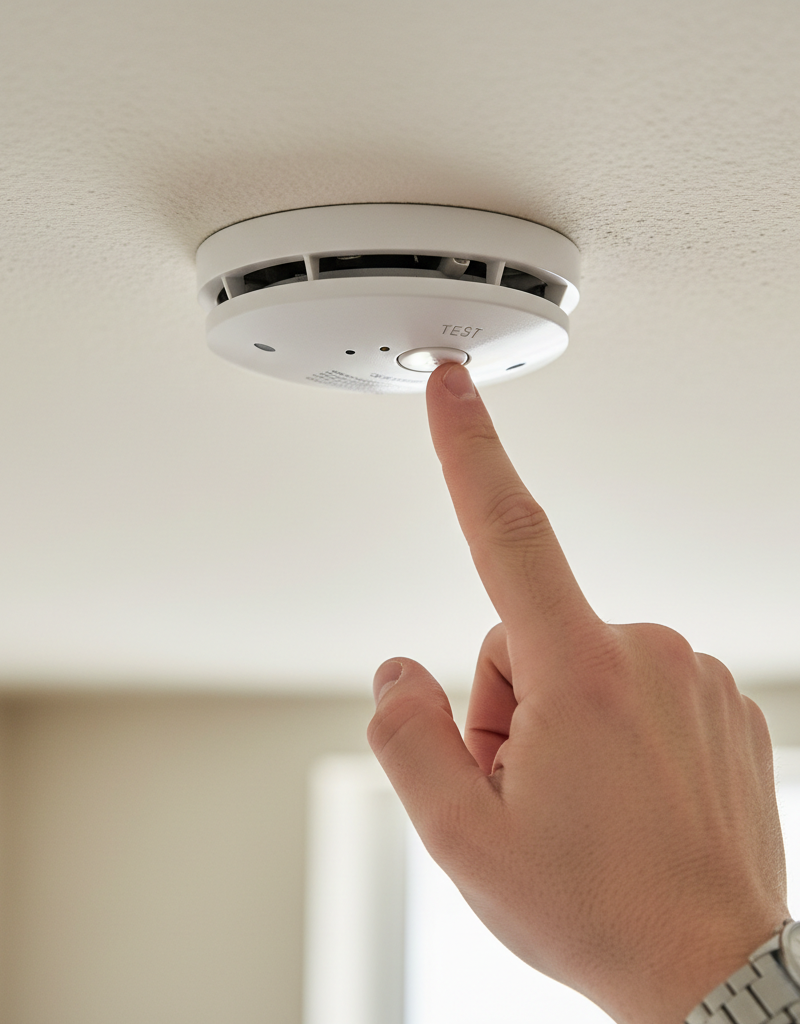
- How to fix: Twist the detector counter-clockwise to take it off the mounting bracket. Open the battery door, pull the old battery, and drop in the new one. Press the "Test" button. It should sound off loudly for a few seconds and then stop. Put it back up. The chirping and flashing should be gone.
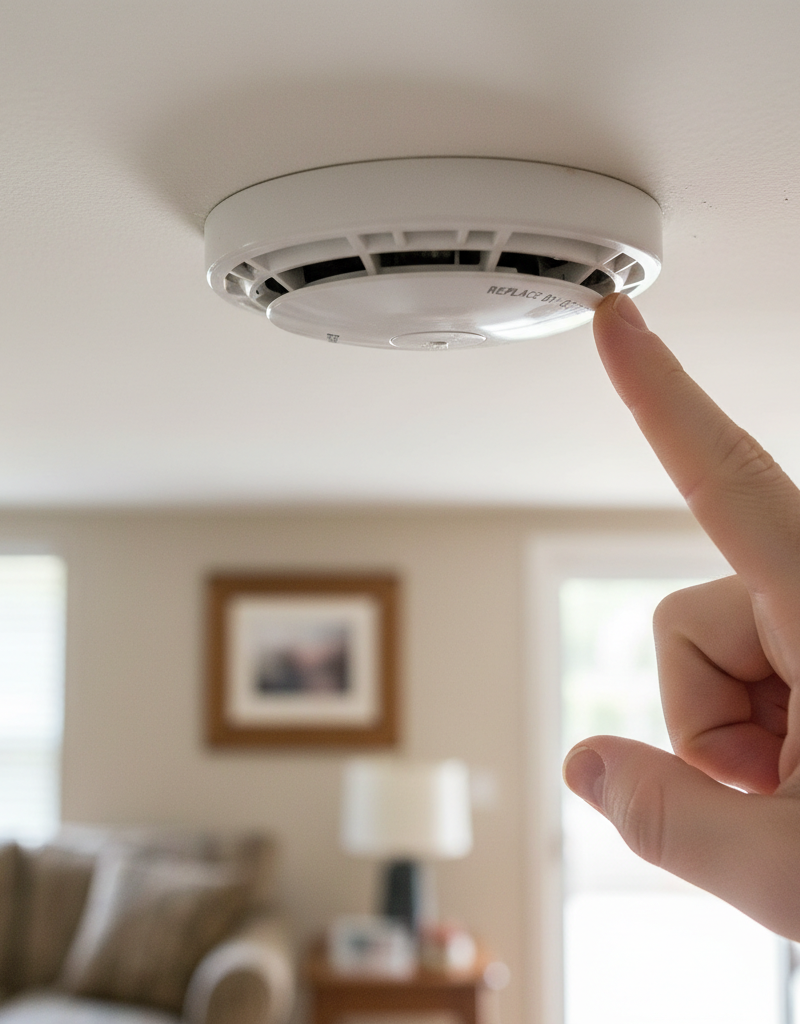
6. End-of-Life (EOL) Warning: Multiple Flashes with Chirps — This is the one folks miss. Smoke detectors don’t last forever. They’ve got a hard expiration date, usually 7-10 years from the manufacture date. After that, the sensors start losing sensitivity.
- The signal: It varies, but it’s often 3, 4, or 5 chirps with the same number of red flashes every minute. A new battery will NOT shut it up. It’s meant to be annoying enough that you replace the thing.
- What to do: You can’t repair this. The whole unit’s got to go. Check the manufacture date on the back. If it’s older than 10 years, that thing’s toast. Kill the power at the breaker if it’s hardwired, disconnect the wiring harness, and put in a new detector.
7. Error Code / Faulty Sensor: An Erratic or Coded Blink — Sometimes dust, bugs, or plain old component failure makes the sensor throw an error. The blink/chirp pattern won’t match low battery or EOL.
- Consult the manual: Check the back of the unit or the manufacturer’s website for your exact model’s error codes. Some models use a certain number of flashes to show a problem in the photoelectric sensor versus the ionization one.
- Troubleshooting: Try cleaning it. Pop it off the ceiling and use compressed air to blow through the vents on every side. That can knock loose dust or dead bugs messing with the sensor. If a good cleaning and a power cycle (see below) don’t fix it, the unit’s bad and needs replacing.
8. The Full Reset: Curing a Glitch — If the detector’s acting weird—maybe it won’t stop blinking after a false alarm or a battery change—try a full reset. That clears out little processor hiccups.
- For hardwired units: Shut off the breaker feeding the alarms. Pull the detector down and unplug the wiring harness. Take out the backup battery. With the unit completely dead, press and hold the "Test" button for about 30 seconds to bleed off any leftover charge. Put the battery back in, reconnect the harness, and turn the breaker back on.
- For battery-only units: Pull the battery, hold the Test button for 30 seconds, then reinstall the battery.
Common Causes
A blinking red light is just a symptom. Here’s what’s usually behind it:
- Normal Self-Check: Nine times out of ten, a slow periodic flash just means the detector’s powered up and doing its job. This is the most common reason by a mile, and it needs no action.
- Low Battery: The number one cause of a flash plus a chirp. The unit’s warning you it doesn’t have enough juice for a full-power alarm.
- Alarm Memory: After an interconnected alarm event, one unit will "latch" with a different flashing pattern to show which detector started it. That’s a feature, not a bug.
- End-Of-Life (EOL) Signal: All smoke detectors expire. After 7-10 years, they’re programmed to give a nonstop chirp/flash combo that a battery change won’t fix, which forces you to replace it for safety.
- Hush Mode Activated: If you recently silenced a nuisance alarm, the red light might flash more often (like every 10 seconds) for the length of the hush period (usually 8-15 minutes) so you know it’s temporarily less sensitive.
- Dust or Insect Contamination: A dust clump, cobweb strand, or tiny bug inside the sensing chamber can trick the unit into thinking it sees smoke, which leads to false alarms or error codes.
Common Mistakes
I’ve watched homeowners make the same mistakes over and over trying to figure out a blinking light. Don’t fall into these traps.
- Ignoring the Blinking Light: Biggest mistake there is. You see a weird pattern and hope it’ll sort itself out. No dice. That light is often the only clue you’ve got. If you don’t recognize the pattern, it could be an end-of-life warning, which means your family isn’t protected like you think it is.
- Putting the Old Battery Back In: Don’t “test” the old battery or shuffle batteries between detectors. If a unit’s chirping, that battery’s done. Replace it with a fresh one that’s got a long expiration date. A half-dead battery is basically an invitation to a 3 AM chirp-fest next week.
- Painting Over the Detector: Huge no-no. Even a light coat of paint can clog the vents and the sensing chamber, which basically smothers the detector. It might still blink like everything’s fine, but it won’t detect smoke worth a darn. If it’s been painted, replace it. That’s the end of it.
- Using the Wrong Cleaner: Don’t spray household cleaners, solvents, or air fresheners on or near a smoke detector. Those chemicals can wreck the sensors and the plastic housing. The only cleaning I’d ever do is a vacuum brush or compressed air.
- Resetting Without Investigating: If you’ve got an alarm memory flash, don’t just clear it and move on. That detector’s telling you where it started. Was it cooking smoke? Maybe it needs to move 3-5 feet farther from the kitchen doorway.
- Forgetting to Test After Changing a Battery: Just because the chirping stopped doesn’t mean you’re done. Press the "Test" button. That confirms the new battery’s good and the alarm circuitry still works. It’s the last step, and it matters.
| LED Pattern | Meaning | DIY Action | When to Replace? |
|---|---|---|---|
| 1 Flash / 60 Sec | Normal Operation | None. This is good. | No. |
| Rapid Flashing | Active Alarm (Smoke Detected) | Evacuate or press Hush button if false alarm. | No, unless it false alarms constantly. |
| 1 Flash + 1 Chirp / 60 Sec | Low Battery | Replace battery. | No, just needs a new battery. |
| 3-5 Flashes + 3-5 Chirps / 60 Sec | End of Life (EOL) | None. Unit must be replaced. | Immediately. |
| Erratic or Coded Flashing | Sensor Error / Fault | Clean with compressed air, perform a full reset. | Yes, if cleaning/reset don't work. |
| Flash every 10-15 Sec | Hush Mode Engaged | None. It will return to normal on its own. | No. |
Cost & Time Breakdown
Dealing with a blinking light is usually a cheap, quick DIY job.
| Task | DIY Cost | Pro Cost | Time |
|---|---|---|---|
| Replacing a 9V Battery | $2–$5 | $75–$125 (minimum service call) | 5 minutes |
| Cleaning a Detector Head | $0–$8 (for compressed air) | Not typically a standalone service. | 10 minutes |
| Replacing a Single Battery-Only Detector | $15–$30 | $100–$150 | 15 minutes |
| Replacing a Single Hardwired Detector | $25–$60 | $125–$200 | 20-30 minutes |
| Troubleshooting an Interconnected System | $0 | $100–$250 | 30-60 minutes |
Tips & Prevention
A few good habits’ll keep your smoke detectors happy and give you a little peace of mind.
- Test Monthly, Replace Batteries Yearly. Hit the "Test" button on every detector once a month. Make it part of the routine. Then replace the batteries in all of them once a year, even if they aren’t chirping. A good time is when you change the clocks for daylight saving time.
- Write the Date on It. When you install a new detector or battery, mark the date with a permanent marker right on the unit or battery. That way you’re not guessing how old it is five years from now.
- Mind the Expiration Date. Smoke detectors are only good for 10 years (7 for CO-only alarms). The manufacture date’s printed on the back. If you move into a new house, check every detector. If they’re expired, replace them all. The sensors wear down over time.
- Gentle Cleaning Twice a Year. Use the soft brush attachment on your vacuum to lightly clean the outside of your detectors every six months. That keeps dust from building up and causing false alarms or sensor trouble.
- Location Matters. Keep detectors at least 10 feet away from kitchens and bathrooms so cooking smoke and steam don’t set them off. They should also stay away from ceiling fans, vents, and drafty windows that can mess with how they sense smoke.
When to Call a Professional
For the most part, you can handle this yourself. But there are a few times you should absolutely call a licensed electrician.
If you have a hardwired system and you aren
Related Articles
Keep troubleshooting with these hand-picked guides from FixlyGuide:
- The Real Reason Your Smoke Alarm Chirps Every 30 Seconds (It's Not Always the Battery) — Don't just swap batteries; a smoke detector chirping every 30 seconds can signal various issues, from dust to improper installation, demand…
- The 30-Second Chirp: Why Most Homeowners Misdiagnose Their Smoke Detector (And The Real Fix) — A smoke detector chirping every 30 seconds almost always means a dying battery, but it can also signal an expired unit or a buildup of dust.
- Why Your Smoke Alarm Won't Stop Blaring (When There's No Fire!) — False alarms from your smoke detector are more than just annoying; they can make you ignore real emergencies. Learn why they happen and how…
- Why Your Smoke Detector Just Dies After 5 Years (And What to Do) — Think your smoke alarm should last forever? Think again. Here's why your detectors fail silently after a few years and what you absolutely…
- Why One Smoke Detector Triggers Them All (And How to Stop the Chaos) — Find out why a single smoke detector going off can cause all the others in your home to blare, and how to troubleshoot these interconnected…
- The Weird Reason Your Drain's Gurgling (and It's Not a Clog) — That unsettling gurgling sound from your drain isn't always a full-blown clog; it's often a sign of negative air pressure building in your…
What should this project cost?
Enter your project details for a realistic cost range before you call anyone.
Outlet and switch work usually $150–$400; panel upgrades commonly $1,800–$4,200.
- Regional adjustment
- National average
- Labor share (typical)
- ~$709
- Quotes to collect
- 3 written estimates
Educational estimate based on national averages — not a binding quote. Always confirm with written local estimates.
Decide what your roof needs
Two minutes of questions turns "something is wrong up there" into a clear next step.
- Repair or replace your roof?Answer 10 questions about age, leaks, and damage to get a clear next step.Open
- Compare contractor quotesScore up to four bids on price, warranty, licensing, and timeline.Open
- Get local estimatesSend one request and compare written estimates from vetted pros.Open
Free, no signup required. Estimates are educational guidance, not a quote or an inspection.
Frequently asked questions
Why is my hardwired smoke detector blinking red when the power is out?+
Even during a power outage, the red light on a hardwired detector will flash about once a minute. This indicates it's running on its backup battery and is still working to protect you.
Should a smoke detector blink green or red?+
It depends on the model. Most hardwired alarms have a steady green light to show they have AC power, and a flashing red light for status updates (normal operation, alarms, errors). Battery-only units typically only have a red light.
How do I stop my smoke detector from blinking red?+
You shouldn't stop the normal operational blink (one flash per minute). If it's blinking for another reason, like a low battery, you must fix the underlying issue by replacing the battery or the unit.
What does a double flash on my smoke detector mean?+
A repeating double flash is often the 'memory' or 'latching' feature. It's telling you that this specific unit was the one that detected smoke and triggered a recent alarm. You can clear it by pressing the test/silence button.
Why is my smoke detector blinking red but not chirping?+
A single red flash every 30-60 seconds without a sound is perfectly normal; it's the standard 'I'm on and working' signal. If it's flashing rapidly, it may be in a hushed state after a false alarm.
Is it normal for a brand new smoke detector to blink red?+
Yes, absolutely. As soon as you connect the battery and/or power, the detector will start its self-check routine, which includes a periodic red flash to show it's operational.
Can a power surge make my smoke detector blink?+
Yes, a power surge or a brief power outage can sometimes cause hardwired smoke detectors to act erratically. If the strange blinking doesn't stop, try performing a full reset by cutting the breaker power and removing the battery for 30 seconds.
My smoke detector is flashing red and green. What does that mean?+
On some hardwired models, a simultaneous red and green flash can indicate an alarm memory or a specific error code. It's best to consult the user manual for your exact model, as these codes are brand-specific.
Discussion
Loading comments…