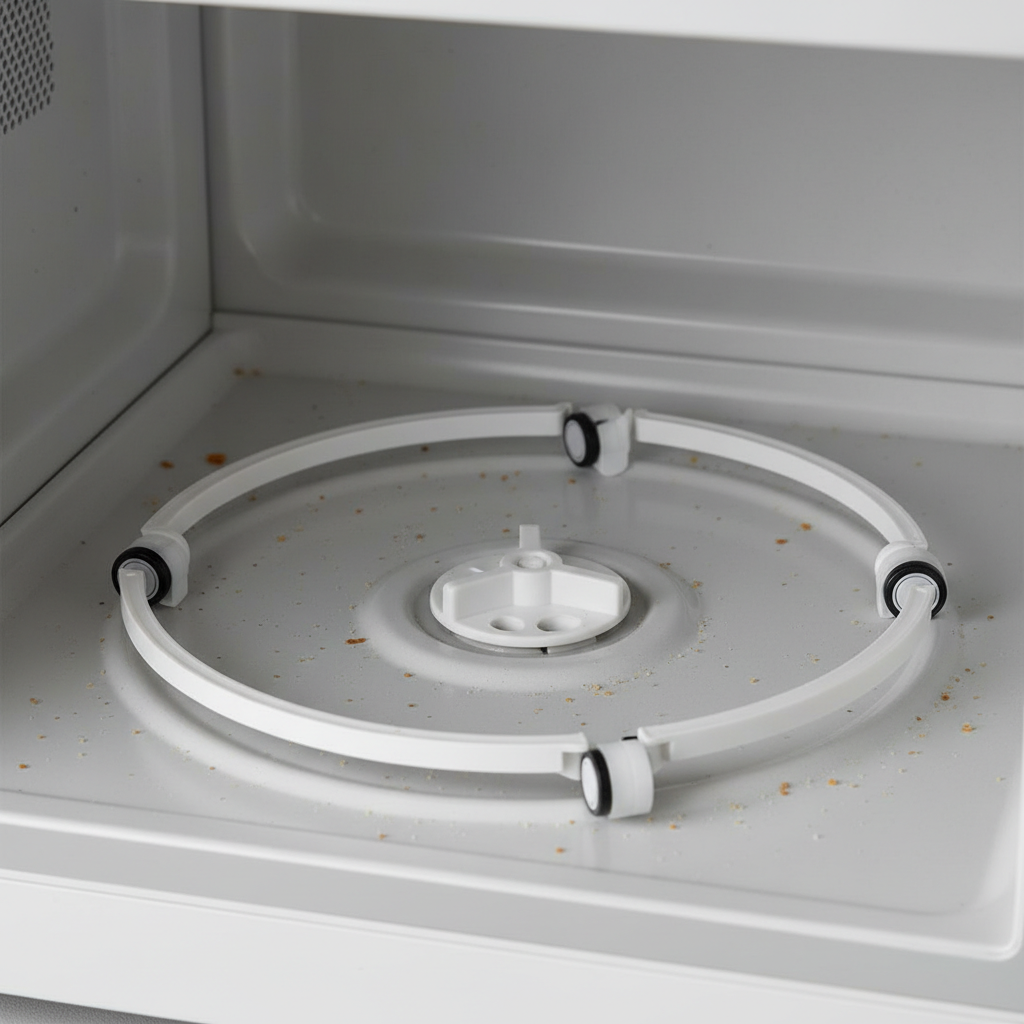
- Clean the Roller Ring and Track – Get Rid of the Gunk
- Tools: Mild dish soap, damp cloth.
- If this doesn't work: If it's still sticking, check for any physical damage to the roller wheels themselves.
HVAC · High energy usage
| Project category | HVAC |
|---|---|
| Problem type | High energy usage |
| Trade required | HVAC |
| Urgency | Planned project |
| Safety risk | Low safety risk |
| DIY suitability | DIY for experienced homeowners |
| Cost category | High cost |
| Typical timeline | Assessment within weeks; replacement planned off-season |
| Contractor type | Licensed HVAC technician |
Repair option
Duct sealing, insulation, and a tune-up before touching the equipment.
Replacement option
High-efficiency replacement sized by a load calculation, not a rule of thumb.
Common causes
- Aging, low-efficiency equipment
- Leaking ducts losing conditioned air
- Insufficient attic insulation
- Oversized system short-cycling
Relevant tools:project cost estimatorrepair or replace
Published September 2, 2026Last updated September 2, 2026
Tools & materials you'll need
Affiliate linksAs an Amazon Associate FixlyGuide earns from qualifying purchases — at no extra cost to you. Prices and availability are accurate as of publication and subject to change.
Quick Answer
When your microwave turntable gives up the ghost and just sits there, it’s usually one of a few suspects: the glass plate isn't seated right, the roller ring is gummed up with gunk, the little plastic coupler under the plate is stripped, or the turntable motor itself has finally called it a day. Good news is, most of these fixes are pretty straightforward and won't cost you an arm and a leg, or even require a service call.
The Problem
Picture this: you pop your leftovers in, hit start, and that familiar hum kicks in. You glance over, expecting to see your dinner doing its little rotation dance, but nothing. The light's on, the timer's counting down, but that plate is just… static. Your food's gonna heat unevenly, for sure. You'll end up with a lava-hot corner and a frozen middle – nobody wants that. It’s a common issue, and I’ve seen it hundreds of times on job sites, from brand-new kitchens in Brighton to older models in Framingham.
Why a Spinning Plate Matters
A microwave heats by blasting microwaves, which are a type of electromagnetic radiation, at your food. These waves excite the water molecules within the food, generating heat. The problem is, these microwaves aren't always evenly distributed throughout the oven cavity. There are hotspots and cold spots. That's where the turntable comes in. By continuously rotating the food, it ensures that all parts of your meal pass through these various zones, leading to consistent, even heating. Without it, you're getting hot spots, cold spots, and generally subpar cooking. It's not just about convenience; it's about proper cooking and food safety.
How It Works
Alright, let's crack open the science a bit – metaphorically, of course, don't actually crack open your microwave. Inside your microwave, there's a magnetron tube that generates microwaves. These waves bounce around the metal interior of the oven. To make sure your food cooks evenly, almost every microwave has a turntable system. This system is pretty simple, really.
First, you've got the glass turntable plate itself. It sits on a plastic roller ring, which has little wheels or gliders. That ring, in turn, rides on a circular track molded into the microwave's floor. In the center, there's a drive coupler – a small, usually plastic, three-pronged or D-shaped piece that sticks up through a hole in the floor of the microwave. This coupler engages with the underside of the glass plate, usually in a recessed area or a set of grooves.
Beneath the floor, typically in the base of the microwave chassis, sits the turntable motor. This small electric motor is connected to the drive coupler. When you hit "start," the motor gets power, spins the coupler, which then spins the glass plate via the roller ring. It's a beautifully simple mechanical dance designed to distribute those microwaves evenly. Without the turntable, those waves would just hit one spot, cooking it to oblivion while leaving the rest cold.
Modern microwaves typically run at around 900 to 1200 watts. While the magnetron is pumping out those waves, the turntable motor is usually a low-voltage AC motor, often 21V AC or 120V AC, consuming very little power but doing a critical job. It's a tiny workhorse, spinning your plate at a gentle RPM, ensuring everything gets its fair share of microwave love.
Step-by-Step Fix
Before you do anything, unplug the microwave. I can't stress this enough. Even though we're not touching the high-voltage components, it's always best practice. Don't risk it. Once it's unplugged, you're ready to troubleshoot.
-
Check the Turntable Plate and Roller Ring – Start Simple
- First thing's first: take out the glass plate and the roller ring. Sometimes, the plate just gets knocked off its track or isn't seated properly on the drive coupler. Put it back, making sure the coupler teeth align with the plate's underside. Spin it by hand – does it move freely? If not, the roller ring might be out of place or something's jammed under it.
- Tools: Your hands.
- Safety: Unplugged microwave. Always.
-
Clean the Roller Ring and Track – Get Rid of the Gunk
- Food spills, crumbs, and grease can build up on the roller ring and the track it runs on. This crud can create friction, preventing the plate from spinning. Use a damp cloth with a little dish soap to wipe down the ring, the wheels, and the track inside the microwave. Make sure it's all dry before putting it back.
- Tools: Mild dish soap, damp cloth.
- If this doesn't work: If it's still sticking, check for any physical damage to the roller wheels themselves.
-
Inspect the Drive Coupler – The Heart of the Spin
- This is the little plastic piece sticking up in the center of the microwave floor. It's what connects the motor to the plate. Remove the glass plate and roller ring. Examine the coupler for cracks, stripped teeth, or signs of melting. It should be firm and intact. If it's loose, wobbly, or damaged, it's likely the culprit. They're cheap to replace – usually under 10 bucks. Search online by your microwave model number for a replacement.
- Tools: Your eyes, maybe a flashlight.
- Pro Tip: If the coupler feels loose in its hole, it might mean the motor shaft beneath is broken, which points to a motor replacement.
-
Test for Obstructions Underneath – The Hidden Culprit
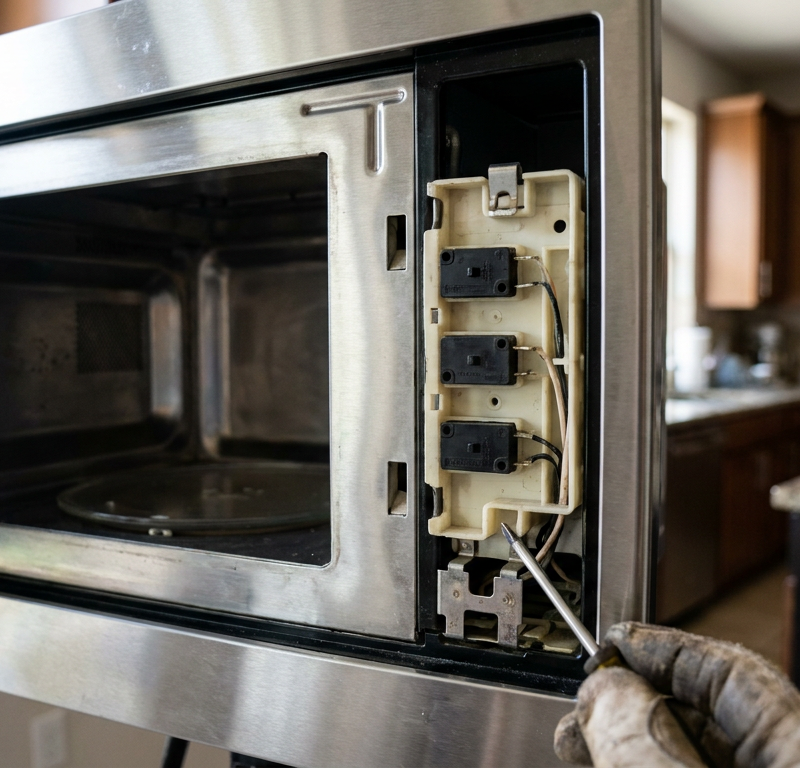
- Sometimes, a tiny piece of food, a dropped screw, or even a pebble (don't ask me how, I've seen it all) can get lodged in the mechanism under the microwave floor, interfering with the motor or drive shaft. This usually requires removing the microwave's outer casing. This is where things get a little more involved.
- Safety: Seriously, unplug the microwave. And be mindful of sharp edges on the casing.
-
Access the Turntable Motor – Time for a Look
- For most countertop microwaves, you'll need to remove the bottom panel or the entire outer shell. This typically involves unscrewing several Phillips head screws – usually on the back and sometimes along the sides. Once the casing is off, you'll see the small turntable motor assembly, often secured by a couple more screws, with a few wires leading to it. It's usually nestled right under the drive coupler location.
- Tools: Phillips head screwdriver.
- Caution: Don't touch any other components, especially the large capacitor – it can store a lethal charge even when unplugged. Stick to the turntable motor area.
-
Test the Motor Directly – Is It Alive?
- If you have a multimeter, you can test the motor for continuity or voltage. Only do this if you are comfortable and know how to use a multimeter safely. Disconnect the wires leading to the motor. Set your multimeter to read resistance (Ohms). You should get a reading (typically 5-15 Ohms for these small motors). If it reads infinite (open circuit), the motor is dead. If you're not comfortable with electrical testing, skip this and assume the motor is the problem if all other checks fail.
- Tools: Multimeter (optional, for advanced DIYers).
- Alternative: Visually inspect the motor for any burn marks or obvious damage.
-
Replace the Turntable Motor – The Final Frontier
- If you've determined the motor is faulty (either by testing or by elimination), you can order a replacement. Again, use your microwave's model number for an exact match. They usually cost $15-$30. Unplug the old motor's wires (note their orientation!), unscrew it, put the new one in, reattach the wires, and screw it down. Reassemble the microwave casing carefully.
- Tools: Phillips head screwdriver, needle-nose pliers (to disconnect wires).
- Double-check: Make sure all screws are back in place and the casing is secure before plugging it back in.
Common Causes
- Misaligned Plate/Roller Ring: This is the absolute simplest. The glass plate just isn't sitting right on the coupler or the roller ring is out of its groove.
- Food Debris & Grime: Spills and crumbs gum up the roller ring and its track, creating friction that stops the spin.
- Damaged Drive Coupler: That little plastic piece takes a beating. It can strip, crack, or melt, especially if the plate gets overloaded or jams.
- Worn-Out Turntable Motor: Like any mechanical part, these small motors eventually fail. They burn out, seize up, or their internal gears break down over time. I had one motor in a commercial microwave in Newton that seized up after only two years – that thing was putting in serious hours, though!
- Overloading: Too much weight on the turntable can strain the motor and coupler, leading to premature failure.
Common Mistakes
- Forgetting to Unplug: This is a big one. Always, always, always unplug the microwave before doing any work inside. There are dangerous, high-voltage components in there.
- Ignoring the Simple Stuff: Don't immediately jump to replacing the motor. Check the plate alignment, clean the rollers, and inspect the coupler first. Nine times out of ten, it's one of these easier fixes.
- Using the Wrong Replacement Parts: Microwave components aren't universal. Always use your microwave's exact model number to order the correct drive coupler or turntable motor. Generic parts might not fit or could even cause further damage.
- Touching the Capacitor: There's a large high-voltage capacitor inside your microwave that can store a lethal electrical charge even after the unit is unplugged. Seriously, don't touch it. If you need to delve deeper than the turntable motor, call a pro.
- Not Fully Reassembling: Make sure all screws are back in place and the outer casing is properly secured before plugging the microwave back in. Loose panels can cause vibrations or even safety issues.
- Over-tightening Screws: When reassembling, tighten screws snugly but don't overtighten. You can strip plastic or metal threads, making future repairs harder.
Cost & Time Breakdown
Here’s a quick look at what you can expect if you're tackling this yourself versus bringing in a pro.
| Task | DIY Cost | Pro Cost | Time |
|---|---|---|---|
| Realignment / Cleaning | $0 | $75-$150 (service fee) | 5-10 minutes |
| Drive Coupler Replacement | $5-$15 | $100-$200 | 15-30 minutes |
| Turntable Motor Replacement | $15-$40 | $150-$300 | 30-60 minutes |
| Full Diagnostic (Pro) | N/A | $75-$150 (service fee) | N/A |
| New Microwave (if unfixable) | $75-$300+ | $75-$300+ | N/A |
Tips & Prevention
- Regular Cleaning: Wipe down the microwave interior, especially the turntable track and roller ring, regularly. This prevents gunk buildup that can impede spinning. I tell folks to do it at least once a week if they use it daily.
- Proper Loading: Don't overload the turntable with excessively heavy or unbalanced dishes. This puts undue strain on the motor and coupler. Keep it under 5-7 lbs if you can help it.
- Check Plate Seating: Always ensure the glass plate is properly seated on the drive coupler and the roller ring before starting the microwave. A quick visual check goes a long way.
- Listen for Unusual Noises: If you hear grinding, squeaking, or struggling noises from the turntable area, it's a sign something's amiss. Address it early before a minor issue becomes a motor replacement.
- Gentle Handling: Don't slam the microwave door or handle the glass plate roughly. Shock and impact can damage the coupler or roller ring.
- Consider a Turntable Cover: Some folks use microwave-safe covers for their food. This helps contain splatters and keeps the interior, including the turntable mechanism, cleaner.
When to Call a Professional
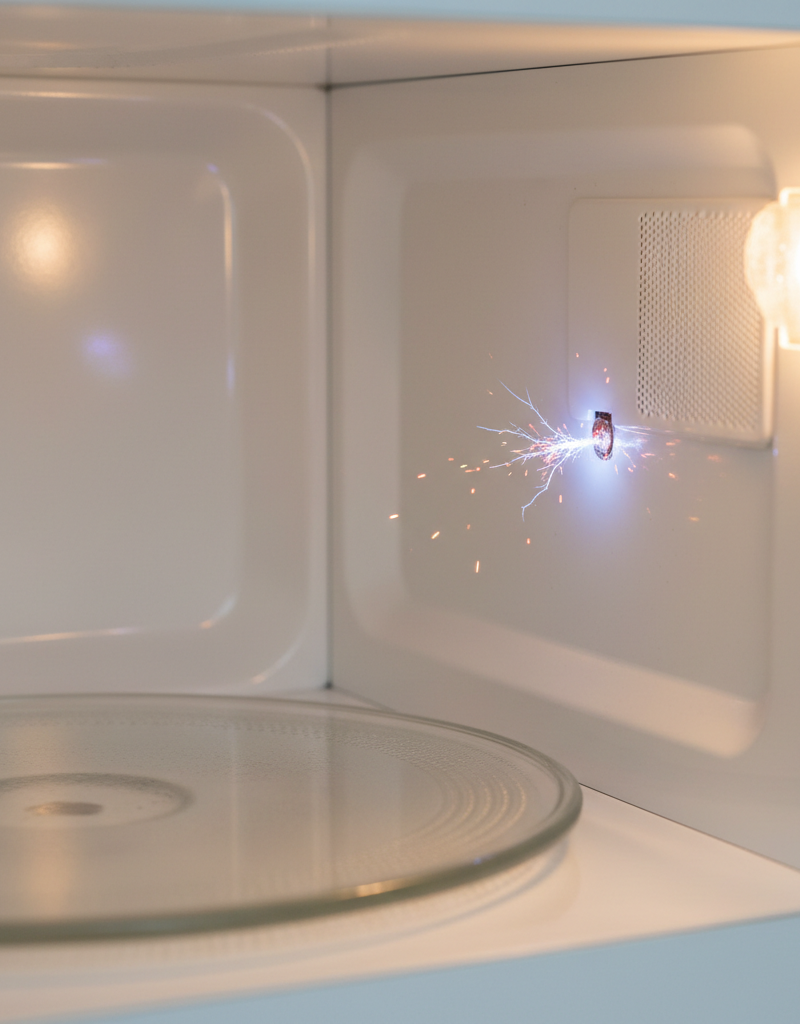
Look, I'm all for DIY, but there are definitely times when you gotta know your limits and call in the cavalry. If you've cleaned everything, checked the coupler, and you're still looking at a dead spin, and you're not comfortable messing with electrical components or opening up the microwave's sealed housing, that's your cue. Definitely call a professional if you suspect issues beyond the turntable motor, or if you're dealing with an over-the-range microwave that's heavy and hard to access. Any time you see sparks, smell burning, or hear loud arcing, unplug it immediately and call a qualified appliance repair technician. Don't try to fix those kinds of problems yourself; it's genuinely dangerous due to the high voltage inside a microwave.
Related Articles
Keep troubleshooting with these hand-picked guides from FixlyGuide:
- The Mystery of the Warm Fridge: Why Your Food Is Spoiling (and When to Call a Pro) — If your refrigerator isn't keeping food cold, it could be a simple fix or a serious problem requiring a professional. Learn what to check a…
- The #1 Dryer Mistake That Adds Hours to Laundry Day (and Costs You Money) — Discover the most common, overlooked reason your dryer is taking too long to dry clothes and how a simple fix can save you time and energy.
- Your 'Clean' Dishes Are Still Dirty? The Culprit Is Hiding — Frustrated by gritty, food-flecked dishes after a full wash cycle? The problem isn't your detergent. Your dishwasher is making dishes dirti…
- Why Your Dishwasher Leaves Dishes Soaking Wet (And It's Not Your Rinse Aid) — Discover the real reasons your dishwasher isn't drying dishes and how to fix them, from blocked vents to faulty heating elements. Don't let…
- Is Your Refrigerator Buzzing Loudly in the Quiet of Night? — A loud buzzing from your fridge at night often points to the icemaker, a dirty fan, or a vibrating component, many of which are simple home…
- The Hidden Reason Your Furnace Short Cycles (and the $15 Fix) — Furnace short cycling can drive up energy bills and wear out your system prematurely; often, a simple fix like a dirty filter or miscalibra…
Should you do this yourself?
Answer five quick questions before you start. Safety outranks savings every time.
Your experience with work like this
How high do you have to work?
Does the job involve any of these?
Will it need a permit?
Specialty tools
Free and instant. Educational guidance only — not a quote, inspection, or professional diagnosis.
What should this project cost?
Enter your project details for a realistic cost range before you call anyone.
Cost depends heavily on which system turns out to be the source.
- Regional adjustment
- National average
- Labor share (typical)
- ~$1,620
- Quotes to collect
- 3 written estimates
Educational estimate based on national averages — not a binding quote. Always confirm with written local estimates.
Before you start
Check the difficulty, permits, and safety risk — then decide whether to call a pro.
- Estimate this projectGet a cost range for your scope and ZIP before you call anyone.Open
- Get local estimatesSend one request and compare written estimates from vetted pros.Open
Free, no signup required. Estimates are educational guidance, not a quote or an inspection.
Get the print-ready PDF of this guide
A clean, ad-free, printable version you can keep on your phone or pin to the workshop wall. Free with a FixlyGuide account.
- Print-optimized layout
- Tools, materials & every step included
- Saved to your account
Frequently asked questions
Why is my microwave plate not turning but the microwave is working?+
The most common reasons are the glass plate being off-center, the roller ring being dirty or out of place, or the plastic drive coupler being stripped or broken. Less commonly, the turntable motor itself might have failed, preventing the plate from receiving power to spin.
Can I use my microwave if the turntable isn't spinning?+
Yes, you can still use your microwave, but your food will heat unevenly. This can lead to hot spots and cold spots, affecting both the taste and safety of your food. It's generally recommended to fix the turntable for optimal performance.
How much does it cost to replace a microwave turntable motor?+
A DIY replacement for a turntable motor typically costs between $15 and $40 for the part itself. If you hire a professional, you can expect to pay $150 to $300, which includes the part and labor.
How do I know if my microwave motor is bad?+
After checking that the plate, roller ring, and drive coupler are all intact and properly seated, if the turntable still doesn't spin, the motor is the next most likely culprit. An electrical test with a multimeter can confirm if the motor has an open circuit, indicating failure, but often, it's diagnosed by elimination.
Can a dirty microwave stop the turntable from spinning?+
Absolutely. Food debris, grease, and crumbs can accumulate on the roller ring and the track it runs on. This buildup creates friction, making it difficult or impossible for the motor to turn the plate, so regular cleaning is key.
Where is the microwave turntable motor located?+
The turntable motor is typically located directly beneath the floor of the microwave oven, centered under where the drive coupler protrudes. You usually need to remove the microwave's outer casing or bottom panel to access it.
Is it safe to fix a microwave yourself?+
Performing simple fixes like cleaning or replacing the drive coupler is generally safe if the microwave is unplugged. However, internal components, especially the capacitor, can store lethal charges. If you're not comfortable or need to access high-voltage areas, it's best to call a professional.
How long do microwave turntable motors typically last?+
Turntable motors are generally quite durable and can last for many years, often the lifespan of the microwave itself. However, heavy use, overloading, or constant jamming can cause premature failure, sometimes within 2-5 years.
Discussion
Loading comments…