- Grease and Grime Buildup: The big offender, hands down. Sticky residue gets under the membrane and stops contact.
- Age and Wear: Keypads don't last forever. The conductive traces wear out, or the layers separate over time, especially on the buttons you use the most.
- Liquid Spills: Even a small spill can work its way into the keypad, corroding contacts or shorting circuits.
- Power Surges/Fluctuations: A sudden spike or drop in power can scramble the control board's memory or damage sensitive electronic parts.
- Faulty Door Interlock Switches: These safety switches are set up to fail safe, which means if they don't detect a fully closed door, the microwave won't run and the panel often won't respond.
HVAC · High energy usage
| Project category | HVAC |
|---|---|
| Problem type | High energy usage |
| Trade required | HVAC |
| Urgency | Planned project |
| Safety risk | Low safety risk |
| DIY suitability | DIY for experienced homeowners |
| Cost category | High cost |
| Typical timeline | Assessment within weeks; replacement planned off-season |
| Contractor type | Licensed HVAC technician |
Repair option
Duct sealing, insulation, and a tune-up before touching the equipment.
Replacement option
High-efficiency replacement sized by a load calculation, not a rule of thumb.
Common causes
- Aging, low-efficiency equipment
- Leaking ducts losing conditioned air
- Insufficient attic insulation
- Oversized system short-cycling
Relevant tools:project cost estimatorrepair or replace
Published September 17, 2026Last updated September 17, 2026
Tools & materials you'll need
Affiliate linksAs an Amazon Associate FixlyGuide earns from qualifying purchases — at no extra cost to you. Prices and availability are accurate as of publication and subject to change.
Quick Answer
When your microwave's control panel suddenly stops responding, or only a few buttons work, don't panic and don't head straight for the appliance store. More often than not, you're dealing with a software hiccup that a quick power cycle can clear up, or a membrane keypad issue that's a whole lot simpler than it looks. Sometimes, it's a safety switch acting goofy. The good news is, for plenty of homeowners, this is a very fixable problem without calling in a pro.
The Problem
There's nothing more irritating than tossing a plate in the microwave, hitting the start button, and... nothing. Or maybe a couple buttons work, but you can't set the time or use the express cook options. Your microwave, that kitchen workhorse, is now just a big, useless box. You're staring at a dead panel, thinking the worst – a costly replacement, maybe even a new countertop model. I hear it all the time from folks who call me up, "My microwave's buttons are shot, I guess it's done for." But before you start shopping, let's look at why those buttons might be ignoring you. It usually isn't as bad as it seems.
How It Works
Okay, so how does this little magic box actually take a tap from your finger and turn it into heating up last night's leftovers? Most modern microwaves use what's called a membrane keypad for the control panel. Picture two thin layers of plastic with conductive traces on the inside, separated by a tiny air gap. When you press a button, you push those layers together and make electrical contact. That contact closes a circuit and sends a tiny signal to the microwave's main control board – the brain of the operation.
The control board reads that signal. "Ah," it says, "they want 1 minute and 30 seconds." Then it sends the marching orders to the other parts, like the magnetron (which makes the microwaves), the turntable motor, and the light inside. Pretty slick setup. There are safety parts in the mix too, like door interlock switches. Those switches matter. If the door isn't closed tight – or if the switch is faulty – the microwave's brain says "Nope!" and shuts everything down, which can make the control panel seem dead. That's by design; you don't want microwaves zapping away with the door open. So when the buttons aren't doing what they're told, the trouble is usually somewhere in that communication chain: the keypad, the signal path, or a safety interlock telling the whole unit to sit tight.
Step-by-Step Fix
Alright, let's roll up our sleeves and get those buttons working again. Safety first, always. You're dealing with an electrical appliance here, so unplugging it is step one, every single time.
-
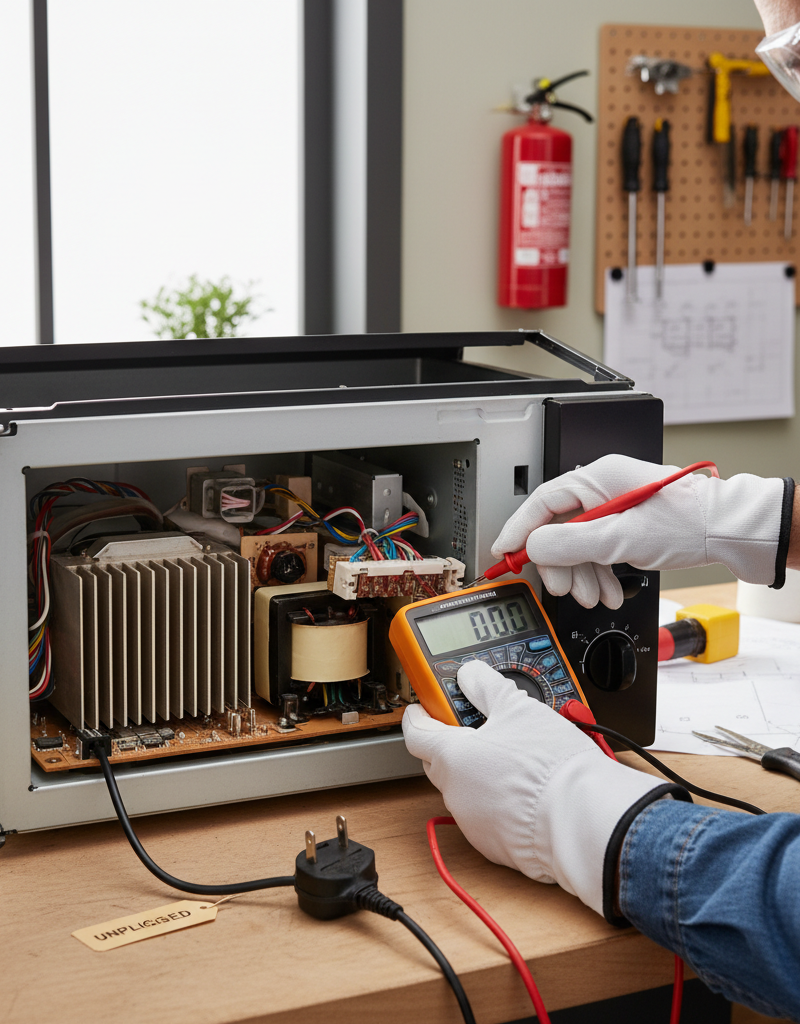
Perform a Hard Reset — Clear out the glitches. A lot of the time, dead buttons are just a temporary electronic hiccup. Same idea as rebooting your computer. Unplug the microwave from the wall outlet completely. Leave it unplugged for at least 5 minutes – 10 minutes is even better so any leftover charge can bleed off the capacitors. Then plug it back in. Sometimes that's the whole fix. Check the breaker too; a tripped breaker can cause odd partial power problems, though usually the unit would be completely dead.
-
Inspect the Control Panel Surface — Look for visible issues. With the microwave unplugged, take a good look at the membrane keypad. Any bubbles, wrinkles, tears, or scorch marks? I see this a lot on older units – the top layer starts peeling. Once that happens, the internal contacts won't meet when you press the button. If you spot bubbling or peeling, that keypad's probably compromised and will need replacing. Check the edges closely where grime likes to build up.
-
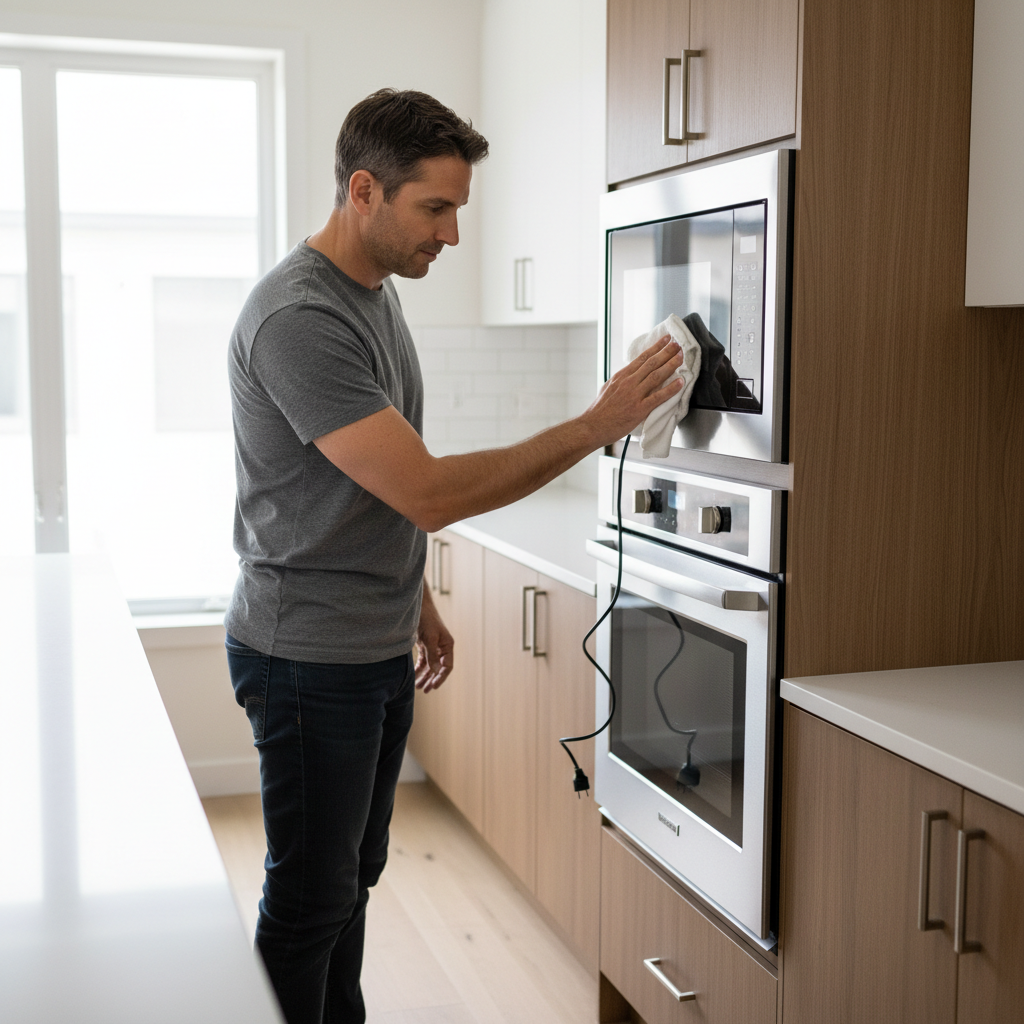
Clean the Control Panel & Surroundings — Sticky situations are button killers. Food splashes, grease, and cleaner residue can creep into the tiny gaps around the buttons and make them stick or stop making contact. Use a soft cloth that's only slightly damp with mild dish soap and water – barely damp, not wet. Wipe down the whole control panel gently. Pay extra attention around the edges of used buttons like "Start" or "Add 30 Seconds." Don't spray cleaner directly on the panel, because it can sneak underneath and cause damage. After that, dry it off with a clean, dry cloth.
-
Test Individual Buttons — Identify the culprits. After resetting and cleaning, plug the microwave back in and test each button one by one. Press them firmly, but don't mash them. Listen for a subtle click or feel for the tactile response. If only certain buttons aren't working, that points right at that spot on the membrane keypad. If all the buttons are dead, you're probably looking at the whole keypad or the main control board.
-
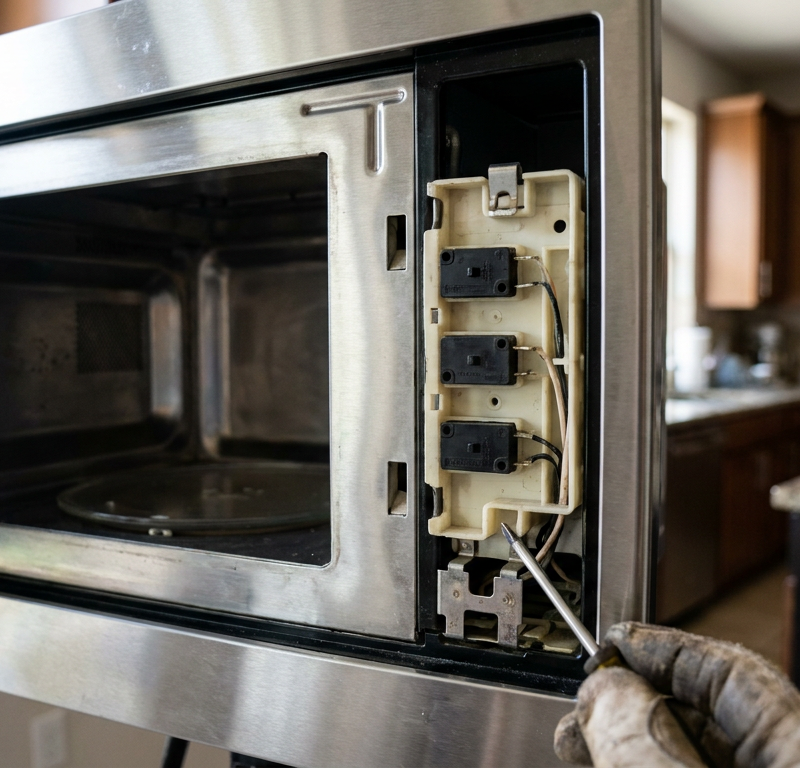
Check the Door Interlock Switches — A common safety culprit. This is a big one. The door has at least two, sometimes three, safety switches that all need to engage when the door closes. If even one of them isn't making proper contact, the control panel (and the microwave itself) won't respond. Open and close the microwave door firmly a few times. Listen for a clean "click" as the door latches. Check for any visible damage to the latch hooks on the door or the receptacles on the microwave body. If they're bent, broken, or out of line, that's likely your problem. You may need a flashlight to see inside those latch pockets clearly. Safety Note: Replacing these switches means opening the microwave cabinet, which contains high-voltage components. This is usually a job for a qualified appliance technician because of the stored electrical charge even when unplugged.
-
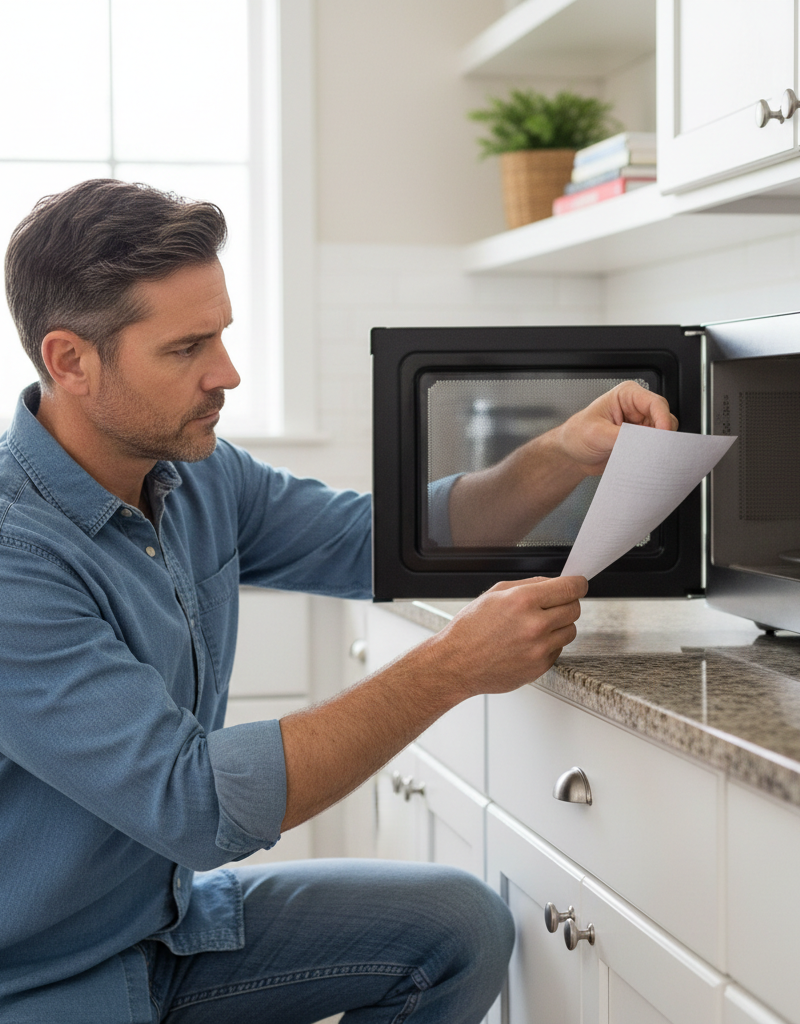
Examine the Microwave Door — Warping or damage can prevent proper closure. A slightly warped or damaged microwave door might not line up with the interlock switches, even if the latch looks fine. Run your hand along the door edges. Does it sit flush with the microwave body? Any wobble or looseness in the hinges? A gap of even 1/16th of an inch can be enough to keep a switch from engaging. If the door isn't seating right, it's keeping the safety circuit from closing.
-
Consider Keypad Membrane Replacement — If cleaning and reset fail. If individual buttons or larger sections still won't respond after a solid cleaning and reset, and the door interlocks check out, the membrane keypad itself is probably bad. That thing's a wear item. For a lot of models, you can order a replacement keypad online. The job usually means carefully prying off the old keypad, disconnecting a ribbon cable, and installing the new one. Important: Always unplug the microwave first. Snap photos as you go so you remember where everything connects. If you're not comfortable with delicate electronics, call a pro.
-
Main Control Board Issues — The last resort. If you've worked through all of that and the panel's still dead, the problem may be the main control board. That's the central processing unit that takes signals from the keypad and runs the whole microwave. A faulty board can keep it from reading button presses at all. But replacing a control board is more involved and usually pricey, so this turns into a "when to call a pro" situation or a point where you start thinking about replacing the microwave, especially if it's an older unit. An original control board can run you $150-$300, sometimes more.
Common Causes
- Grease and Grime Buildup: The big offender, hands down. Sticky residue gets under the membrane and stops contact.
- Age and Wear: Keypads don't last forever. The conductive traces wear out, or the layers separate over time, especially on the buttons you use the most.
- Liquid Spills: Even a small spill can work its way into the keypad, corroding contacts or shorting circuits.
- Power Surges/Fluctuations: A sudden spike or drop in power can scramble the control board's memory or damage sensitive electronic parts.
- Faulty Door Interlock Switches: These safety switches are set up to fail safe, which means if they don't detect a fully closed door, the microwave won't run and the panel often won't respond.
- Software Glitches: Just like a phone or computer, the microwave's internal software can get hung up now and then, leaving the controls dead until a hard reset clears it.
Common Mistakes
- Spraying Cleaner Directly: I see homeowners blast their control panels with spray cleaner all the time. Don't do it. Liquid can seep under the membrane and make a mess of the electronics. Always dampen a cloth away from the appliance.
- Not Unplugging It: Skipping the unplug step is a bad move. Even if the microwave isn't heating, it's still tied to household current until you pull the plug.
- Ignoring the Door: Folks get stuck on the buttons and forget the door is part of the control circuit. A loose latch or misaligned door can look just like a dead keypad.
- Pressing Buttons Too Hard: Hammering on unresponsive buttons can make the damage worse, especially if the membrane's already compromised. Be firm, not brutal.
- Assuming It's Dead: A lot of people toss a microwave when the panel quits, figuring it's toast. Most of the time, it's a repair that costs a fraction of a new unit.
- Not Checking the Breaker: Sometimes the problem isn't the microwave at all, but a tripped breaker that's only partially cutting power to the appliance.
Cost & Time Breakdown
| Task | DIY Cost | Pro Cost | Time |
|---|---|---|---|
| Hard Reset / Basic Cleaning | $0 | N/A | 5-15 minutes |
| Door Latch / Spring Replace | $5-$20 | $100-$150 | 15-30 minutes |
| Keypad Membrane Replacement | $20-$80 | $150-$250 | 30-60 minutes |
| Door Interlock Switch Replace | $10-$30 (for parts) | $120-$200 (incl. labor) | 45-75 minutes |
| Main Control Board Replace | $100-$300 | $250-$500 | 60-90 minutes |
Tips & Prevention
- Regular Cleaning: Wipe down the microwave control panel with a damp cloth on a regular basis so grease and grime don't pile up. Once a week keeps the gunk away.
- Gentle Button Pressing: Use a gentle but firm touch when you press buttons. Don't jab at them or use too much force, or you'll wear out the membrane faster.
- Mindful Usage: Watch for spills, especially liquids. If something gets on the panel, clean it up right away and dry it thoroughly.
- Check Door Latch Annually: Give the microwave door a quick once-over every year. Make sure the latch feels secure and there's no wobbling or extra play in the hinges.
- Use a Surge Protector: For less than $20, a decent surge protector can help protect the microwave's sensitive electronics from power spikes, especially if you live where storms like to roll through.
- Don't Slam the Door: A hard slam can knock the door out of line or damage the interlock switches over time. A firm, gentle close is all it needs.
When to Call a Professional
Look, I'm all for DIY, but there are times when you need to bring in the cavalry. If you've already tried the basic troubleshooting steps – the reset, the cleaning, checking the visible door issues – and the control panel is still dead, it might be time for a pro. Specifically, if you suspect a bad door interlock switch or the main control board, that's when you should pick up the phone. Opening a microwave means dealing with a high-voltage capacitor that can hold a lethal charge even when unplugged. I've seen guys get lit up by these things. If you're not comfortable with electrical work, especially with an appliance that can pack 4,000+ volts, don't gamble with it. A qualified appliance technician has the right tools and the know-how to safely diagnose and fix those internal parts. Better safe than sorry when you're dealing with appliance guts, especially a microwave.
I pulled a water heater in Frisco last month that had exactly this kind of ghost problem—only this time it was a microwave. Customer swore the control panel was dead and wanted to replace the whole unit. I got there, gave it the old unplug-for-ten-minutes trick, plugged it back in, and bingo – the panel lit right up. Just a software hiccup. Cost her $85 for the service call, but saved her probably $400 on a new microwave. It's not always that simple, but sometimes it is. Don't underestimate the power of a good old-fashioned reset before you start tearing things apart or buying new. That's what I tell homeowners: start simple, then step up the fight. You'd be surprised how often the simple stuff works.
Related Articles
Keep troubleshooting with these hand-picked guides from FixlyGuide:
- The Mystery of the Cold Oven: Is It Your Power or a $15 Part? — Don't rush to replace your oven when it won't turn on; many common power issues or a simple, inexpensive thermal fuse might be the real cul…
- The Surprising Reason Your Dishwasher Won't Start (It's Not Always the Door) — Don't rush to call a repairman when your dishwasher refuses to start; often, the culprit is a simple, overlooked issue you can fix yourself…
- Why Your Microwave Sparks and How to Prevent a Fire — A sparking microwave is alarming, but often an easy fix. Discover the common causes of microwave arcing, from forgotten forks to hidden dam…
- The Annoying Drip: Why Your Refrigerator's Leaking Water (and the 10-Minute Fix) — Don't let a leaky refrigerator ruin your floor! Discover the common culprits behind water leaks and how you can fix most of them in just 10…
- The $5 Part That Stops Your Fridge From Leaking (And Why It Fails) — A leaking refrigerator can lead to serious floor damage and appliance issues. Often, the culprit is a clogged defrost drain, a simple fix m…
- The Mystery of the Sprouting Carpet Tuft (And How to Stop It) — Ever noticed little loops or long strands sticking up from your carpet after cleaning or heavy use? That's called sprouting, and it's not j…
Should you do this yourself?
Answer five quick questions before you start. Safety outranks savings every time.
Your experience with work like this
How high do you have to work?
Does the job involve any of these?
Will it need a permit?
Specialty tools
Free and instant. Educational guidance only — not a quote, inspection, or professional diagnosis.
What should this project cost?
Enter your project details for a realistic cost range before you call anyone.
Outlet and switch work usually $150–$400; panel upgrades commonly $1,800–$4,200.
- Regional adjustment
- National average
- Labor share (typical)
- ~$709
- Quotes to collect
- 3 written estimates
Educational estimate based on national averages — not a binding quote. Always confirm with written local estimates.
Fixly Project Decision Box
- DIY difficulty
- Professional Recommended
- Estimated time
- Diagnosis 1–2 hours
- Cost level
- Moderate
Main tools / materials
- Non-contact voltage tester
- Outlet tester
- Flashlight
When to stop and call a pro
- Burning smell, scorch marks, or a warm outlet or switch plate
- A breaker that trips again right after being reset
- Any work inside the service panel
- Aluminum wiring or cloth-insulated wiring
Need professional help?
Talk to a Licensed ElectricianGet the print-ready PDF of this guide
A clean, ad-free, printable version you can keep on your phone or pin to the workshop wall. Free with a FixlyGuide account.
- Print-optimized layout
- Tools, materials & every step included
- Saved to your account
Frequently asked questions
Why did my microwave buttons suddenly stop working?+
Often, it's a temporary software glitch that can be cleared with a hard reset (unplugging for 5-10 minutes). Other common culprits include grease buildup on the keypad, a damaged membrane, or a faulty door interlock switch.
Can I fix my microwave's unresponsive buttons myself?+
Yes, many common issues are DIY-friendly. A hard reset, thorough cleaning of the control panel, and checking the door latch for visible issues are great starting points for homeowners.
What is a microwave door interlock switch and why is it important?+
The door interlock switch is a safety device that ensures the microwave won't operate unless the door is securely closed. If it's faulty or the door isn't aligned, it will prevent the microwave from starting and can make the control panel unresponsive.
How can I clean my microwave's control panel without damaging it?+
Use a soft cloth dampened very slightly with mild dish soap and water. Never spray cleaner directly onto the panel, as liquid can seep underneath and cause electrical issues.
My microwave only has a few buttons not working, what does that mean?+
If only specific buttons are unresponsive, it strongly suggests a localized issue with the membrane keypad itself, where those particular contacts may be worn out or damaged. A full keypad replacement might be necessary.
When should I call a professional for a microwave with dead buttons?+
Call a pro if basic troubleshooting (reset, cleaning) doesn't work, or if you suspect a faulty door interlock switch or main control board. These repairs involve high-voltage components and are best left to experienced technicians.
Is it worth replacing a microwave's control board?+
Replacing a main control board can be expensive, often costing $150-$300 for the part alone. For older microwaves, the cost of repair might approach the cost of a new appliance, making replacement a more economical choice.
Can a power surge cause microwave buttons to stop working?+
Yes, power surges or fluctuations can sometimes scramble the control board's memory or damage sensitive electronic components, leading to an unresponsive control panel. A surge protector can help prevent this.
Discussion
Loading comments…